web
You’re offline. This is a read only version of the page.
close
Skip to main content

Notifications

Announcements

No record found.

Community site session details

Community site session details

Session Id :
Microsoft Dynamics CRM (Archived)

Can we "enable" knowledge articles in a custom customer portal ?

(0) ShareShare
ReportReport
Posted on by

I know from the documentation that knowledge articles are not part of a custom portal.

I have also seen that you can "redeploy" another portal type. But we are in fact happy with what we have today, except a functional requirement for something like knowledge articles has come up.

So If we could run a script or something to enable this functionality that would help.

I have tried to create an entitylist that display knowledge articles and the list works fine, see the screenshot below. But opening a record in a detail form, gives an error...
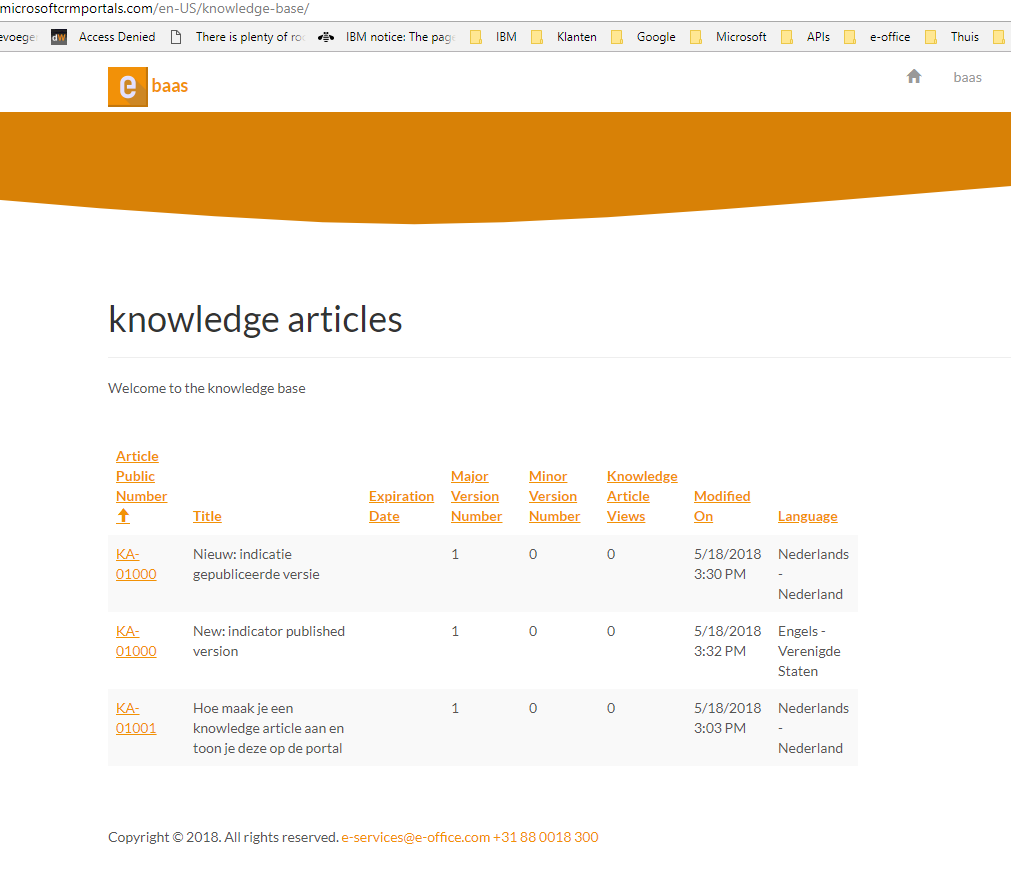
KBEntitilistPage.PNG

I also found this URL

KnowledgeArticleViewer/KnowledgeArticleContentViewer.aspx?id={A29CD6D6-9B5A-E811-A95C-000D3AB31F97}

which seems to render the content, may this is the way to go ?

*This post is locked for comments

I have the same question (0)
  • Verified answer
    Dmytro Rutkovskyi Profile Picture
    1,835 on at

    You can request trial instance on CRM and see how different portal will work. As well you can grab part of its templates to display Knowledgebase articles.  (its done for a good part with custom Liquid templates).

    as well you can grab & install "KnowledgeManagement" Dynamics 365 Portals - Knowledge Management solution which with few data entries in the portal give you desired functionality.

    Default valid URL to render Article Content with related articles/products/attachments looks like https://{portal-url}/knowledgebase/article/KA-03361/en-us

    Alternatively, you can render Article List and the Article they way you want (what you have started implement). To fully customize entity list you can refer this article: https://docs.microsoft.com/en-us/dynamics365/customer-engagement/portals/render-entity-list-current-page

    To display article entity form to the user without error you need to check entity permissions (Portal->Security -> Entity Permissions).
    Give or create Knowledgebase entity Global Read permission to both authenticated and anonymous users web roles.

  • Community Member Profile Picture
    on at

    thanks for you suggestions.

    About the security, if I can see the articles in a list (as in my screenshot), that would mean the permissions are OK, right ?

  • Dmytro Rutkovskyi Profile Picture
    1,835 on at

    Hi,

    It's mean that permissions are OK if you click the checkbox on the entity list configuration - "Enable Entity Permissions".

    If you try to show the article with entity form (which I can't assume as the prod-ready solution), you can also uncheck the same option for the entity form and see if it's work.

    In case you customize showing of the article with say "fetchxml" - you need to setup entity permission for knowledgebase article.

  • Community Member Profile Picture
    on at

    We tested the community portal in an trial instance and found that our data is not touched when we switch from custom to community portal. So thanks

Under review

Thank you for your reply! To ensure a great experience for everyone, your content is awaiting approval by our Community Managers. Please check back later.

Helpful resources

Quick Links

Responsible AI policies

As AI tools become more common, we’re introducing a Responsible AI Use…

Neeraj Kumar – Community Spotlight

We are honored to recognize Neeraj Kumar as our Community Spotlight honoree for…

Leaderboard > 🔒一 Microsoft Dynamics CRM (Archived)

#1
SA-08121319-0 Profile Picture

SA-08121319-0 4

#1
Calum MacFarlane Profile Picture

Calum MacFarlane 4

#3
Alex Fun Wei Jie Profile Picture

Alex Fun Wei Jie 2

Last 30 days Overall leaderboard

Featured topics

Product updates

Dynamics 365 release plans



