web
You’re offline. This is a read only version of the page.
close
Skip to main content

Notifications

Announcements

No record found.

Community site session details

Community site session details

Session Id :
Service | Customer Service, Contact Center, Fie...
Suggested Answer

Add comment button not showing on Customer portal for portal comments

(0) ShareShare
ReportReport
Posted on by 155

Hi Guys,

I am not able to make the add comment button show up, I have tried numerous suggestions on the internet however have had no luck. I am using an authenticated user and can see all the portal comments created on the case however there is no way for me to add a comment. Below are the permissions that I have for authenticated users.
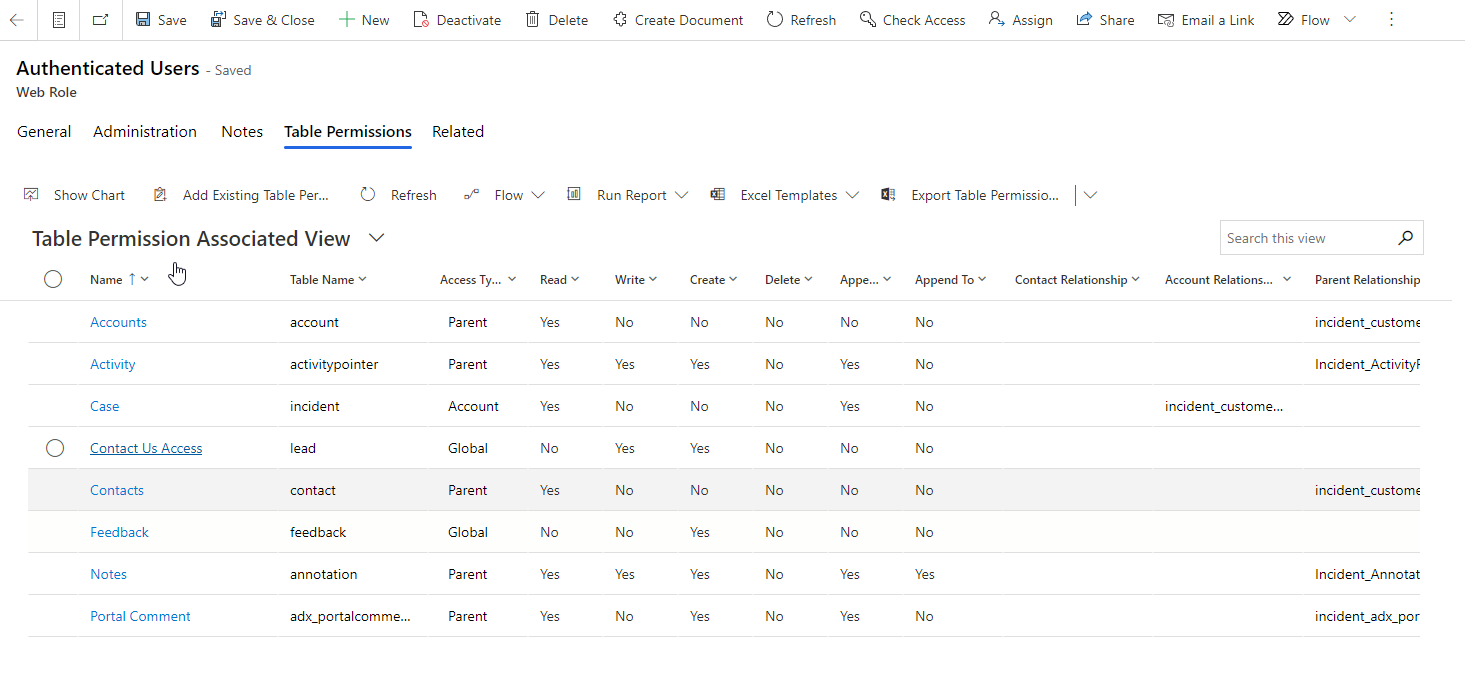
AuthenticatedUsersPermission.png

and the Form Metadata option for adding comment is also set to true.
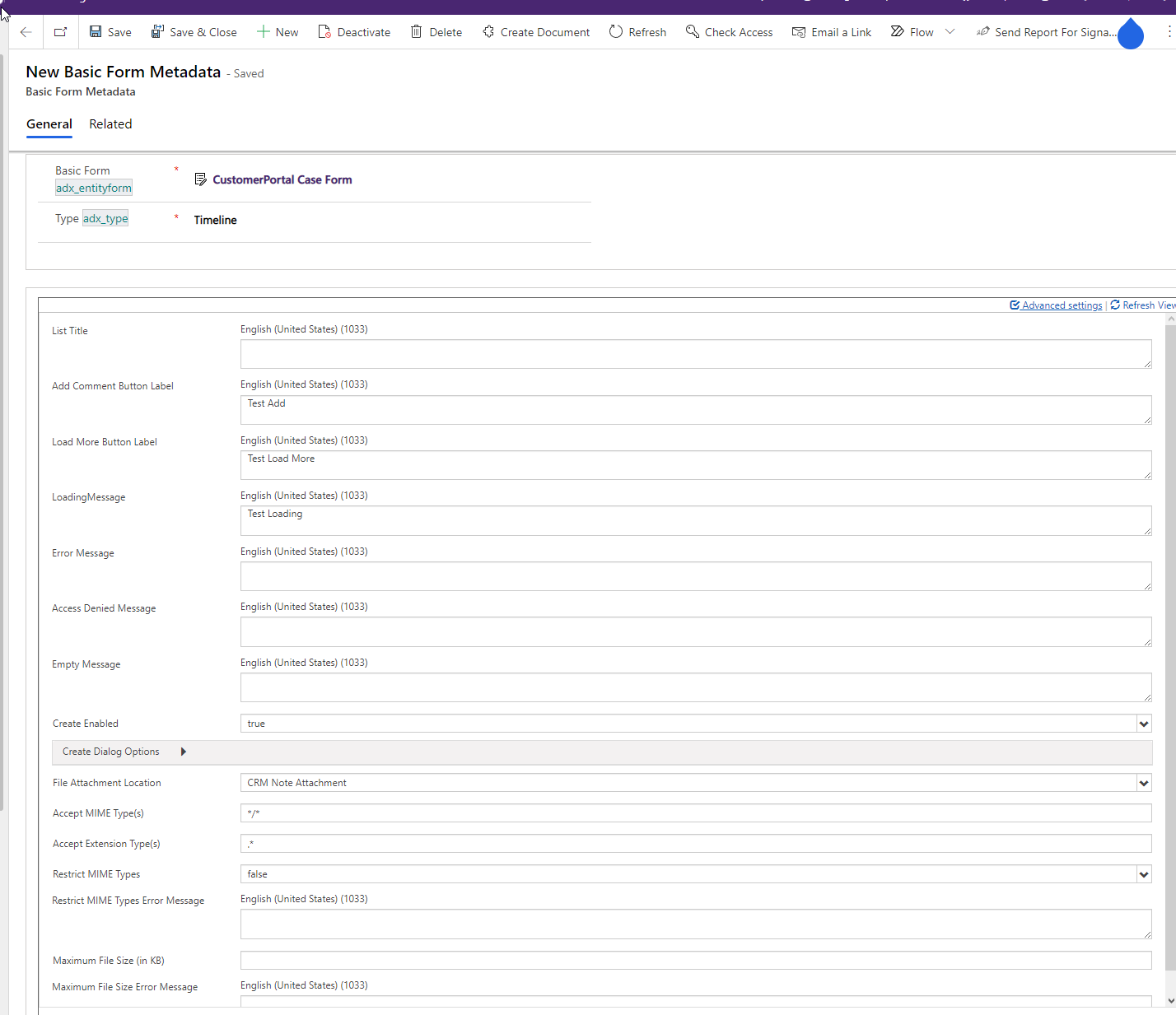
FormMetaData.png

Is there anything that I am missing? Here is what the current portal looks like. 
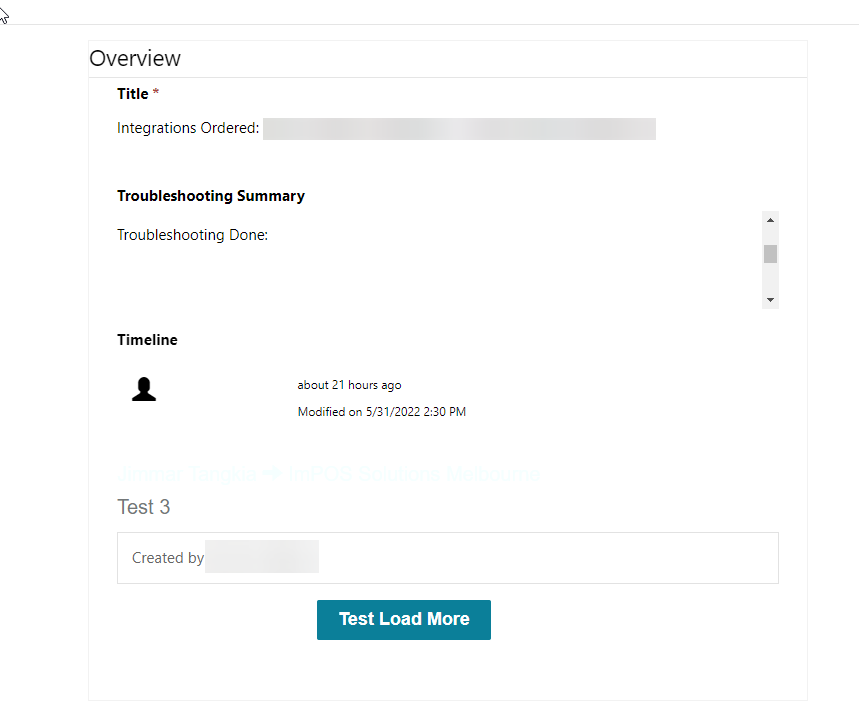
CurrentPortal.png

Also on a sidenote is it possible to have the Load More comments button show all comments instead of it showing 1 by 1 comments. Thanks

I have the same question (0)
  • Jimmar Tangkia Profile Picture
    155 on at

    I think the culprit is this error, does anyone have any idea how i can get this enabled? Thanks

    pastedimage1654064553405v2.png

    This comes up when on the timeline when i try to edit it and save. 

  • Suggested answer
    Bipin D365 Profile Picture
    28,983 Moderator on at

    Hi,

    You need to Enable Notes under Collaboration and Communication section in Entity customization. Please see below Image -

    CR111.PNG

    Please check below article to condigure Activity Feed 

    docs.microsoft.com/.../configure-activity-feeds

  • Jimmar Tangkia Profile Picture
    155 on at

    Hi Bipin Kumar 

    Thanks for the reply. The entity i understand that is used on this question is Cases and Portal Comments, I have checked on Cases and Notes is already checked, same goes with Portal Comments it has it checked as well.

    pastedimage1654092119856v1.png

    Do you have any other ideas? Thanks again.

Under review

Thank you for your reply! To ensure a great experience for everyone, your content is awaiting approval by our Community Managers. Please check back later.

Helpful resources

Quick Links

Responsible AI policies

As AI tools become more common, we’re introducing a Responsible AI Use…

Neeraj Kumar – Community Spotlight

We are honored to recognize Neeraj Kumar as our Community Spotlight honoree for…

Leaderboard > Service | Customer Service, Contact Center, Field Service, Guides

#1
Tom_Gioielli Profile Picture

Tom_Gioielli 45 Super User 2025 Season 2

#2
Daniyal Khaleel Profile Picture

Daniyal Khaleel 27 Most Valuable Professional

#3
Soundari Profile Picture

Soundari 15

Last 30 days Overall leaderboard

Featured topics

Product updates

Dynamics 365 release plans
