web
You’re offline. This is a read only version of the page.
close
Skip to main content

Announcements

No record found.

News and Announcements icon
Community site session details

Community site session details

Session Id :
Dynamics 365 Community / Forums / Finance forum / Printing error "T...
Finance forum

Printing error "The system cannot find the path specified"

(0) ShareShare
ReportReport
Posted on by 3,008

Hi all,

We have installed DRA & did settings & configured printers.

Able to see the printers in Application(Network printer form).

We are testing the the printing with some basic report. Though it generating message "The report has sent to printer" but no output.

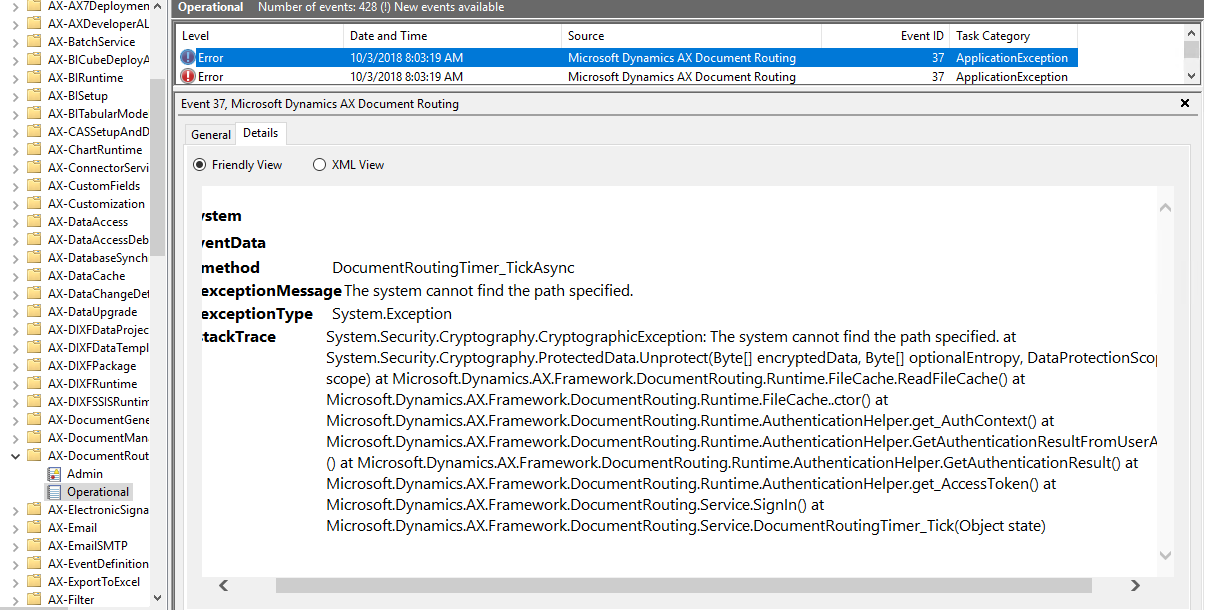
In event viewer found some error log "can't find the path"( path: Eventviewer -> Applicatoins and services logs -> Microsoft -> Dynamics ->AX-DocumentRouting ->Operational).

Could you please guide on this issue. unable to figure out issue with printer path (Printer path was generated by system automatically by DRA)
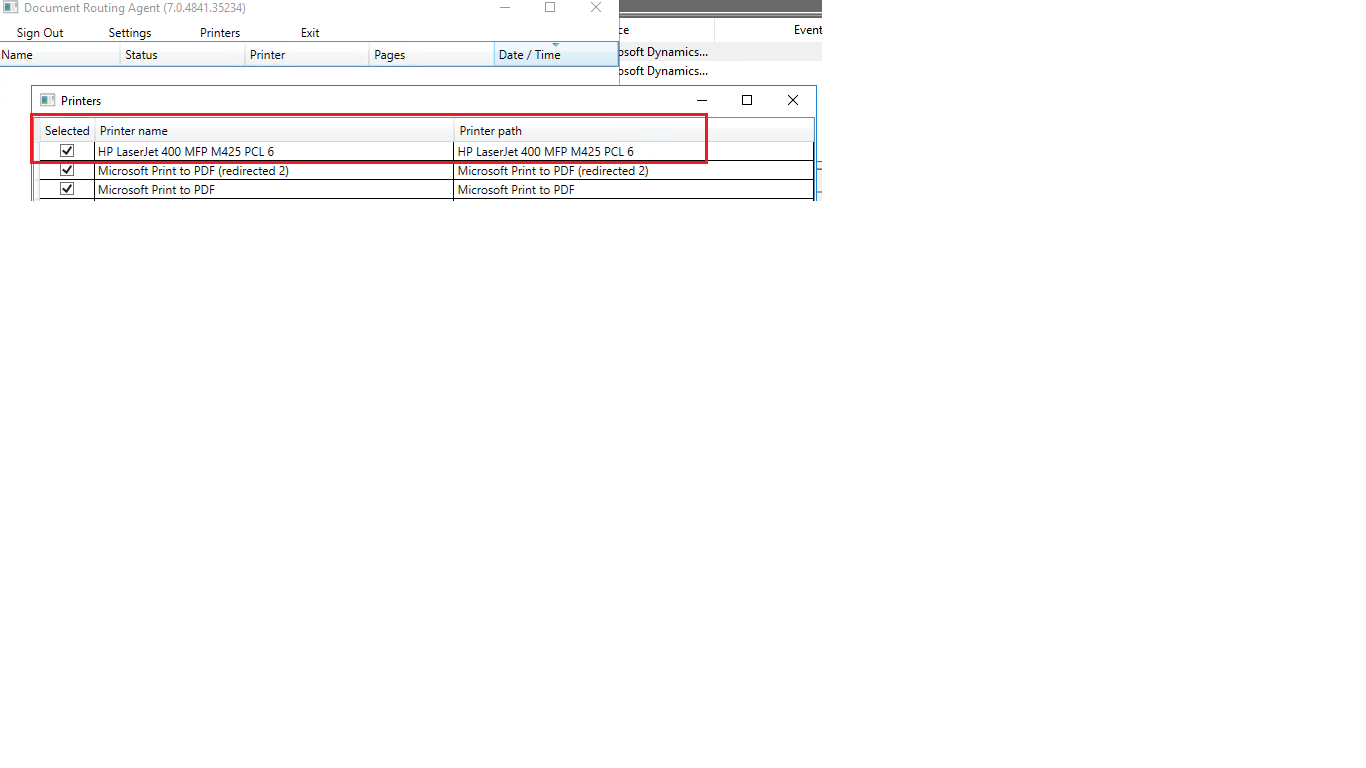
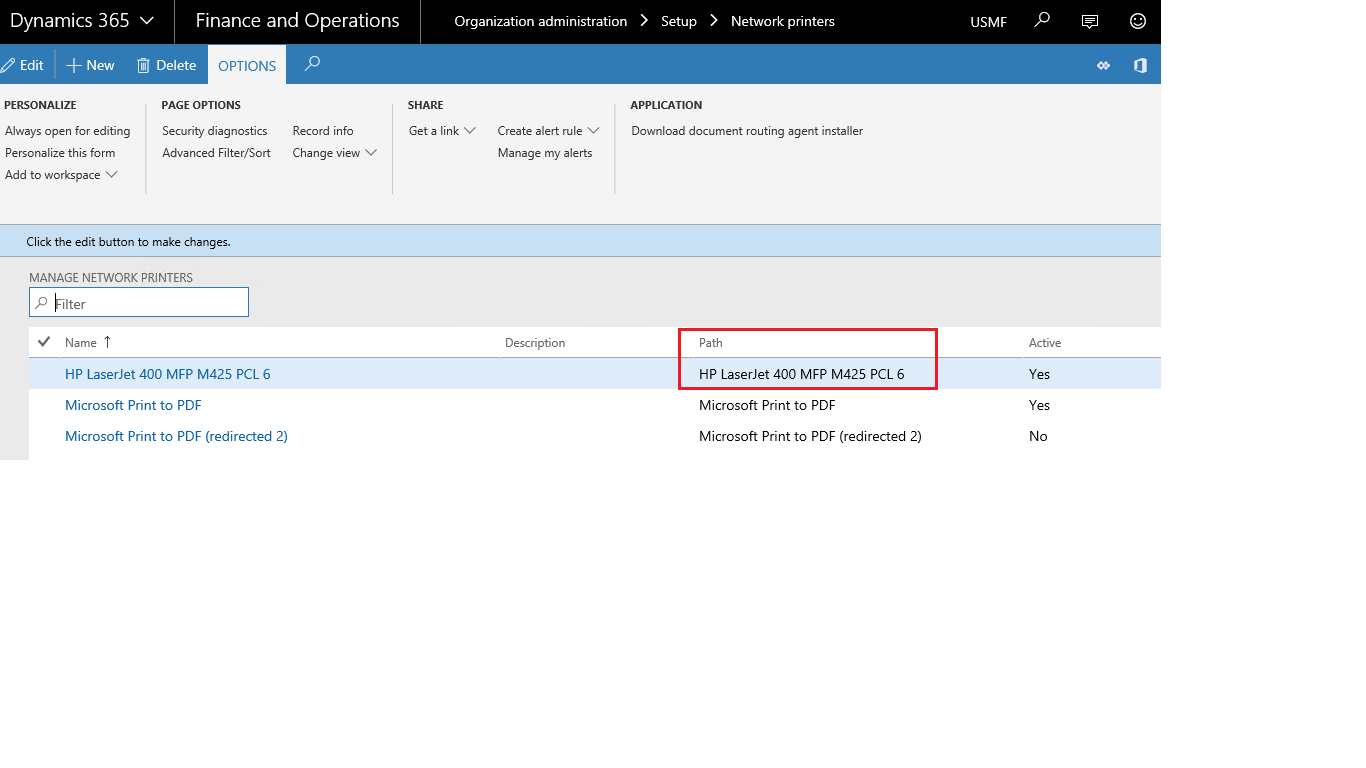
8764.DRASettings.PNG1882.DRANetworkPrinters.PNG7360.DRAReportPrinting.PNG  8422.DRAReportPrintMsg.PNG 5280.DRAEventViewer_5F00_ErrorLog.PNG

Thanks,

Categories:
I have the same question (0)
  • udaY-ch Profile Picture
    5,173 on at

    Hi,

    Were you able to print other document from the machine where document routing agent installed. Say for example, any word document or try giving a test print

    Best,

    Uday.

  • krishna.rao@dax Profile Picture
    3,008 on at

    yes, we are able to print the documents(pdf,word..etc) from the machine where document routing agent installed.

  • udaY-ch Profile Picture
    5,173 on at

    Hi,

    Document routing agenT supports network and does your printer connected well in your network.

    Also you use DRA as an application or windows service?

    Best,

    Uday.

  • krishna.rao@dax Profile Picture
    3,008 on at

    Running DRA as windows service. I have shared the screenshots for printer setup.

    Appreciate anyone could help on this.

  • udaY-ch Profile Picture
    5,173 on at

    Hi,

    Does the account has access to the shared network devices. I mean the account which is runs the DRA service.

    Best,

    Uday.

  • krishna.rao@dax Profile Picture
    3,008 on at

    yea,   printers are showing as of it

  • Suggested answer
    udaY-ch Profile Picture
    5,173 on at

    Hi,

    Have you set the target location for document reports that require custom margins. Make sure the user account runs document routing agent has the access to the path of the location defined in the settings. I believe the DocumentRoutingService service is running as a domain account that has access to the network devices.

    Best,

    Uday.

  • krishna.rao@dax Profile Picture
    3,008 on at

    I haven't specified explicitly & even I didn't find this.

    Can you please let us know how to set the target location for document reports that require custom margins. (FYI. as said in my previous mail DRA account has required access)

  • udaY-ch Profile Picture
    5,173 on at

    Hi,

    In the settings of the Document routing agent, You will find the path which is "Select the target folder for PDF Files".

    Also, Have a try printing by setting the Document routing agent as an  application.

    Best,

    Uday.

  • Mark Schurmann Profile Picture
    4 on at

    Are you running DRA as an Application or a Service.  If you run it as an app, you can see if the documents are queuing up for DRA to process and perhaps whatever error is being encountered.  Are you able to print something directly from the server where the DRA is installed?  This seems like the kind of error you might get if the printer is not available to the print server.

Under review

Thank you for your reply! To ensure a great experience for everyone, your content is awaiting approval by our Community Managers. Please check back later.

Helpful resources

Quick Links

November Spotlight Star - Khushbu Rajvi

Congratulations to a top community star!

Forum Structure Changes Coming on 11/8!

In our never-ending quest to help the Dynamics 365 Community members get answers faster …

Dynamics 365 Community Platform update – Oct 28

Welcome to the next edition of the Community Platform Update. This is a status …

Leaderboard > Finance

Last 30 days Overall leaderboard

Featured topics

Product updates

Dynamics 365 release plans