Hi,
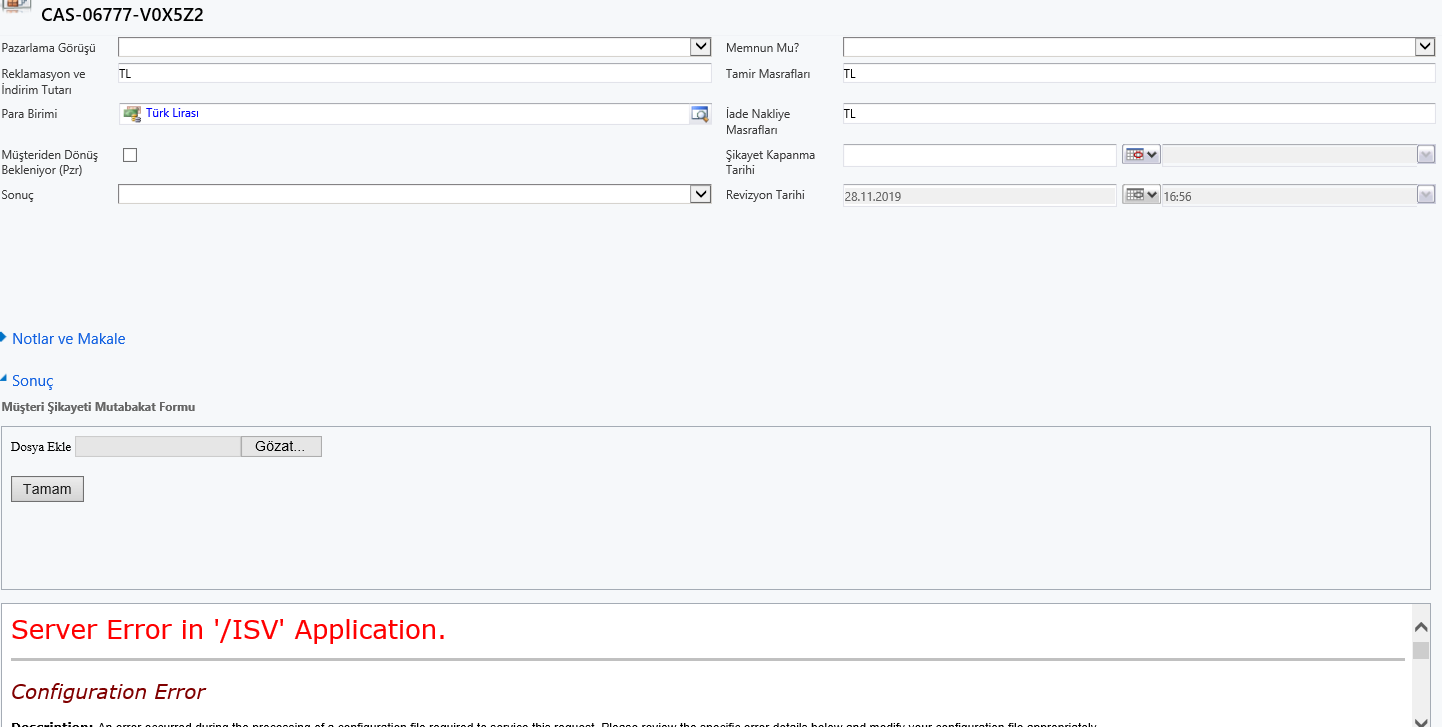
I have a visual studio 4.5 framework project. In this project i have an aspx pae that uploads files and saves to a custom entity table like annoation table in Crm.
The program works fine in debug mode on my client computer. I published the project. Add the projectname.dll to bin folder in CrmWeb folder in crm server.
Then i put the published aspx page into ISV folder in the server. I took the crm dll s from the crm server which are located in bin folder of CrmWeb, when i debug and write the project.
I embeded that page by using iframe into the incident form. But the page doesnt apper and the error message have be seen:
Server Error in '/ISV' Application.
Configuration Error
Description: An error occurred during the processing of a configuration file required to service this request. Please review the specific error details below and modify your configuration file appropriately.
Parser Error Message: Could not load file or assembly 'Microsoft.Crm, Version=5.0.0.0, Culture=neutral, PublicKeyToken=31bf3856ad364e35' or one of its dependencies. The system cannot find the file specified.
Source Error:
An application error occurred on the server. The current custom error settings for this application prevent the details of the application error from being viewed remotely (for security reasons). It could, however, be viewed by browsers running on the local server machine.
|
Source File: C:\Program Files\Microsoft Dynamics CRM\CRMWeb\web.config Line: 22
Assembly Load Trace: The following information can be helpful to determine why the assembly 'Microsoft.Crm, Version=5.0.0.0, Culture=neutral, PublicKeyToken=31bf3856ad364e35' could not be loaded.
WRN: Assembly binding logging is turned OFF.
To enable assembly bind failure logging, set the registry value [HKLM\Software\Microsoft\Fusion!EnableLog] (DWORD) to 1.
Note: There is some performance penalty associated with assembly bind failure logging.
To turn this feature off, remove the registry value [HKLM\Software\Microsoft\Fusion!EnableLog].
|
How can i solve this error? Can anyone help me please?