Hi jdalske,
The above solution only works for D365 online.
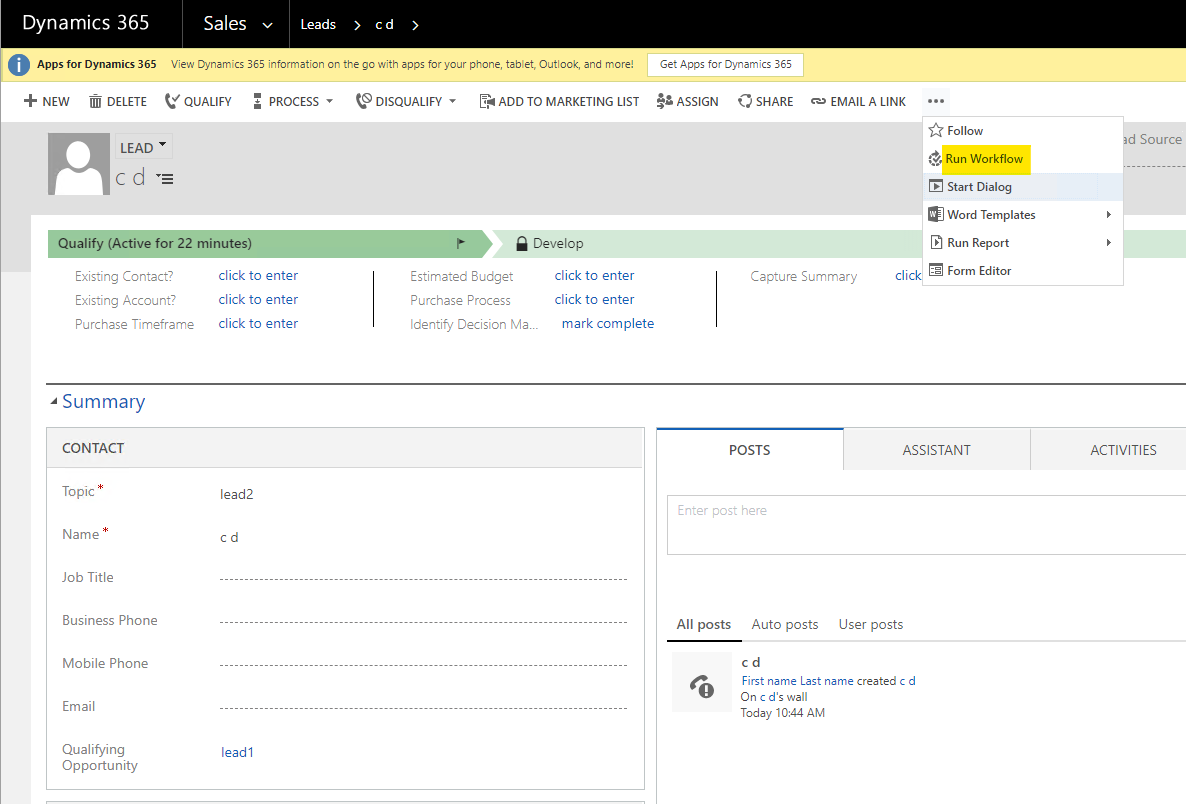
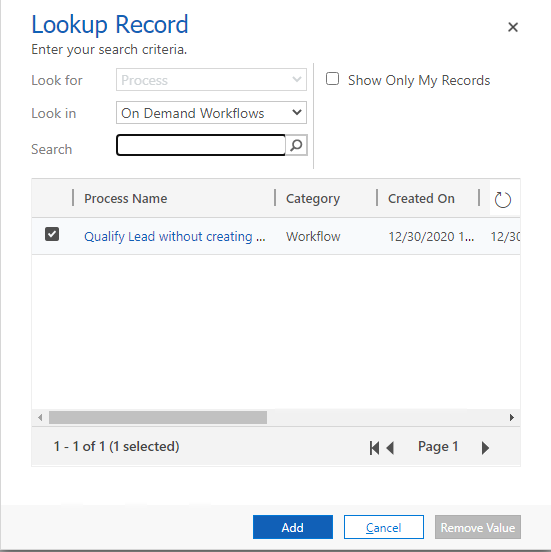
If you are using OP, I would recommend you using on-demand workflow to qualify the Lead instead of Qualify buttom when new Opportunity is not to be created.
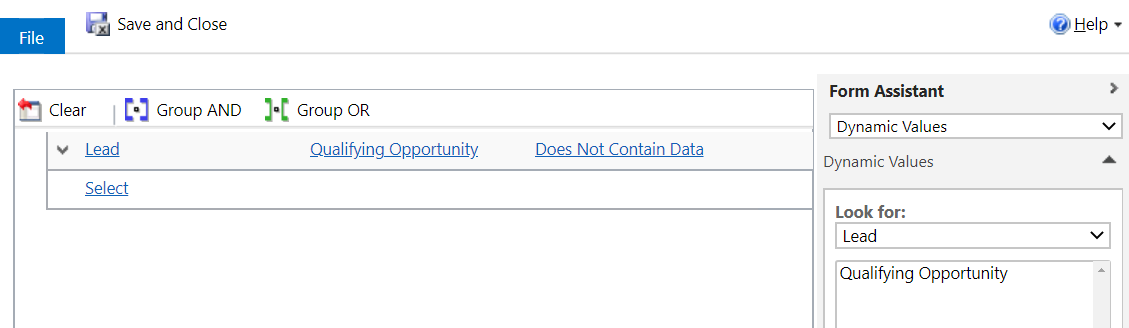
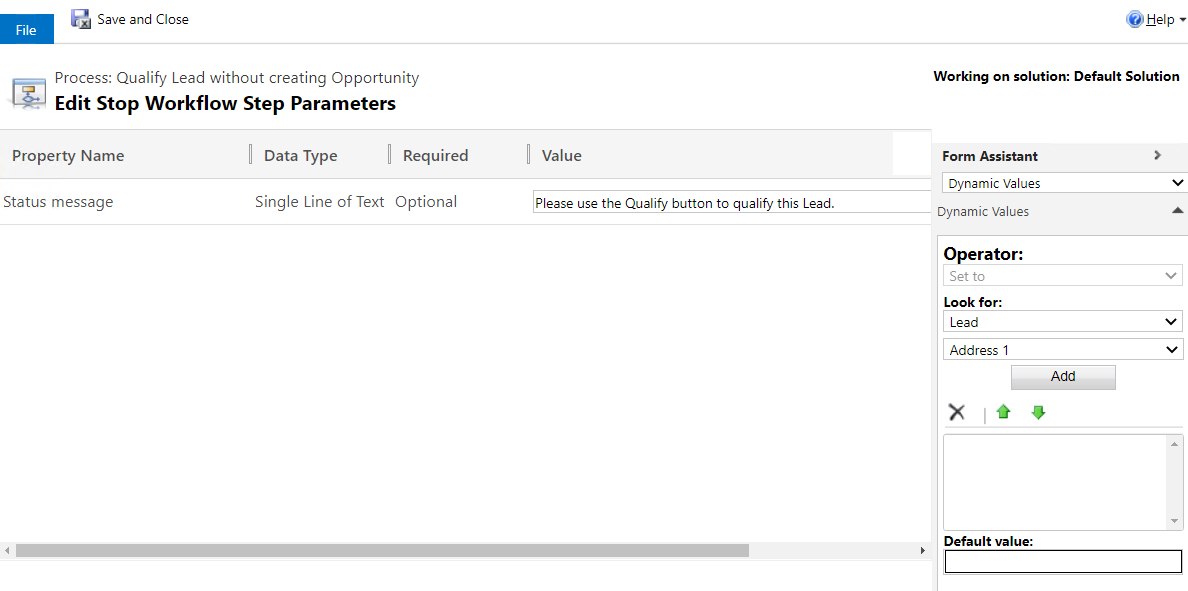
Step 1. First, we will create a real-time workflow to stop user qualify Lead by the Qualify button when the "Qualifying Opportunity" field contains data.
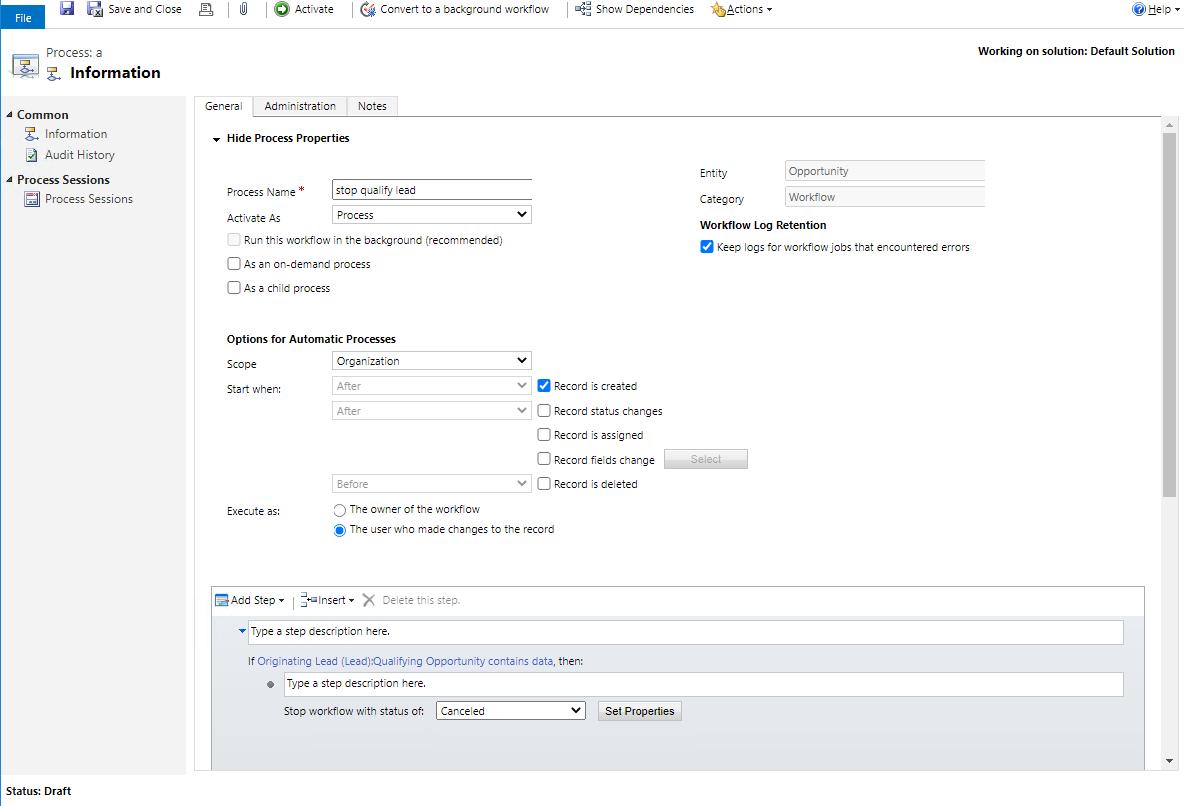
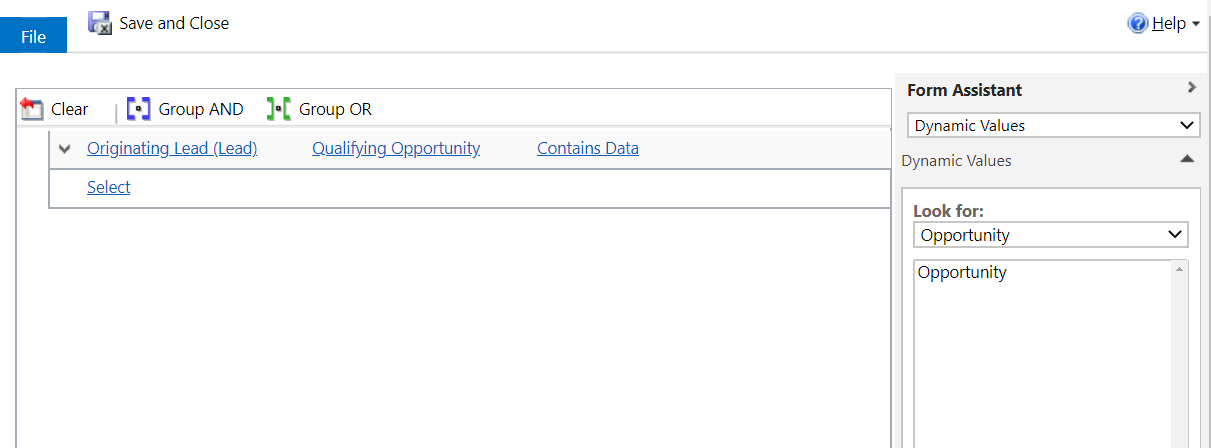
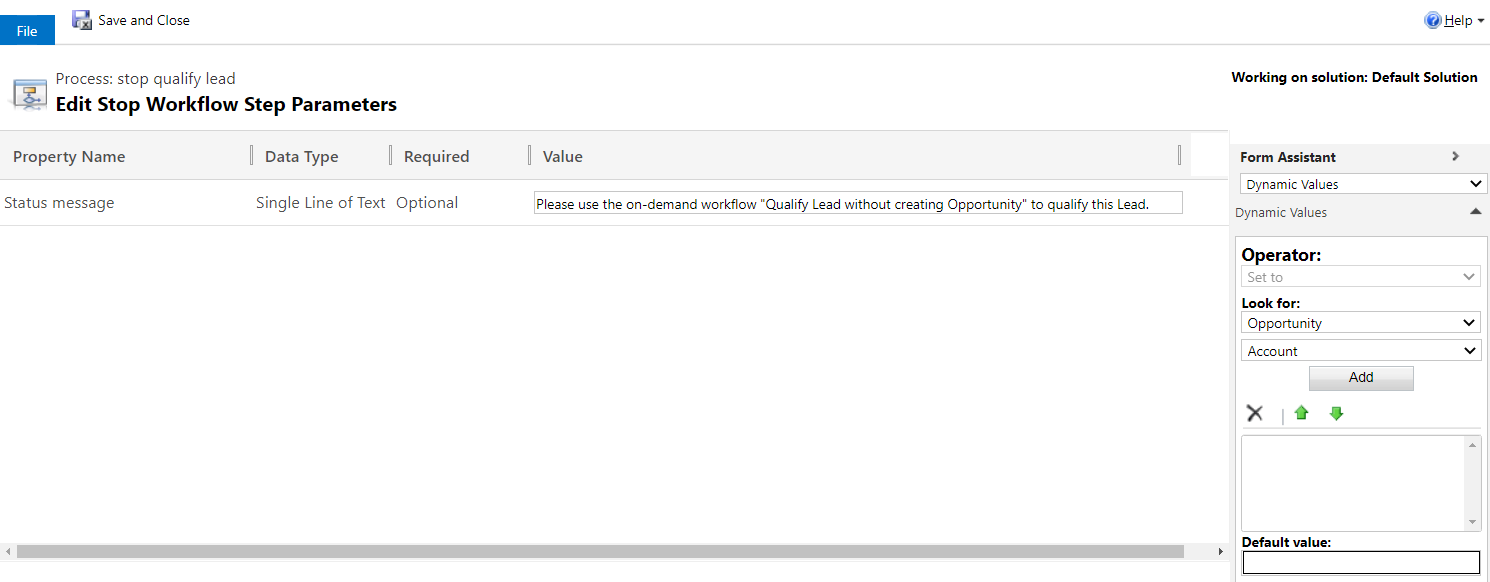
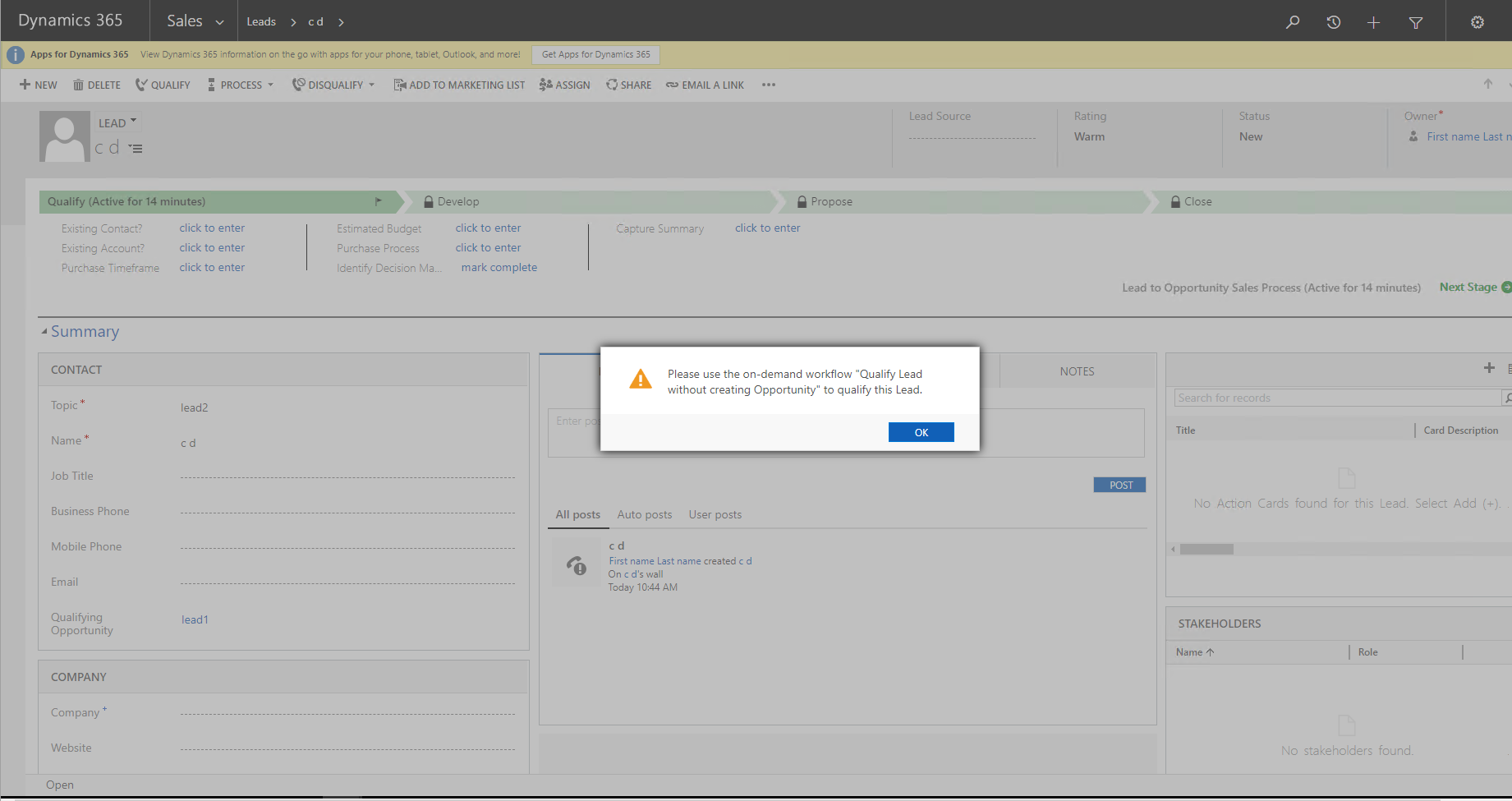
This way, if the "Qualifying Opportunity" field contains data, when the user qualify the Lead by the button, the qualifing process will be stoped, and the Opportunity will not be created, the user will see a message "Please use the on-demand workflow "Qualify Lead without creating Opportunity" to qualify this Lead".
Step 2. Create a on-demand workflow.
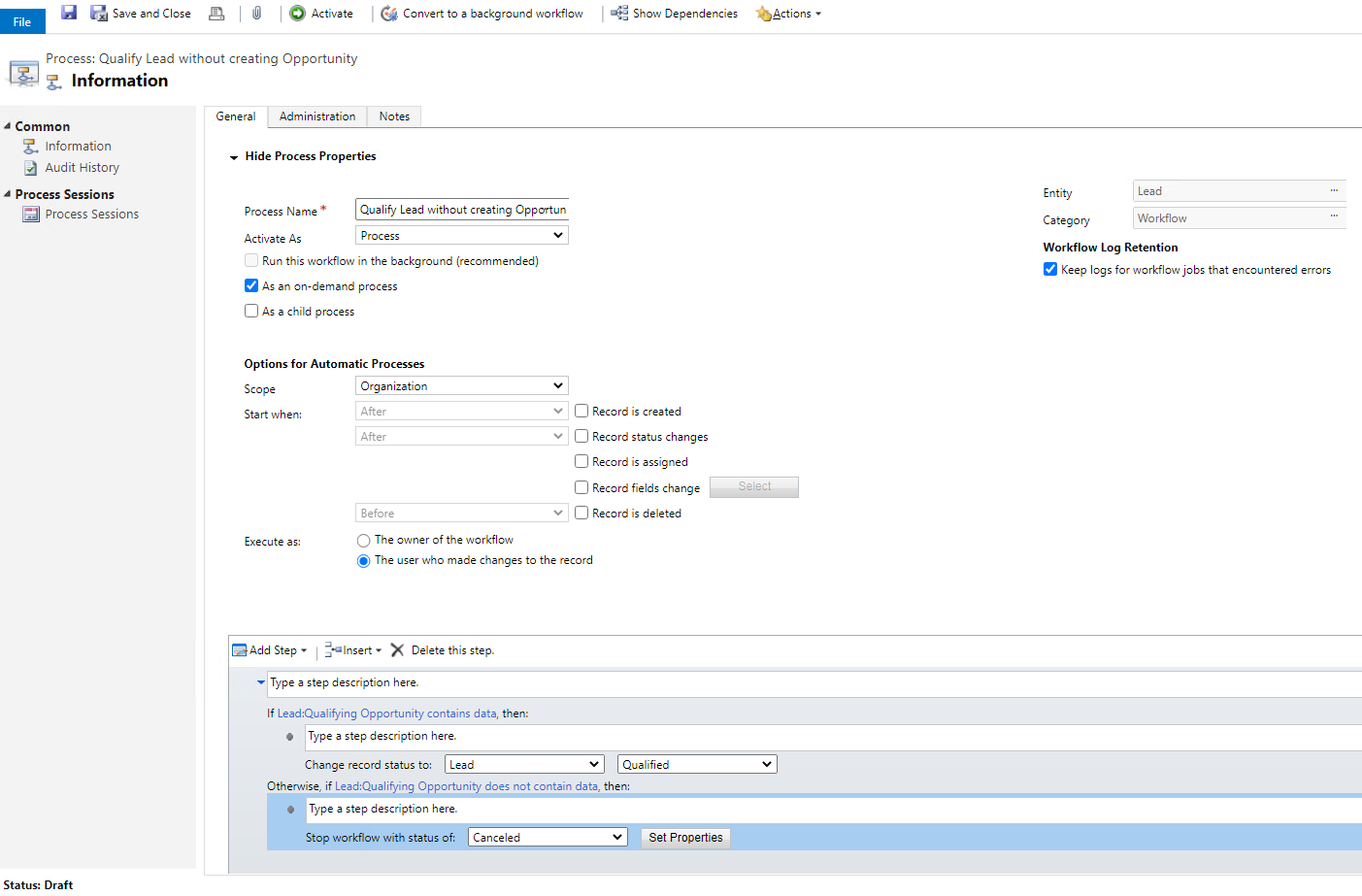
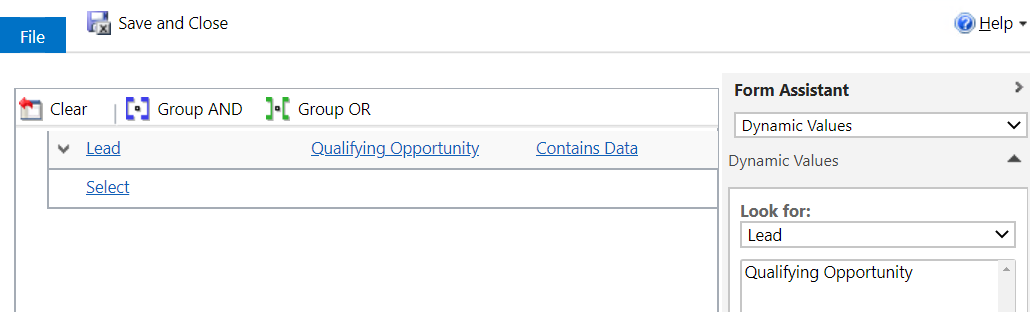
This way, users can use this on-demand workflow to qualify wihout creating Opportunity only when the "Qualifying Opportunity" field contains data.