I think I have troubleshoot the error, this is the cause and the solution:
The project contract, funding sources, and customer account must match. In other words, for projcects quotation to be transferred to existing projects, the account field must be filled in the project sheet.
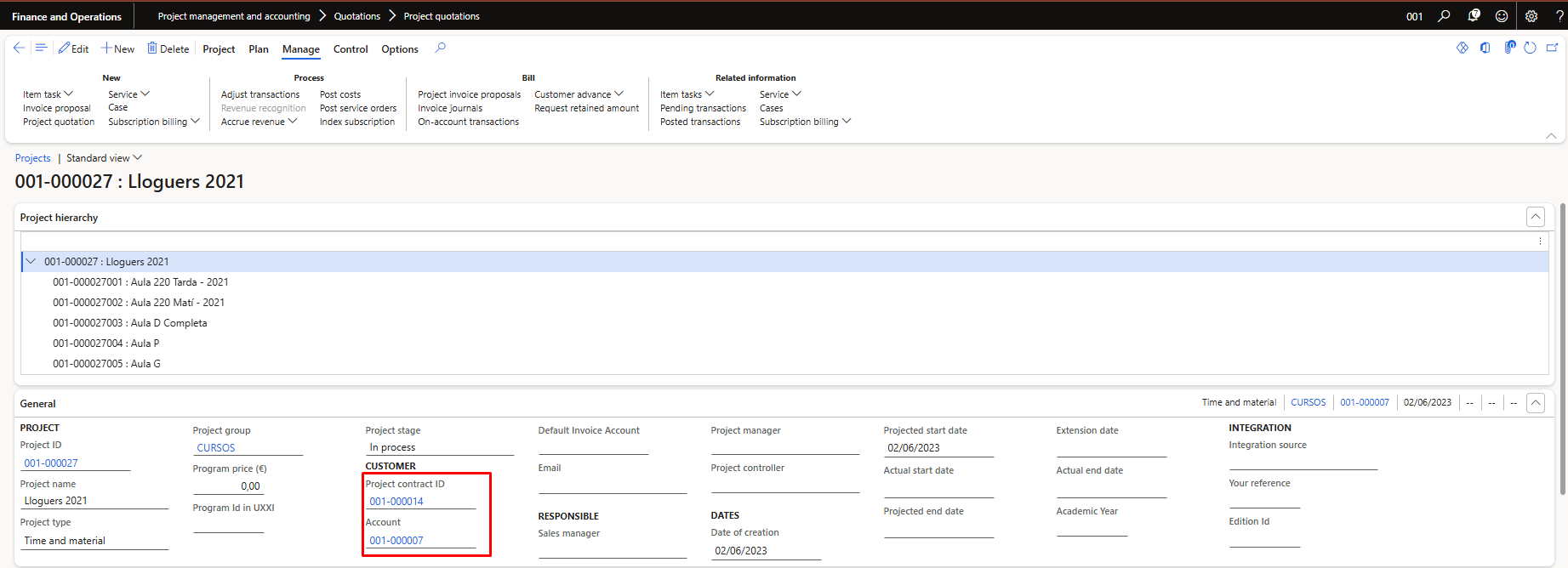
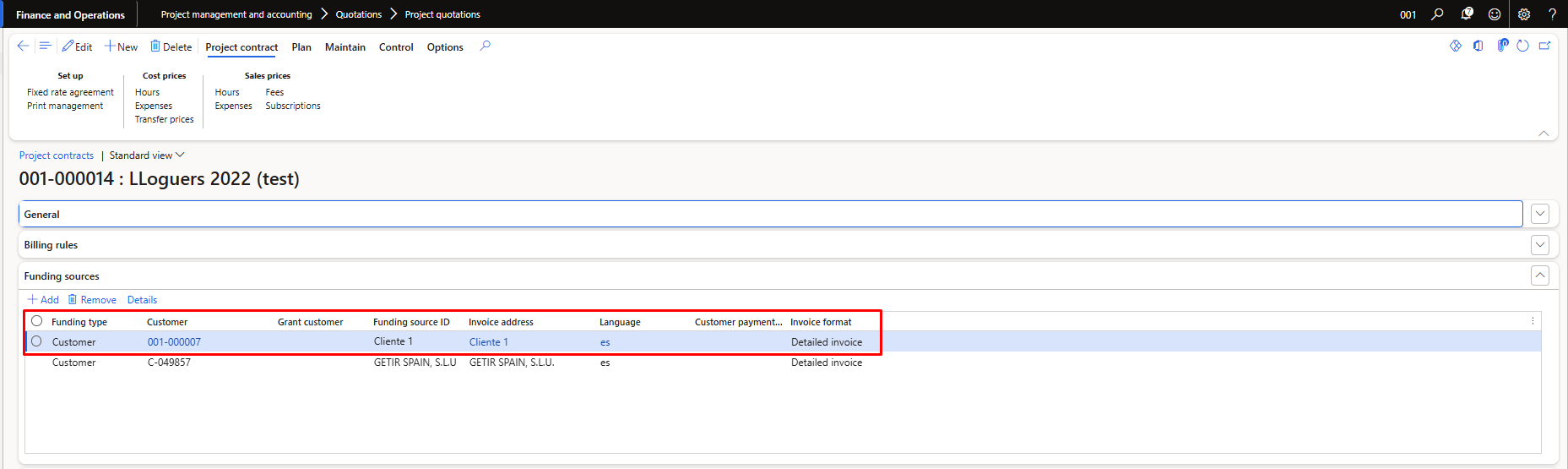
If a project quotation is created and transferred to a project, the customer account in the project sheet must match the first funding source of the project contract.
Otherwise, the system cannot relate it correctly, and a sales order is created with different customer and invoice accounts and creates a sales order for each line.
This means that the customer account project contract must be the project's customer account and, in turn, the first funding source of the contract.
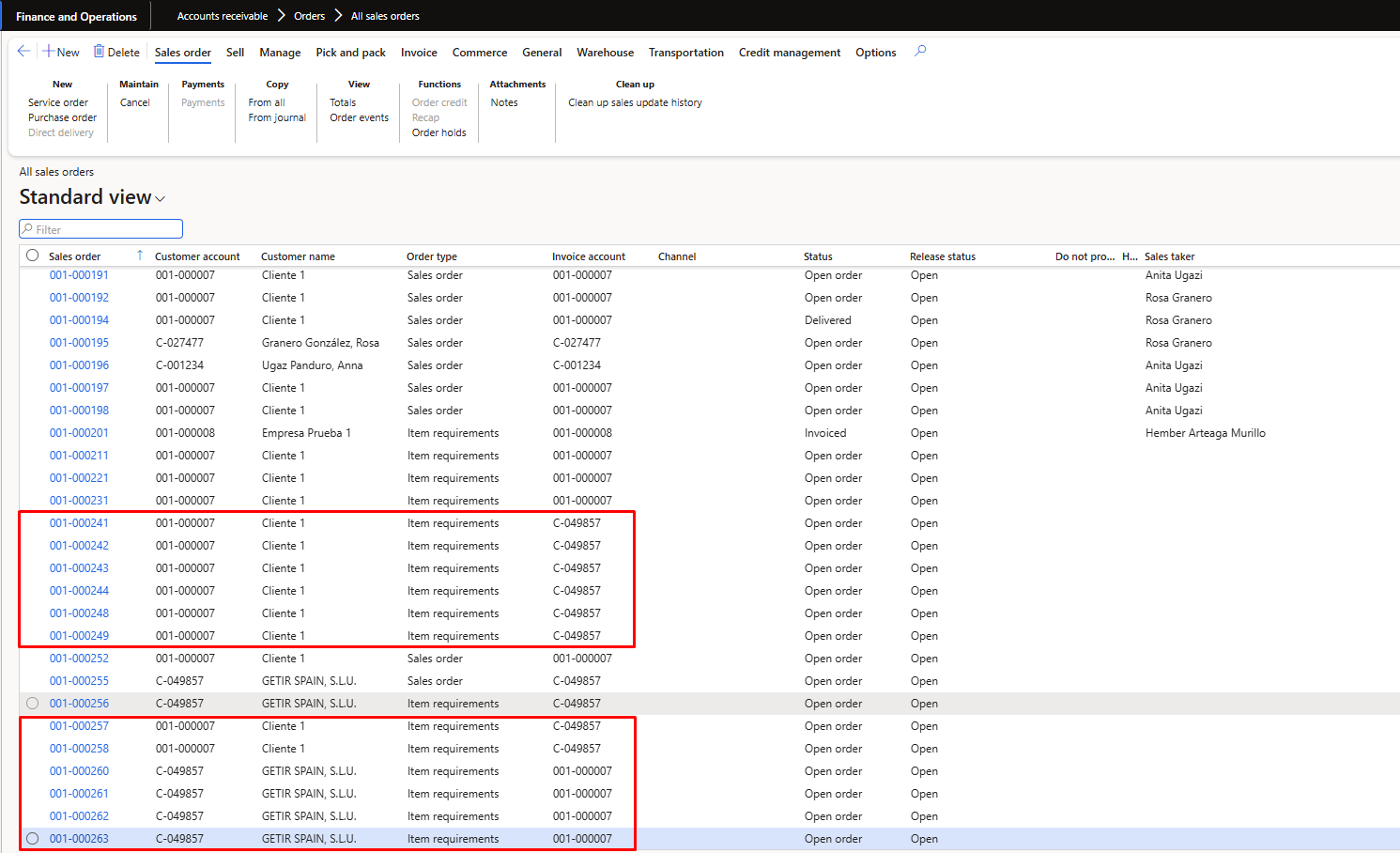
This is the result when the customer account of the project quotation, the customer account of the project, and the first funding source of the project do not match.
If the customer account field in the project sheet matches the second or subsequent funding sources, it does not work well, and D365FO does what is described above.
The system takes in consideration that if a sales order already exists, it is not posted yet and is previously associated with the same project of the project quotation, the new lines of the new budget go to that sales order.
However, when the customer account of the budget, the customer account of the project, and the first funding source of the project do not match, the system creates new sales orders because it cannot associate them.
I hope all of this helps!!


