web
You’re offline. This is a read only version of the page.
close
Skip to main content

Notifications

Announcements

No record found.

Community site session details

Community site session details

Session Id :
Customer experience | Sales, Customer Insights,...
Suggested Answer

Using CRM for scheduling room availability

(0) ShareShare
ReportReport
Posted on by 105

Greetings to all! 

I am somewhat new to 365 Sales (CRM), i come from NAV (ERP) background. I want to know if there is a way in 365 Sales to book rooms. For instance, i have 12 rooms - lets imagine these rooms are party halls. Each opportunity i create has a date and duration for which i can "soft-book" the particular room. When finally the opportunity is won or paid for, booking is set. With this data i would want to see a calendar which would show me at a glance, which room is booked during particular day/week/month and maybe even give ability to move things around or adjust things like number of people attending, etc.

What would be helpful is some guide or user story that explains how this can be achieved in CRM. Or any pointer into this direction.

Thanks!

I have the same question (0)
  • LuHao Profile Picture
    40,892 on at

    Hi Greg,

    You could create a custom entity for room.

    What is the relationship between room and opportunity? Is one room for one opportunity, or one room for multiple opportunities?

  • gvol10110 Profile Picture
    105 on at

    Hao, it would be one or more rooms for an opportunity. How would this transpose onto a calendar? I only seen calendar in field service.

  • Suggested answer
    LuHao Profile Picture
    40,892 on at

    Hi Greg,

    Do you mean that one opportunity corresponds is for multiple rooms, and one room is for only one opportunity? (This relationship is similar to a parent having multiple children and a child having only one parent.)

    If so, please follow these steps.

    Step 1. create a custom entity for room.

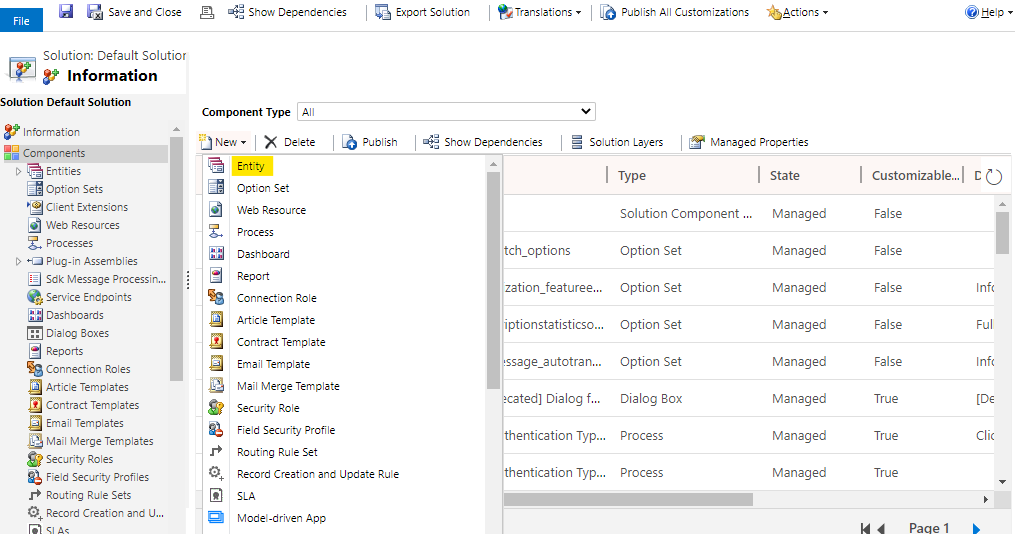
    Go to Advanced Settings > Customizations > Customize the System, new a entity.

    pastedimage1587106313001v7.png    pastedimage1587106326734v8.png

    Enter Display Name as Room, select its properties. Save and close.
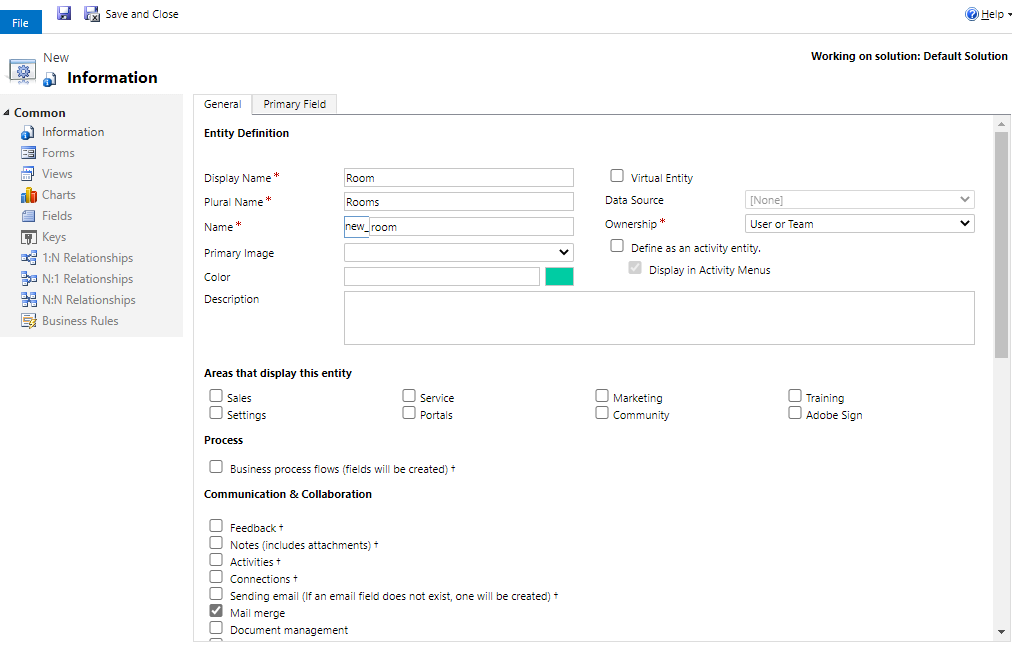
    pastedimage1587106390076v9.png

    Step 2. Go to Room > N:1 Relationships, New it.
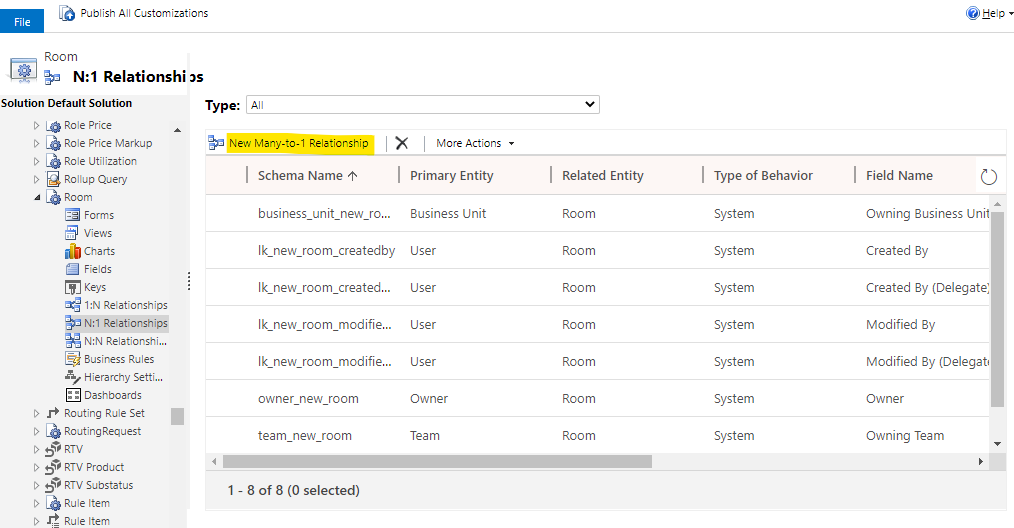
    pastedimage1587106728907v10.png

    Select Primary Entity to Opportunity, enter Display Name to Opportunity. Save and close.
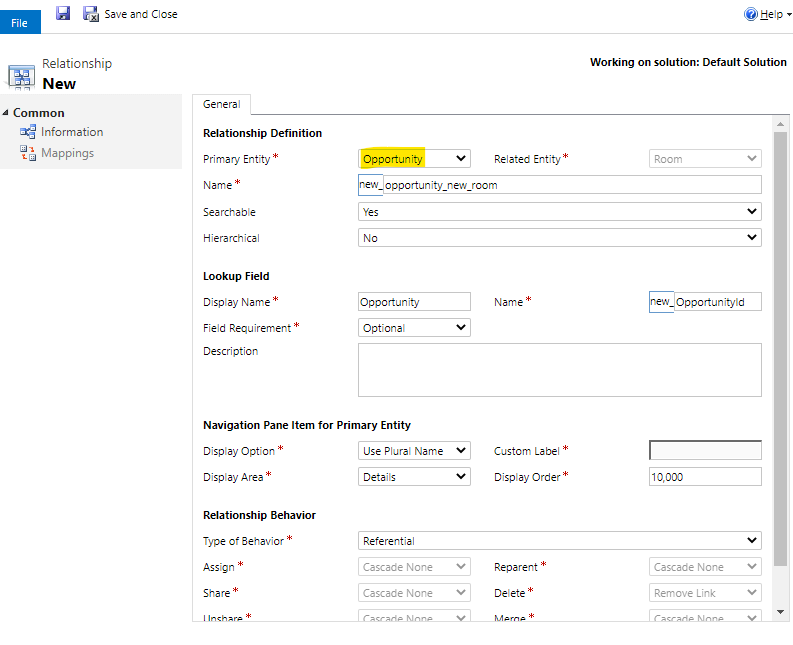
    pastedimage1587106854748v11.png

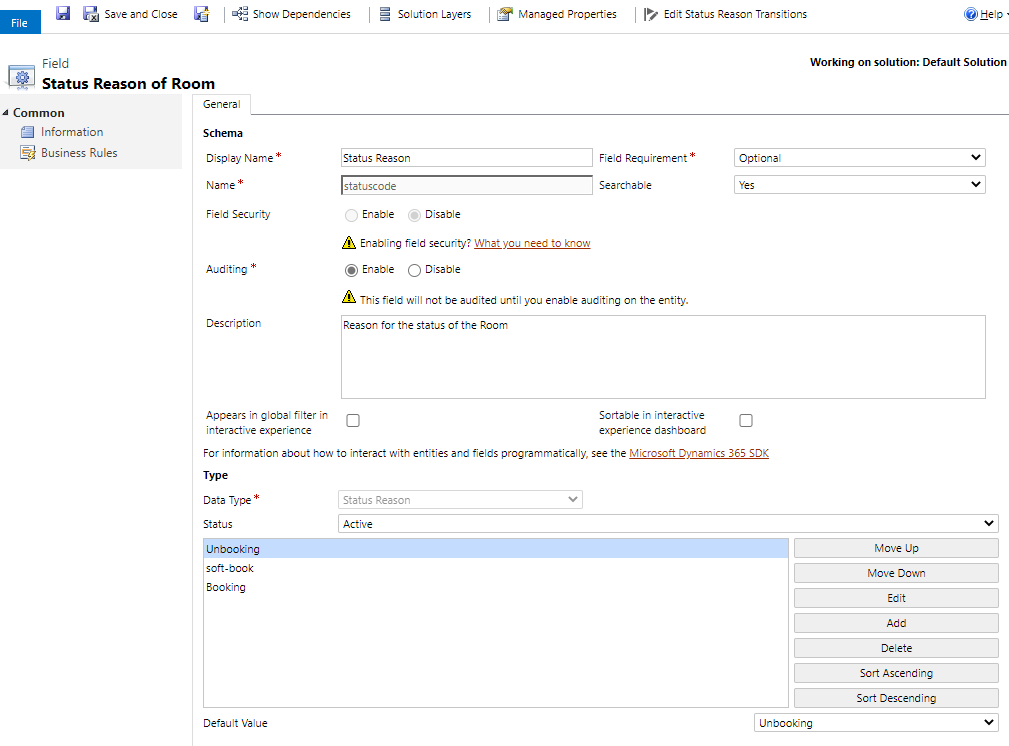
    Step 3. Go to Fields, edit statuscode.
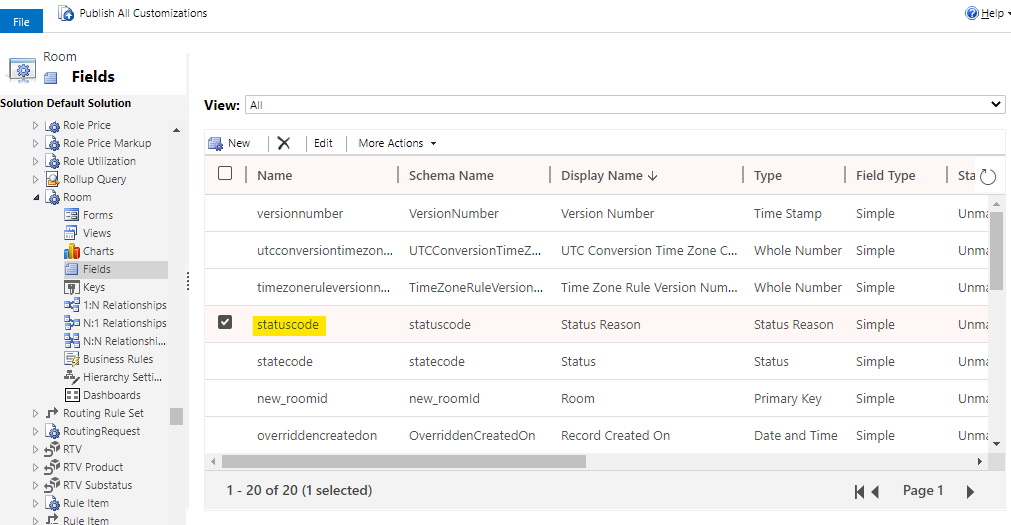
    pastedimage1587107510570v13.png

    Add some options, like soft-book, booking. Save and close.

    pastedimage1587107569221v14.png    pastedimage1587108112189v17.png

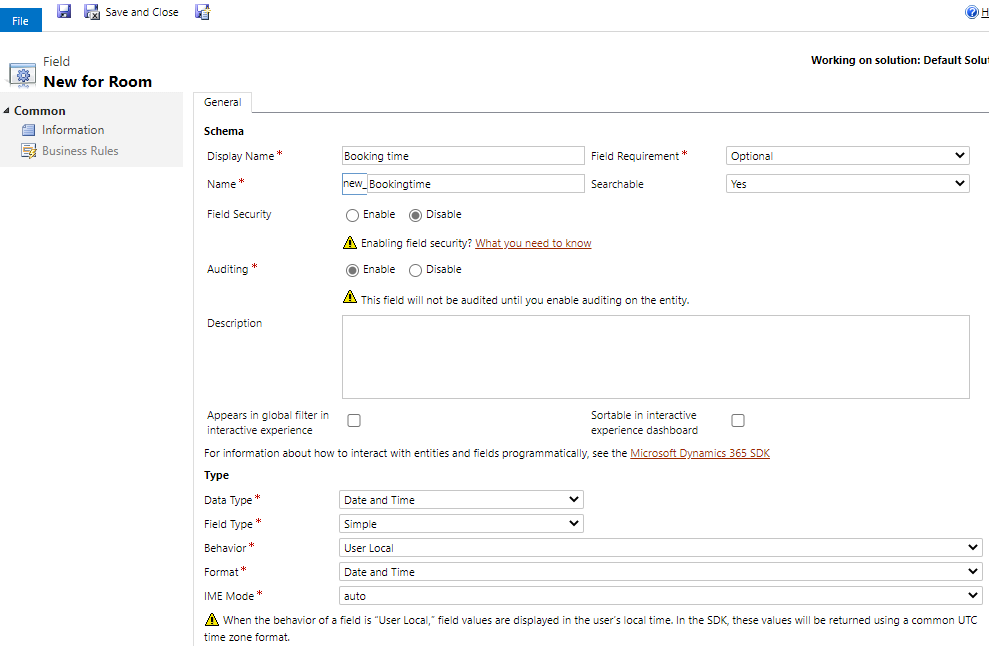
    Step 4. New two fields of Soft-book time and Booking time, set as follow.

    pastedimage1587108868893v22.png    pastedimage1587108967420v23.png

    You could new some fields, like number of people attending, location, 

    Step 5. Go to Views, edit the Active Rooms.

    pastedimage1587108484614v21.png    

    Add columns, select Status Reason and the two time fields above. Save and close.
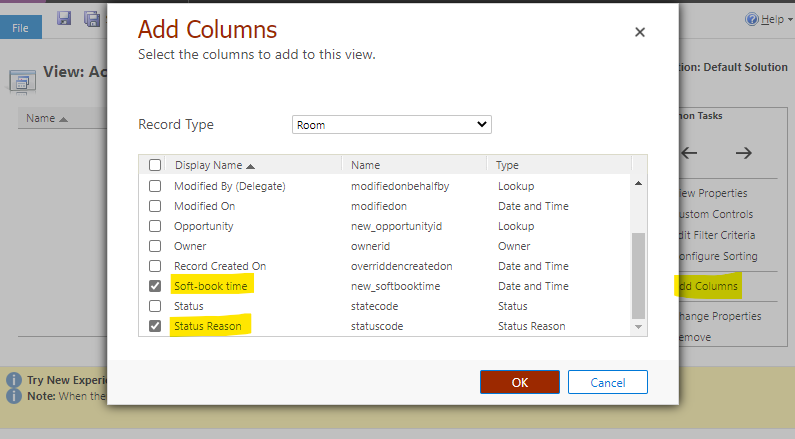
    pastedimage1587109087077v24.png

    Step 5. Go to Opportunity > Forms, edit the Opportunity Main form.
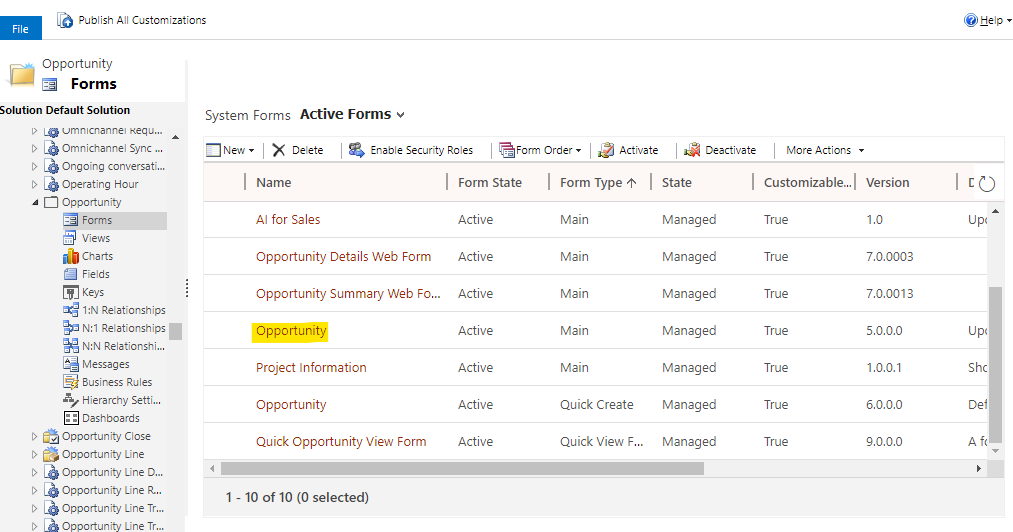
    pastedimage1587108281626v18.png

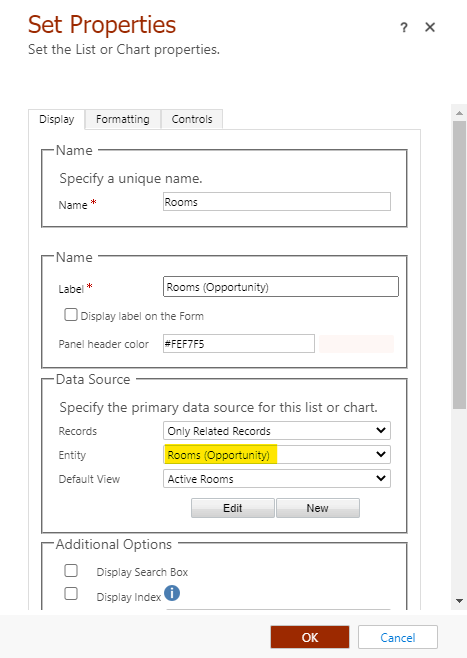
    Insert a sub-grid, select Entity to Rooms(Opportunity). Save and close.

    pastedimage1587108311249v19.png    pastedimage1587109171949v25.png

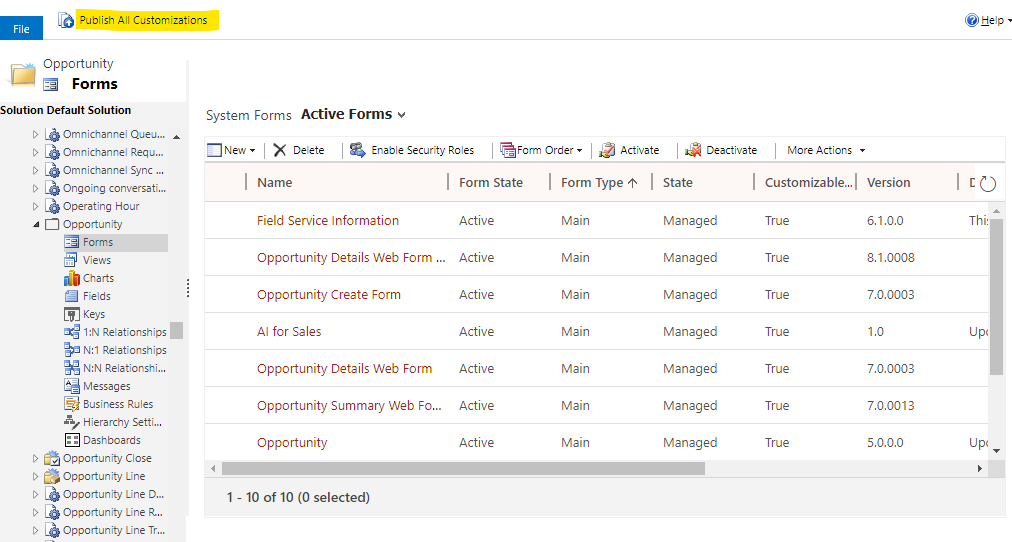
    Finally Publish All Customizations.

    pastedimage1587109338775v26.png

    In this way, Room is built in CRM.

  • Suggested answer
    LuHao Profile Picture
    40,892 on at

    Hi Greg,

    To display the rooms as a calendar, we need to add a calendar control to the view of the Room entity.

    Step 1. In the Customize the System panel, go to Room > Views, new a view for soft-book time, click Custom Controls, Add Control, add Calendar Control. 

    pastedimage1587110230019v3.png    pastedimage1587110001755v2.png

    Select Start Date and Descritption to soft-book time.

    pastedimage1587110272769v4.png    pastedimage1587110347084v5.png    pastedimage1587110408300v6.png

    Step 2. Then new a view for Booking time, add Calendar Control, and select Start Date and Descritption to Booking time.

    pastedimage1587110530382v7.png

    Publish All Customizations.

    Step 3. Go to Advanced Settings > My Apps, open the CRM app designer. Open the Site Map.

    pastedimage1587110702363v8.png    pastedimage1587110737235v9.png

    Add a subarea and select Entity to Room. Save and publish.

    pastedimage1587110780696v10.png

    Step 4. Go to CRM app and click Rooms, select the view just created, select Show As to CC_Calendar_Name, it will be displayed in the form of a calendar.

    pastedimage1587111129614v11.png    pastedimage1587111149377v12.png

    In this case, Room's calendar form is complete.

  • Suggested answer
    LuHao Profile Picture
    40,892 on at

    Hi Greg,

    In the Opoportunity form, we can link the Opportunity and Room by the sub-grid.

    pastedimage1587111799394v1.png

    We can create a workflow or flow, whenever a Room is added to Opportunity's sub-grid, the status reason of this Room is updated to soft-book, and the field soft-book time of Room is updated. Whenever Opportunity is won, the status reason of Rooms in the sub-grid is updated to Booking, and the field Booking time of Room is updated.

    As for how to automatically updating the fields soft-book time and Booking time, this is another long answer. Please post a new thread, and I will help you in the new thread.

Under review

Thank you for your reply! To ensure a great experience for everyone, your content is awaiting approval by our Community Managers. Please check back later.

Helpful resources

Quick Links

Responsible AI policies

As AI tools become more common, we’re introducing a Responsible AI Use…

Neeraj Kumar – Community Spotlight

We are honored to recognize Neeraj Kumar as our Community Spotlight honoree for…

Leaderboard > Customer experience | Sales, Customer Insights, CRM

#1
Tom_Gioielli Profile Picture

Tom_Gioielli 170 Super User 2025 Season 2

#2
#ManoVerse Profile Picture

#ManoVerse 61

#3
Gerardo Rentería García Profile Picture

Gerardo Rentería Ga... 52 Most Valuable Professional

Last 30 days Overall leaderboard

Product updates

Dynamics 365 release plans