web
You’re offline. This is a read only version of the page.
close
Skip to main content

Notifications

Announcements

No record found.

Community site session details

Community site session details

Session Id :
Customer experience | Sales, Customer Insights,...
Answered

Dashboards icon not appearing in navigation tile - classic UI

(0) ShareShare
ReportReport
Posted on by 135

Hi all,

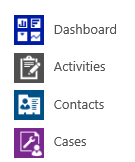
We need to provide minimal access to a number of users to staff a reception desk for a number of days. The users require access to 2 custom entities and the contact entity, nothing else. They are required to update records on one of the custom entities. We created a new security role to cater for this and this is largely working to plan except we would like the users to use a Dashboard to present 2 views to help carry out their work. This is where we are having a problem, we can't seem to get the Dashboard icon, or Contacts icon for that matter, to appear on the navigation tile, icons for the 2 custom entities appear correctly. If we grant the users a regular role, then all the icons appear as per that security role, therefore we must be missing something in our new security role. Oh, and we created a personal dashboard and shared it with the users, we also created a system dashboard and included it in the solution but neither of these approaches has caused the Dashboard icon to appear.

Any help of advice would be gratefully appreciated.

Regards,

pastedimage1570642084784v1.png

I have the same question (0)
  • gdas Profile Picture
    50,091 Moderator on at

    Hi Peragin,

    Could you please check  whether sure security role has been assigned in the dashboard which has been shared to the user.

    pastedimage1570646300271v1.png

    pastedimage1570646363607v2.png

  • Peragin Profile Picture
    135 on at

    Hi Goutam,

    Yes, I had tried that with no success. But I will try it again to make sure.

    Regards,

    P

  • Verified answer
    Peragin Profile Picture
    135 on at

    Ok figured this out. It turns out that our partner whom originally set our instance up had set up our sitemap with a privilege that was tied to a custom entity. In order for our users to see the Dashboard icon, we had to link the privilege to the custom entity and then grant read access on the entity to the users.

    pastedimage1570719758783v1.png

Under review

Thank you for your reply! To ensure a great experience for everyone, your content is awaiting approval by our Community Managers. Please check back later.

Helpful resources

Quick Links

Responsible AI policies

As AI tools become more common, we’re introducing a Responsible AI Use…

Neeraj Kumar – Community Spotlight

We are honored to recognize Neeraj Kumar as our Community Spotlight honoree for…

Leaderboard > Customer experience | Sales, Customer Insights, CRM

#1
Tom_Gioielli Profile Picture

Tom_Gioielli 137 Super User 2025 Season 2

#2
#ManoVerse Profile Picture

#ManoVerse 57

#3
Jimmy Passeti Profile Picture

Jimmy Passeti 50 Most Valuable Professional

Last 30 days Overall leaderboard

Product updates

Dynamics 365 release plans