web
You’re offline. This is a read only version of the page.
close
Skip to main content

Notifications

Announcements

No record found.

Community site session details

Community site session details

Session Id :
Microsoft Dynamics AX (Archived)

Demand Forecast - Generate Statistical Baseline Forecast

(0) ShareShare
ReportReport
Posted on by

Screen1.JPG

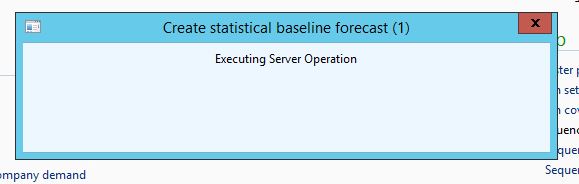
We Properly Configured the Demand Forecast Settings. But when we try to generate the Baseline Forecast , it is showing the screen Executing Server Operation .. We waited almost 2 Hours .. But there is no Message or Error Message. What may the Problem ? Because in the Event Viewer also not showing any error Message

Kamalesh

*This post is locked for comments

I have the same question (0)
  • Community Member Profile Picture
    on at

    Hope you find an answer Kamalesh. I've just tried configuring the demand forecasting parameters for the first time, and generating the statistical baseline forecast and have exactly the same issue.

    Any experts and gurus out there able to shed any light on our issue?

  • Suggested answer
    Pravasti AK Profile Picture
    2,985 on at

    hi,

    r u using office 2013,32 bit.

  • Community Member Profile Picture
    on at

    Can't answer for Kamalesh, but I am using Office 2013.

  • Community Member Profile Picture
    on at

    Yes .. The issue is resolved.

    Initially we thought it may be the issue with Configuration or may be issue with Office 2010. We tried almost 2 days , but issue not resolved. Finally we re-installed the AX Client ( We are using AX R3 with CU8).Now it is working fine.

  • Suggested answer
    Community Member Profile Picture
    on at

    Glad to hear you have a solution Kamalesh. Unfortunately uninstalling, and then reinstalling the client didn't work for me. I do however have an answer to my problem, which I shall document here in case it helps somebody else in the future.

    My problem was that Batch Processing wasn't configured correctly in the environment I was trying this on. I got Batch Processing working correctly, and no longer had this problem generating the Baseline forecast.

  • Community Member Profile Picture
    on at

    Can you please share the screen shot historical horizon, Baseline forecast start date and forecast period.

    did you check with few items with limited time period.

Under review

Thank you for your reply! To ensure a great experience for everyone, your content is awaiting approval by our Community Managers. Please check back later.

Helpful resources

Quick Links

Responsible AI policies

As AI tools become more common, we’re introducing a Responsible AI Use…

Neeraj Kumar – Community Spotlight

We are honored to recognize Neeraj Kumar as our Community Spotlight honoree for…

Leaderboard > 🔒一 Microsoft Dynamics AX (Archived)

#1
Priya_K Profile Picture

Priya_K 4

#1
Martin Dráb Profile Picture

Martin Dráb 4 Most Valuable Professional

#3
MyDynamicsNAV Profile Picture

MyDynamicsNAV 2

Last 30 days Overall leaderboard

Featured topics

Product updates

Dynamics 365 release plans



