web
You’re offline. This is a read only version of the page.
close
Skip to main content

Notifications

Announcements

No record found.

Community site session details

Community site session details

Session Id :
Customer experience | Sales, Customer Insights,...
Answered

Collaborate button is not displayed

(0) ShareShare
ReportReport
Posted on by 33

Hi guys,

I am using a trial sales environment, I turned on all the Teams integration setting like below:
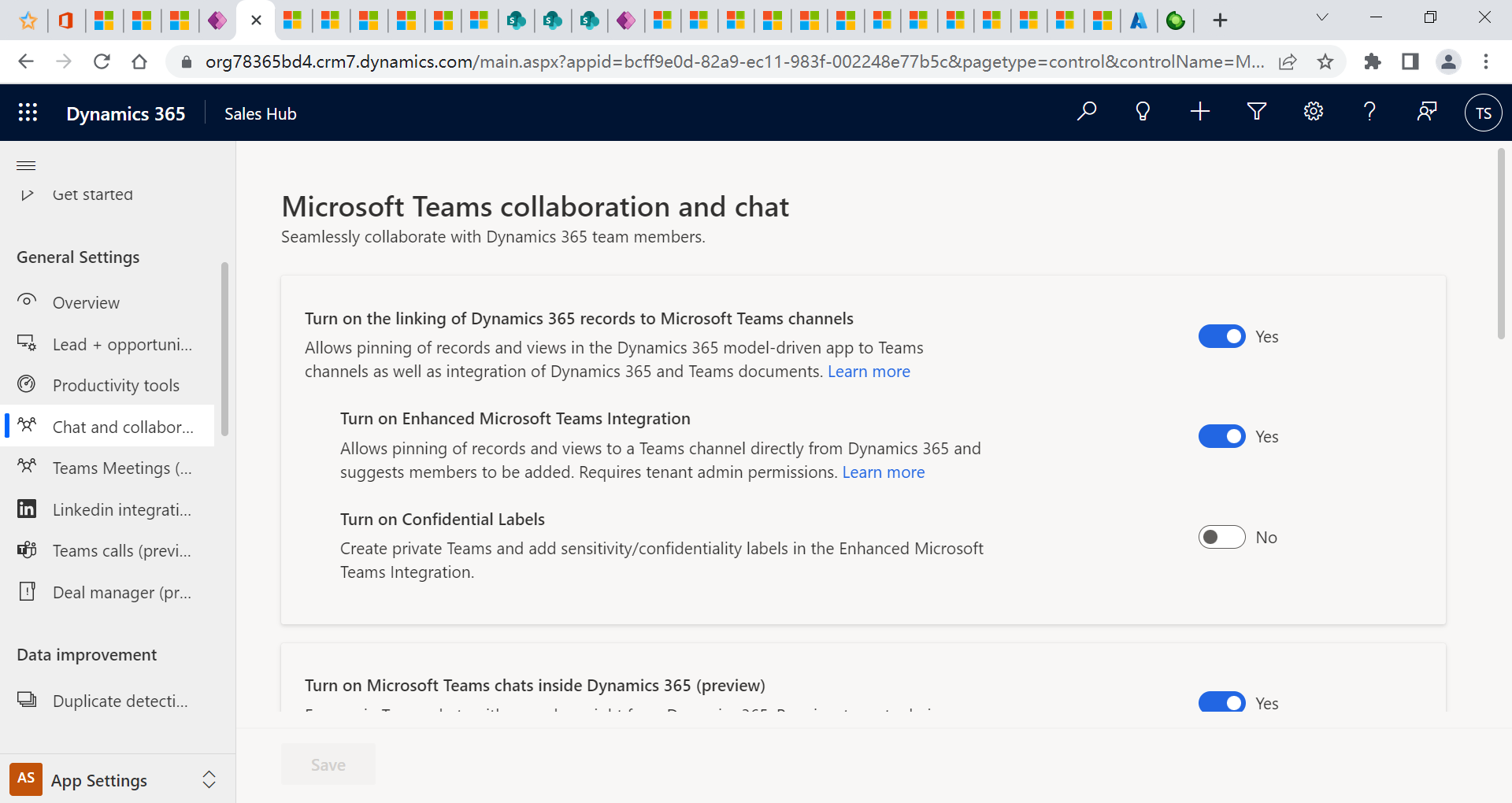
pastedimage1648351296110v1.png

But when I open an Opportunity record, the Collaborate button is not displayed on the command bar.
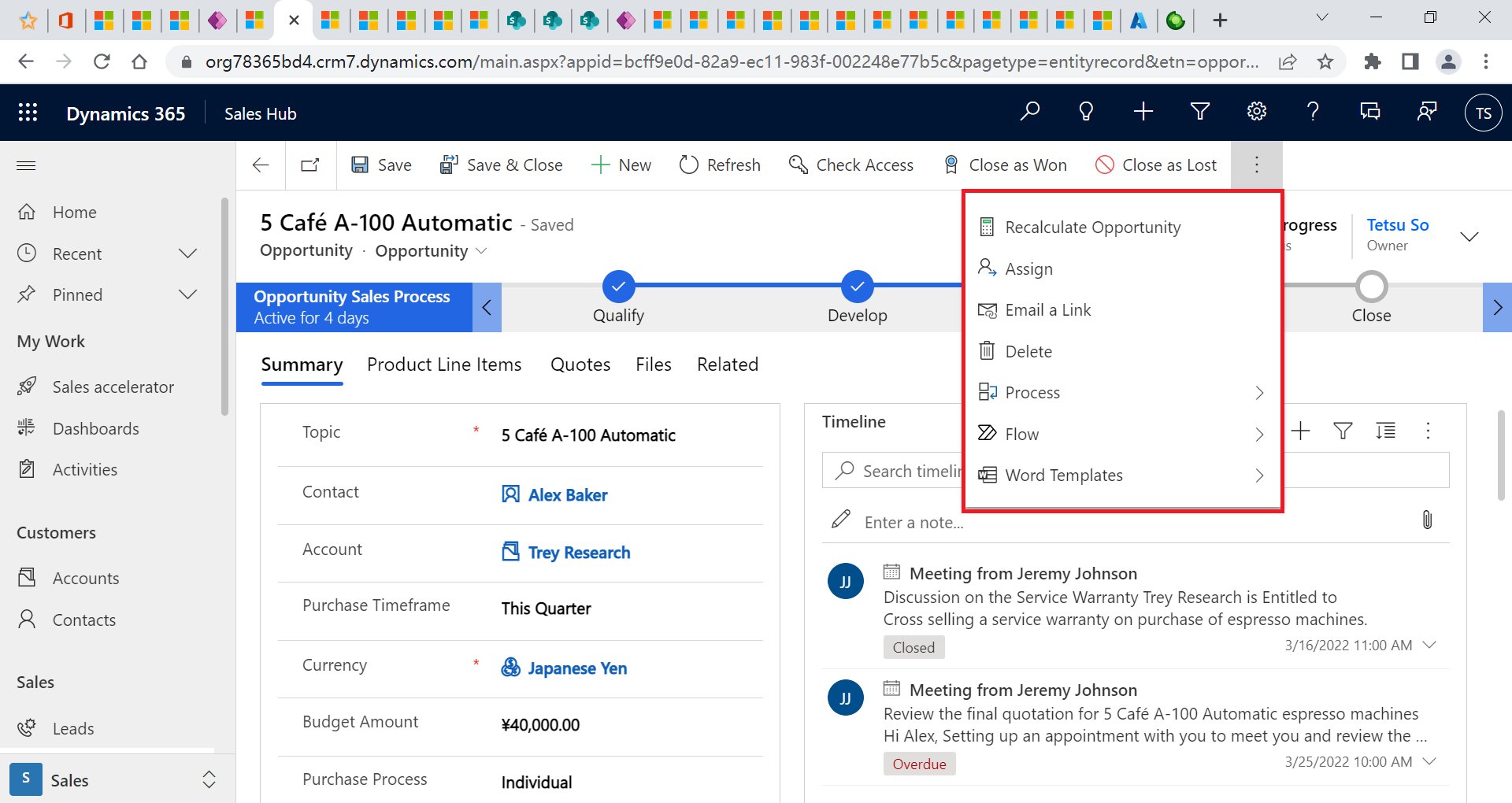
pastedimage1648351518726v2.png

are there any other settings should be done?

Any answers or web resources are appreciated !

Best Regards

Justin

I have the same question (0)
  • Suggested answer
    Joergen Profile Picture
    455 on at

    Hi Justin.s ,

    the integration takes place in the Dynamics 365 Main bar on the top and not on the command bar of the record or view:
    pastedimage1648383838038v2.png

    If you are on a supported record or table, you can select "Start a linked conversation"

    When you just created a D365 trial environment, you must also make sure, that you have also a O365 (trial) license with teams and that the users you want to chat with are available in this trial environment.

    If this answer was helpful, please mark as verified.

    Best regards,
    Joergen

  • Ethan.s Profile Picture
    33 on at

    hi Joergen 

    Thank you for your reply.

    I mean the "Collaborate" button which are display in your app. 
    pastedimage1648393773488v1.png

    Why it is displayed in your command bar ... ? 

    I think I have set all necessary settings.

    Best Regards

    Justin

  • Verified answer
    Nya Profile Picture
    29,060 on at

    Hi Justin,

    It has been reported as a bug.

    Please try to follow the mitigation steps:

    1. Turn off 'Turn on the linking of Dynamics 365 records to Microsoft Teams channels' setting, save it.

    2. append `&flags=FCB.SharePointS2S%3Dfalse` in org url and turn on the setting again and save it.

    This would enable the required setting in OOB entities and collaboration button would be visible.

  • Ethan.s Profile Picture
    33 on at

    Nya

    Great, it works !!!

    Thank you very much !!

    Best Regards,

    Justin

  • ChadAlt Profile Picture
    367 User Group Leader on at

    Nya, thank you so much for this suggestion! These steps were exactly what I needed to unhide the Collaborate button.

    I sure do hope this gets resolved in a future update.

Under review

Thank you for your reply! To ensure a great experience for everyone, your content is awaiting approval by our Community Managers. Please check back later.

Helpful resources

Quick Links

Responsible AI policies

As AI tools become more common, we’re introducing a Responsible AI Use…

Neeraj Kumar – Community Spotlight

We are honored to recognize Neeraj Kumar as our Community Spotlight honoree for…

Leaderboard > Customer experience | Sales, Customer Insights, CRM

#1
Tom_Gioielli Profile Picture

Tom_Gioielli 108 Super User 2025 Season 2

#2
Jimmy Passeti Profile Picture

Jimmy Passeti 50 Most Valuable Professional

#3
Gerardo Rentería García Profile Picture

Gerardo Rentería Ga... 49 Most Valuable Professional

Last 30 days Overall leaderboard

Product updates

Dynamics 365 release plans



