Hi all!
Is it possible to subscribe from X++ to a C# event in Dynamics 365 Finance and Operations?
My goal is the following:
I have a project in C# that is responsible for receiving messages from an Azure queue service (Service Bus to be specific), the success would be that this application is always active listening to messages from the queue, receive them as JSON and send it to X++ for a specific process to continue.
Now let me explain my situation...
For compatibility issues with my X++ project, I must use the .NET Framework 4.6 in my C# project and with this version of .NET I was only able to download the Microsoft.Azure.ServiceBus Version 1.0.0 library (I know it's obsolete but It's the only one I could install.
This is the code I used to receive the messages Use Azure Service Bus queues with .NET (old version) - Azure Service Bus | Microsoft Docs
My main problem is determining how to send the information to X++ as it arrives in C#. Investigating, the most viable option seemed to me is using delegates and events, so I added the following to the documentation code.
Class attributes
- public delegate void MessageReceivedEventHandler(string message);
- public event MessageReceivedEventHandler MessageReceived;
And I modified the ProcessMessagesAsync method to add the event.
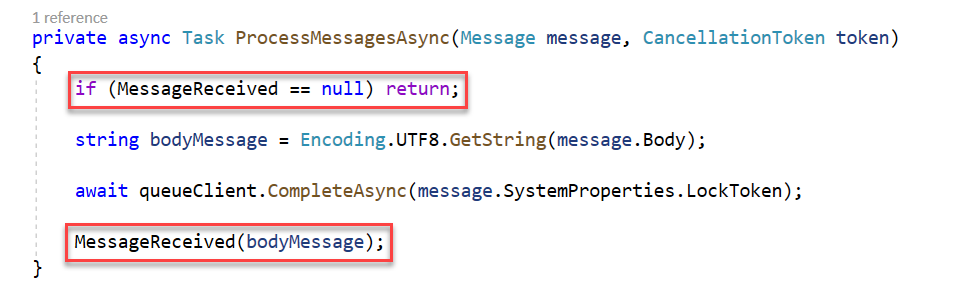
After this I created a console application (C#) to test it, this is the code.
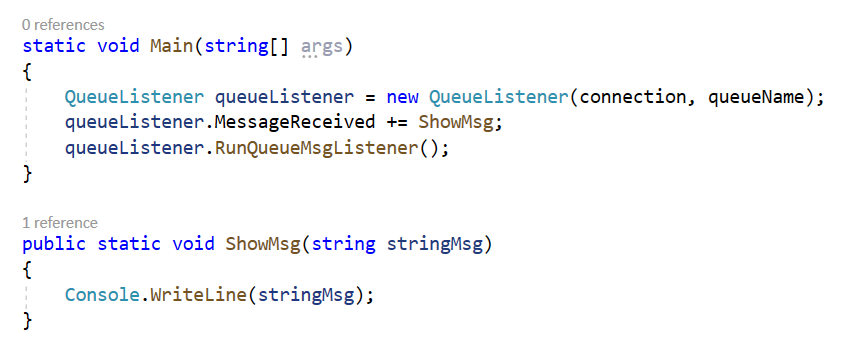
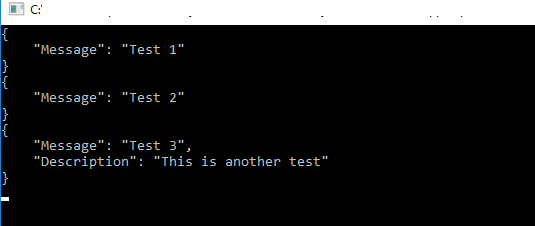
I sent 3 messages to the queue and these were appearing in the test console application (it works perfectly).
I tried to replicate the exact same thing in X++, like this:
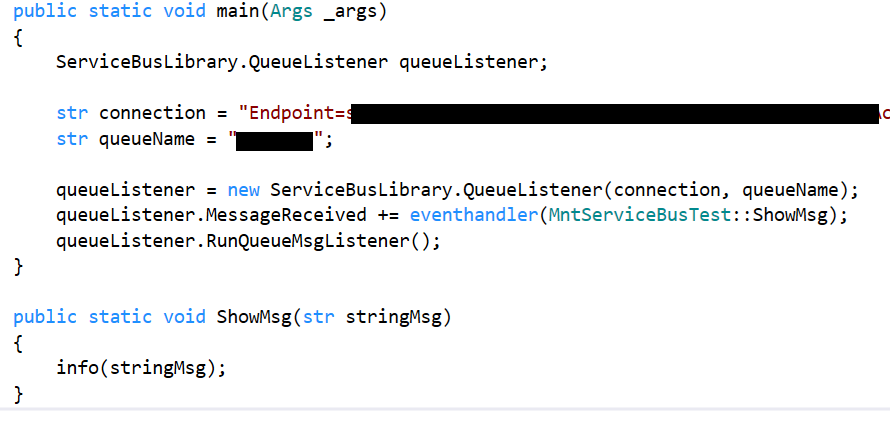
But it doesn't work, the process hangs and never shows me any message when I send data to the queue.
Something additional is that in the line queueListener.MessageReceived += eventhandler(MntServiceBusTest::ShowMsg), MessageReceived doesn't appear to me, the options that appear are
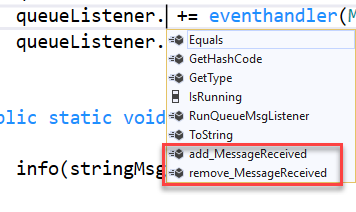
However, if I use add_MessageReceived I get that the C# class doesn't contain any delegates with that name and it won't let me compile the X++ project.
I hope someone can give me an idea of ??how to achieve my goal, I spent days with this situation.
Regards


