web
You’re offline. This is a read only version of the page.
close
Skip to main content

Notifications

Announcements

No record found.

Community site session details

Community site session details

Session Id :
Microsoft Dynamics AX (Archived)

Problem POS not Printing BarCod in Recipt

(0) ShareShare
ReportReport
Posted on by 2,050

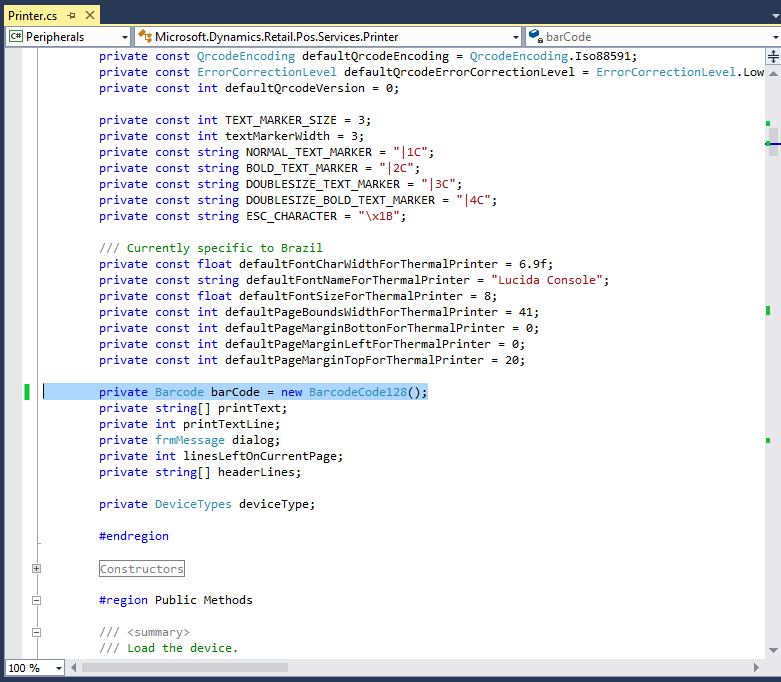
i do customization into Retail SDK CU9 for solve margin problem on Receipt
and everything is ok until when i change Barcod from Barcod39 to Barcod128
2604.11.PNG

because we already used Barcod128 so that's why i change it to Barcod128
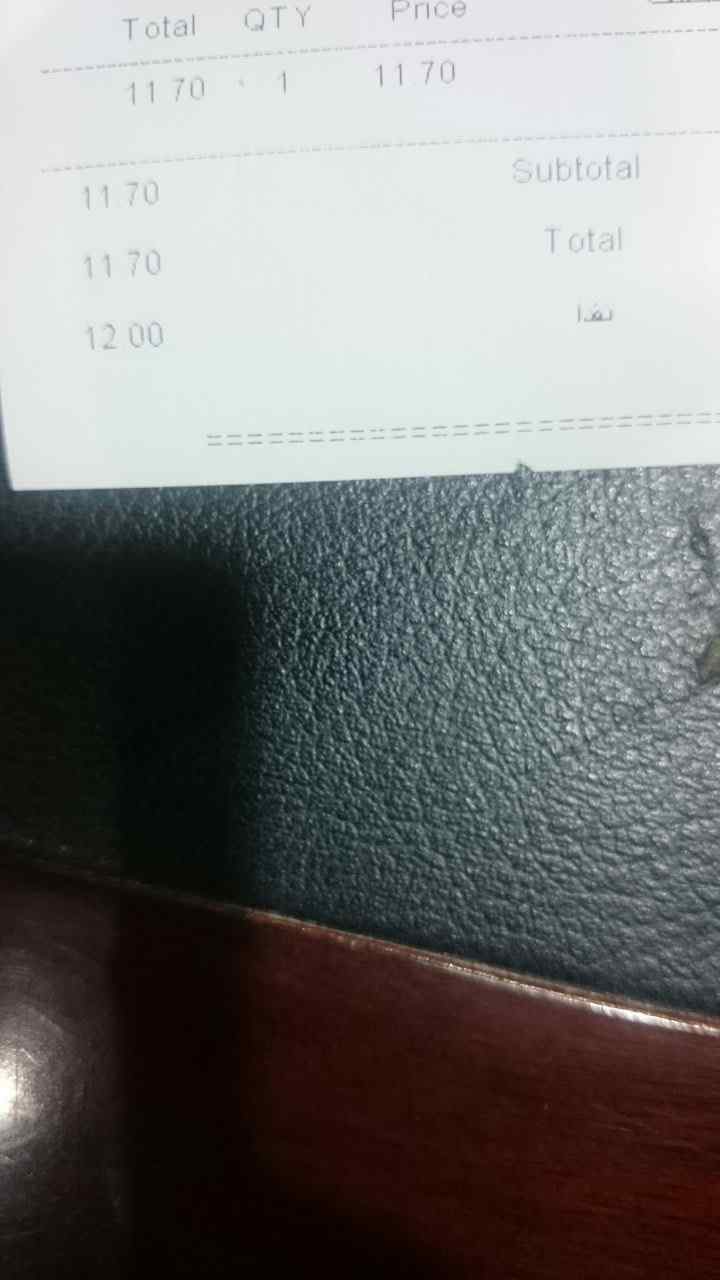
and now my pos printer printing receipt without Barcod after do that customization
5315.111.png

* NOTE : Barcod39 printing ok on receipt but barcode reader can't recognize Barcod39

*This post is locked for comments

I have the same question (0)
  • mohammed.mqi Profile Picture
    2,050 on at

    any solve for this problem please

  • guk1964 Profile Picture
    10,888 on at

    In Ax have you set up the 128 barcode and assigned the barcode to the released products i.e..

    Organization Administration – Setup – Bar codes.

    Open the “bar codes” form. - Specify a barcode setup name and description

    In the fast tab, General, specify type of the barcode type

    Font and size required to print the barcode

    Length of the barcode.

    Then to Product Information Management” – Common form area and open  the “Released product” list form. Click on the tab page , “Manage inventory”,

    Select an item and click on the link “Bar codes”.

    This will open the form for Item barcode setup.

    Select the item and enter the details and check the General tab.

  • mohammed.mqi Profile Picture
    2,050 on at

    thanks for reply

    now it's appear but i'm facing this problem as you see here formats of barcod number not shown well

    3704.3333.jpg

  • guk1964 Profile Picture
    10,888 on at

    Difficult to tell from the information i.e. whether its your code, the bar code set up information, the scanner  or the printer. These are some possibilities:

     Maybe your printer suffered from a glitch in its memory during the print job, which resulted in the corruption in the data of what was printed?.  Check that the printer is updated to its latest firmware version, and/or give it a factory default reset to limit/eradicate the possibility of this happening again in the future.

    Code 128 can be represented with a font but it's trickier than 3 of 9 though because you have to include a checksum character at the end which needs to be dynamically computed based on the content of the barcode. There are also 3 different versions which each have a different start char.

    In other words the barcode needs to be laid out like: [start char][barcode][checksum][stop char]

    Check the active fonts to make sure it is installed and operational. In Control Panel - Fonts.

    These problems can occur with scanners connected to the keyboard cable of your system. The scanner translates the barcode into keystroke sequences - these keystrokes are language dependent. To solve the problem ensure that the "keyboard language" of the scanner matches the language of the used keyboard. Check out the configuration manual of the scanner - usually the manual contains some configuration bar - codes which must be scanned with the scanner.

    Another quirk that might is  when a document or form that had the intended font on it might be opened in edit mode on a computer that does not have the actual intended font installed on it. When this happens, the "symbol" font might be selected as the font type and when the form is saved, the symbol font will appear instead of the intended font. For example, a developer creates a form in that has a symbol encoded barcode font selected. It is saved to a network drive and then another developer opens the form, but developer does not have that particular barcode font installed on his PC. So the code will then select the next closest font, which is the symbol font to display the information. When the form is saved, it is then saved with the symbol font instead.

    Word  generally doesn't display  code128 barcode font correctly, which is to do with line and paragraph spacing display.

    The links in this post may be of general interest. https://community.dynamics.com/ax/f/33/t/244175

  • mohammed.mqi Profile Picture
    2,050 on at

    thanks for replay i already check all "symbol" font and and printer settings but i can't solve the problem

    so in this case is there any way to remove number only from barcode number?

  • Verified answer
    mohammed.mqi Profile Picture
    2,050 on at

    i solve this problem by change barcode128 to barcode39

    and then i do change on barcode39 font name to ("BC C39 2 to 1 HD Wide")

     public sealed class BarcodeCode39 : Barcode
        {
    
            #region Fields
    
            private const char START_END_MARKER = '*';
            private const string FONT_NAME = "BC C39 2 to 1 HD Wide";
            private const int FONT_SIZE = 30;
    
             // etc code ... 
    
        }


Under review

Thank you for your reply! To ensure a great experience for everyone, your content is awaiting approval by our Community Managers. Please check back later.

Helpful resources

Quick Links

Responsible AI policies

As AI tools become more common, we’re introducing a Responsible AI Use…

Neeraj Kumar – Community Spotlight

We are honored to recognize Neeraj Kumar as our Community Spotlight honoree for…

Leaderboard > 🔒一 Microsoft Dynamics AX (Archived)

#1
Martin Dráb Profile Picture

Martin Dráb 4 Most Valuable Professional

#1
Priya_K Profile Picture

Priya_K 4

#3
MyDynamicsNAV Profile Picture

MyDynamicsNAV 2

Last 30 days Overall leaderboard

Featured topics

Product updates

Dynamics 365 release plans



