web
You’re offline. This is a read only version of the page.
close
Skip to main content

Notifications

Announcements

No record found.

Community site session details

Community site session details

Session Id :
Microsoft Dynamics AX (Archived)

How to enter purchase order line with unit price more than two decimals

(0) ShareShare
ReportReport
Posted on by 287

Hi guys, 

Can anyone suggest me how to enter POline unit price with three decimals instead of two decimals?

Ex: 

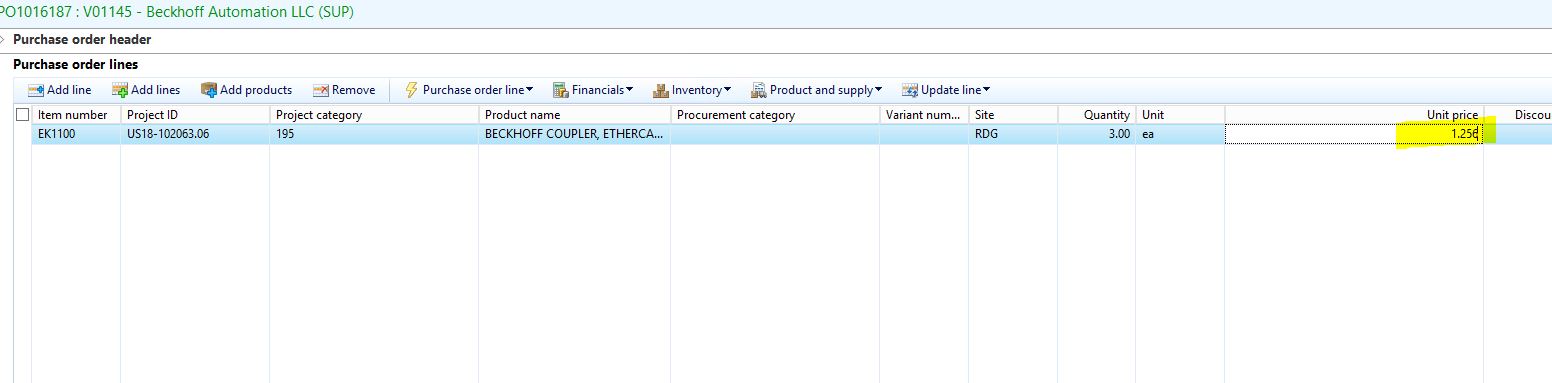
Now the system allows us to enter unit price for the purchase line in two digits.
8171.Capture.JPG

If i enter three decimals,

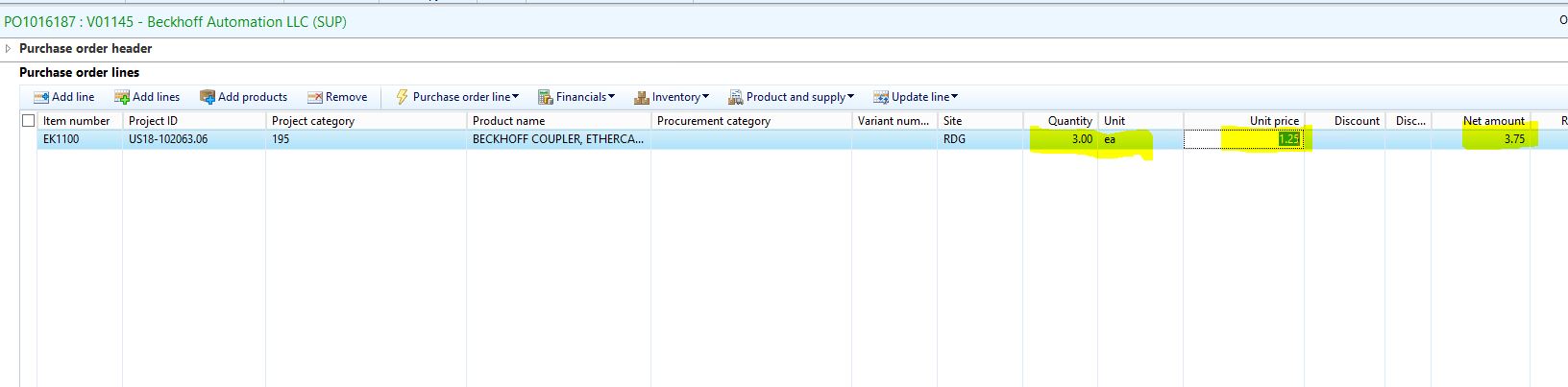
1781.Capture1.JPG

The system converts this three decimals to two decimals and doing round off from 1.256 to 1.26

My requirement is the unit price must allow us to enter three decimals and it should not do round off. Because rounding off to two decimals affects my net amount calculation. 

Waiting for your suggestion, as soon as possible. 

Thanks in advance. 

Banu.

*This post is locked for comments

I have the same question (0)
  • Suggested answer
    Ludwig Reinhard Profile Picture
    Microsoft Employee on at

    Hello Banu,

    Is this a country specific requirement?

    In D365FO there is a new functionality for the UAE that allows using 3 decimal places.

    As far as I am informed this is not available for other countries.

    For which country do you need that?

    Best regards,

    Ludwig

  • BanuReddy Profile Picture
    287 on at

    Hi Ludwig,

    This is not country specific requirement. As of now we need this for USA country.

    My Purchase team discussed to us, there is a scenario where our vendor sends the unit price for the item in three decimals. They are asking suggestion form us, how to enter the unit price if we receive in three decimals instead of two decimals.

    My first line shows excel calculation, second line shows ax calculation.

    6518.1.JPG 

    Thanks, 

    Banu.

  • Suggested answer
    Christoph Thaler Profile Picture
    5,442 on at

    Hi Banu.

    As already mentioned from Ludwig this is not easy. In my projects I was always able to discuss and explain this issue. At the end we always used the field "price unit". So there is no need for 3 or more digits.

    If you have a price like 10,123 per piece you can enter a price of 10123,00 per 1.000 pieces. So the calculation of net amount is correct.

    I agree,  it is not optimal but a solution without coding.

    Best regards

    Christoph

  • Verified answer
    Ludwig Reinhard Profile Picture
    Microsoft Employee on at

    Hi Banu,

    Using more than 2 decimal places is complex. You can find a couple of threads where this is discussed.

    Yet, as a workaround, can't you specify the price per 100 pcs instead of per peace?

    Based on your example, this should overcome the problem.

    Best regards

    Ludwig

  • BanuReddy Profile Picture
    287 on at

    Thanks Ludwig for your input.

  • BanuReddy Profile Picture
    287 on at

    Thanks Christoph for your input.

Under review

Thank you for your reply! To ensure a great experience for everyone, your content is awaiting approval by our Community Managers. Please check back later.

Helpful resources

Quick Links

Responsible AI policies

As AI tools become more common, we’re introducing a Responsible AI Use…

Neeraj Kumar – Community Spotlight

We are honored to recognize Neeraj Kumar as our Community Spotlight honoree for…

Leaderboard > 🔒一 Microsoft Dynamics AX (Archived)

#1
Martin Dráb Profile Picture

Martin Dráb 4 Most Valuable Professional

#1
Priya_K Profile Picture

Priya_K 4

#3
MyDynamicsNAV Profile Picture

MyDynamicsNAV 2

Last 30 days Overall leaderboard

Featured topics

Product updates

Dynamics 365 release plans