Hi partner,
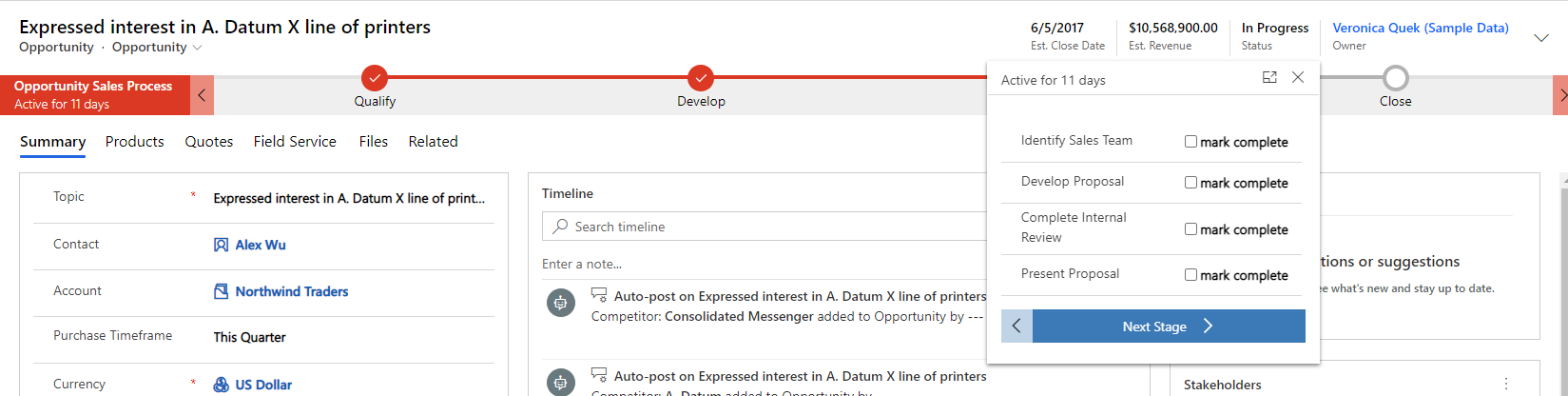
When we change a step field in BPF, we need to save the record for this change to take effect.

So only when the record is saved, the step is considered complete.
In summary, we will implement your needs in two steps.
- Add an OnLoad event to the entity where the BPF is located, coded by Javascript to realize that the current record is automatically saved whenever the BPF step is completed.
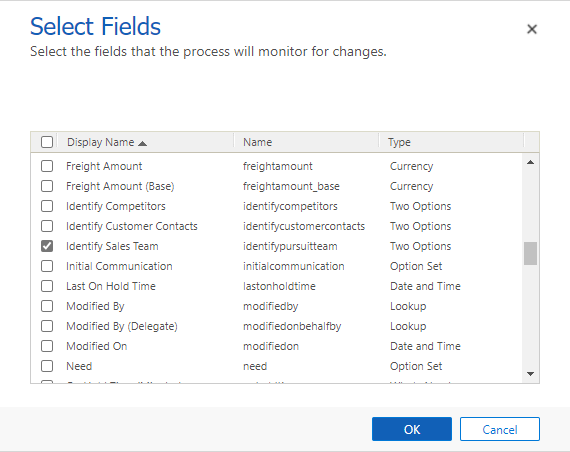
- Create a workflow and send an email whenever the field of the BPF step changes.
Assume that BPF is on the Opportunity entity. When I complete the steps in the BPF, send an email.
Step 1.
Edit the Opportunity form, click Form Properties.

New a web resource of Javascript.


function BPFStep(executionContext) {
   var formContext = executionContext.getFormContext();
   formContext.getAttribute("identifypursuitteam").addOnChange(SaveRecord);
   formContext.getAttribute("developproposal").addOnChange(SaveRecord);
   formContext.getAttribute("completeinternalreview").addOnChange(SaveRecord);
   formContext.getAttribute("presentproposal").addOnChange(SaveRecord);
}

function SaveRecord(executionContext) {
     var formContext = executionContext.getFormContext();
     formContext.data.entity.save();
}
Then add a OnLoad event.


Step 2. Create a workflow for each of the step fields.