web
You’re offline. This is a read only version of the page.
close
Skip to main content

Notifications

Announcements

No record found.

Community site session details

Community site session details

Session Id :
Finance | Project Operations, Human Resources, ...
Suggested Answer

Multiple Expenses are coming in one vendor transactions despite having two different Category

(0) ShareShare
ReportReport
Posted on by 22,797 Most Valuable Professional

Hi Experts,

I have a very simple question on expense management.

I am using in two different expense category in one expense report, both the category having two different ledger account.

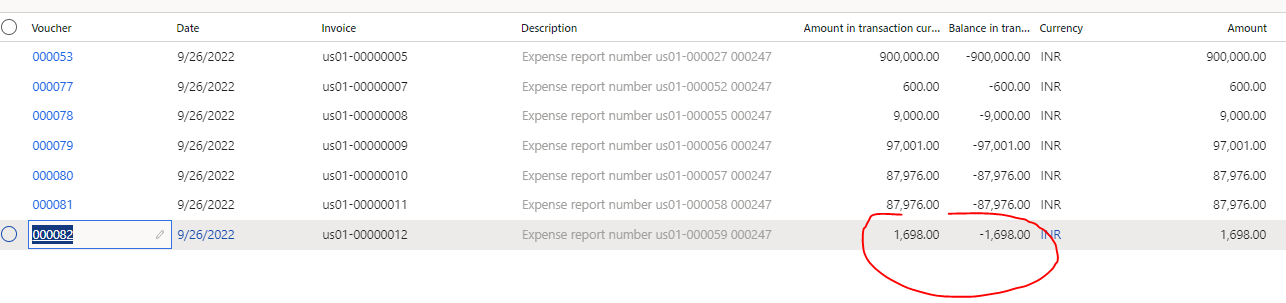
However once posted, the transactions are clubbed into one vendor transaction only, however my requirement is to have two different vendor transactions.

Below is the vend trans
pastedimage1664215166925v1.png

Below is the expense report

pastedimage1664215206408v2.png

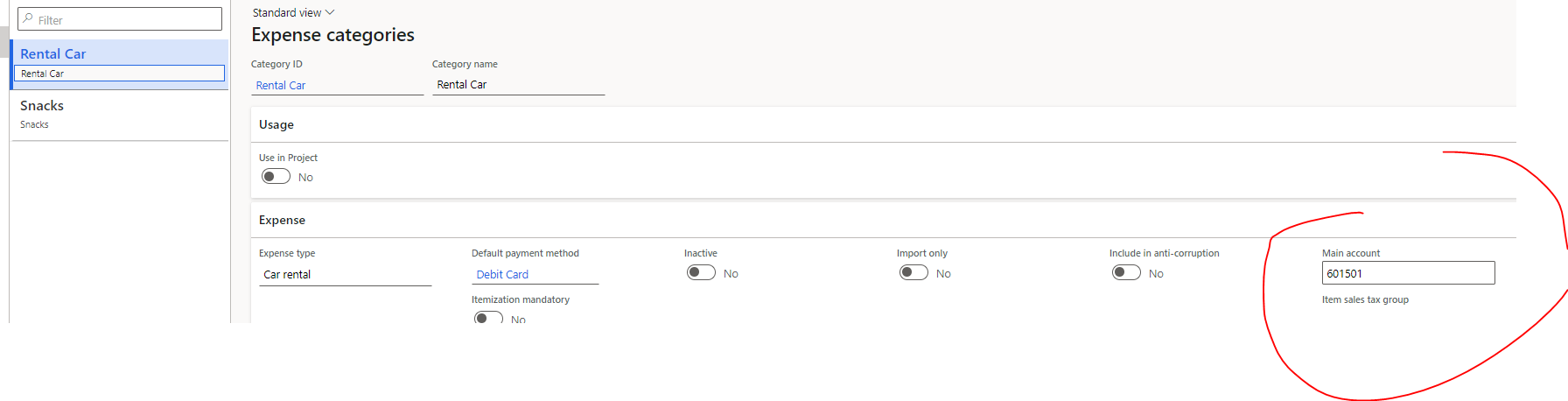
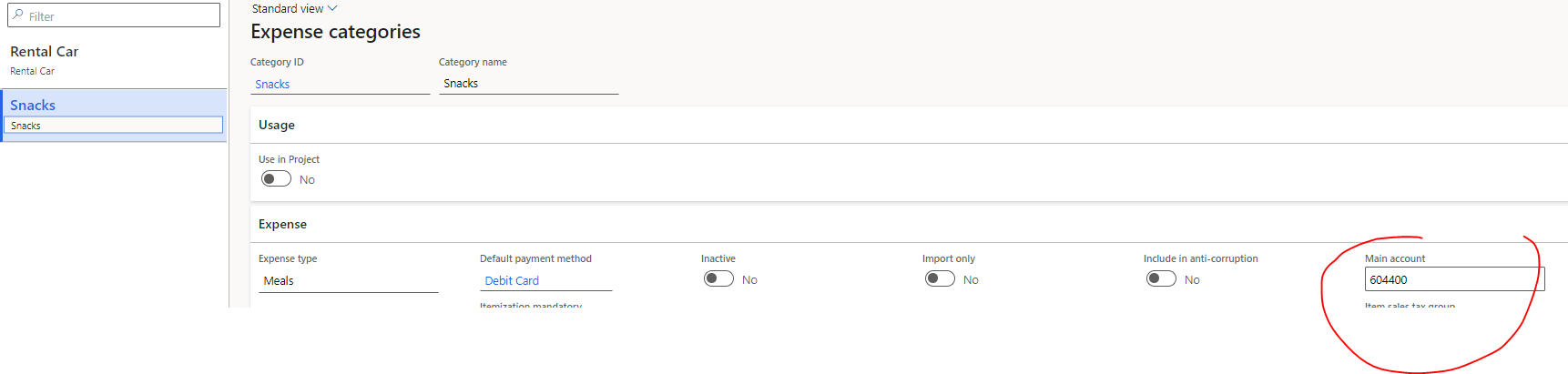
below is the expense category setup

pastedimage1664215268135v3.png

pastedimage1664215299881v4.png

I have the same question (0)
  • Suggested answer
    Charlotte X Profile Picture
    on at

    Hi Ramit Paul,

    This post mentions a similar issue to yours:

    Vendor Transaction - Only single line created from Expense Management - Dynamics 365 Finance Forum Community Forum

    Did you encounter the same error? Please try the workaround mentioned in the post first.

    Best Regards,

    Charlotte

  • Suggested answer
    Ramit Paul Profile Picture
    22,797 Most Valuable Professional on at

    I think I got it now what is happening.

    If the expense owner is "Company" it creates separate lines, if that is "Employee' it creates consolidated lines.

    pastedimage1664260273542v1.png

  • Ramit Paul Profile Picture
    22,797 Most Valuable Professional on at

    Now I tested again, however all the lines are separated, not sure what is driving this function.

    Can anyone test/ assist to understand?

Under review

Thank you for your reply! To ensure a great experience for everyone, your content is awaiting approval by our Community Managers. Please check back later.

Helpful resources

Quick Links

Responsible AI policies

As AI tools become more common, we’re introducing a Responsible AI Use…

Neeraj Kumar – Community Spotlight

We are honored to recognize Neeraj Kumar as our Community Spotlight honoree for…

Leaderboard > Finance | Project Operations, Human Resources, AX, GP, SL

#1
Martin Dráb Profile Picture

Martin Dráb 646 Most Valuable Professional

#2
André Arnaud de Calavon Profile Picture

André Arnaud de Cal... 529 Super User 2025 Season 2

#3
Sohaib Cheema Profile Picture

Sohaib Cheema 285 User Group Leader

Last 30 days Overall leaderboard

Product updates

Dynamics 365 release plans