web
You’re offline. This is a read only version of the page.
close
Skip to main content

Notifications

Announcements

Community site session details

Community site session details

Session Id :
Microsoft Dynamics AX (Archived)

One or More Accounting Distribution is Missing a Ledger account .. Procurement Category Issue with VAT

(0) ShareShare
ReportReport
Posted on by 50

We are getting error while making Product Receipt through Procurement Category when selecting VAT on line Item. With ITEM, everything is working fine but when we select Procurement categories, this error is popping up.
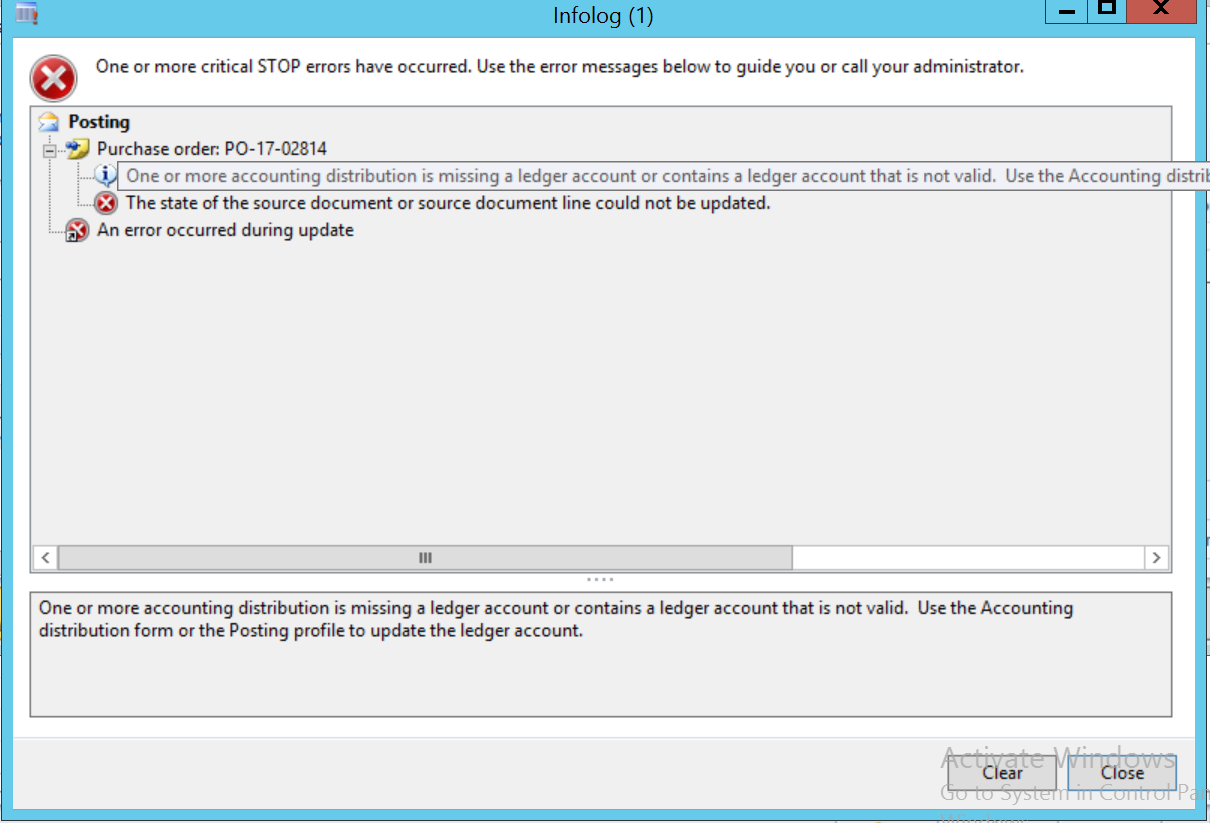
VAT-Error.png

Even on Purchase order VAT is showing for this entry along with Ledger account as below
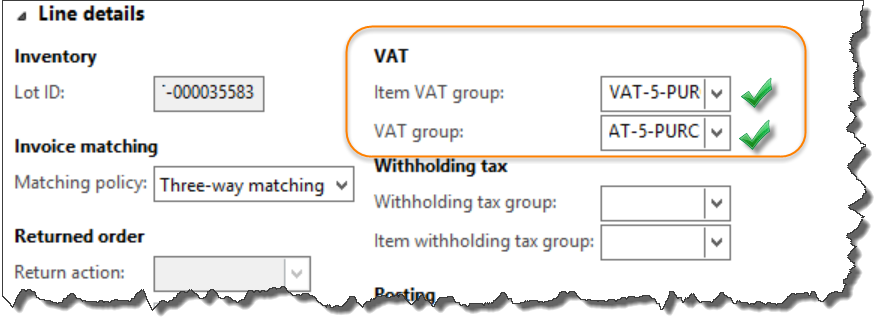
VAT-Line.png

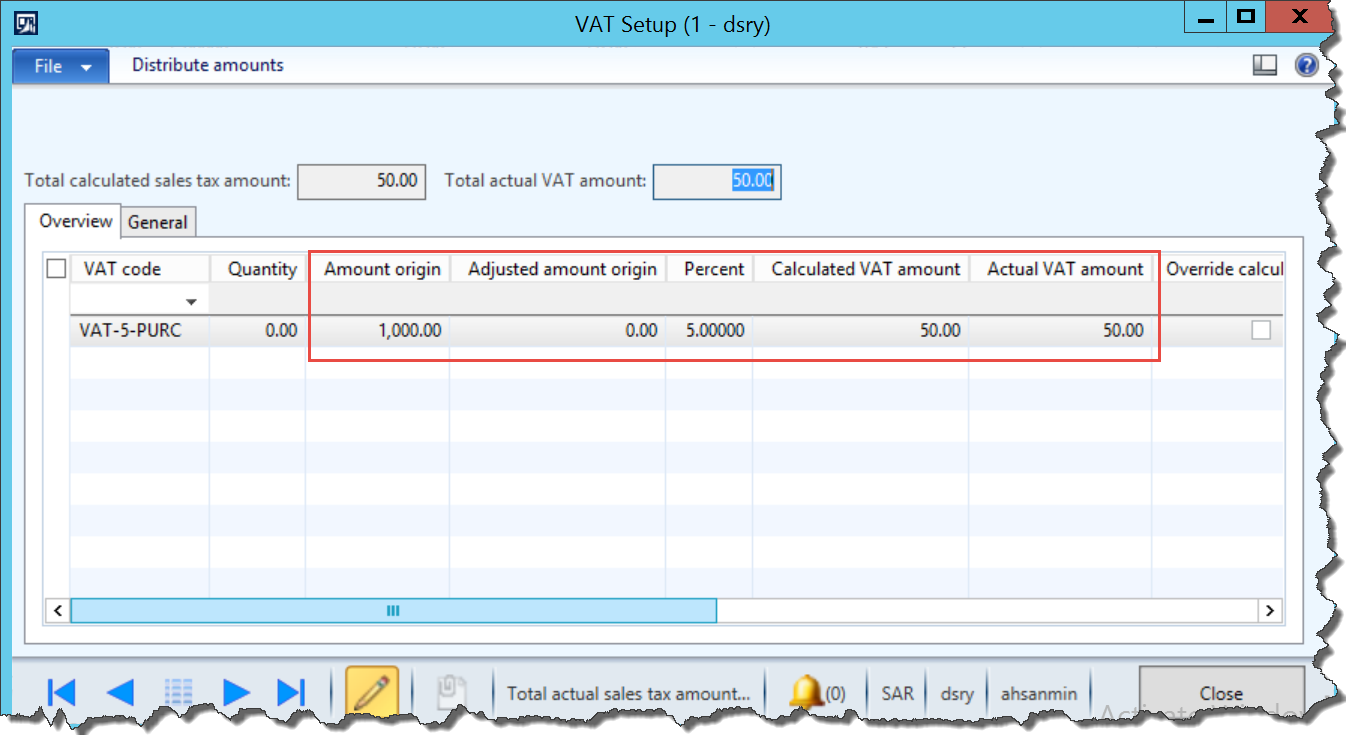
VAT-Calculation-on-Line.png

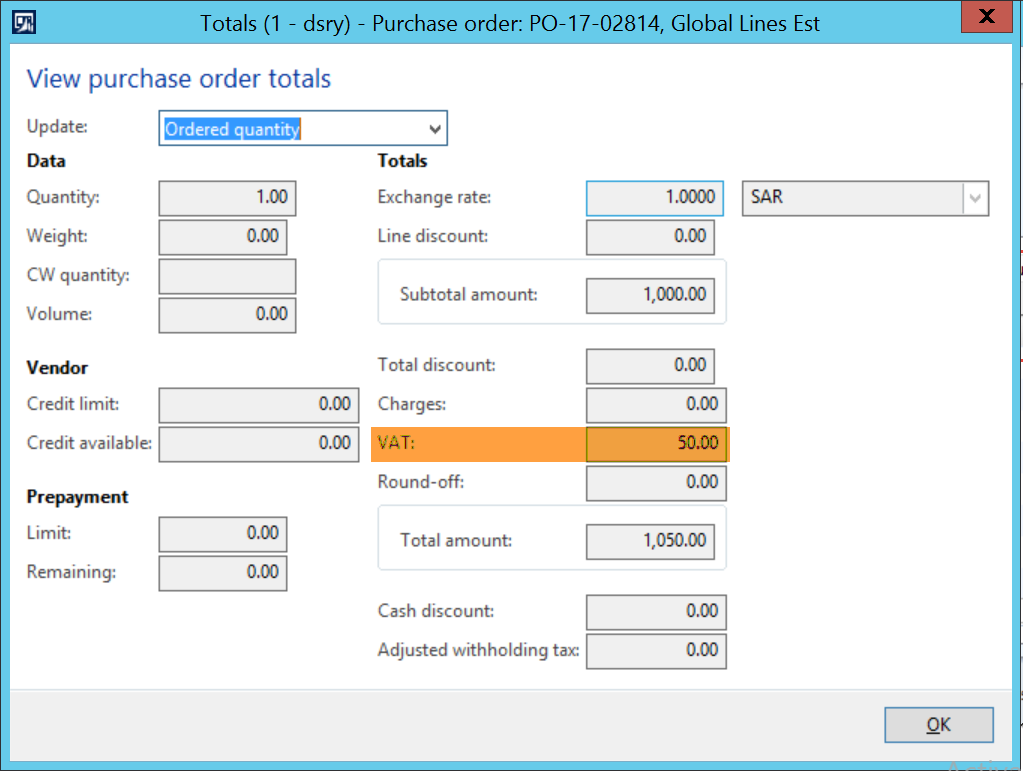
VAT-Total.png

Any Clue

*This post is locked for comments

I have the same question (0)
  • AHSAN MINHAS Profile Picture
    50 on at

    FINALLY IT IS SOLVED.

    Following were Missing when receiving with Procurement Category.

    1. Purchase expenditure, un-invoiced

    2. Accrued Sales Tax/ VAT on Receipt (For Procurement Category)

    at the time of Receipt, VAT goes to Accrued account but while doing with Procurement Category, I had missed it. Moreover, Purchase Policy gave me better Idea on this. 

    Thanks to Ludwig for directing me towards Procurement Policy from where my mind start working in this Direction.

  • AHSAN MINHAS Profile Picture
    50 on at

    One More question:

    We have option to define accrued account in the Item group if we want Financial entry at the time of Product Receipt. Where account will be mapped for Procurement Category for Accrued if no Item associated with it.

  • AHSAN MINHAS Profile Picture
    50 on at

    I never used this option. Please guide which Policy rule I should define from below:

    Procurement-Policy.png

  • Verified answer
    Ludwig Reinhard Profile Picture
    Microsoft Employee on at

    Hi,

    The item model group setup looks ok.

    About the error that you receive when posting the transaction with a procurement category:

    - Can you test if making this setup here overcomes the issue? dynamicsaxfico.files.wordpress.com/.../en_4.png

    - If this is not the case, can you double check on LCS that this behavior is not due to a bug in your system?

    Best regards,

    Ludwig

  • AHSAN MINHAS Profile Picture
    50 on at

    Ludwig,

    We have 2 ways.

    1. We created Item as type Service

    2. Use procurement Category

    With procurement category no need for Item Model group. We mapped procurement category with expense account and just make the PO. Working perfect but with VAT this error is popping up.

    If I create Item with type service and define Item group and in that Item group map account for Purchase expenditure for expense then no issues but when I use procurement category instead whose account is mapped with purchase expenditure for expense in inventory posting, then this error is appearing.  Following is the ITEM MODEL GROUP for Service Item

    0815.WA.png

  • Ludwig Reinhard Profile Picture
    Microsoft Employee on at

    Hi,

    How did you setup your service items then?

    Can you share details especially their association with the item model group.

    Many thanks and best regards,

    Ludwig

  • AHSAN MINHAS Profile Picture
    50 on at

    So far could not trace the issue.

    Instead of 3-Way Matching, I make it to 2-Way matching and instead of Product Receipt created Project Invoice directly and it get through with proper entry but when making Product Receipt for Service Item, this Error is coming. I know there is no Financial entry for Service item but when I have Service item along with Inventory Item then this is the Issue.

  • AHSAN MINHAS Profile Picture
    50 on at

    Francois,

    Ledger combination is OK perhaps last dimension is optional. Account even in the range of account structure and not suspended even.

  • Suggested answer
    Fx Profile Picture
    425 on at

    Hello, 

    Could you confirm that the Ledger Dimension combination you are looking for (5209007-HO-GNA-FIN--) exists in you Chart Of Account Structure ?

    We get a similar trouble recently because the Account was not in the the Main Account range defined.

    For example "019999-00-IA" will fired the same error message if I've the following Account Structure setup:

    COA_5F00_Structure.jpg

    Path to form: General ledger\Setup\Chart of accounts\Configure account structures

    Sincerely

    FX

  • AHSAN MINHAS Profile Picture
    50 on at

    Tried many scenarios like creating new category, creating new code etc.

Under review

Thank you for your reply! To ensure a great experience for everyone, your content is awaiting approval by our Community Managers. Please check back later.

Helpful resources

News and Announcements

Season of Giving Solutions is Here!

Quick Links

Responsible AI policies

As AI tools become more common, we’re introducing a Responsible AI Use…

Neeraj Kumar – Community Spotlight

We are honored to recognize Neeraj Kumar as our Community Spotlight honoree for…

Leaderboard > 🔒一 Microsoft Dynamics AX (Archived)

#1
TAHER Mehdi Profile Picture

TAHER Mehdi 3

#2
Martin Dráb Profile Picture

Martin Dráb 2 Most Valuable Professional

#2
Volodya Profile Picture

Volodya 2

Last 30 days Overall leaderboard

Featured topics

Product updates

Dynamics 365 release plans