web
You’re offline. This is a read only version of the page.
close
Skip to main content

Notifications

Announcements

No record found.

Community site session details

Community site session details

Session Id :
Customer experience | Sales, Customer Insights,...
Suggested Answer

Marketing Form not updating Custom Contact Fields?

(0) ShareShare
ReportReport
Posted on by

I am using the default marketing page and default subscription centre form for contacts to update their email preferences. Within the default subscription centre form I have added form fields for email and a custom opt out date and mapped them to the corresponding fields on the Contact entity. When submitting the form the email and do no allow bulk email fields get updated as expected but the opt out date field does not get updated. Is there some additional set up required for custom fields to allow the form to update them?

I have the same question (0)
  • Suggested answer
    Nya Profile Picture
    29,060 on at

    Hi,

    If you are sure that the form field is correctly mapped to this custom field, please check the data type of the field.
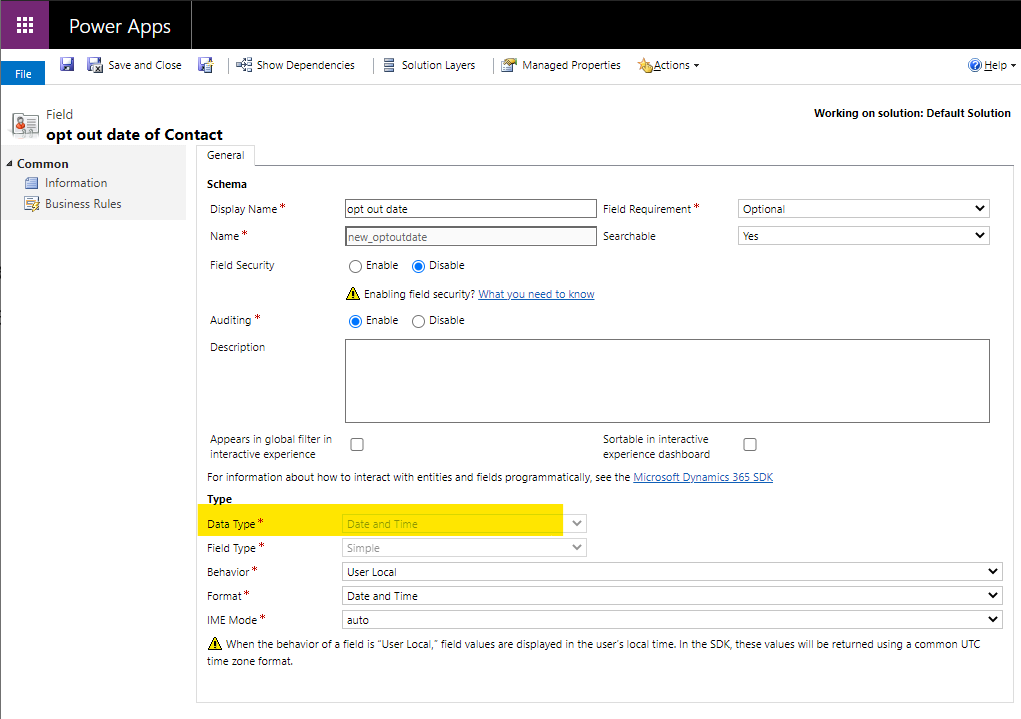
     pastedimage1618195005132v1.png

    And make sure that the type of value you fill in on the Marketing Form matches the data type of the field.
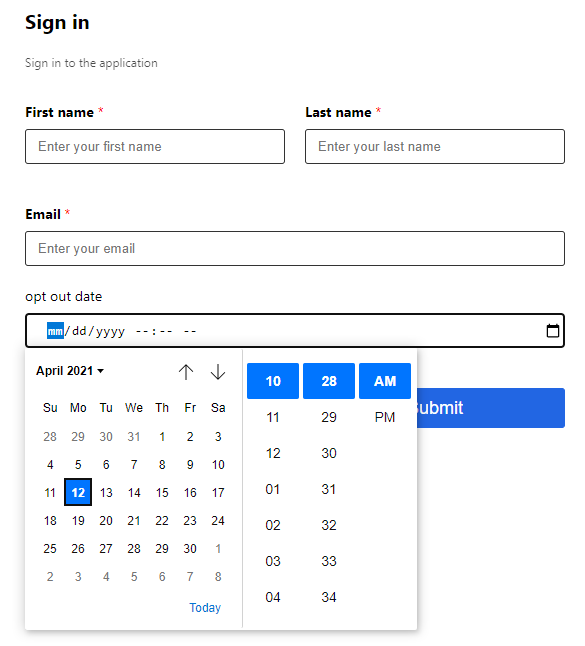
     pastedimage1618195010453v2.png

    There are also some values that can be filled in on the Marketing Form, but there are restrictions when entering the field directly.
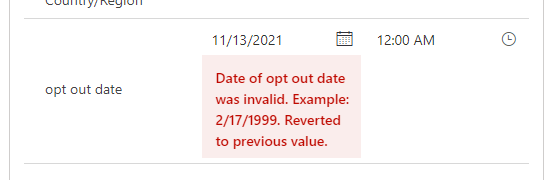
     pastedimage1618195023385v3.png

    If all of the above items are okay, please check whether Field Security is set for the field.

    If this helped you, I'd appreciate it if you'd mark this as a Verified Answer, which may in turn help others as well.

    Best Regards,

    Nya

  • Darrien Profile Picture
    on at

    Thanks for the response, I have confirmed the form field is mapped to the correct field on the Contact entity. Both fields are set to Date only field types. Also I haver verified field security is turned off for the field. Yet it still does not get updated when the form gets submitted. I tried adding another custom field to the form to see if it was an issue with the specific field and it doesn't get updated either. Looking at the form submission history I can see the values are being passed but with a generated ID for the custom fields rather than the field name like the default fields. i.e this is what I see:

    E-mail: test@123.com Do not email: true a496ba99-8e99-eb11-b1ac-000d3a1d1b8c: 2021-04-01 751be4bc-b29b-eb11-b1ac-000d3a133a02: test

    The E-mail and Do not email fields get updated however the other custom fields do not. Any other ideas why they aren't working?

Under review

Thank you for your reply! To ensure a great experience for everyone, your content is awaiting approval by our Community Managers. Please check back later.

Helpful resources

Quick Links

Responsible AI policies

As AI tools become more common, we’re introducing a Responsible AI Use…

Neeraj Kumar – Community Spotlight

We are honored to recognize Neeraj Kumar as our Community Spotlight honoree for…

Leaderboard > Customer experience | Sales, Customer Insights, CRM

#1
Tom_Gioielli Profile Picture

Tom_Gioielli 137 Super User 2025 Season 2

#2
#ManoVerse Profile Picture

#ManoVerse 57

#3
Jimmy Passeti Profile Picture

Jimmy Passeti 50 Most Valuable Professional

Last 30 days Overall leaderboard

Product updates

Dynamics 365 release plans
