Hi partner,
In my opinion, this is probably impossible. Currently I have not found the good solution.
D365 does not have this function, and it is very difficult to implement it in D365. So I recommend that you export the data of Lead to Excel, merge the records in Excel, and then import it into D365. That is to say, the steps of merging are completed in Excel rather than when imported into D365.
In fact, this requirement can be divided into two parts, import data and merge data.
D365 has the function of merging data, but this is performed manually one by one and cannot be automated.
Then there's an issue of merging records to determine which is the master record.
In summary, it is not appropriate to implement import and automatic merging in D365.
When exporting data from D365 to Excel, columns A to C of Excel will contain the identification information of each record.
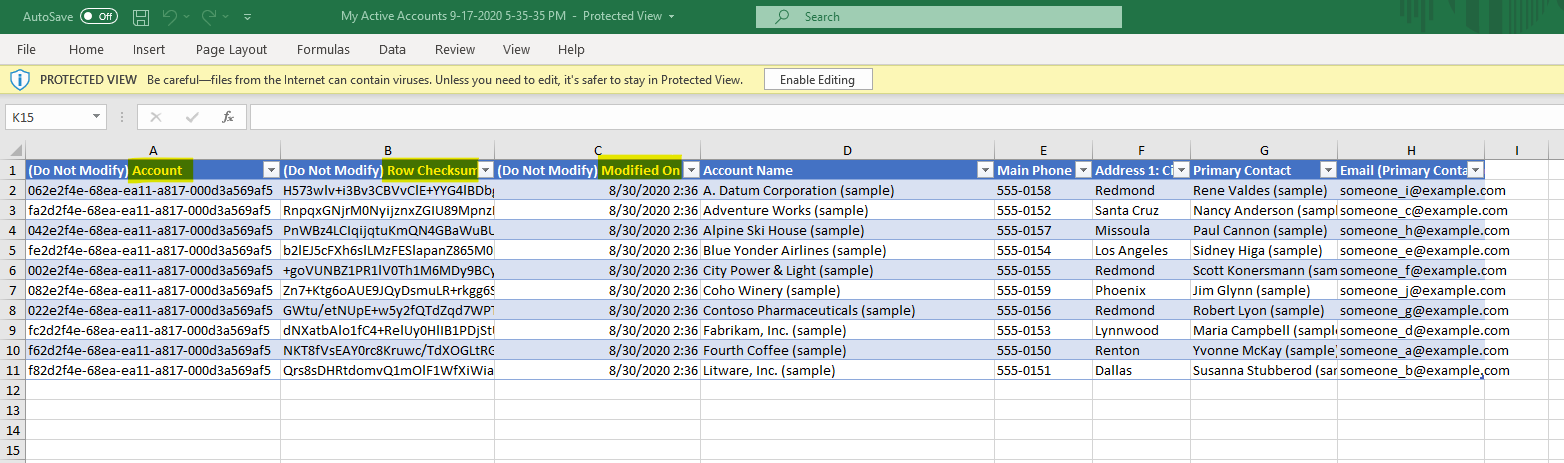
When adding a new record in Excel, these three columns have no data. So we can use columns A to C as the identification of the master record.
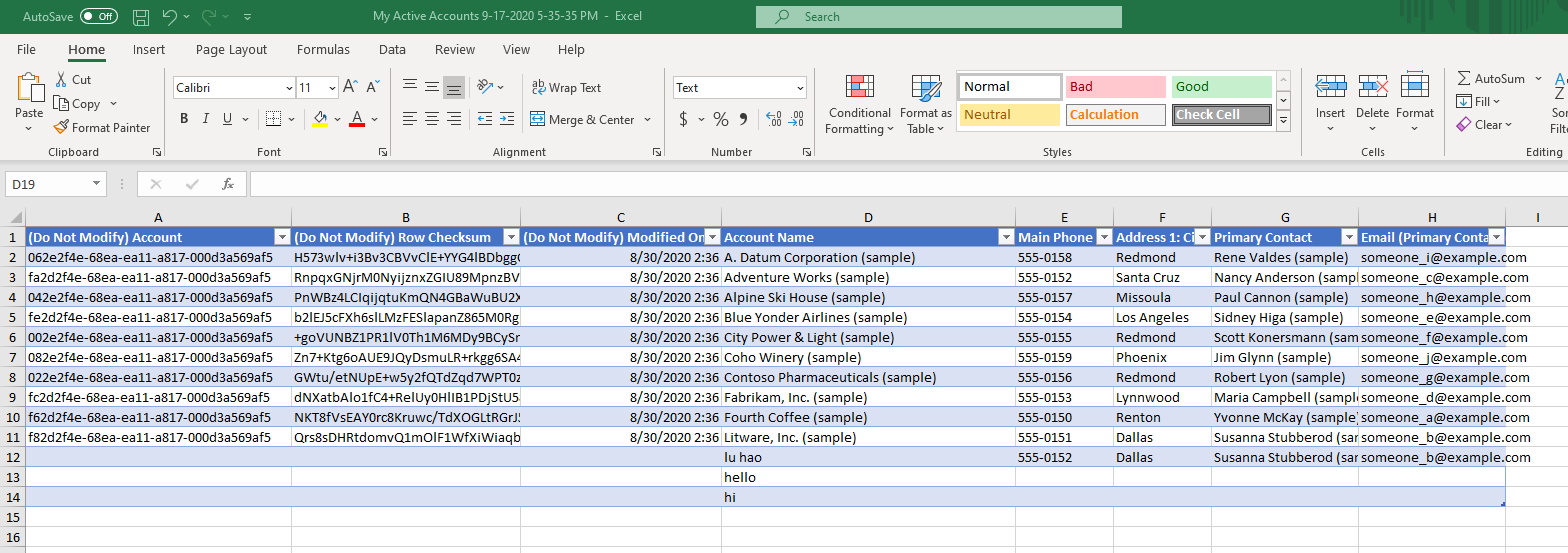
However, since I am not proficient in Excel, I did not find a way to automatically fill the new record data into the blank cells of the existing duplicate records, even if it is theoretically feasible.


