web
You’re offline. This is a read only version of the page.
close
Skip to main content

Announcements

News and Announcements icon
Community site session details

Community site session details

Session Id :
Microsoft Dynamics GP (Archived)

Production Upgrade error (not encountered during test upgrade)

(0) ShareShare
ReportReport
Posted on by

S0334.05.jpg"font-family: 'Calibri','sans-serif'; font-size: 11pt; mso-fareast-font-family: Calibri; mso-fareast-theme-font: minor-latin; mso-ansi-language: EN-US; mso-fareast-language: EN-US; mso-bidi-language: AR-SA;"> 
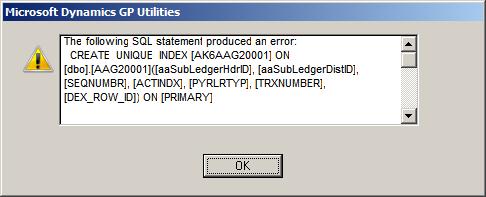


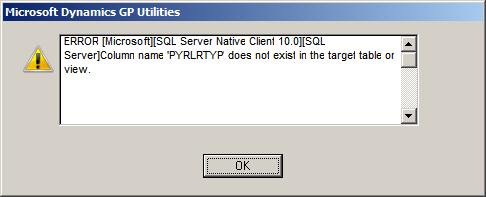
We then restart utilities with the intention of continuing with remaining DBs while we research the above error to find a resolution.

However, after restarting we notice that the above referenced company does not have the customary 'X' indicating that the DB failed to upgrade and we are able to select it again.

We opt to include this DB in our next run of the upgrade and receive the following errors:
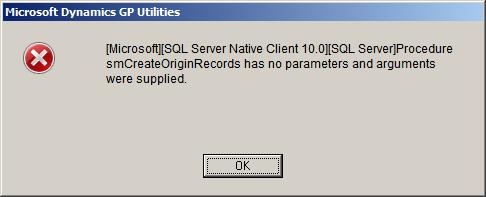
 

We have to click about 20-30 times on the above error until we are presented with the below error:
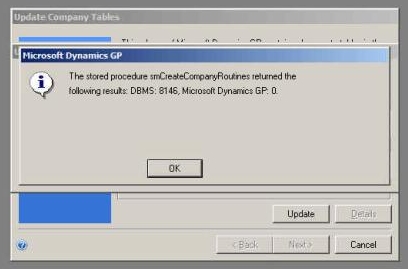
 

We click OK on the above and the upgrade proceeds and finally completes the DB upgrade 'sucesfully' and proceeds to the next DB.

The next DB continues without error and we are currently monitoring the next DB (which is so far proceeding without issue).

I queried the AAG20001 table on their former production environment for the DB that produced the error and there is no data in the table (nor does their appear to be any data in any AAG setup tables).  Client has AA but doesn't appear to be utilizing it in this particular DB.

My question is, should we be concerned with the initial error(s) that were encountered?  It's strange that we were able to proceed past by simply restarting utilities and clicking past the subsequent errors.  We have about 3 and a half days to go for the full set of DBs to complete and are concerned that this apparently minor/irrelevent error could in-fact be an issue.

Please let me know your thoughts and/or if you would like additional information.

Thanks!

Tom

*This post is locked for comments

I have the same question (0)
  • Community Member Profile Picture
    on at

    Just a thought - It could be AA tables that were not upgraded the last time round. So they are at the wrong version.

    You could check table DB_UPGRADE  and see what versions the verious products are in the pre-upgrade enviornment.

    Have you tried taking AA out of the dynamics.set file and running the upgrade against the failed company?

    Ian.

  • Jonathan Fear Profile Picture
    Microsoft Employee on at

    I would restart the upgrade for this one company. Use the steps in the following KB

    920900 How to restart the upgrade of a company database in Microsoft Dynamics GP

    mbs.microsoft.com/.../KBDisplay.aspx

Under review

Thank you for your reply! To ensure a great experience for everyone, your content is awaiting approval by our Community Managers. Please check back later.

Helpful resources

Quick Links

Season of Sharing Community Challenge Launch!

Jump in, show your community spirit, and win prizes!

Women in Power Builds Momentum

Expanding mentorship, skilling, and AI innovation

Congratulations to the May Top 10 Community Leaders

These are the community rock stars!

Leaderboard > 🔒一 Microsoft Dynamics GP (Archived)

#1
Dan Liebl Profile Picture

Dan Liebl 2

#2
Shravan Attelli Profile Picture

Shravan Attelli 1

Last 30 days Overall leaderboard

Featured topics

Product updates

Dynamics 365 release plans