web
You’re offline. This is a read only version of the page.
close
Skip to main content

Announcements

No record found.

News and Announcements icon
Community site session details

Community site session details

Session Id :
Service | Customer Service, Contact Center, Fie...
Unanswered

Using Slugs to Link Conversation with Custom Entity

(0) ShareShare
ReportReport
Posted on by 15

Hi all,

A customer that I am implementing Omnichannel chat for require each conversation to be linked to a custom entity called 'Quick Enquiry' (think of it as a pre-cursor to a Case).

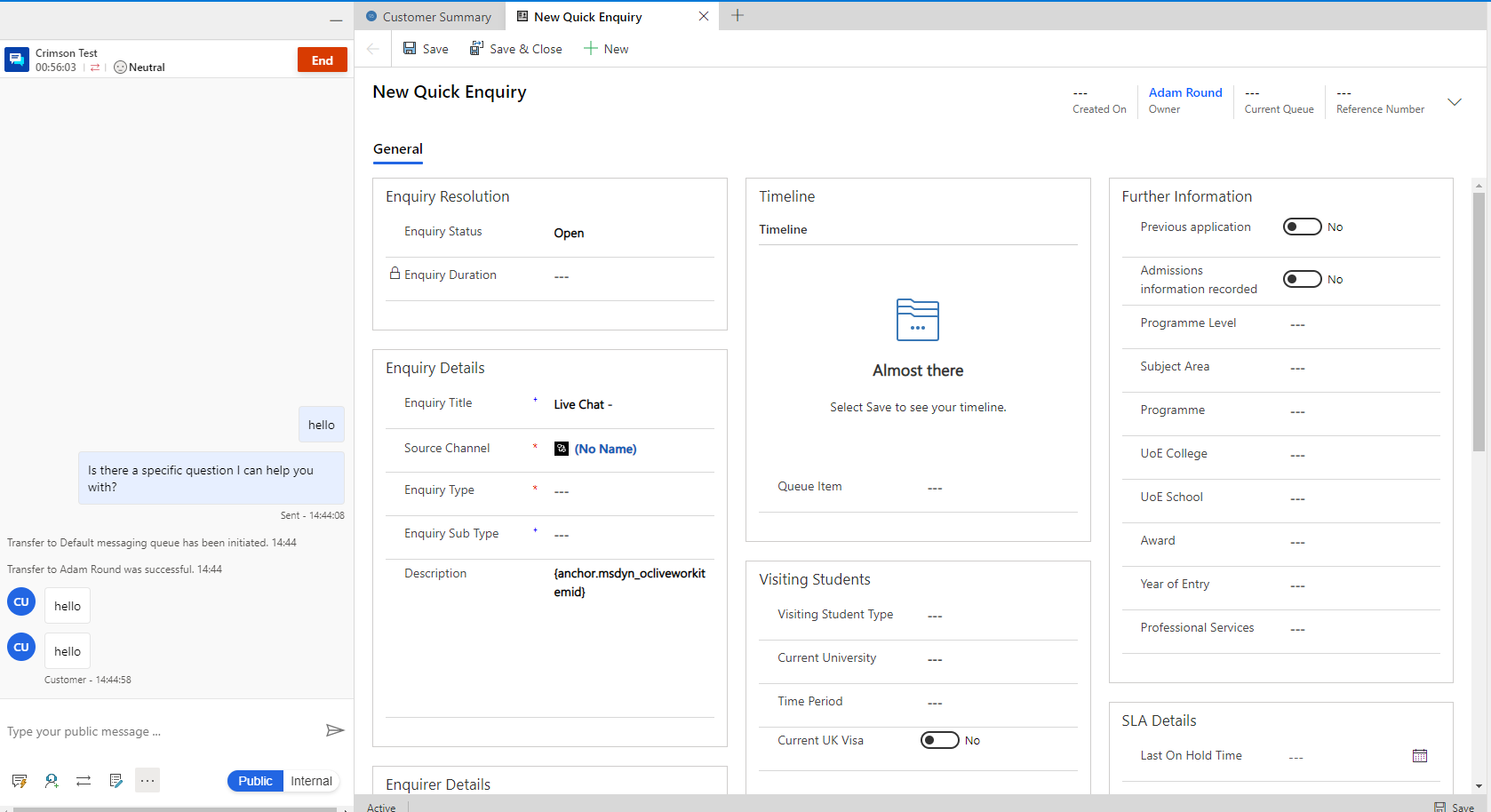
I have created a new application tab template which opens a new Quick Enquiry form and auto populates some fields (Enquiry title and source channel) using slugs - https://docs.microsoft.com/en-us/dynamics365/app-profile-manager/automation-dictionary-keys#slugs. I have been using the description field as a test field to see if it populates with the conversation GUID but it does not seem to be working:
pastedimage1619102559673v1.png

I would expect the description field to display the GUID of the conversation record but it does not.

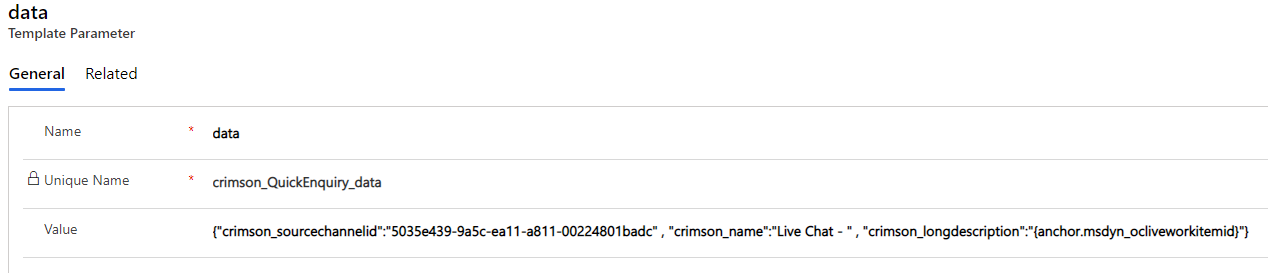
Here is what I've got in the data template parameter for the Quick Enquiry tab: {"crimson_sourcechannelid":"5035e439-9a5c-ea11-a811-00224801badc" , "crimson_name":"Live Chat - " , "crimson_longdescription":"{anchor.msdyn_ocliveworkitemid}"}
pastedimage1619102708655v2.png

Any help would be appreciated.

I have the same question (0)
  • Community Member Profile Picture
    on at

    Hi partner,

    Only conversation GUID can’t show in the new application tab? Other general attribute can display or not?

    Or you can try to remove ‘anchor’ from the value, you can use msdyn_ocliveworkitemid to test again.

    pastedimage1619165459572v1.png

    Regards,

    Leah Ju

    Please mark as verified if the answer is helpful. Welcome to join hot discussions in Dynamics 365 Forums.

  • JasonA Profile Picture
    15 on at

    Was this ever resolved? I ran into the same issue and tried the suggestion made by  with no success. I also tried different combinations with logical and schema names with no luck. Any suggestions would be apprecitaed

Under review

Thank you for your reply! To ensure a great experience for everyone, your content is awaiting approval by our Community Managers. Please check back later.

Helpful resources

Quick Links

Introducing the 2026 Season 1 community Super Users

Congratulations to our 2026 Super Stars!

Meet the Microsoft Dynamics 365 Contact Center Champions

We are thrilled to have these Champions in our Community!

Congratulations to the March Top 10 Community Leaders

These are the community rock stars!

Leaderboard > Service | Customer Service, Contact Center, Field Service, Guides

#1
FSRon Profile Picture

FSRon 60

#2
Gerardo Rentería García Profile Picture

Gerardo Rentería Ga... 32 Most Valuable Professional

#3
Jimmy Passeti Profile Picture

Jimmy Passeti 29 Most Valuable Professional

Last 30 days Overall leaderboard

Featured topics

Product updates

Dynamics 365 release plans
