web
You’re offline. This is a read only version of the page.
close
Skip to main content

Announcements

No record found.

News and Announcements icon
Community site session details

Community site session details

Session Id :
Finance | Project Operations, Human Resources, ...
Suggested Answer

Automatically change gridline to next one

(0) ShareShare
ReportReport
Posted on by 50

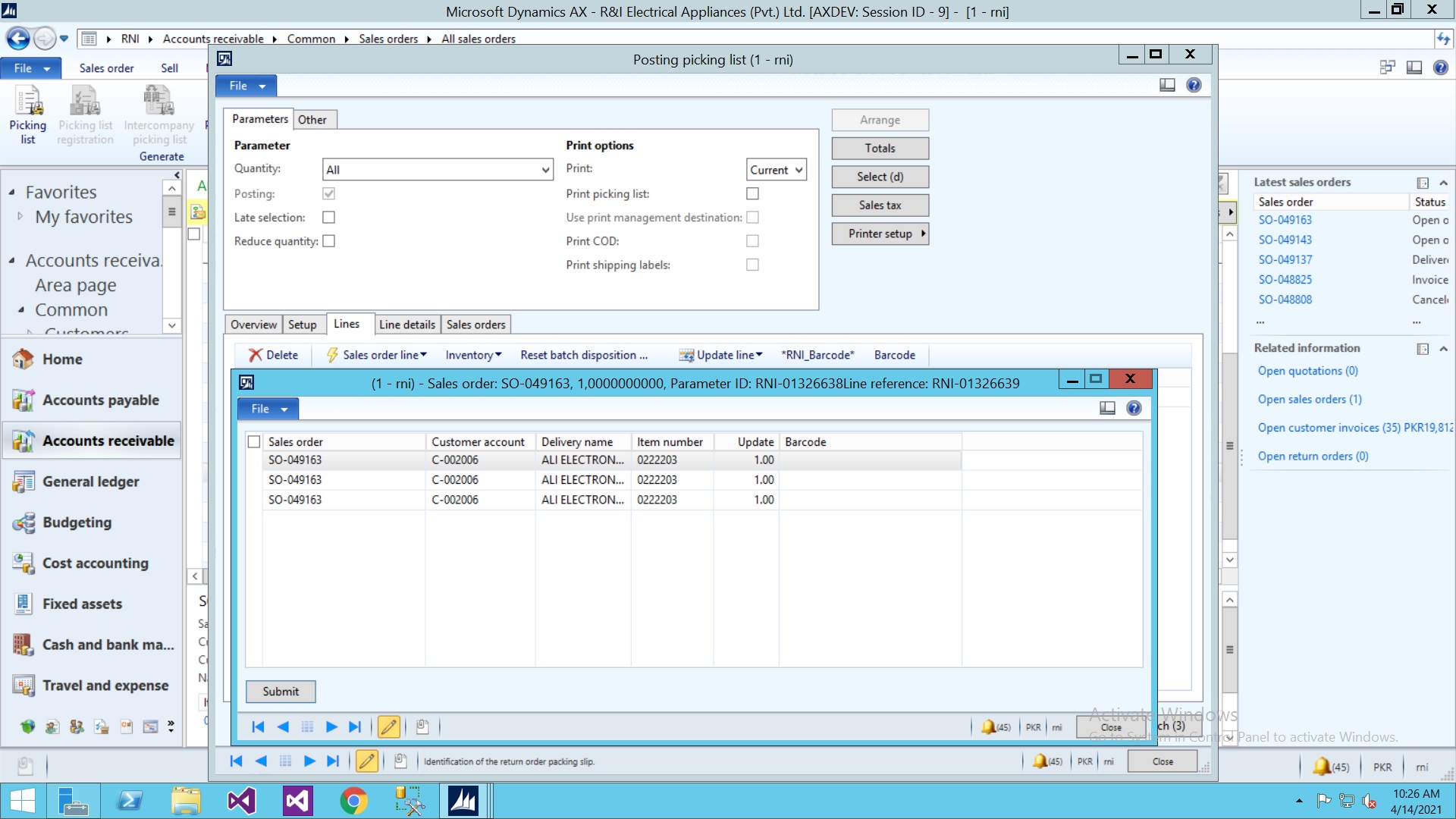
I am working on Sales order picking list. I create customize form for barcode scanning.
 6683.q1.jpg

Screenshot shows my customized form for barcode scanning on picking list level.

My question is that how can I automatically change the gridline when barcode scan.

I use temp table for populate the data in form after the scanning user submit grid data into regular table.

So what's the best practice I use to change line to next one automatically after barcode scan.

Thanks in advance.

I have the same question (0)
  • Suggested answer
    ergun sahin Profile Picture
    8,826 Moderator on at

    I have never used it this way, but technically, we can change the selected record by providing position information.
    You can say something like, If the barcode is full, switch to next (active, in modifield, or maybe a method like write).
    It is necessary to think about it a little more and try a little bit, but it is technically possible.

    int position;
    ;
    position= MyTable_ds.getPosition();
    MyTable_ds.setPosition(position   1);

  • ovais rabbani Profile Picture
    50 on at

    I use that code on textchange method of grid column but its create new row on grid. But I want to change line on existing populated data. picture attach on my question.

  • Suggested answer
    ergun sahin Profile Picture
    8,826 Moderator on at

    If you are on the last record and try to move on to the next record, it will open a new line.

    In Debug, examine the structure and pay attention to the position you are in. The record you want to select and the positions of the record you are on may not be resolved with pos + 1.

Under review

Thank you for your reply! To ensure a great experience for everyone, your content is awaiting approval by our Community Managers. Please check back later.

Helpful resources

Quick Links

Introducing the 2026 Season 1 community Super Users

Congratulations to our 2026 Super Stars!

Meet the Microsoft Dynamics 365 Contact Center Champions

We are thrilled to have these Champions in our Community!

Congratulations to the April Top 10 Community Leaders

These are the community rock stars!

Leaderboard > Finance | Project Operations, Human Resources, AX, GP, SL

#1
Giorgio Bonacorsi Profile Picture

Giorgio Bonacorsi 804

#2
André Arnaud de Calavon Profile Picture

André Arnaud de Cal... 639 Super User 2026 Season 1

#3
Subra Profile Picture

Subra 528

Last 30 days Overall leaderboard

Product updates

Dynamics 365 release plans
