web
You’re offline. This is a read only version of the page.
close
Skip to main content

Notifications

Announcements

No record found.

Community site session details

Community site session details

Session Id :
Microsoft Dynamics AX (Archived)

Not able to login to Dynamics Retail Storefront

(0) ShareShare
ReportReport
Posted on by 106

 I have a Azure hosted AX7DevCTP8 VM. I am trying to login to “Login to Dynamics Retail Storefront”. It directs to URL https://ax7devctp8devecom.cloudax.dynamics.com/ , add an item to cart and checkout. I try to sign-in with Google account and Allow the access. It throws authorization error with Google as shown in screen shot. I entered correct Google account credentials.

 Am I missing anything or doing wrong?
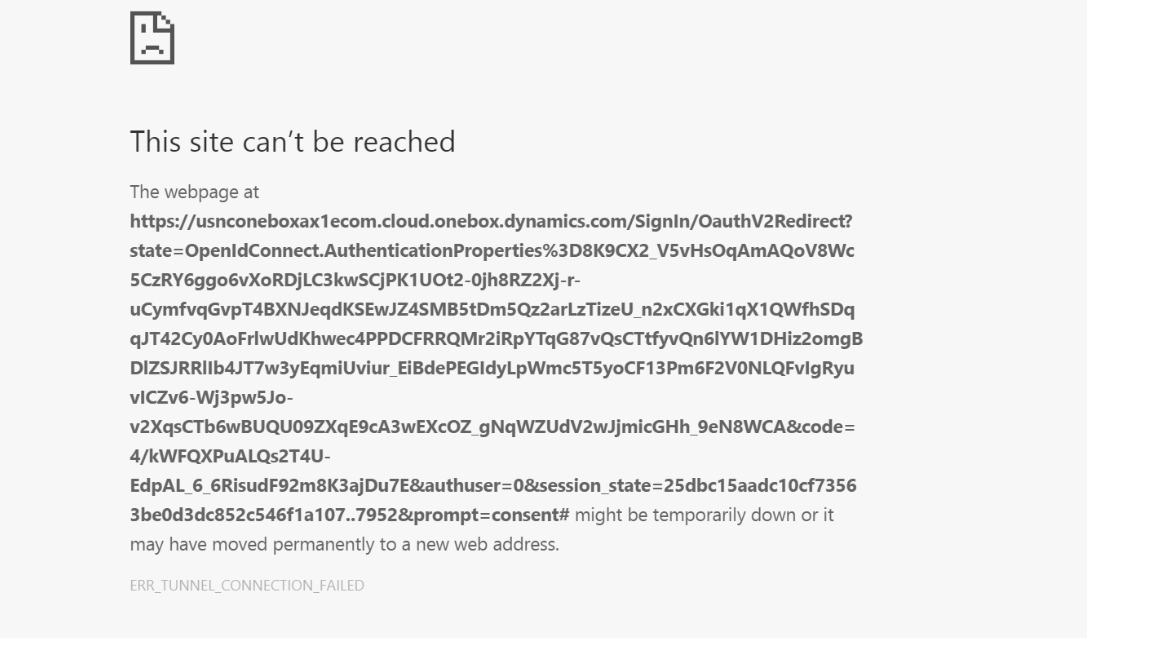
 AuthError.png

*This post is locked for comments

I have the same question (0)
  • André Arnaud de Calavon Profile Picture
    300,915 Super User 2025 Season 2 on at

    Hi Ajay,

    What makes you think you can use a google account? What do you mean with "allow the access"? Which steps did you take?

    Microsoft Dynamics AX is using Azure AD for authentication.

    The error is stating that a site cannot be reached. Was it previously possible with this same environment? Can you verify if the environment is running? Can you open the URL for AX itself?

  • Ajay J Profile Picture
    106 on at

    Thanks Andre for reply.

    I am assigned into Azure AD. I am able to open AX URL. I am trying to login into Storefront with my gmail account for authentication. After clicking on "Allow" button, it throws error.

    4718.checkout.png4718.checkout.png6232.Allow.png

  • SergeyP Profile Picture
    2,928 on at

    First let me explain why that doesn't work on LCS VM out of the box:

    in order to authenticate in eCommerce via Google credentials an application should be created in Google, while creating that application one should specify a Reply Url which is used to receive an id_token once , this is mandated by the Open ID Connect protocol. Every customer who is signed up for an AX Offer gets that customer's copy of AX (including eCommerce) and each copy, of course, is exposed with unique set  of URLs (corresponding to AX, Retail Server, CPOS, eCommerce). At the same time the provisioning step doesn't automatically create a Google application, as a result you are dealing with the Reply Url (in eCommerce's web.config) which cannot be resolved to a Url corresponding to your application, that is why you are seeing that error page saying that the page could not be found.

    How to fix that:

    1. You need to create (or just reuse one if you already have one) your own Google Application (choose Web application) by leveraging  Google Developers Console details can be found here https://developers.google.com/identity/protocols/OpenIDConnect

    2. In eCommerce web.config find a section identityProviders and then a child with name Google, update clientId with the ID of the application you just registered in Google and do the same for the attribute clientSecret and redirectUrl - this one should now point to your deployment and should match the one you will register with Google in the section "Authorized redirect URIs".

    3. In AX UI go to Retail Shared Parameters -> OpenID Providers and then select Google identity provider

    Look into the table Relying Parties - those are the client applications currently registered in AX, in fact they are useless for your environment and you can remove them to avoid confusions. Then you need to add yours there. Use Type = Confidential; UserType=Customer.

    4. Save the form and run 1110 job, wait until CDX will bring the data into the channel DB and then few more minutes because of the cache, or, if you don't want to wait until the cache expires you might consider recycling app pool corresponding to Retail Server in case your environment is not Production one.

    Now you should be able to login into eCommerce by using Google.

  • Ajay J Profile Picture
    106 on at

    Thanks Sergey for detailed information. I didn't try the above approach but I used other link ax7rtw1devecom.cloudax.dynamics.com. When I enter my Google user ID and password, URL was changed with some other link and then I update the URL with ax7rtw1devecom.cloudax.dynamics.com manually and it worked for me.

    Thanks,

    Ajay

  • SergeyP Profile Picture
    2,928 on at

    By the way, from your screenshot it looks like you are using CTP8 (not RTW) which needs small change to have layout look much better, it is described there: Correcting eCommerce layout in CTP8

  • Ajay J Profile Picture
    106 on at

    Thanks Sergey.

  • Jayaprakash Reddy Profile Picture
    270 on at

    I am facing same issue, could you please let me know which is the redirect URI i need mention in web.config file and google accounts?

    Many thanks in advance!

    If I give storefront uri then its not opening anything 

    Thanks/Jayaprakash 

  • Suggested answer
    Jayaprakash Reddy Profile Picture
    270 on at

    Hi Sergey,

    Thank you so much for your details description. i am managed to login to storefront with your steps, but i can only login with my account and if another customer would like to login how they can login as they cant do the same thing which we executed for every customer right? could you please let me know how they can be authenticated? 

    another question: if we use creating retail customer in async mode then it will only store the customer info in CRT database and not synchronized to AX ? 

    Thanks/Jayaprakash 

  • PilgrimCZ Profile Picture
    572 on at

    Hi all,

    we try to get this working on T1 sandbox machine with PU28. We set all by some manuals, still we getting an error when logging in with Google account.

    contoso_5F00_storefront_5F00_error.JPG

    Are there any changes in actuall version? All manuals are on way lower versions.

    Thx, Marek

  • SergeyP Profile Picture
    2,928 on at

    Can you please look into event viewer, in the bellow 2 locations for warnings/errors and paste them in a reply

    Microsoft->Dynamics->Commerce-OnlineStore->Operational

    Microsoft->Dynamics->Commerce-RetailServer->Operational

    ?

Under review

Thank you for your reply! To ensure a great experience for everyone, your content is awaiting approval by our Community Managers. Please check back later.

Helpful resources

Quick Links

Responsible AI policies

As AI tools become more common, we’re introducing a Responsible AI Use…

Neeraj Kumar – Community Spotlight

We are honored to recognize Neeraj Kumar as our Community Spotlight honoree for…

Leaderboard > 🔒一 Microsoft Dynamics AX (Archived)

#1
Martin Dráb Profile Picture

Martin Dráb 4 Most Valuable Professional

#1
Priya_K Profile Picture

Priya_K 4

#3
MyDynamicsNAV Profile Picture

MyDynamicsNAV 2

Last 30 days Overall leaderboard

Featured topics

Product updates

Dynamics 365 release plans



