web
You’re offline. This is a read only version of the page.
close
Skip to main content

Notifications

Announcements

No record found.

Community site session details

Community site session details

Session Id :
Microsoft Dynamics AX (Archived)

Mix and Match Discounts Using Least Expensive

(0) ShareShare
ReportReport
Posted on by

So mix and match discounts take a lot of set up work to get to the point where you can use them. Thankfully I am finished with all of that, but now I'm having some issues with applying my discounts. Here is what is happening:

I set my mix and match discounts for a BOGO 50% off for the same item using the Price/Discount type of "Least Expensive". The number of least expensive lines I have set to 1.  My understanding of that field is that it will take the discount off for only one line in the sales order (please correct me if I am wrong). 
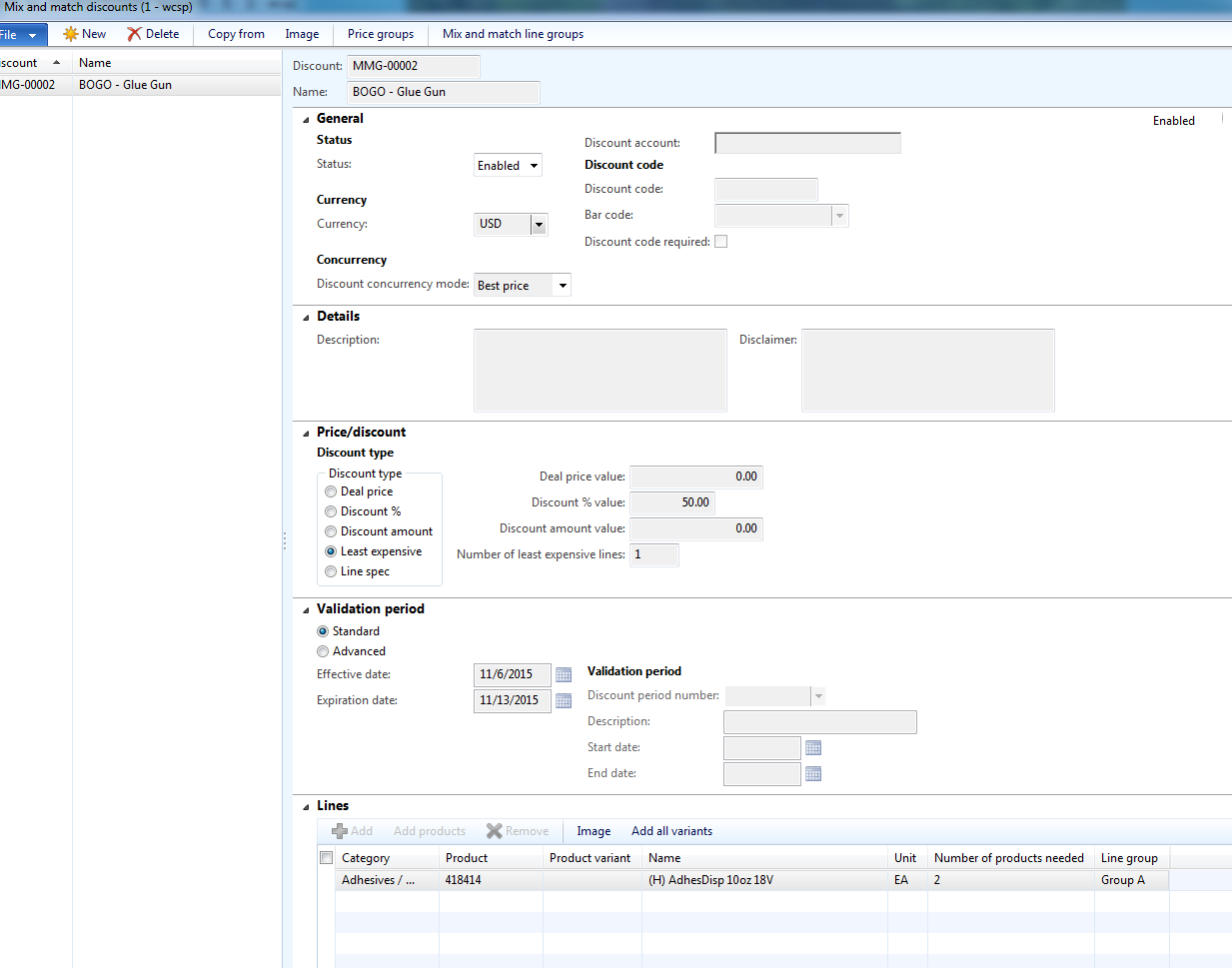
bogosetup.PNG

However when I create a sales order through the call center the discount is not behaving the way I would expect it to. For starters when I update the quantity to 2 I do not get a discount.

qty2.PNG

If I add a new line I get all excited because it looks like it is working properly

3386.2lines.PNG

But if I add a third line it gets discounted as well... 

3lines.PNG

And if I delete the first line there is no item at full price.

delete1.PNG

I have tried recalculating the form under the sell tab, closing the order and reopening it, and deleting all the lines and starting over. The only one that seems to have a result is to remove all the lines in the sales order lines and start over then my first item is full price, but I still experience discounts past the second item. 

For experimentation with the number of least expensive lines I have tried setting that to 0 and it acted as I expected and did not give a discount to any item.

Does anyone have any ideas that will make these discounts behave properly?  

Thank you,

J.M.

*This post is locked for comments

I have the same question (0)
  • nunomaia Profile Picture
    25 Moderator on at

    I have made a small simulation and got a different discount from yours. I have got only a discount on the first line.

    In your mix and match discount, did you associated the proper price group? The same as your Call Center channel ?

  • jmcpeek Profile Picture
    on at

    Yes I have ensured that my price group includes "Customer" and that the customer I am testing the order on it in the "Customer" group. 

  • nunomaia Profile Picture
    25 Moderator on at

    Are you using AX2012 R3 CU9 ? Did tried use AX Retail Price simulator ?

  • jmcpeek Profile Picture
    on at

    I am using AX2012 R3 version 6.3.164.0 and I do not have the Pricing Simulator option in the Retail>Inquiries. I have been trying the discounts using a sales order through the call center module.

Under review

Thank you for your reply! To ensure a great experience for everyone, your content is awaiting approval by our Community Managers. Please check back later.

Helpful resources

Quick Links

Responsible AI policies

As AI tools become more common, we’re introducing a Responsible AI Use…

Neeraj Kumar – Community Spotlight

We are honored to recognize Neeraj Kumar as our Community Spotlight honoree for…

Leaderboard > 🔒一 Microsoft Dynamics AX (Archived)

#1
Martin Dráb Profile Picture

Martin Dráb 4 Most Valuable Professional

#1
Priya_K Profile Picture

Priya_K 4

#3
MyDynamicsNAV Profile Picture

MyDynamicsNAV 2

Last 30 days Overall leaderboard

Featured topics

Product updates

Dynamics 365 release plans



