web
You’re offline. This is a read only version of the page.
close
Skip to main content

Announcements

No record found.

News and Announcements icon
Community site session details

Community site session details

Session Id :
Microsoft Dynamics AX (Archived)

Expense Report error messages

(0) ShareShare
ReportReport
Posted on by 710

Hi,

I have been trying to understand reasons I get the following messages while creating an expense report. I have checked the Expense workflow setups multiple times. Please help.

1. 'ConvertAmountValue' error message: I get this error just as I create the expense report and with or without selecting the customer account.
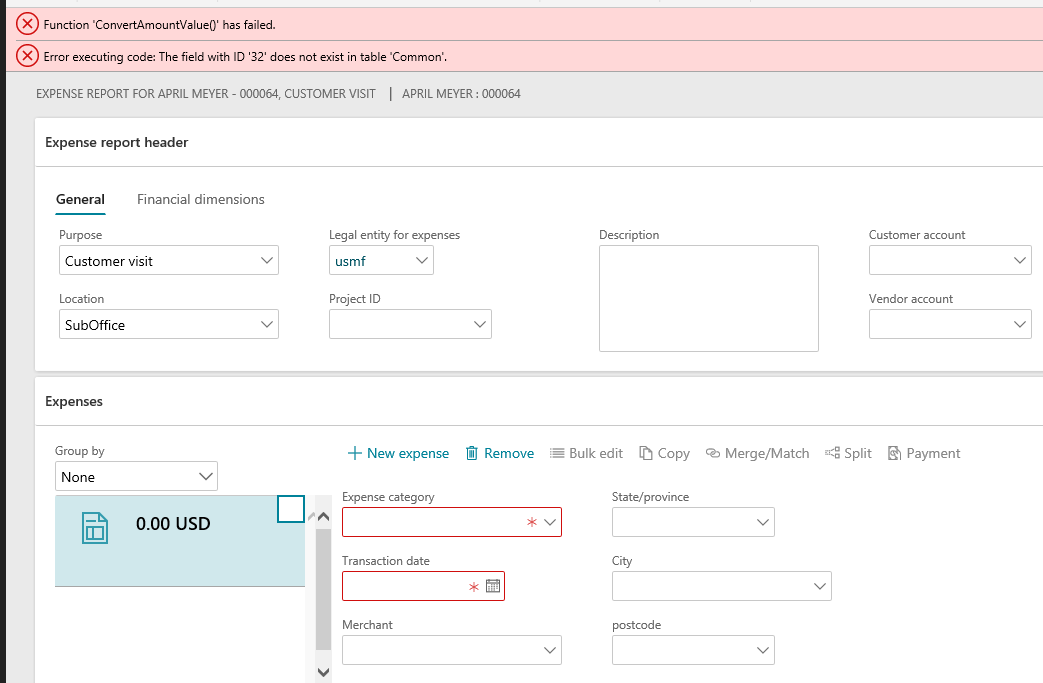
ConvertAmount-error.png

Error 2: 'System cannot determine which workflow to run. Review the 'Set condition or use...'

I get this message as soon as I enter a value in the Transaction Amount field and click Save. Please find the error message and the related setup screenshots attached in this message.

Set-condition-for-use-message.png

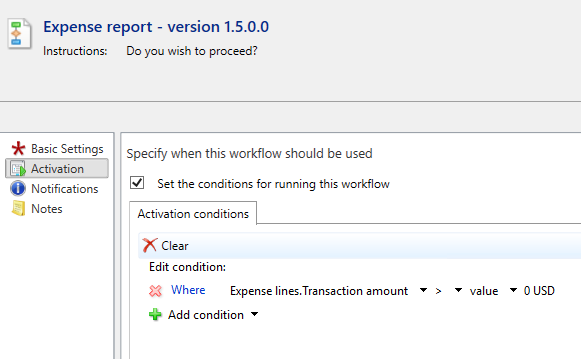
Setup : Expense report - hierarchy approval : 

Setup 1:
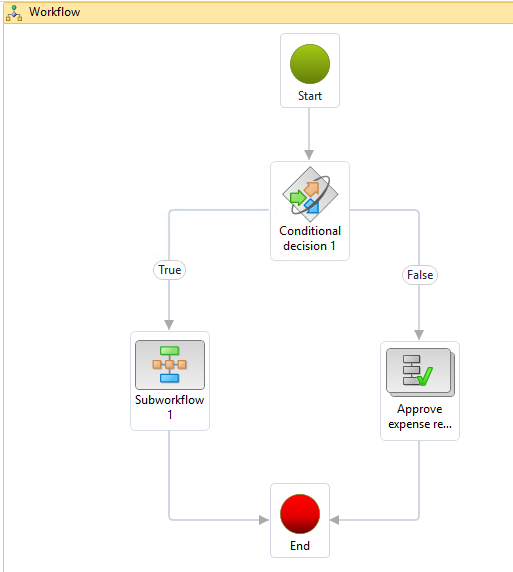
workflow-setup-1.png

Setup 2: Properties on Conditional decision 1
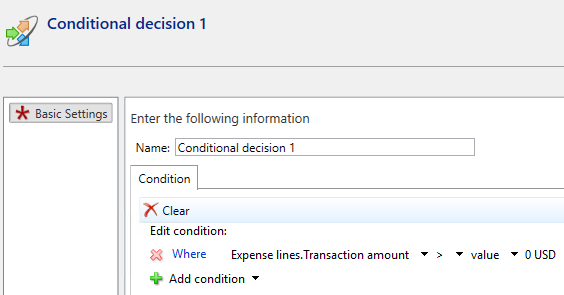
conditional-decision-1.png

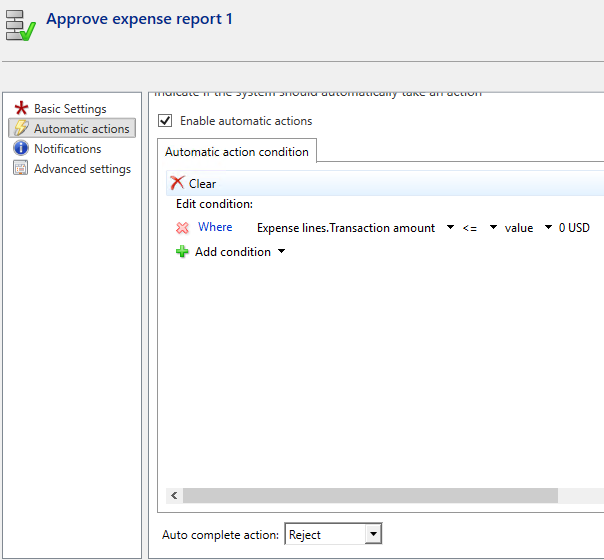
Setup 3: Properties set on Approve expense report 1:
Approve-expense-report-1.png

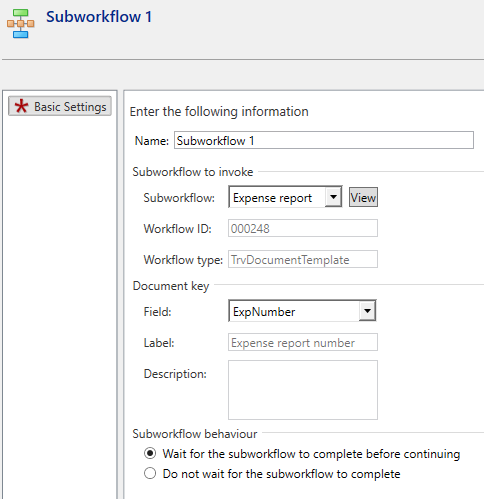
Setup 4: Properties set on Subworkflow 1:
subworkflow-1.png

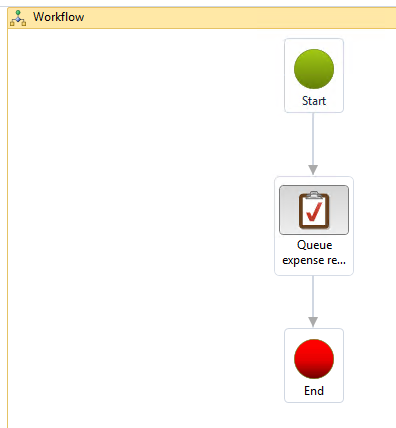
Setup 5: Properties on Expense report workflow - set in subworkflow 1:
expense-report-1-workflow.png

expense-report-1.png

Please help.

Thank you,

Neeta

*This post is locked for comments

I have the same question (0)
  • André Arnaud de Calavon Profile Picture
    304,711 Super User 2026 Season 1 on at

    Hi Neeta,

    Not sure what the first error is causing. I haven't seen this error before. Probably it is related to the second error. For the second error, try to disable the condition in your last screenshot. Evaluating if there is an amount is not required, I think.

  • nyk Profile Picture
    710 on at

    Hi Andre,

    Good morning. Thank you for the suggestion. I have already tried it and have deleted the condition I had applied, and the 2nd error has been resolved. The 1st error still appears but I am able to complete the workflow submit reject and approve processes with the error displaying on the screen at any time it likes to show up. It is not good for a demonstration in a workshop I will be conducting sometime soon to a new client who will be looking at the system for the 1st time. That is my worry.

  • Sukrut Parab Profile Picture
    71,739 Moderator on at

    Did you make any changes to underlying query ? You have to debug and see from where error is coming . Also did you try full build of your application and Sync ?

  • nyk Profile Picture
    710 on at

    Hi Sukrut,

    I happen to post D365 query on AX forum accidentally. Apologies. Besides, I am on the functional end and not technical, hence have no idea of debugging in D365. It is being addressed by one of the technical team members in my office.

    Thank you,

    Neeta

Under review

Thank you for your reply! To ensure a great experience for everyone, your content is awaiting approval by our Community Managers. Please check back later.

Helpful resources

Quick Links

Introducing the 2026 Season 1 community Super Users

Congratulations to our 2026 Super Stars!

Meet the Microsoft Dynamics 365 Contact Center Champions

We are thrilled to have these Champions in our Community!

Congratulations to the April Top 10 Community Leaders

These are the community rock stars!

Leaderboard > 🔒一 Microsoft Dynamics AX (Archived)

#1
CP04-islander Profile Picture

CP04-islander 39

#2
Michel ROY Profile Picture

Michel ROY 14

#3
imran ul haq Profile Picture

imran ul haq 8

Last 30 days Overall leaderboard

Featured topics

Product updates

Dynamics 365 release plans