web
You’re offline. This is a read only version of the page.
close
Skip to main content

Notifications

Announcements

No record found.

Community site session details

Community site session details

Session Id :
Microsoft Dynamics AX (Archived)

date format

(0) ShareShare
ReportReport
Posted on by

dear ,

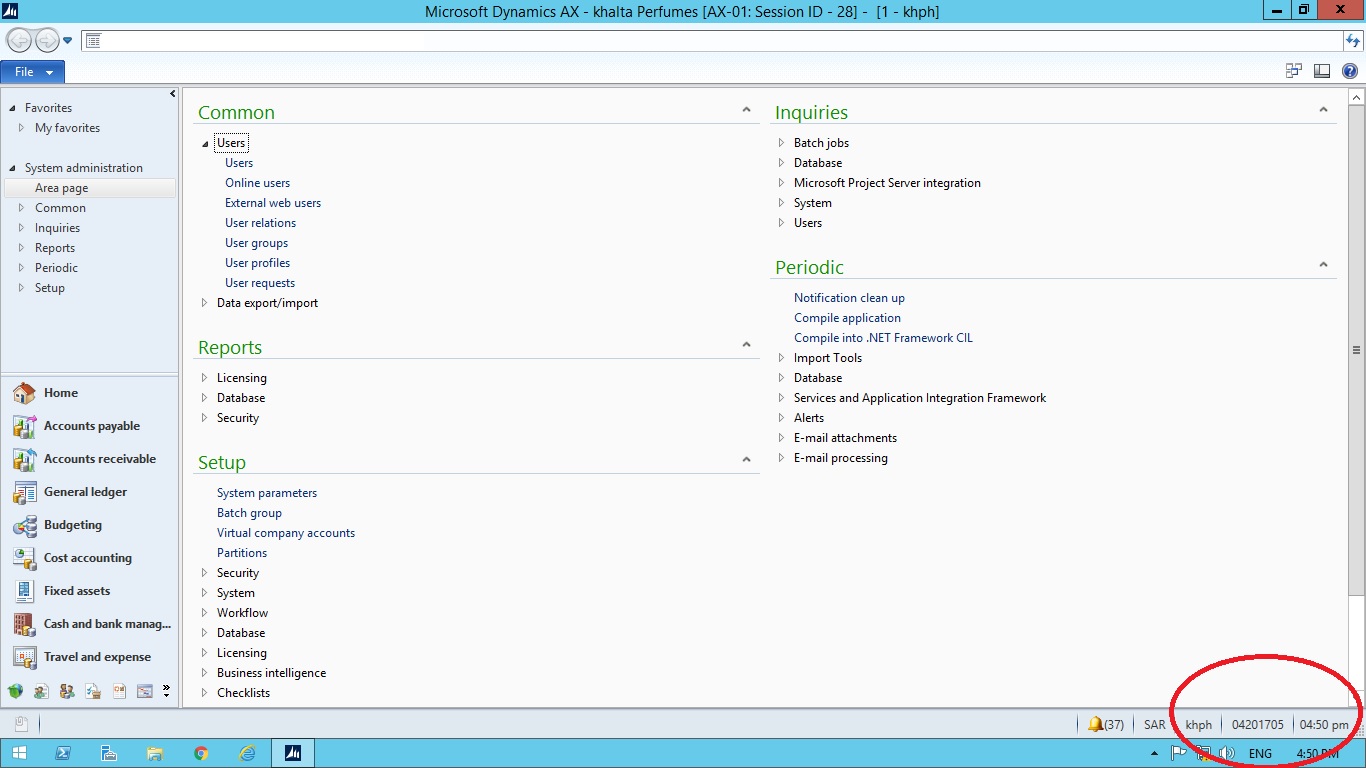
i have user when open ax date format coming day year month

and when i open another user the date format is correct

how change date format to one user only

the date in pc in correct 6082.0.jpg
*This post is locked for comments

I have the same question (0)
  • Verified answer
    _MGP Profile Picture
    506 on at

    Hi mohamed abd elnabi,

    Does this date format change for different users on the same PC?

    For me, I only find this changes when you change regional setting for "Short date" as per image below.

    date-settings.PNG

  • Verified answer
    Vilmos Kintera Profile Picture
    46,149 on at

    Each Windows user profile can have and store their own date format. The user who experiences the problem has changed it, so verify what region and locale is selected, and whether the user has customized the date format.

    Once it is fixed in Windows, sign off and log back in with the domain account, then open up AX - it should be fixed afterwards.

Under review

Thank you for your reply! To ensure a great experience for everyone, your content is awaiting approval by our Community Managers. Please check back later.

Helpful resources

Quick Links

Responsible AI policies

As AI tools become more common, we’re introducing a Responsible AI Use…

Neeraj Kumar – Community Spotlight

We are honored to recognize Neeraj Kumar as our Community Spotlight honoree for…

Leaderboard > 🔒一 Microsoft Dynamics AX (Archived)

#1
Martin Dráb Profile Picture

Martin Dráb 4 Most Valuable Professional

#1
Priya_K Profile Picture

Priya_K 4

#3
MyDynamicsNAV Profile Picture

MyDynamicsNAV 2

Last 30 days Overall leaderboard

Featured topics

Product updates

Dynamics 365 release plans
