web
You’re offline. This is a read only version of the page.
close
Skip to main content

Announcements

No record found.

News and Announcements icon
Community site session details

Community site session details

Session Id :
Finance | Project Operations, Human Resources, ...
Answered

Management Reporter Error "No Data to Export"

(0) ShareShare
ReportReport
Posted on by

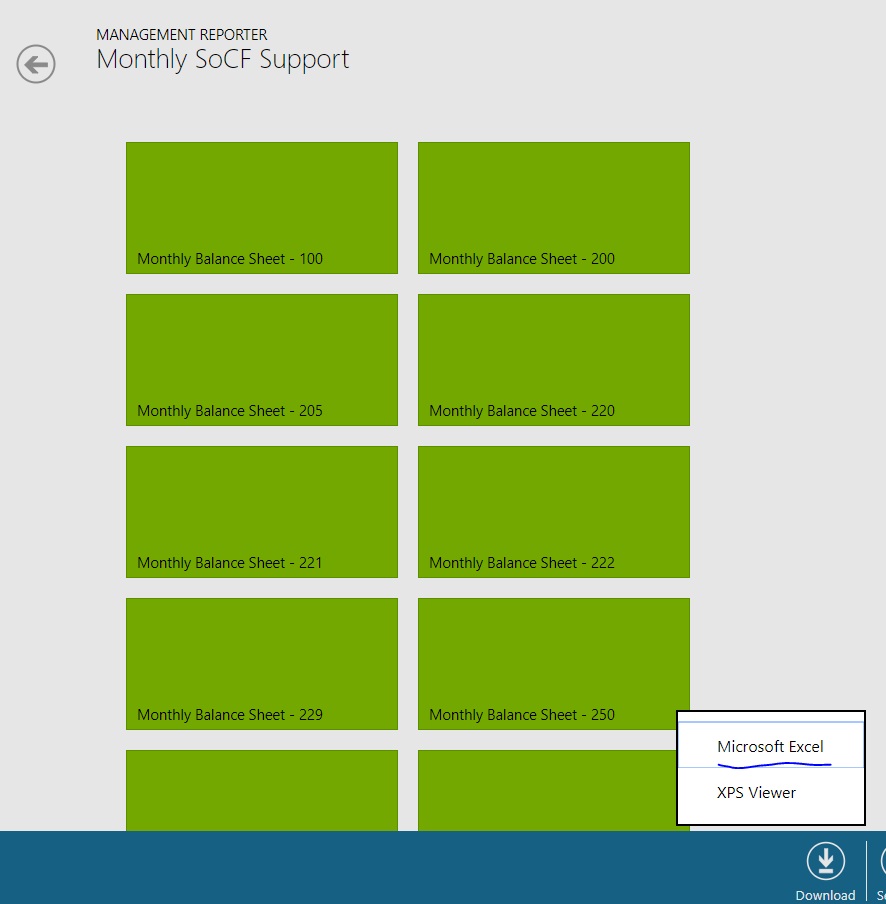
I have created a report group in Management Reporter to create financial statements for several different companies. The reports are created just fine, but when I click Download-Microsoft Excel (see first screenshot), a new tab opens that is completely blank aside from the text "No data to export" (second screenshot). I receive the same error using Chrome, IE, and Edge. 

#1
pastedimage1582583833287v2.png

#2

pastedimage1582583885572v3.png

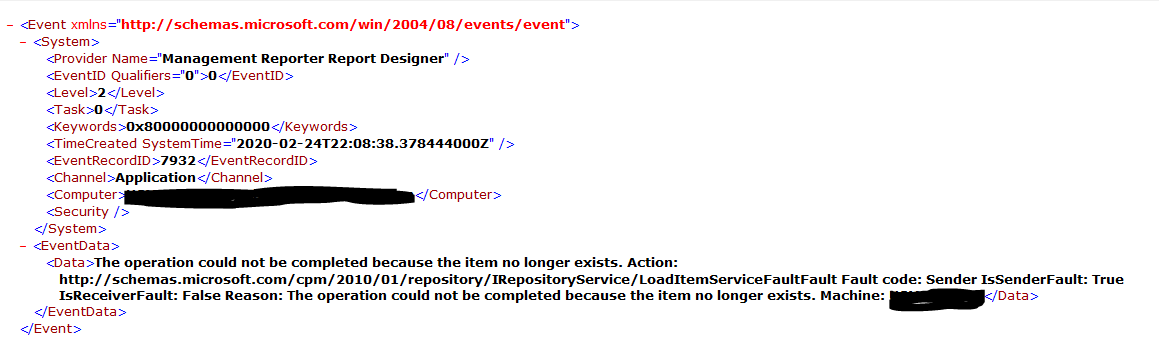
I researched the Application logs and found the below error message. Anybody have an idea what might be happening? 
pastedimage1582584170359v1.png

I have the same question (0)
  • Suggested answer
    Ludwig Reinhard Profile Picture
    Microsoft Employee on at

    Good Morning Alex,

    Have you tried selecting /clicking on one of the green icons first before trying to download? Also, have you checked LCD for your Management reporter version to ensure that this behavior is not caused by a bug?!

    best regards

    ludwig

  • Thomas Tian Profile Picture
    on at

    hi,

    can you share you system invent log amount the MR, we may find some useful information from there

  • Community Member Profile Picture
    on at

    Hi Ludwig - thanks for your response!

    I am ideally trying to export all reports simultaneously to one excel workbook, with each report (i.e. each green icon) exporting to a separate tab within the excel workbook. I am able to download individually to excel by clicking on the green icon to download, but was hoping to export all at once.

    Apologies, I am unfamiliar - what do you mean by checking the LCD? We have other report groups created in our version of Management Reporter that function as I would expect by allowing an export of multiple reports to one excel workbook, so I don't believe there is a problem with MR.

  • Suggested answer
    SouravDam Profile Picture
    11,730 on at

    Hi alex.phillips,

    Not sure what the below highlighted line refer to! Can you please check with any technical consultant and get to know about this.

    4478.JPG

    Best regards,
    Sourav Dam

    Kindly mark this thread 'Yes' if this is answered your query which may help other community members in this forum.

  • Suggested answer
    Ludwig Reinhard Profile Picture
    Microsoft Employee on at

    Hi

    lcs  stands for lifecycle services, the platform that includes among others hotfixes for system bugs.

    might be worthwhile having a look at them first.

    best regards ludwig

  • Verified answer
    Community Member Profile Picture
    on at

    Apologies all - your feedback was very much appreciated, but it turns out it was one of the 20 reports that I was running causing the issue. The report had no data, so it wouldn't export the entire batch as long as that report was included.

Under review

Thank you for your reply! To ensure a great experience for everyone, your content is awaiting approval by our Community Managers. Please check back later.

Helpful resources

Quick Links

Introducing the 2026 Season 1 community Super Users

Congratulations to our 2026 Super Stars!

Meet the Microsoft Dynamics 365 Contact Center Champions

We are thrilled to have these Champions in our Community!

Congratulations to the March Top 10 Community Leaders

These are the community rock stars!

Leaderboard > Finance | Project Operations, Human Resources, AX, GP, SL

#1
Giorgio Bonacorsi Profile Picture

Giorgio Bonacorsi 663

#2
André Arnaud de Calavon Profile Picture

André Arnaud de Cal... 439 Super User 2026 Season 1

#3
Syed Haris Shah Profile Picture

Syed Haris Shah 337 Super User 2026 Season 1

Last 30 days Overall leaderboard

Product updates

Dynamics 365 release plans