web
You’re offline. This is a read only version of the page.
close
Skip to main content

Notifications

Announcements

No record found.

Community site session details

Community site session details

Session Id :
Finance | Project Operations, Human Resources, ...
Suggested Answer

Posting Definitions

(0) ShareShare
ReportReport
Posted on by 45

Hi,

I have issue with the posting definition setup. In General ledger I activate encumbrances because want to have posting upon purchase order confirmation.
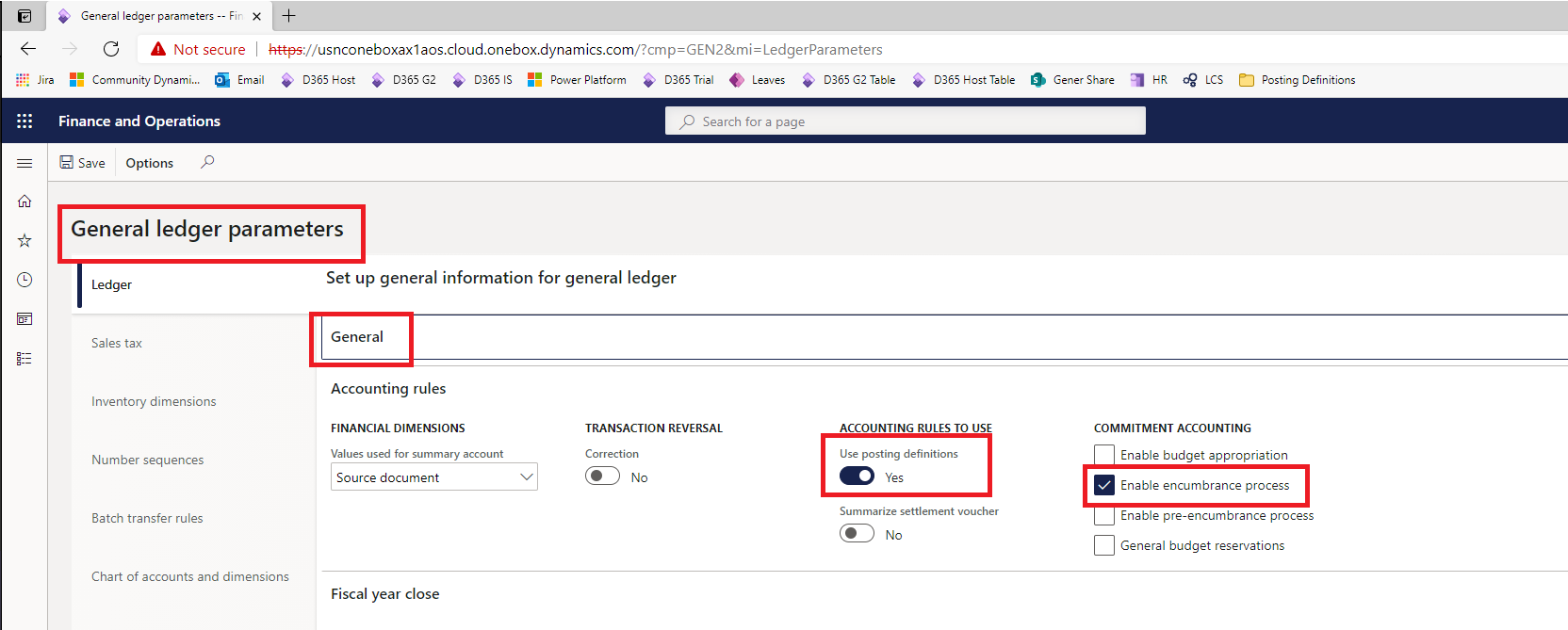
pastedimage1617604549174v1.png

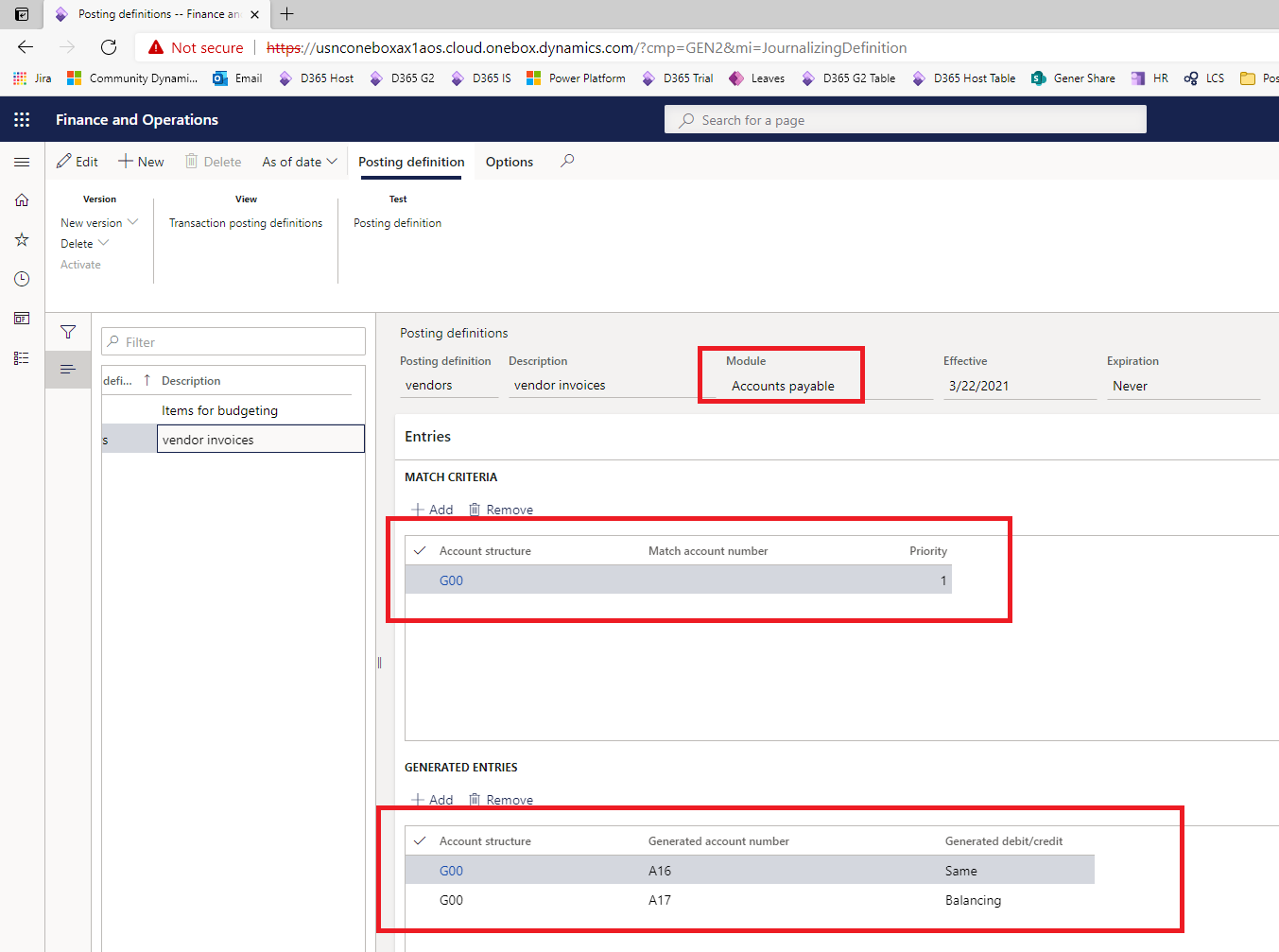
Then I made posting definitions for the purchase order and purchase invoice
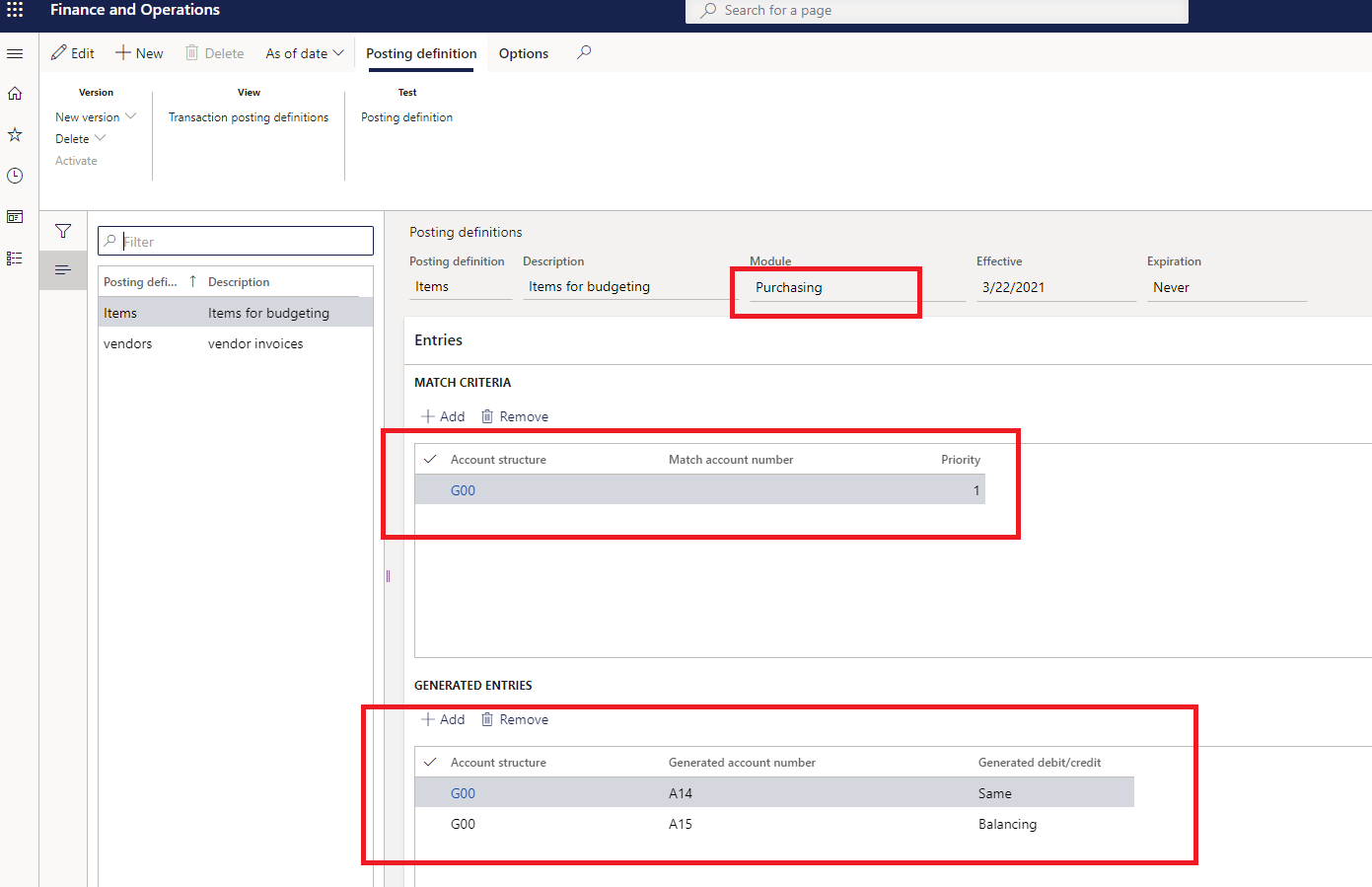
pastedimage1617604655547v2.png

pastedimage1617604706078v3.png

Then linked the posting definitions with the type of transactions. My vendor posting profiles are also filled and I have all types of rounding accounts in accounts for automatic transaction in general ledger
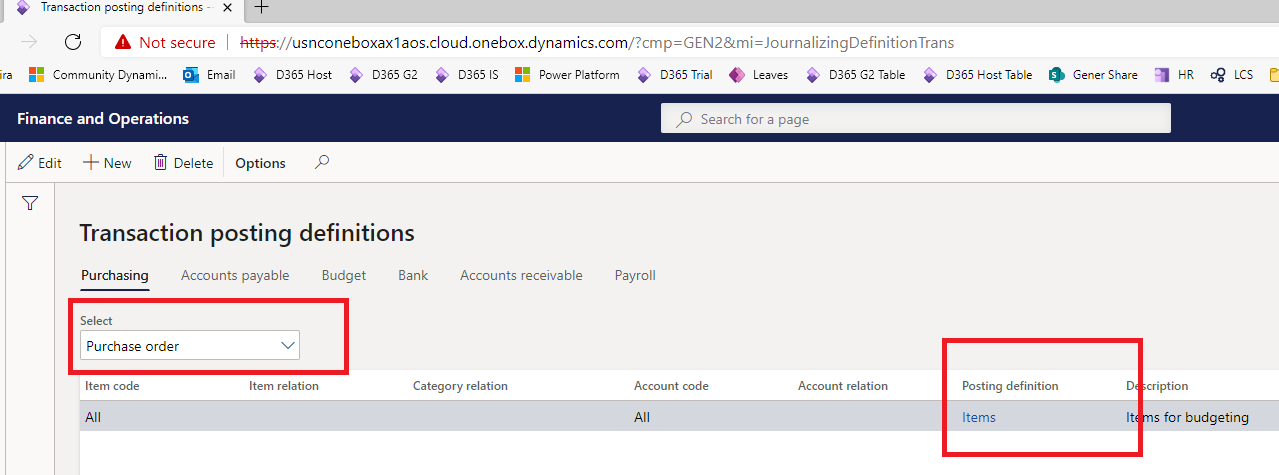
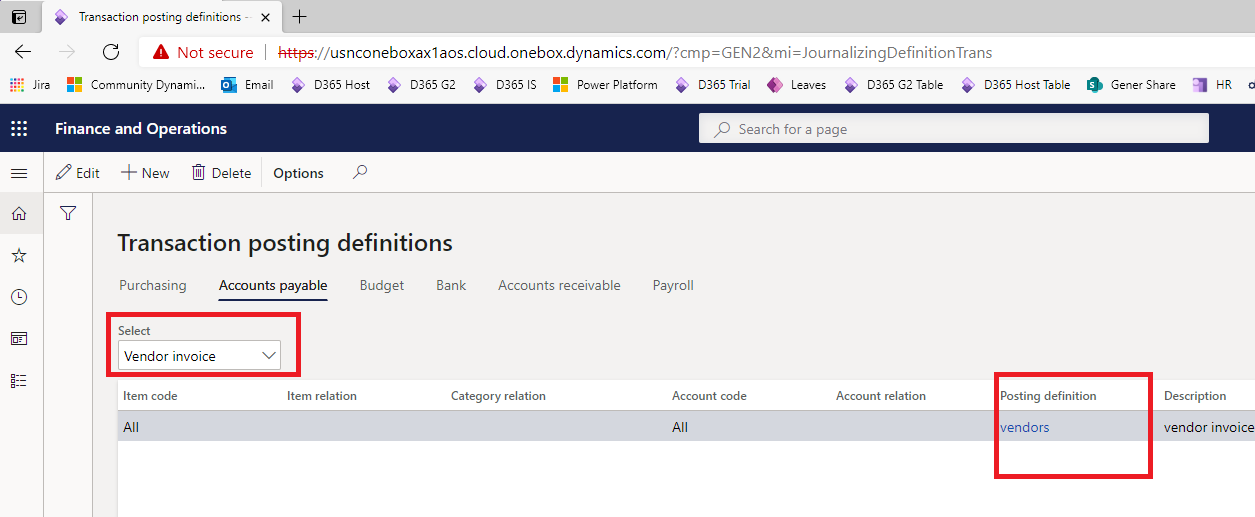
pastedimage1617604796472v4.png

pastedimage1617605086940v5.png

So I confirm without problems the purchase order and have the purchase receipt but when posting purchase invoice it says the voucher is not balanced accounting currency <> reporting currency.

The system where I test is Installed product version : 10.0.9 (10.0.383.10010), Installed platform version : Update33 (7.0.5559.35512).

Regards: Boyan

I have the same question (0)
  • Suggested answer
    Afonso Rodrigues Profile Picture
    215 on at

    Hi Boyan

    This usually occurs when the Vendor Posting Profile is not correctly set. Can you confirm that those configurations are correct?

  • Boyan Dukov Profile Picture
    45 on at

    Hi Pedro,

    In the purchase order header I have Posting Profile = STD and i added Vendor Group = DOM_RP

    pastedimage1617625356651v1.png

    In the vendor posting profile I have all accounts filled

    pastedimage1617625444972v2.png

    It is the same with Sales tax setup

    pastedimage1617625564915v3.png

    pastedimage1617625931021v4.png

    pastedimage1617625978006v5.png

    pastedimage1617626024671v6.png

    pastedimage1617626100384v7.png

    So am I missing something? Probably some additional field which is not visualized?

  • Afonso Rodrigues Profile Picture
    215 on at

    Hi Boyan

    Do you have every account defined in the inventory side? In the [Inventory Management > Setup > Posting > Posting], in the Purchase Order Tab, check if you have every required Account Type defined.

  • Boyan Dukov Profile Picture
    45 on at

    Hi,

    My item is BVD2, item group 01, it is not part in any procurement category and here is InventPosting table 

    InventAccountType ItemCode ItemRelation LedgerDimension
    Cost of purchased materials received Table BVD2 A01
    Purchase expenditure, un-invoiced Table BVD2 A02
    Cost of purchased materials invoiced Table BVD2 A03
    Purchase expenditure for product Table BVD2 A04
    Stock variation Table BVD2 A05
    Purchase, accrual Table BVD2 A06
    Purchase expenditure for expense Table BVD2 A07
  • Afonso Rodrigues Profile Picture
    215 on at

    Maybe it is something in the "Accounts for automatic transactions" form.

    Is that transaction with a different currency or are you applying any discount?

  • Boyan Dukov Profile Picture
    45 on at

    Hi,

    I am posting in the accounting currency chosen in the ledger. I do not have any purchase agreements or discounts setup for this released product. Here are all accounts for automatic transactions.

    pastedimage1617865342412v1.png

    As I did not see any other specifics in the documentation I consider reporting this a bug to Microsoft. Have you seen this working in any environment? 

  • Suggested answer
    Afonso Rodrigues Profile Picture
    215 on at

    Hi

    I have seen this issue, but it was always related with a missing ledger account. In this case you seem to have every G/L account configured so I do not know what else can be causing this error.

    Does your reporting currency matches the accounting one? If not, try adding the Posting types "Reporting Currency conversion loss" and "Reporting Currency conversion gain" to the Accounts for Automatic Transactions.

    This may also be related with the Posting Definitions, but I am not familiarized with this feature so I am afraid I'm not the best person to help you there.

  • Fahad.Khan Profile Picture
    10 on at

    Hi Boyan, Did you get the resolution? I am facing the same issue 

Under review

Thank you for your reply! To ensure a great experience for everyone, your content is awaiting approval by our Community Managers. Please check back later.

Helpful resources

Quick Links

Responsible AI policies

As AI tools become more common, we’re introducing a Responsible AI Use…

Neeraj Kumar – Community Spotlight

We are honored to recognize Neeraj Kumar as our Community Spotlight honoree for…

Leaderboard > Finance | Project Operations, Human Resources, AX, GP, SL

#1
Martin Dráb Profile Picture

Martin Dráb 646 Most Valuable Professional

#2
André Arnaud de Calavon Profile Picture

André Arnaud de Cal... 529 Super User 2025 Season 2

#3
Sohaib Cheema Profile Picture

Sohaib Cheema 285 User Group Leader

Last 30 days Overall leaderboard

Product updates

Dynamics 365 release plans