web
You’re offline. This is a read only version of the page.
close
Skip to main content

Notifications

Announcements

No record found.

Community site session details

Community site session details

Session Id :
Finance | Project Operations, Human Resources, ...
Suggested Answer

Change Customer information according RGPD

(0) ShareShare
ReportReport
Posted on by 10

Hello,

Our DPO sends us a list of all our customers that ask to erase their account.
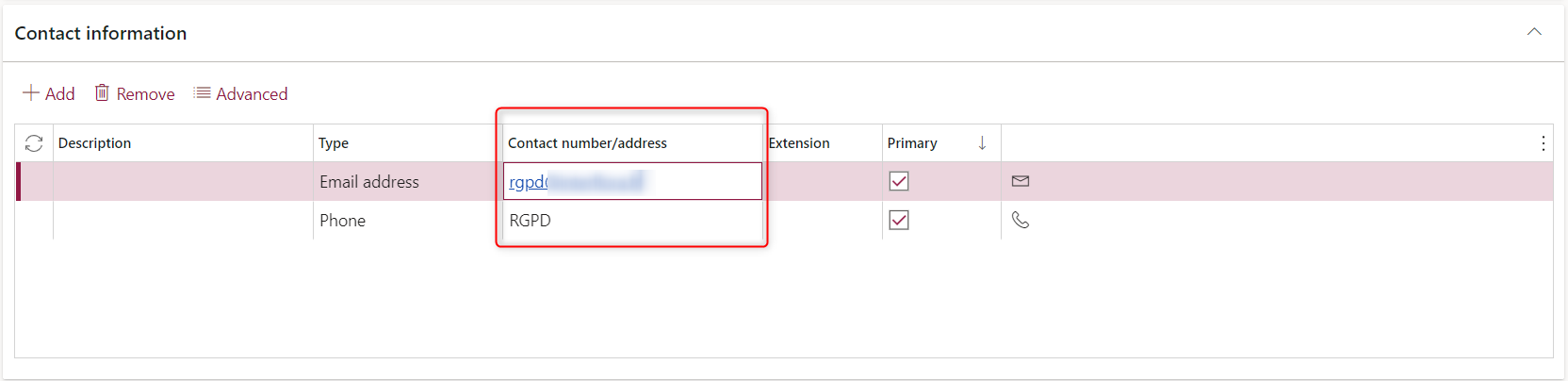
So we replace first name, last name, email and phone number by RGPD or rgpd@mail.com for example.

We have a lot of customers asking sometimes and we do everything manually...

We only do the changes in Customer's orders header and in Customer's screen

Is there a way to automate it in D365? We use the email to find the customer.

Thanks for your help

I have the same question (0)
  • Suggested answer
    Alireza Eshaghzadeh Profile Picture
    14,679 Super User 2025 Season 2 on at

    Hei VBint,

    Can you elaborate your business needs?

    Do you want to just change the customer name and contact info on customer master level?

  • André Arnaud de Calavon Profile Picture
    301,025 Super User 2025 Season 2 on at

    Hi VBint,

    Can you tell how you receive the list of customers? If it is in a file, you could automate the replacement of names, email and phone using Power Automate or a customization.

  • VBint Profile Picture
    10 on at

    Thank you for your help!

    I will better describe my needs.

    Our business middleware send Customer orders (customer informations and contacts included) to D365 when an order is taken on our front website. D365 is used to invoice every orders.

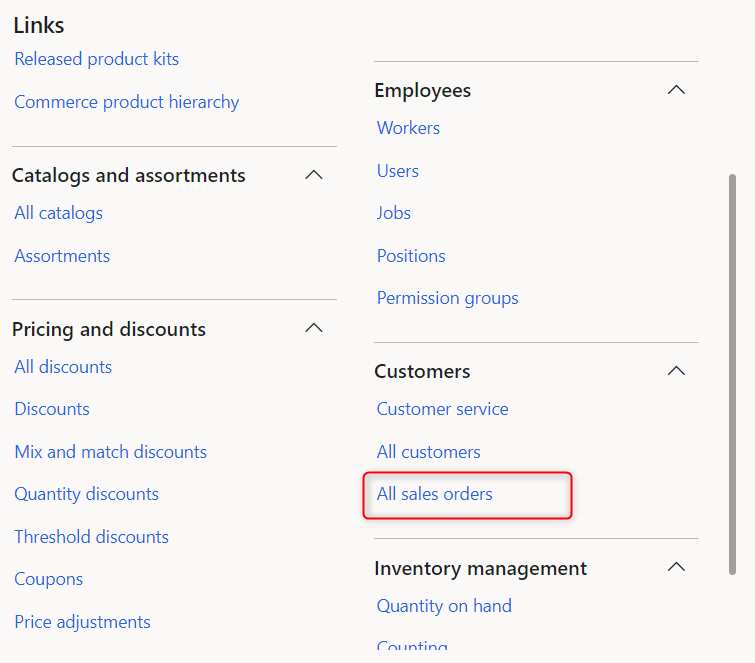
    When I receive email from our DPO, I go on "All Sales orders".
    pastedimage1645794180403v1.png

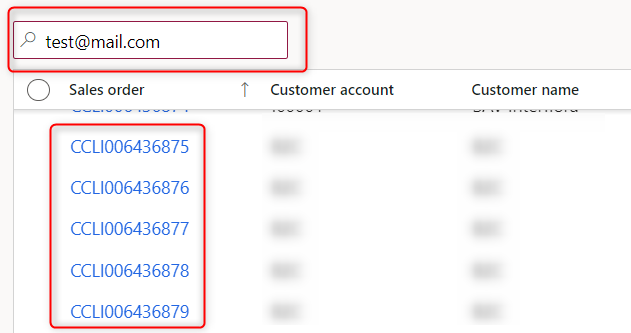
    I search by the customer mail and get corresponding orders with that email.
    pastedimage1645794198410v2.png

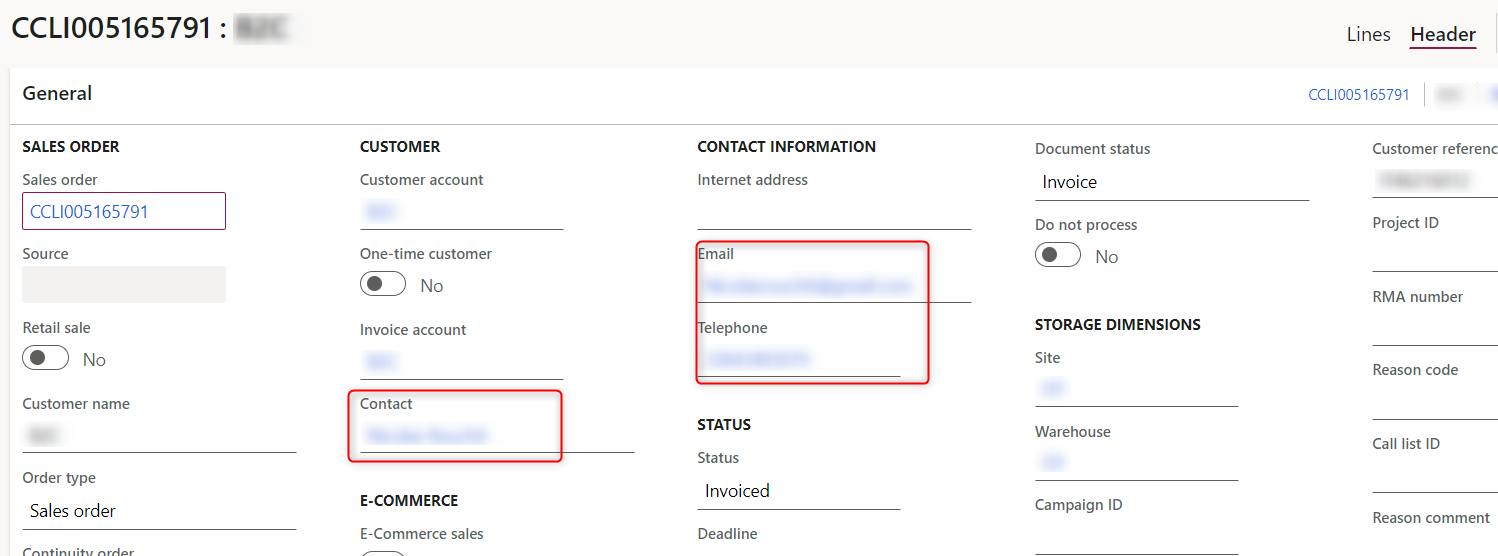
    I click on first order and go on header.

    I replace Email and Telephone information by "RGPD" and I click on the contact field to access the customer.
    pastedimage1645794229329v3.png

    Then, I change First name, Last name and Search name field and Contact informations.
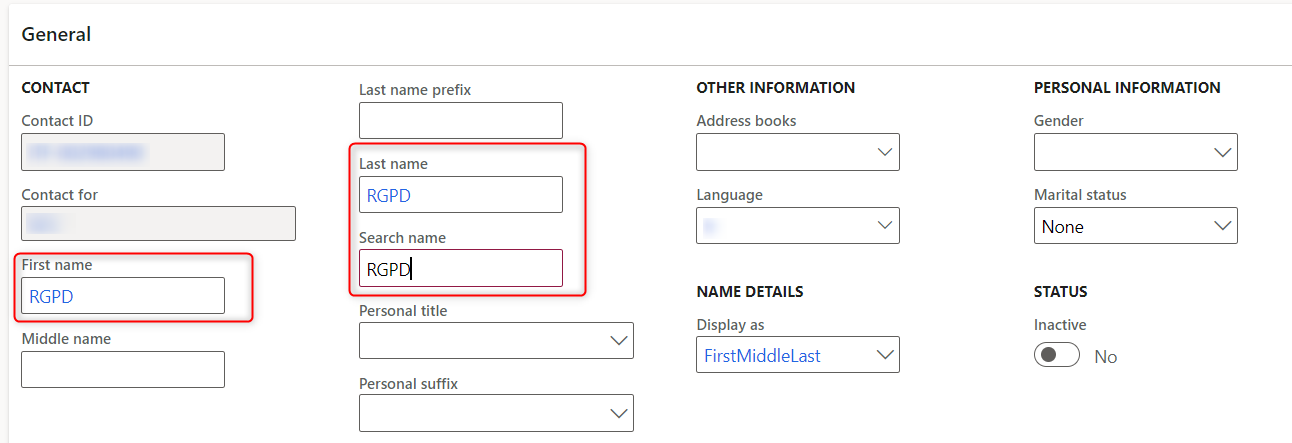
    pastedimage1645794247415v4.png

    pastedimage1645794272651v5.png

    I have to do this for all orders (except that I do Contact changement once as it's linked with all orders).

    If you need more informations, please tell me.

  • Suggested answer
    Alireza Eshaghzadeh Profile Picture
    14,679 Super User 2025 Season 2 on at

    Hi VBint,

    Thanks for clarification.

    You can find affected contact by exporting standard entity "Contacts V2" in Excel. Then you can edit the contact information and import the file in D365FO via Data Management.

    When it applies to sales order header, you need to update it separately, then you need to export the affected SO (e.g. by customer id) and then update them via standard entity Sales order headers V2.

    You can first this rutine on your test environment. Data management will help to minimize this manual work.

    Please check following blog for more info: dynfotech.com/.../

  • André Arnaud de Calavon Profile Picture
    301,025 Super User 2025 Season 2 on at

    Hi VBint,

    You can also use the entities mentioned by Alireza and use Power Automate to change the actual values in one single flow.

    More information: powerautomate.microsoft.com/.../

    I wrote some blogs how to get started with Power Automate (previously known as Microsoft Flow) and Dynamics 365 F&O: dynamicspedia.com/.../

  • VBint Profile Picture
    10 on at

    Hi Alireza,

    Thank you for your answer.

    Using Data Management is a bit to manual. I was thinking about something more automated.

    But I could use this solution if I don't find something else.

    Regards,

    VBint

  • VBint Profile Picture
    10 on at

    Hi André,

    Unfortunately, we don't have Power Automate license and it seems that D365FO connectors need one.

    Do you know another solution through Power Automate?

    Thank you

  • André Arnaud de Calavon Profile Picture
    301,025 Super User 2025 Season 2 on at

    Hi VBint,

    Are you running Dynamics 365 in the cloud or on-premise? In the cloud subscription, Power Automate, for the purpose of using the Dynamics 365 data, is included in the full user licenses.

    You can also consider a customization within Dynamics 365 F&O itself. E.g. read a source file and this will loop the customer records and sales orders based on the email address provided.

Under review

Thank you for your reply! To ensure a great experience for everyone, your content is awaiting approval by our Community Managers. Please check back later.

Helpful resources

Quick Links

Responsible AI policies

As AI tools become more common, we’re introducing a Responsible AI Use…

Neeraj Kumar – Community Spotlight

We are honored to recognize Neeraj Kumar as our Community Spotlight honoree for…

Leaderboard > Finance | Project Operations, Human Resources, AX, GP, SL

#1
Martin Dráb Profile Picture

Martin Dráb 611 Most Valuable Professional

#2
André Arnaud de Calavon Profile Picture

André Arnaud de Cal... 529 Super User 2025 Season 2

#3
Sohaib Cheema Profile Picture

Sohaib Cheema 285 User Group Leader

Last 30 days Overall leaderboard

Product updates

Dynamics 365 release plans