web
You’re offline. This is a read only version of the page.
close
Skip to main content

Announcements

News and Announcements icon
Community site session details

Community site session details

Session Id :
Dynamics 365 Community / Forums / Finance forum / Workflow stopped error...
Finance forum

Workflow stopped error while submitting Expense Report

(0) ShareShare
ReportReport
Posted on by

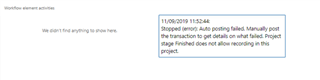
Error Message : Stopped (error): Auto posting failed. Manually post the transaction to get details on what failed. Project stage Finished does not allow recording in this project. Project stage Finished does not allow recording in this project. Project stage Finished does not allow recording in this project. Project stage Finished does not allow recording in this project. Project stage Finished does not allow recording in this project. Project stage Finished does not allow recording in this project. Project stage Finished does not allow recording in this project. Project stage Finished does not allow recording in this project.
pastedimage1569153725064v1.png

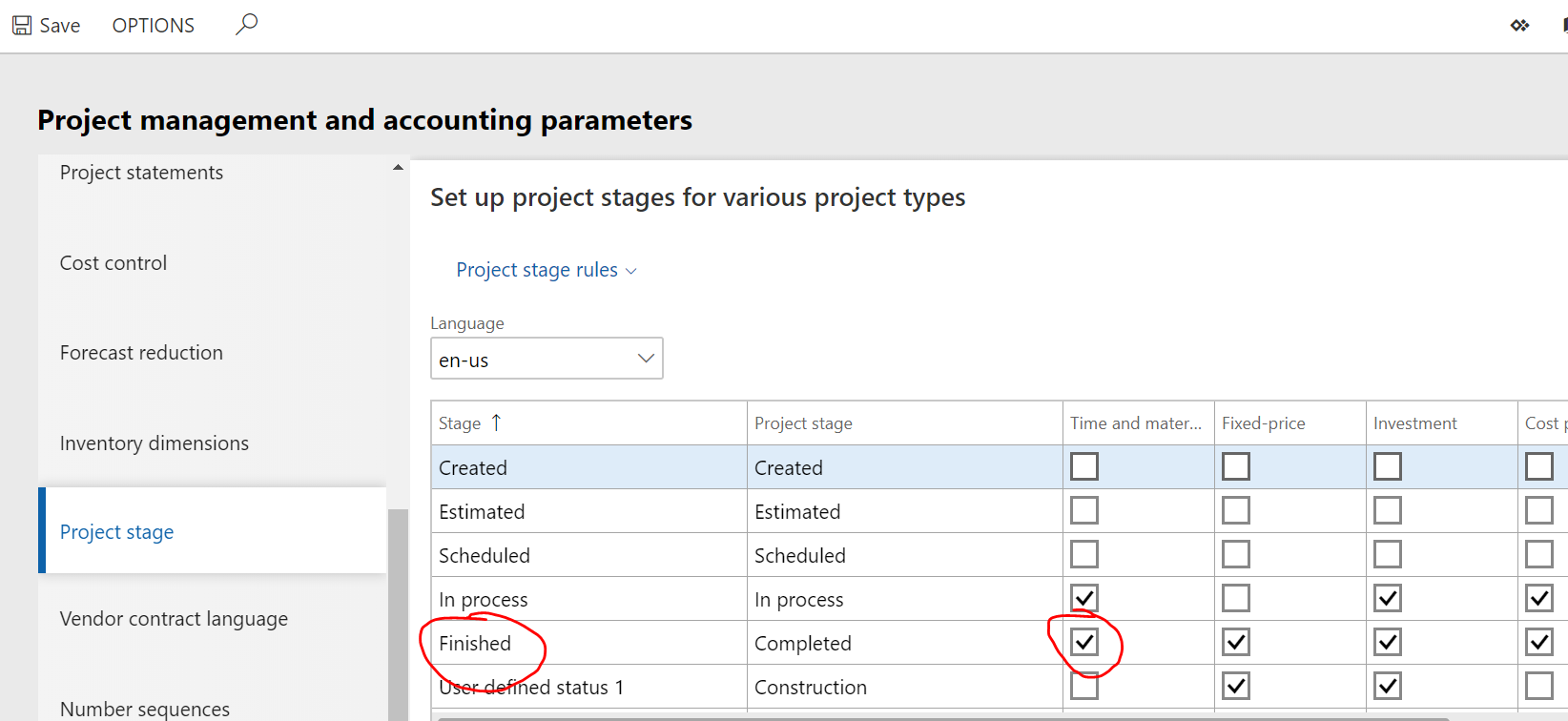
 I checked the Project management and accounting > Project management and accounting parameters.

There I found that against in the Project Stage > Finished > All the check boxes are marked. I tried unmarking those chekboxes , but unable to do so.
1643.Project-Status.PNG

Categories:
I have the same question (0)
  • Verified answer
    qianwang Profile Picture
    7,168 on at

    Hi Anubha,

    The two stage, In process and Finished, are required for all projects except time projects. So you cant clear the check box in Project management and accounting parameters.

    In stage Finished, the following rules are not allowed.

    5873.jpg

    Regards,

    QianQW

  • Verified answer
    Ties Philippi Profile Picture
    962 on at

    Hi Anubha,

    This is done by design. When a project is finished then you cant enter any new transactions. Usually when this happens either the accounting or controlling department is contacted and the project is reopened for this transaction.

    So In this case you should follow this path and get the project reopened again and post the expense report, after this you can close the project again.

    Best regards,

    Ties

  • Community Member Profile Picture
    on at

    Many Thanks..

  • Community Member Profile Picture
    on at

    Many Thanks..

Under review

Thank you for your reply! To ensure a great experience for everyone, your content is awaiting approval by our Community Managers. Please check back later.

Helpful resources

Quick Links

November Spotlight Star - Khushbu Rajvi

Congratulations to a top community star!

Forum Structure Changes Coming on 11/8!

In our never-ending quest to help the Dynamics 365 Community members get answers faster …

Dynamics 365 Community Platform update – Oct 28

Welcome to the next edition of the Community Platform Update. This is a status …

Leaderboard > Finance

Last 30 days Overall leaderboard

Featured topics

Product updates

Dynamics 365 release plans
