web
You’re offline. This is a read only version of the page.
close
Skip to main content

Notifications

Announcements

No record found.

Community site session details

Community site session details

Session Id :
Finance | Project Operations, Human Resources, ...
Unanswered

Role security does not work while linked in Azure Active Directory (AAD) - D365 F&O

(0) ShareShare
ReportReport
Posted on by 35

Hello!

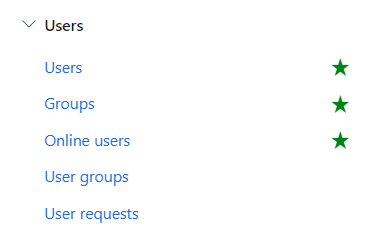
Can you please lend me a hand here? We have a client on where they use AAD for the security controls of their D365 Finance and Operations. To make it short, they have created groups in AAD, then assign members on this AD Group. This so called AD Group - let's call it Group AAA - is now imported to D365 Groups (see image). 

And when this Group AAA is imported to D365, ROLE BBB is now assign to this group. (Take note the role is assigned to the group and NOT on D365 User Account).

the issue is that, when this role BBB is assigned to group AAA, there is certain privilege that doesn't work, a functionality that prompt an error and doesn't work (this is on WORK inside Warehouse Management, the functionality is customize). but when the role BBB is assigned directly to the users in D365, this functionality works.

by the way, ALL OTHER groups with roles doesn't have issues on their functionality. we don't assign role to any D365 users, it all follows this setup. AD Members assigned to AD Group, then AD group imported to D365 Groups, then a role will be assigned to GROUPS.

Does anyone encounter the same issues as well? or Do you have any recommendations that we can check?
pastedimage1615988744408v1.png

I have the same question (0)
  • André Arnaud de Calavon Profile Picture
    301,231 Super User 2025 Season 2 on at

    Hi Lhae,

    Can you tell if you created the privilege via Visual Studio or the configuration option? What is the exact contents of this privilege and what error message do you get? I do assume it is a customization for the Dynamics 365 application and not the mobile warehouse processes?

  • Lhae Profile Picture
    35 on at

    Hi André,

    I believe it was created via Visual Studio, but will that makes a difference?

    the purpose of functionality is to manually register a transport ID and Automatically pack lines. the error is, the NEW and DELETE button is disabled on the register transport ID form even if the role has already the full access on it (checked via security config), while for the automatically pack line, once selected, it gives an error that about permission needed to be able to use that.

  • André Arnaud de Calavon Profile Picture
    301,231 Super User 2025 Season 2 on at

    Hi Lhae,

    There is a small difference when deploying customizations with security and using the publishing from the configuration. As you used Visual Studio, for sure the services were reset and there is no caching which could have a difference here.

    Can you check if there is X++ coding which is looking for direct access on roles. duties or privileges assigned to the user? When using Azure AD groups there are some more known limitations. You can read about them on my blog. How to use Azure Active directory for managing users and security in Dynamics 365 for Finance and Operations - Dynamicspedia

Under review

Thank you for your reply! To ensure a great experience for everyone, your content is awaiting approval by our Community Managers. Please check back later.

Helpful resources

Quick Links

Responsible AI policies

As AI tools become more common, we’re introducing a Responsible AI Use…

Neeraj Kumar – Community Spotlight

We are honored to recognize Neeraj Kumar as our Community Spotlight honoree for…

Leaderboard > Finance | Project Operations, Human Resources, AX, GP, SL

#1
Abhilash Warrier Profile Picture

Abhilash Warrier 677 Super User 2025 Season 2

#2
André Arnaud de Calavon Profile Picture

André Arnaud de Cal... 442 Super User 2025 Season 2

#3
Martin Dráb Profile Picture

Martin Dráb 339 Most Valuable Professional

Last 30 days Overall leaderboard

Product updates

Dynamics 365 release plans



