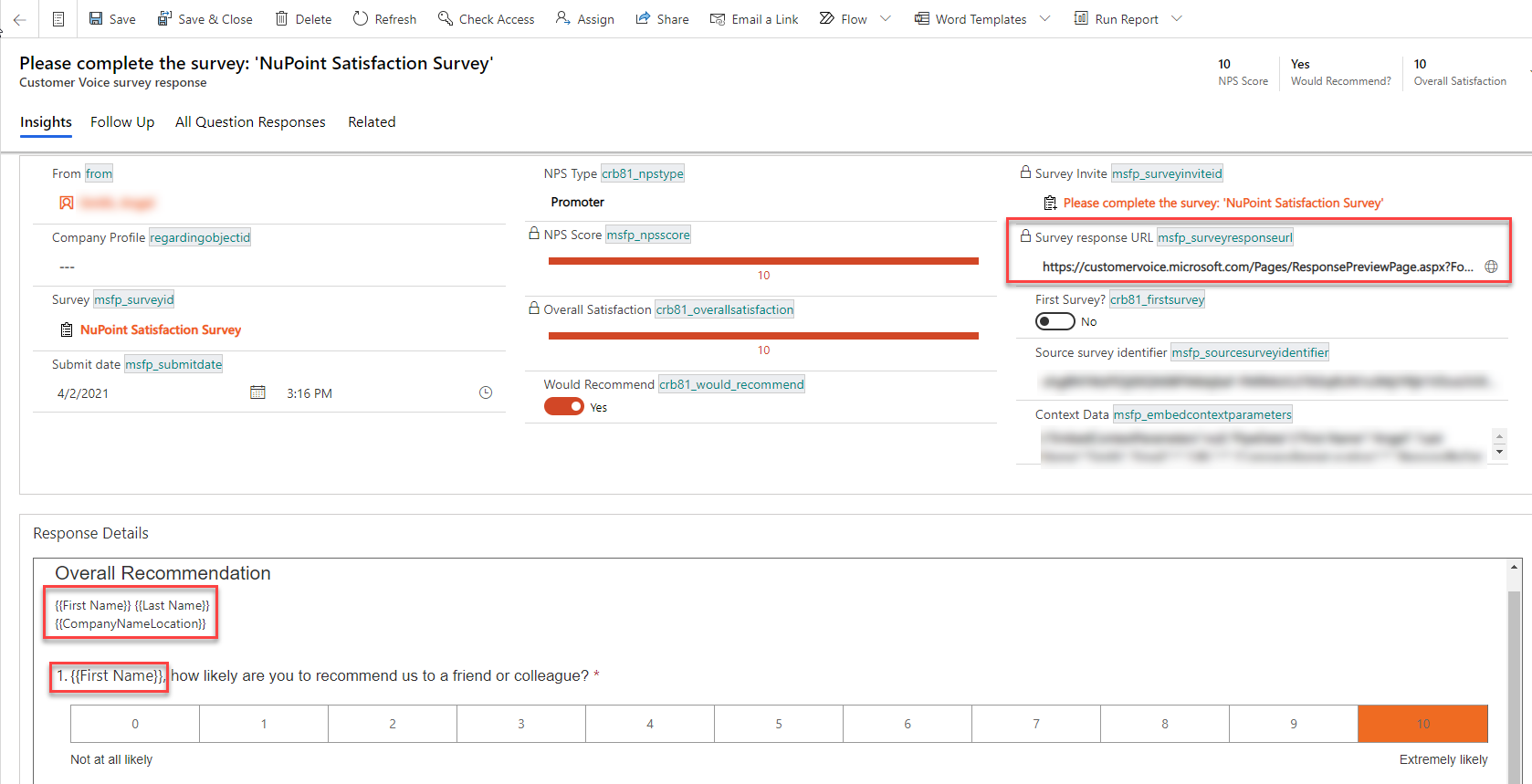
We're using Customer Voice in conjunction with Dynamics 365 and Power Automate to send personalized surveys (using variables) to our customers so that the email invitations and survey invites include the customer's First Name, Last Name and Company Name from their contact record. That process is working wonderfully, but we're unable to see the data from the personalized variables on the survey responses.
When a survey response is received, we send a survey response link to the account manager so that they can view the results of each individual survey. The problem is that, when the account manager opens the link, the variables are only displayed as the placeholder text (such as {{FirstName}}, {{LastName}}, {{CompanyName}}). We need to be able to pass the personalization into that survey response link so that the account manager can quickly identify who completed the survey. We experience this same issue when a survey response is viewed from within a Customer Voice Survey Response record in Dynamics 365 (the Survey Response iFrame). See screenshot for how the response is displayed on the Survey Response record in Dynamics 365.