Hello Sam,
Here some screenprints and additional information
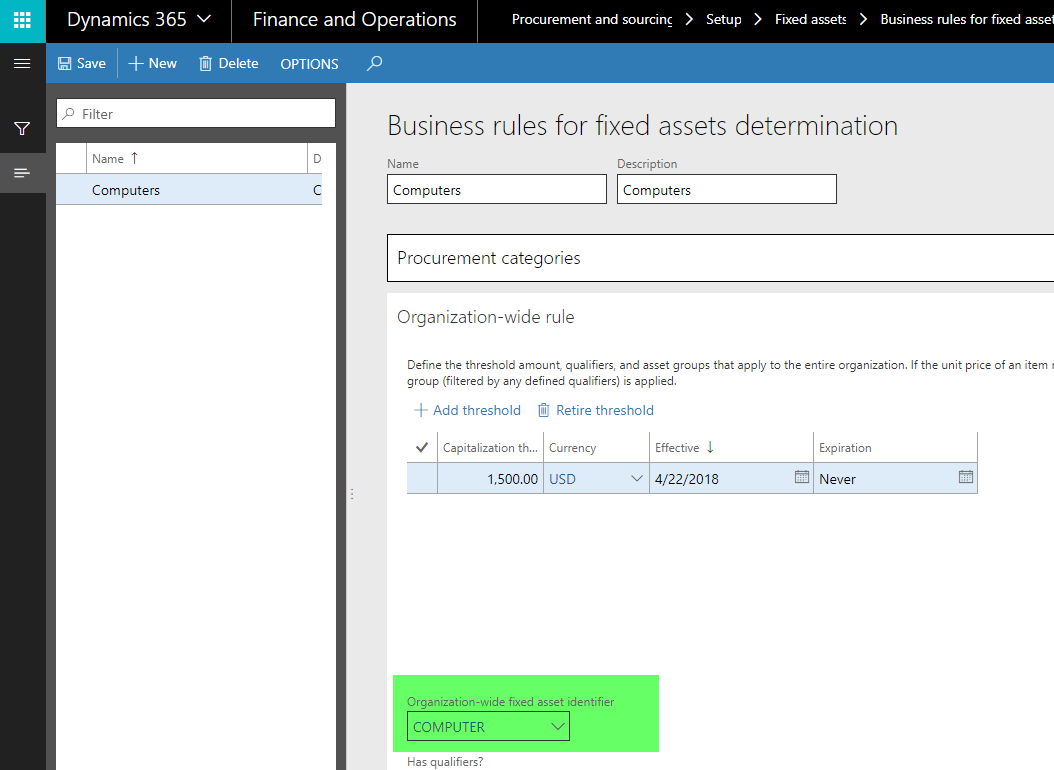
Here is my setup for Fixed Assets (computers) that I made


This rule specifies that a computer that costs more than 1500 USD is classified as a fixed asset.
The important thing is that you link the organization wide identified with the rule.
Once this is done, create a purchase requisition and select the procurement category.
In my first example, I entered a price > threshold of $1500
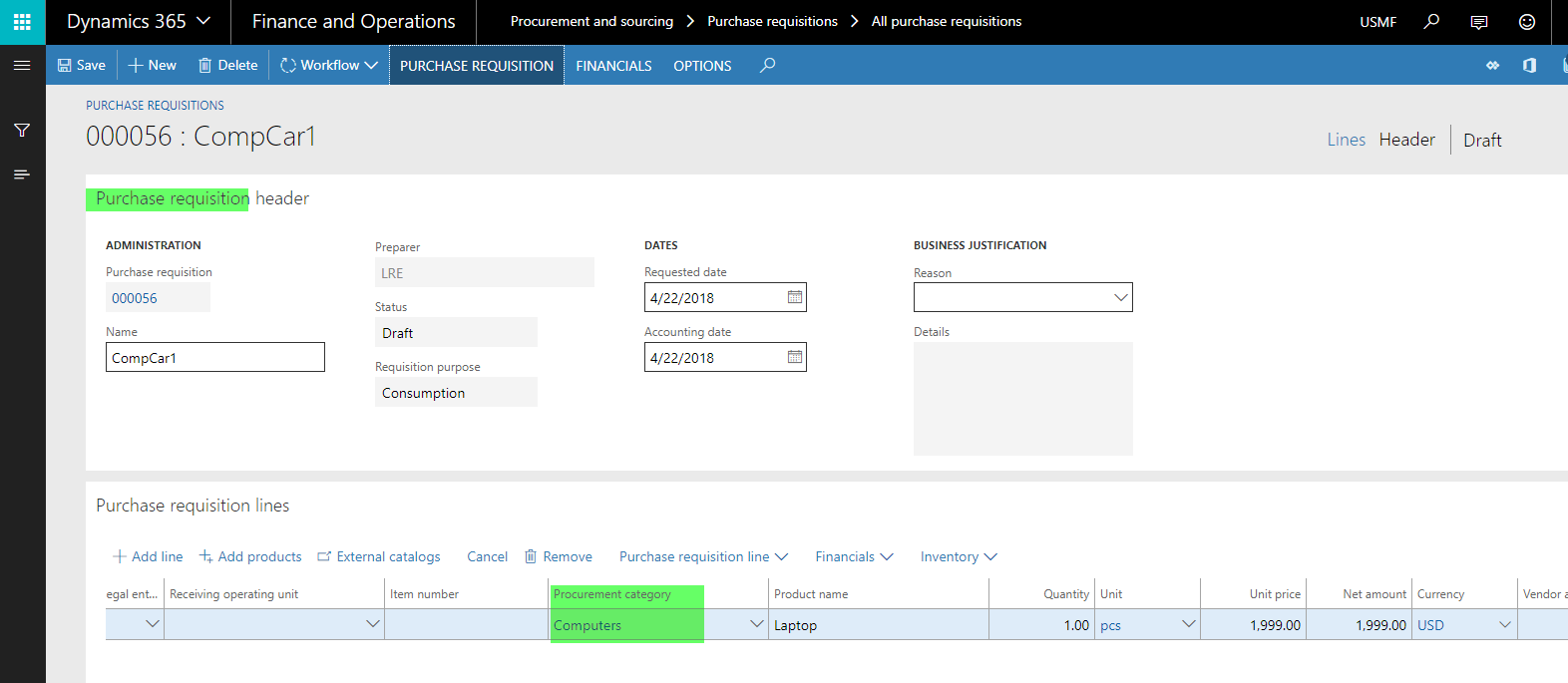
As a result, the fixed asset group is automatically selected in the purchase requisition line.
What is important here is that you cannot change it.

If I enter a price < $1500, then the fixed asset group is empty and you cannot change it

The next step would be transferring the purchase requisition to a purchase order.
Once this is done, the information included in the purchase requisition will be transferred to the purchase order

You are right that users could change the fixed asset group at this point.
This is the standard behavior.
To prevent users from doing that you can either
(a) implement an organizational guideline telling the users that this is not allowed, or
(b) modify the standard functionality e.g. by hiding the field in the PO form or some other modification.
Hope that clarifies what you can expect from standard "AX/D365FO"
Ludwig


