web
You’re offline. This is a read only version of the page.
close
Skip to main content

Announcements

No record found.

News and Announcements icon
Community site session details

Community site session details

Session Id :
Finance | Project Operations, Human Resources, ...
Answered

Customisation of default workspace: Employee self service

(0) ShareShare
ReportReport
Posted on by 322

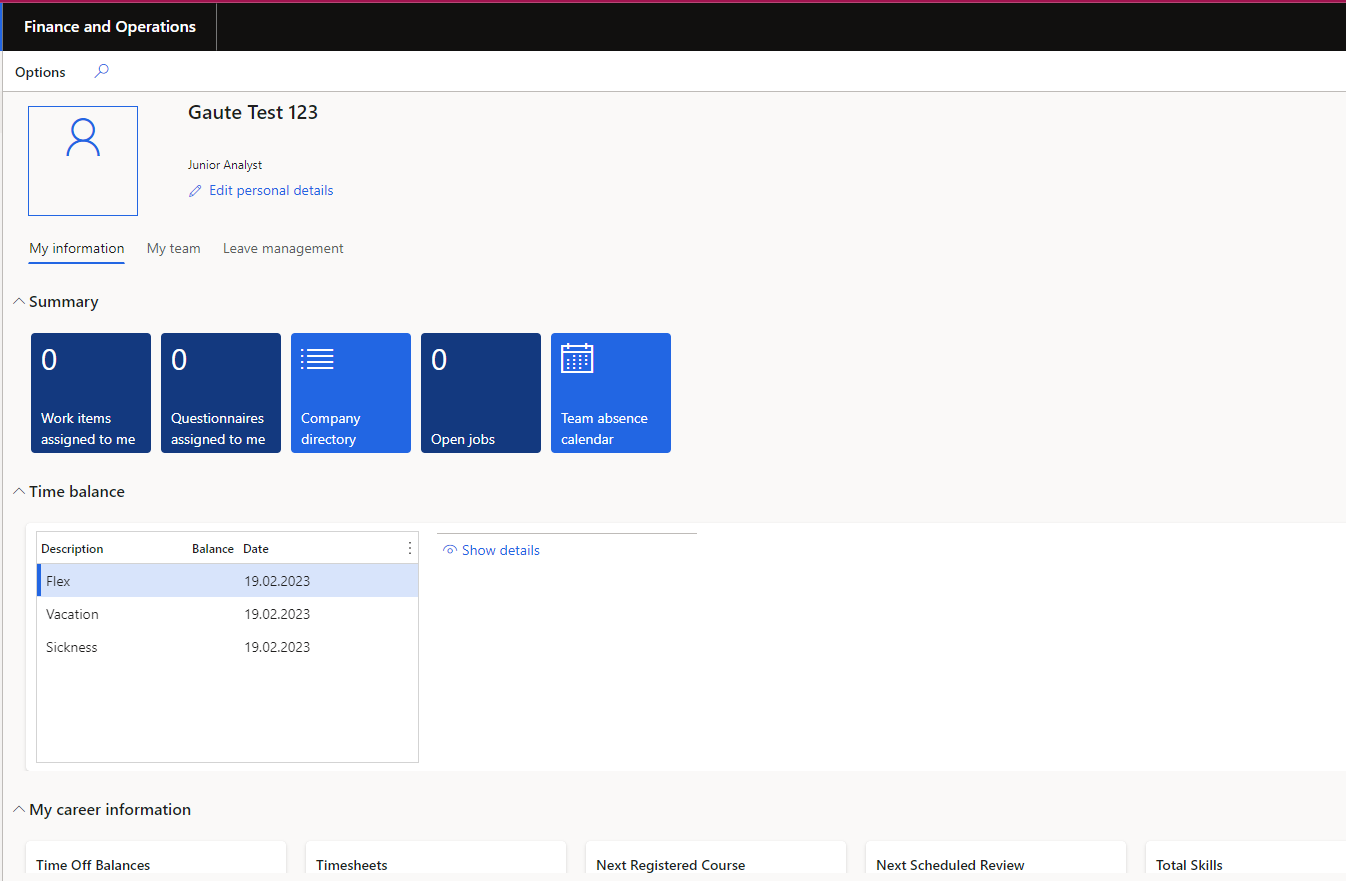
pastedimage1676899383841v1.png

I would like to customise the default workspace "Employee self service", by both adding and removing functionalities.

However, as far as I have understood, any changes made to default workspaces will be overwritten when the system is upgraded (?)

Is it possible to duplicate the workspace to make a new workspace based on the default one, that will not be overwritten by system upgrades? If so, how?

I have not managed to find any detailed information on this topic.

  • Verified answer
    André Arnaud de Calavon Profile Picture
    307,283 Super User 2026 Season 2 on at

    Hi Gaute,

    You can enable the feature "Saved views support for workspaces". If you then save your changes, it should not be overwritten by a system update.

  • Gaute K Profile Picture
    322 on at

    Andre Arnaud de Calavon 

    Enabling the suggested feature allowed me to create custom views for certain workspaces, but it does not seem to be available in the "Employee self service" workspace.

    Is there any way I can customise the "Employee self service" workspace for all users? Is it possible to create a duplicate of the workspace? If so, how?

  • Verified answer
    André Arnaud de Calavon Profile Picture
    307,283 Super User 2026 Season 2 on at

    Hi Gaute,

    There are indeed some workspaces which don't support the saved views. You can use development to extend the existing workspace or duplicate it and then adjust it to your needs.

  • Suggested answer
    Komi Siabi Profile Picture
    13,253 Most Valuable Professional on at

    Hello Gaute K,

    Just like André said, to add, remove functionalities on the employee self service page, you have to extend the EssWorkspace form.

Under review

Thank you for your reply! To ensure a great experience for everyone, your content is awaiting approval by our Community Managers. Please check back later.

Helpful resources

Quick Links

Season of Sharing Community Challenge Winners!

Congratulations to our community stars!

Women in Power Builds Momentum

Expanding mentorship, skilling, and AI innovation

Congratulations to the August Top 10 Community Leaders

These are the community rock stars!

Leaderboard > Finance | Project Operations, Human Resources, AX, GP, SL

#1
Martin Dráb Profile Picture

Martin Dráb 523 Most Valuable Professional

#2
André Arnaud de Calavon Profile Picture

André Arnaud de Cal... 408 Super User 2026 Season 2

#3
CU10121822-0 Profile Picture

CU10121822-0 354

Last 30 days Overall leaderboard

Product updates

Dynamics 365 release plans



