web
You’re offline. This is a read only version of the page.
close
Skip to main content

Announcements

News and Announcements icon
Community site session details

Community site session details

Session Id :
Microsoft Dynamics CRM (Archived)

Error when trying to enable Voice of the Customer

(0) ShareShare
ReportReport
Posted on by

Hi,

I'm trying to enable the Voice of the Customer solution in my CRM's settings, but when I click Enable Voice of the Customer button, I keep getting the following error:

Error: Error : 500: Internal Server Error: Microsoft.Crm.CrmException: The remote server returned an error: (400) Bad Request. at Microsoft.Crm.Authentication.Azure.AuthenticationTokenRetriever.GetAuthorizationTokenUsingAdal(String tenantId, String appPrincipalId, String password, String resource) at Microsoft.Crm.Authentication.Azure.PreferredVendorSolutionTokenService.RebuildToken(Guid clientId, Guid serverId, String domain) at Microsoft.Crm.Authentication.Azure.PreferredVendorSolutionTokenService.RetrieveToken(Guid clientId, Guid serverId, String domain) at Microsoft.Crm.ObjectModel.PreferredVendorSolutionAuthenticationService.RetrieveAccessToken(String clientId, String serverId, String tenant) at Microsoft.Crm.Surveys.Plugins.BasePlugin.CreateAuthenticationHeaders(WebClient client, Boolean skipDesignerServiceUrlValidation) at Microsoft.Crm.Surveys.Plugins.ProfileProvisioningPlugin.ExecutePluginLogic() at Microsoft.Crm.Surveys.Plugins.BasePlugin.Execute(IServiceProvider serviceProvider): undefined: undefined
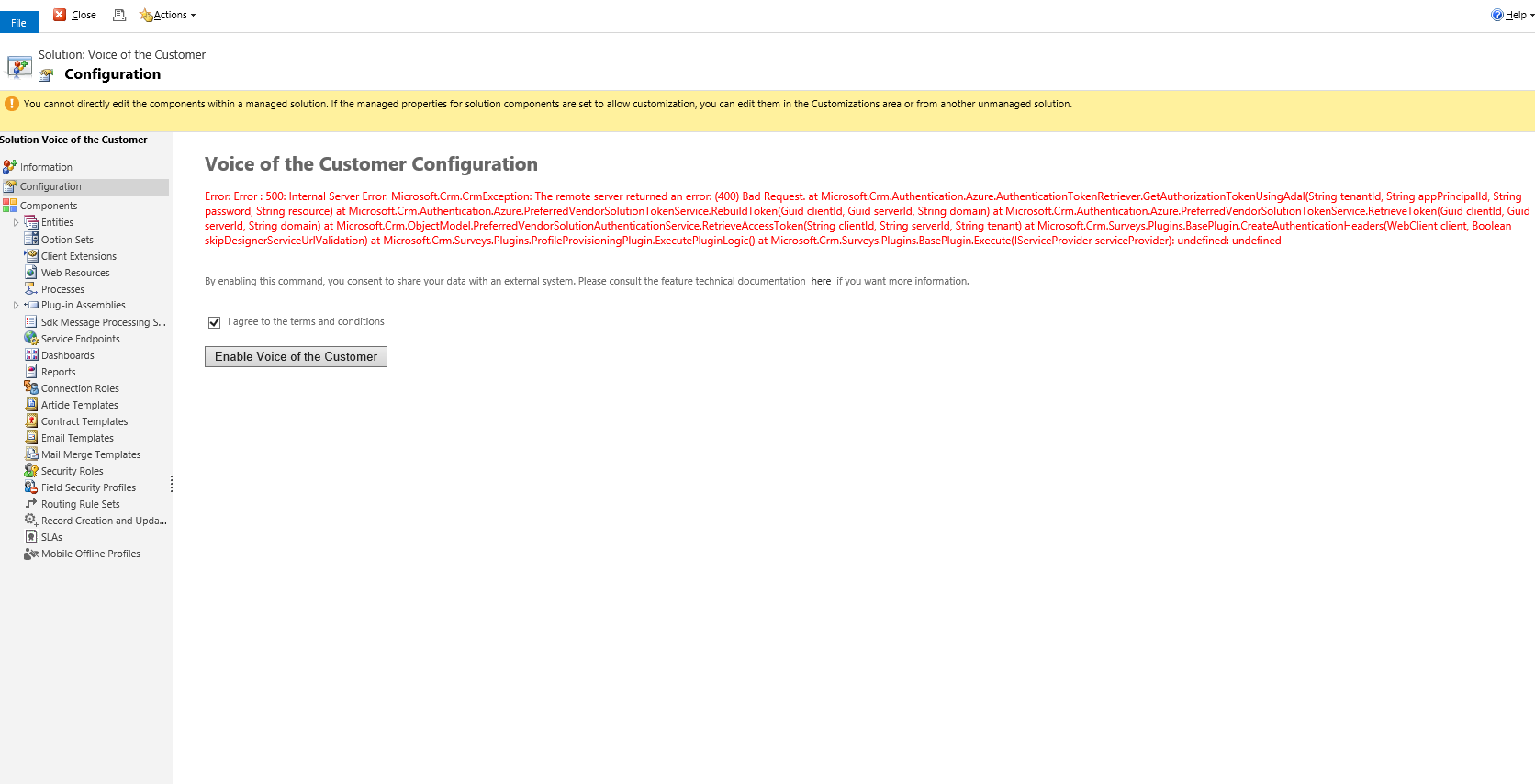
voc_2D00_error.png

What can be wrong?

Regards,

Tomasz

*This post is locked for comments

I have the same question (0)
  • Suggested answer
    TheMarkChristie Profile Picture
    10,328 Moderator on at

    Hi Tomasz

    If you have completed the install from O365 portal correctly then I would suggest opening a support ticket with Microsoft

  • Suggested answer
    vishal swami Profile Picture
    on at

    I also faced the same issue, yesterday but its working now. can you check again and update if you are still facing the issue.

  • Community Member Profile Picture
    on at

    yes, it's working fine now

  • Chinna5616 Profile Picture
    15 on at

    How to resolve the issue ?  i am also facing the same issue.

  • Suggested answer
    Community Member Profile Picture
    on at

    Hi,

    it seems that you don't have any VoC Configuration set up.

    There is a registration plugin working with the data. If the VoC Configuration is missing, the registration process fails.

    Anyway, the VoC Configuration should be fulfiled while instaling the solutions, so if the data is missing, try:

    - reinstal the solutions

    - raise a MS ticket for a support

    Regards,

    Dominik

Under review

Thank you for your reply! To ensure a great experience for everyone, your content is awaiting approval by our Community Managers. Please check back later.

Helpful resources

Quick Links

Season of Sharing Community Challenge Launch!

Jump in, show your community spirit, and win prizes!

Women in Power Builds Momentum

Expanding mentorship, skilling, and AI innovation

Congratulations to the April Top 10 Community Leaders

These are the community rock stars!

Leaderboard > 🔒一 Microsoft Dynamics CRM (Archived)

#1
ScottDurow Profile Picture

ScottDurow 2

#2
GJones Profile Picture

GJones 1

Last 30 days Overall leaderboard

Featured topics

Product updates

Dynamics 365 release plans



