web
You’re offline. This is a read only version of the page.
close
Skip to main content

Notifications

Announcements

No record found.

Community site session details

Community site session details

Session Id :
Customer experience | Sales, Customer Insights,...
Suggested Answer

Sales Quote Lines - change default alphanumeric order

(1) ShareShare
ReportReport
Posted on by 3,253

Hi All

In Sales Quotes, when I add a new item line it does not display at the end as expected. Rather based on the product name, lines are sorted alphanumerically. As a example added the Amsterdam Lamp item last and it now comes on top:
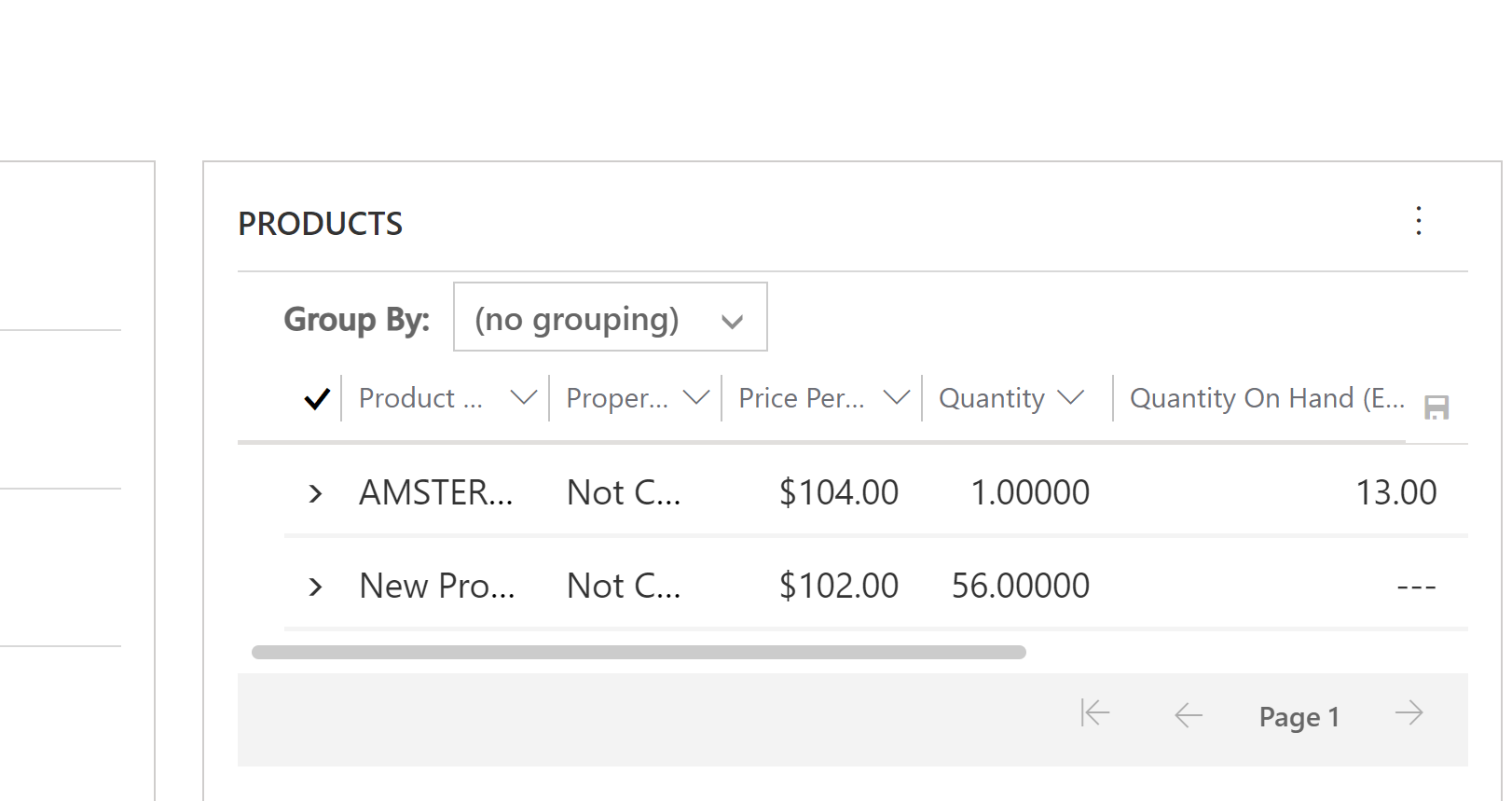
Quote-Product.png

Tried using sequence number field on Quotedetail table but didn't work. Is there a configuration setting or backend table manipulation that can be helpful in determining the last added line comes last? The end goal I want to achieve is to create a Dataverse integration with BC that add lines as they were added in  the source system

Thanks

I have the same question (0)
  • Suggested answer
    Amit Katariya007 Profile Picture
    10,409 Super User 2025 Season 2 on at

    Hello Samantha,

    Yup you can easily sort this view by adding the "created on" field for this view.

    Please refer below screenshot where I have added the above field and you can see it is showing the latest created record in last.

    pastedimage1650954037567v1.png

    Below settings you will need to add for inline edit view.

    pastedimage1650954106897v2.png

    pastedimage1650954128224v3.png

    Thank you,

    Amit Katariya

  • Samantha73 Profile Picture
    3,253 on at

    Thanks. Tried to edit the view but it looks like the view is not editable as I get this message:

    quote-prod-view-.png

  • Suggested answer
    Community Member Profile Picture
    on at

    Hi Samantha73,

    You could switch to classic and add Created On column and sort by it:

    pic31.png

    pic32.png

    Then save it as another view:

    pastedimage1651025023841v1.png

    Finally change the default view:

    pastedimage1651025364438v2.png

  • Suggested answer
    Amit Katariya007 Profile Picture
    10,409 Super User 2025 Season 2 on at

    Hello Samantha,

    Okay. Then please open this view in Webui (Old UI) just like below.

    pastedimage1651038080255v1.png

    and also if you will not able to save the original view then click on the "Save As", so that it will create a new view and set this newly created view in the Quote Product Sub-grid.

    Thank you,

    Amit Katariya

Under review

Thank you for your reply! To ensure a great experience for everyone, your content is awaiting approval by our Community Managers. Please check back later.

Helpful resources

Quick Links

Responsible AI policies

As AI tools become more common, we’re introducing a Responsible AI Use…

Neeraj Kumar – Community Spotlight

We are honored to recognize Neeraj Kumar as our Community Spotlight honoree for…

Leaderboard > Customer experience | Sales, Customer Insights, CRM

#1
Tom_Gioielli Profile Picture

Tom_Gioielli 83 Super User 2025 Season 2

#2
Gerardo Rentería García Profile Picture

Gerardo Rentería Ga... 49 Most Valuable Professional

#3
#ManoVerse Profile Picture

#ManoVerse 40

Last 30 days Overall leaderboard

Product updates

Dynamics 365 release plans



