web
You’re offline. This is a read only version of the page.
close
Skip to main content

Notifications

Announcements

No record found.

Community site session details

Community site session details

Session Id :
Finance | Project Operations, Human Resources, ...
Answered

Records is not displaying in Workflow history form grid D365 FO data level security permission

(0) ShareShare
ReportReport
Posted on by 52

Hi D365 FO security experts here,

I need your help with regards to my issue. 

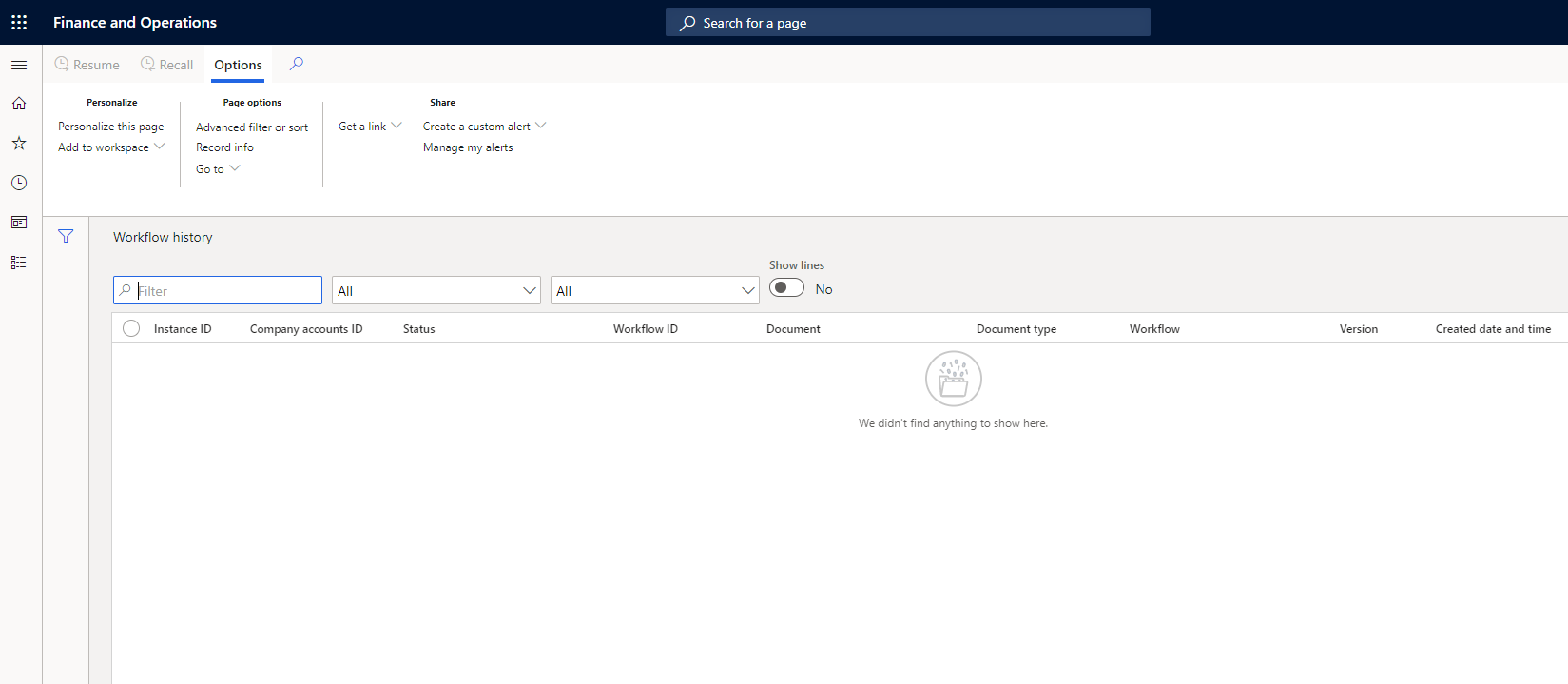
The requirement is to set security duties and privileges wherein the user can see "all" the records in the Workflow history form in D365 FO

In Workflow history form in grids, other users cannot see all data what user with system administrator rights can see.  I tried to create new privileges, duties and make sure that it was reference to the entry points like menu items, and tables. I reference this newly created duty and privileges into a role then tried to see the form without system administrator rights. I cannot still see any records.

Anything that I am missing here?

Thanks in advance!
pastedimage1606148538660v1.png

I have the same question (0)
  • Komi Siabi Profile Picture
    13,109 Most Valuable Professional on at

    Hi knives1991,

    Can you show us the duties you added to the assigned role ?

  • Verified answer
    André Arnaud de Calavon Profile Picture
    301,109 Super User 2025 Season 2 on at

    Hi knives1991,

    Out of the box, a user can only see his own records. It is not controlled by privileges or duties. It part of the form design where in x++ coding it is limited based on the user range; except for the system administrator. It would require an extension/customization to change this default form filtering.

  • knives1991 Profile Picture
    52 on at

    Hi Andre,

    Thank you for your reply. May I know in what part of the form design should I apply x++ coding to satisfy the requirement? Is it only the in the form that I should customize?

    Thanks,

  • knives1991 Profile Picture
    52 on at

    Hi Andre,

    Thank you for your reply. May I know in what part of the form design should I apply x++ coding to satisfy the requirement? Is it only the in the form that I should customize?

  • Suggested answer
    André Arnaud de Calavon Profile Picture
    301,109 Super User 2025 Season 2 on at

    Hi knives1991,

    It has been a while ago since I had a look at the logic. You can have a look at the class WorkflowStatusForm which contains the logic related the the AdminUser.

  • Suggested answer
    Dmitry Vorobev Profile Picture
    5 on at

    Hello!

    In the class WorkflowStatusForm I found that the rights to see all WF instances in the Workflow history form has AdminUser and also users who have access to “SysServerITManagerEntryPoint” display menu item. I added this menu item to Maintain workflow instances in UAT and test user now is seeing all WF instances as admin.

Under review

Thank you for your reply! To ensure a great experience for everyone, your content is awaiting approval by our Community Managers. Please check back later.

Helpful resources

Quick Links

Responsible AI policies

As AI tools become more common, we’re introducing a Responsible AI Use…

Neeraj Kumar – Community Spotlight

We are honored to recognize Neeraj Kumar as our Community Spotlight honoree for…

Leaderboard > Finance | Project Operations, Human Resources, AX, GP, SL

#1
Martin Dráb Profile Picture

Martin Dráb 451 Most Valuable Professional

#2
André Arnaud de Calavon Profile Picture

André Arnaud de Cal... 428 Super User 2025 Season 2

#3
BillurSamdancioglu Profile Picture

BillurSamdancioglu 239 Most Valuable Professional

Last 30 days Overall leaderboard

Product updates

Dynamics 365 release plans



