web
You’re offline. This is a read only version of the page.
close
Skip to main content

Notifications

Announcements

No record found.

Community site session details

Community site session details

Session Id :
Finance | Project Operations, Human Resources, ...
Suggested Answer

How to get SSRS report error in D365

(0) ShareShare
ReportReport
Posted on by 95

Hi,

When we run an custom SSRS report in the D365 F&O PROD Environment, we cannot see the errors.

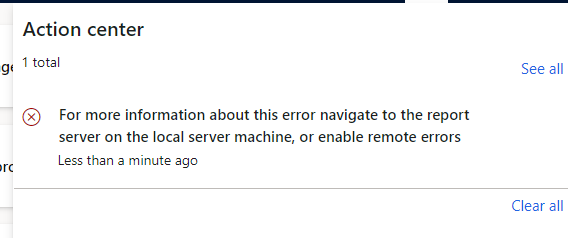
We get the error that appears in the screenshot.

Is there a setting for this? What can we do to see the errors?

Thanks for your help.

For more information about this error navigate to the report server on the local server machine, or enable remote errors
pastedimage1631517637890v1.png

I have the same question (0)
  • Suggested answer
    Sheikh Sohail Profile Picture
    6,125 on at

    Hi

    Have a look at the below thread,

    d365technext.blogspot.com/.../ssrs-reports-errors-d365fo.html

  • huijij Profile Picture
    19,811 on at

    Hi Osman,

    Please check the following link to see if it is helpful:

    community.dynamics.com/.../how-to-find-ssrs-reports-errors-d365fo

  • Osman Adanur Profile Picture
    95 on at

    How can I do this in D365 Azure 'Prod' environment?

    Can I enter the SSRS server?

  • Suggested answer
    Sheikh Sohail Profile Picture
    6,125 on at

    You need to verify on your lower environment or you can bring the database and source control on the dev box to verify them.

    You can also contact Microsoft to share the logs detail with you.

  • Osman Adanur Profile Picture
    95 on at

    We can already get errors in the DEV environment. But depending on the data in the PROD environment, the errors are changing. We also want the user to see these errors.

    Thank you for your help.

  • Suggested answer
    Sheikh Sohail Profile Picture
    6,125 on at

    Compilation errors, you can identify on dev boxes, but for the data-related issues, there are three different options.

    Bring your prod data to a lower environment to verify.

    You applied an illogical index on the report table.

    Runtime exception by some arithmetic operations or data type change.( solution-point-1)

    There is no other way, you can debug the production.

  • Osman Adanur Profile Picture
    95 on at

    My goal is not to find the error, but to show it. I guess there's no way to show it either. I will be working on different solutions. Thank you for your suggestions.

Under review

Thank you for your reply! To ensure a great experience for everyone, your content is awaiting approval by our Community Managers. Please check back later.

Helpful resources

Quick Links

Responsible AI policies

As AI tools become more common, we’re introducing a Responsible AI Use…

Neeraj Kumar – Community Spotlight

We are honored to recognize Neeraj Kumar as our Community Spotlight honoree for…

Leaderboard > Finance | Project Operations, Human Resources, AX, GP, SL

#1
Martin Dráb Profile Picture

Martin Dráb 660 Most Valuable Professional

#2
André Arnaud de Calavon Profile Picture

André Arnaud de Cal... 549 Super User 2025 Season 2

#3
Sohaib Cheema Profile Picture

Sohaib Cheema 307 User Group Leader

Last 30 days Overall leaderboard

Product updates

Dynamics 365 release plans



