web
You’re offline. This is a read only version of the page.
close
Skip to main content

Notifications

Announcements

No record found.

Community site session details

Community site session details

Session Id :
Microsoft Dynamics AX (Archived)

Can I set up Over/Under delivery % to populate into the PO if I use category to purchase?

(0) ShareShare
ReportReport
Posted on by 2,438

Hi All, 

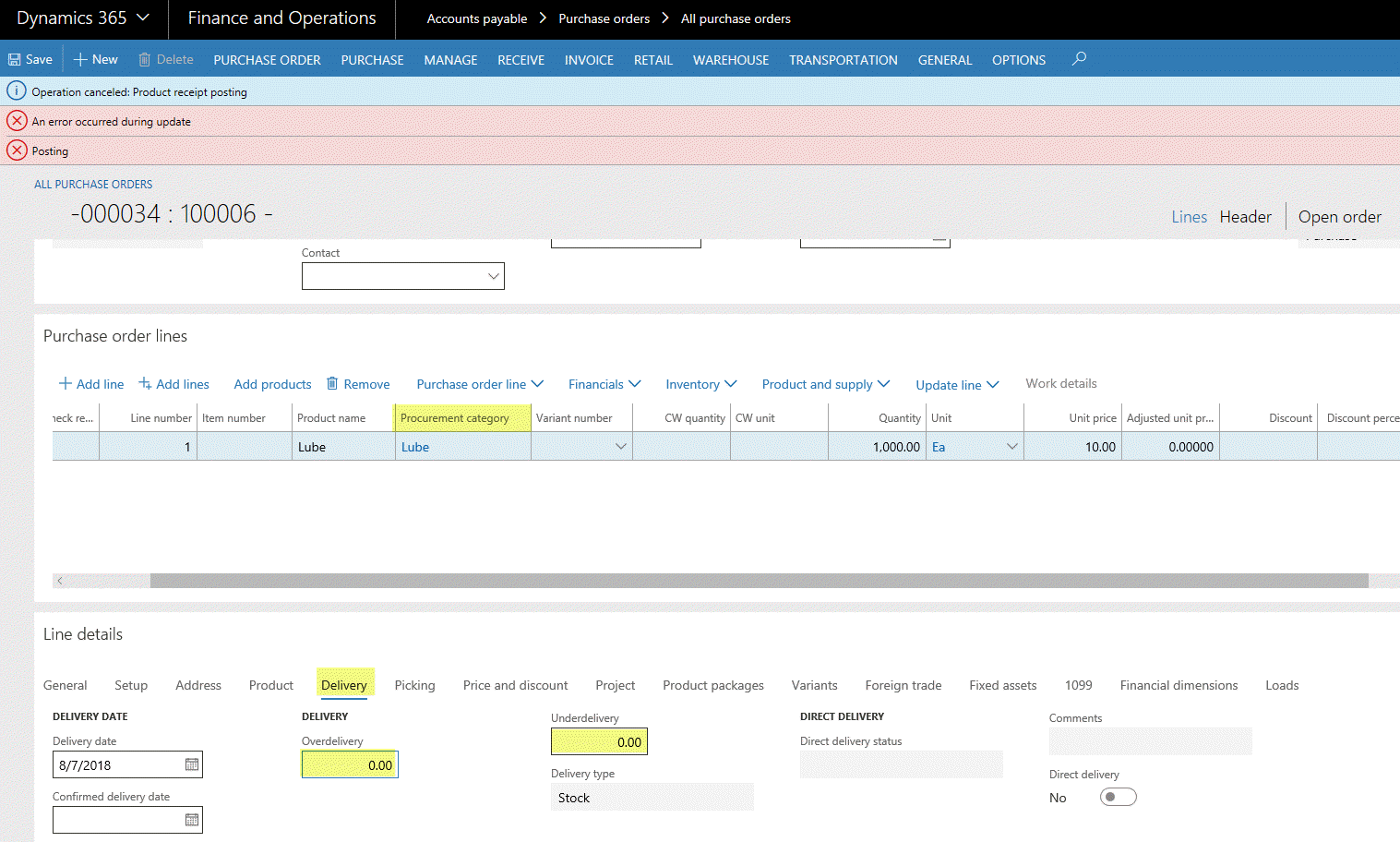
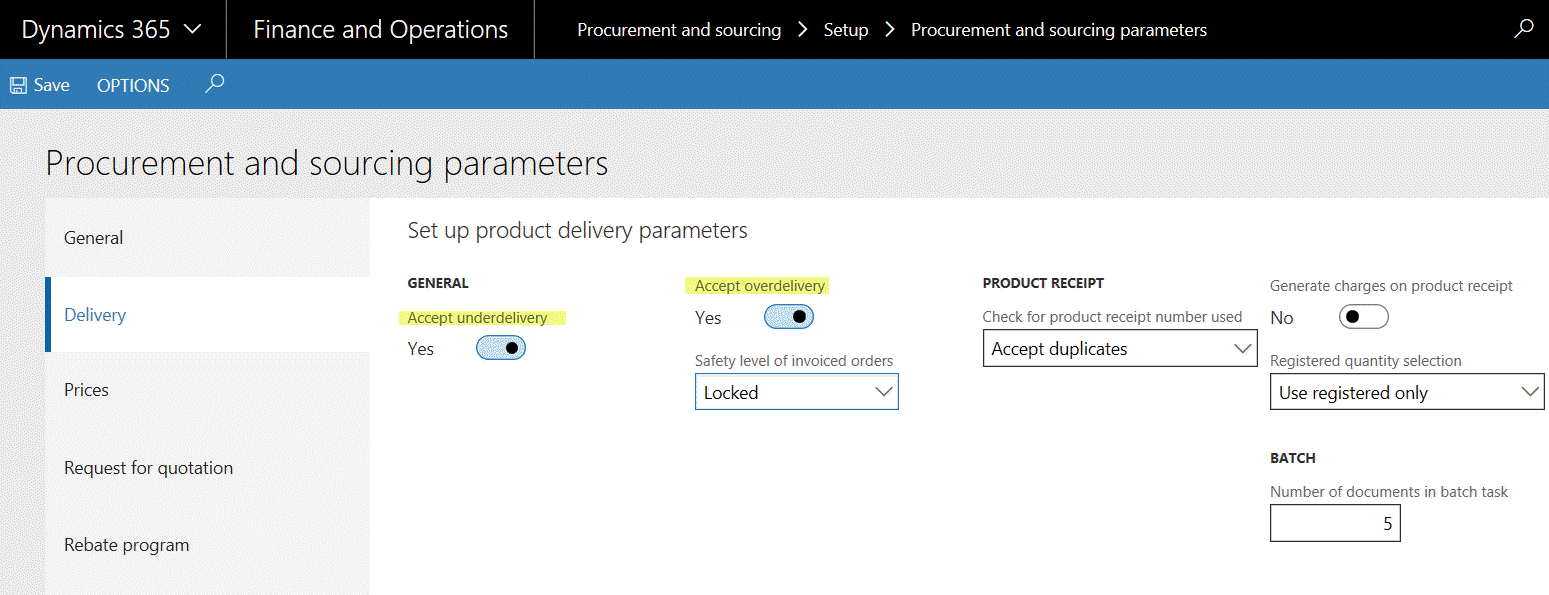
The procurement and sourcing parameter has been set up to accept over and under delivery (screenshot 1).  When I place a PO using category, at the Line detail, the Delivery tab is not populated the over/under delivery of 5% (screenshot 2).  Where should I setup  to get the over/delivery populate into the PO if I purchase using category instead of item?  Thanks.
Over-under-delivery.gif

PO-_2D00_-Line-under-over-delivery.gif

Tolerance.gif

*This post is locked for comments

I have the same question (0)
  • Albrecht Prieler Profile Picture
    857 on at

    Hello,

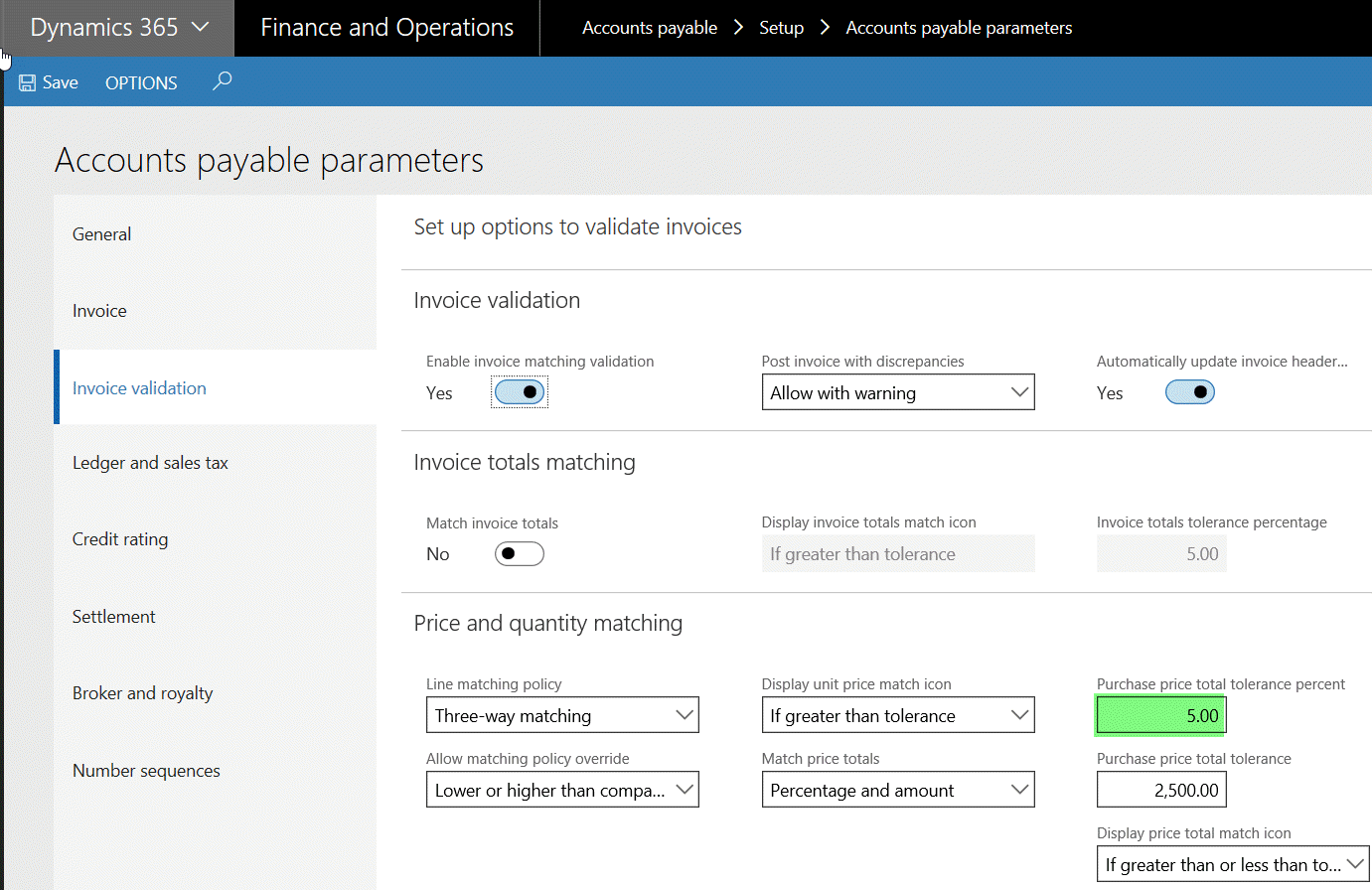
    i guess you mix two Topics, the under/overdelivery in Parameters is ok, but the percentage on you screenshot only defines tolerance on invoicing does not do anything with under/overdelivery.

    Additional info, usually you do not receive categories in your warehouse because it could not be a product on stock.

    best regards

    Albrecht

  • Suggested answer
    fatihgork Profile Picture
    3,817 on at

    Hi Kim,

    Overdelivery percent is the allowance to go over your PO line quantity when generating a product receipt.

    underdelivery is the allowance to let users cancel purchase orders which have open (Not received) quantities.

    To populate these two fields on po, you should activate the parameter, and define over/underdelivery percent values on each item. Puchase order lines created after this setup change, will populate percentages from item detail. Or you can manually update them on open purchase order lines after you activate the parameter.

    As Albrecht said, over/underdelivery percent is not related to your 3rd screenshot. Functionality you shared in your 3rd screenshot is used for invoice matching policies and more details can be found here:

    Accounts payable parameters (form) [AX 2012]

    Matching policy (form) [AX 2012]

  • Weaveriski Profile Picture
    23,620 Moderator on at

    Where did you put the 5% you are expecting?

  • Verified answer
    lmai Profile Picture
    2,438 on at

    Thank you, Fatih, for your feedback.

  • Suggested answer
    Stephanie G Profile Picture
    27 on at

    If this is still an issue, for OP or others who came here thru searching for solutions please find this Idea and upvote it:

    Dynamics 365 Application Ideas

    > Dynamics 365 Supply Chain Management

    >> Procurement and Sourcing

    >>> Add default underdelivery and overdelivery percentage fields to Procurement categories

    experience.dynamics.com/.../

Under review

Thank you for your reply! To ensure a great experience for everyone, your content is awaiting approval by our Community Managers. Please check back later.

Helpful resources

Quick Links

Responsible AI policies

As AI tools become more common, we’re introducing a Responsible AI Use…

Neeraj Kumar – Community Spotlight

We are honored to recognize Neeraj Kumar as our Community Spotlight honoree for…

Leaderboard > 🔒一 Microsoft Dynamics AX (Archived)

#1
Priya_K Profile Picture

Priya_K 4

#1
Martin Dráb Profile Picture

Martin Dráb 4 Most Valuable Professional

#3
Ali Zaidi Profile Picture

Ali Zaidi 2

Last 30 days Overall leaderboard

Featured topics

Product updates

Dynamics 365 release plans