web
You’re offline. This is a read only version of the page.
close
Skip to main content

Announcements

No record found.

News and Announcements icon
Community site session details

Community site session details

Session Id :
Microsoft Dynamics AX (Archived)

Several properties in the AX tables don't appear in the proxy code generated from AccountsPayableServices wsdl

(0) ShareShare
ReportReport
Posted on by 10

Hello all,

I am trying to create Proxy code (.cs file) using svcutil.exe over AccountsPayableServices wsdl (say: http://<FQDN>:8101/DynamicsAx/Services/AccountsPayableServices).

Underneath the class VendVendInvoiceService (inside AccountsPayableServices) there's a Table called VendInvoiceInfoTable which has a lot of Properties.

Now in the proxy code so formed by SvcUtil.exe, after I opened the class VendInvoiceInfoTable, I can find only some of the properties there, but not all.

Properties like Approver, Approved, Description, Ordering, Hold, etc and so many others are not present in the proxy code .cs file.

Below attached are screenshots of

  • VendInvoiceInfoTable in AOT showing its Properties like Approver and Approved.
  • VendInvoiceInfoTable class definition inside the proxy code so created which doesn't have these properties defined there.
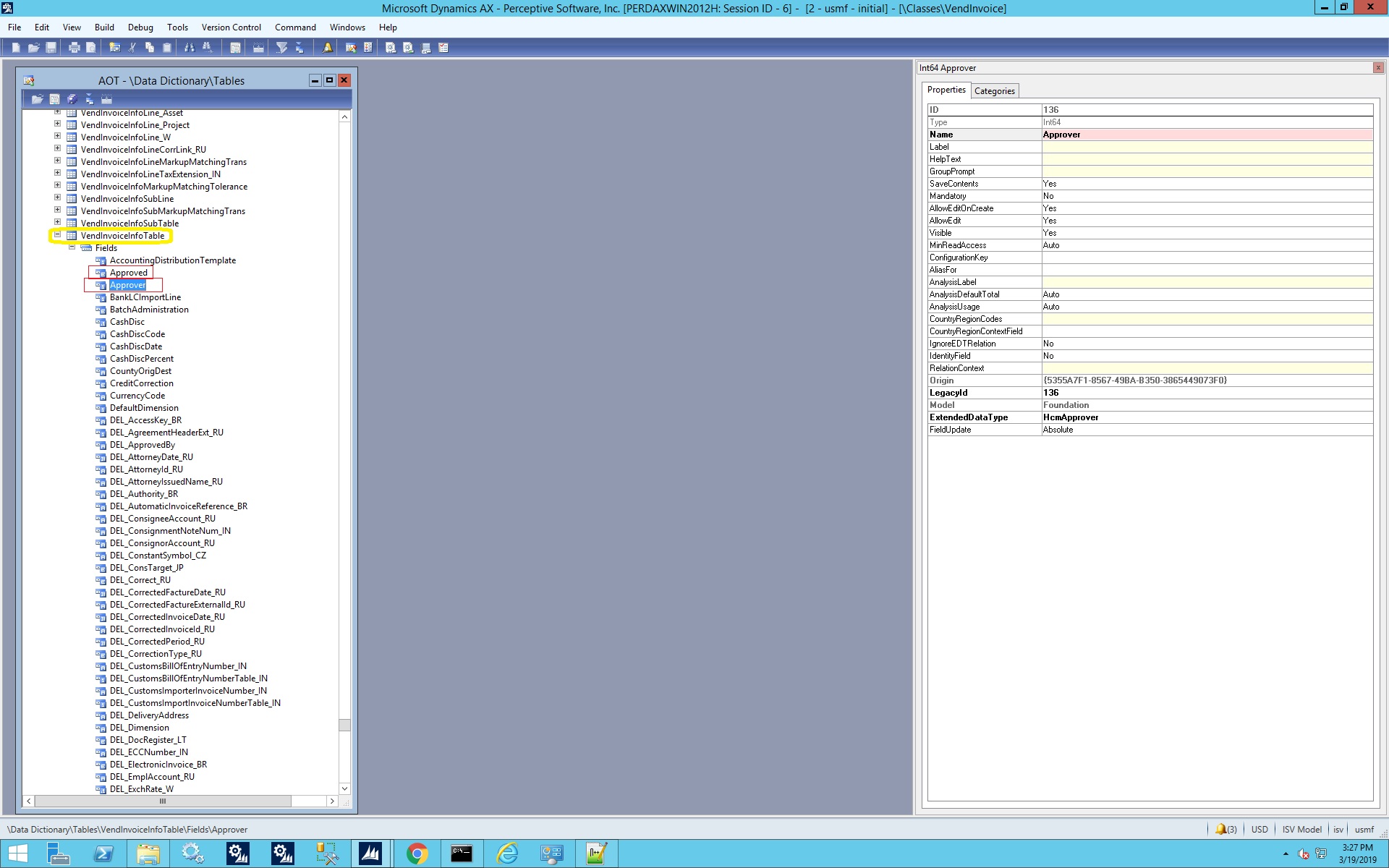
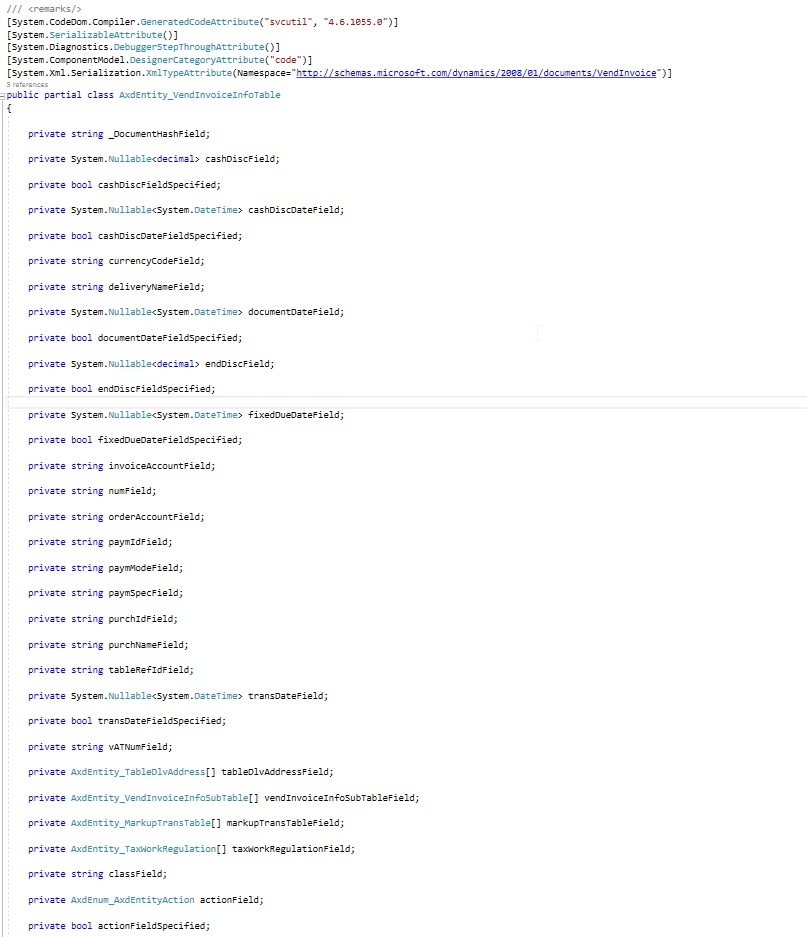
6567.vendinvoiceinfotable.jpg

2019_5F00_03_5F00_19_5F00_15_5F00_29_5F00_41_5F00_Window.jpg

Why is it so? And how can I make sure these properties are available in the proxy code?

*This post is locked for comments

I have the same question (0)
  • Suggested answer
    Martin Dráb Profile Picture
    239,399 Most Valuable Professional on at

    Your assumption that all tables fields must be exposed outside AX is incorrect. They may be excluded from the document service completely or they can be deactivated in configuration of the inbound port.

  • SagnikMajumder Profile Picture
    10 on at

    Okay, I understand. But then if I want to expose one or more specific table fields through a document service, then what is the way? Can that be done? If Yes, then can you describe some steps or point me to a link/blog?

  • Martin Dráb Profile Picture
    239,399 Most Valuable Professional on at

    Customize service contracts explains how you can configure fields on inbound ports.

    If the service doesn't support the fields you need (unfortunately I don't have any AX 2012 to consult), first thing about whether there isn't a reason for it. If you decide to change it, you should learn a bit about how AIF document services are developed. Creating New Document Services is a good starting point. When you update the query (if needed), you can follow steps documented in How to: Update a Service After Adding a Query Data Source.

Under review

Thank you for your reply! To ensure a great experience for everyone, your content is awaiting approval by our Community Managers. Please check back later.

Helpful resources

Quick Links

Introducing the 2026 Season 1 community Super Users

Congratulations to our 2026 Super Stars!

Meet the Microsoft Dynamics 365 Contact Center Champions

We are thrilled to have these Champions in our Community!

Congratulations to the March Top 10 Community Leaders

These are the community rock stars!

Leaderboard > 🔒一 Microsoft Dynamics AX (Archived)

#1
CP04-islander Profile Picture

CP04-islander 39

#2
Michel ROY Profile Picture

Michel ROY 14

#3
imran ul haq Profile Picture

imran ul haq 8

Last 30 days Overall leaderboard

Featured topics

Product updates

Dynamics 365 release plans
