web
You’re offline. This is a read only version of the page.
close
Skip to main content

Notifications

Announcements

No record found.

Community site session details

Community site session details

Session Id :
Finance | Project Operations, Human Resources, ...
Suggested Answer

D365 FO HR: Operating Units Data Not Showing for New Custom User Role

(3) ShareShare
ReportReport
Posted on by 17

Hello Community,

I am a system implementer currently working on the HR module in Dynamics 365 Finance and Operations. I've run into a problem with data access for a new user role I've created.

Problem:
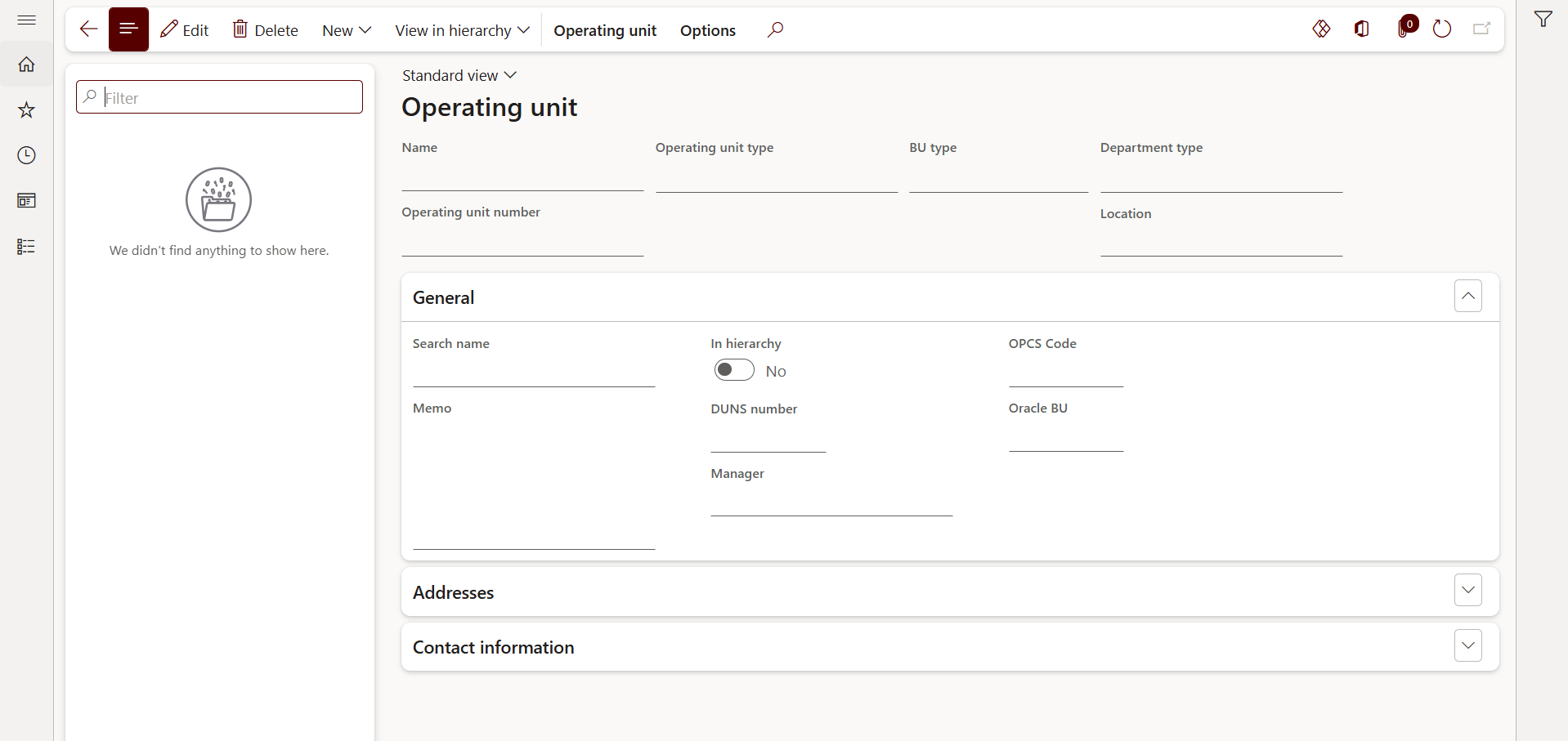
I created a new custom role for an HR Admin. After assigning this role to a user who already has a Person record, the data in the Operating units menu does not show up. The page is blank, as if no data exists.

Steps I have already taken:

  1. I created a new custom role for the HR Admin.

  2. I used the Security Diagnostics feature on the Operating units menu to identify the necessary privileges and duties.

  3. I copied all the privileges and duties suggested by Security Diagnostics into my custom role.

  4. I have run Publish all from the Security configuration to ensure all changes are synchronized.

  5. I've also verified that the user has an active Person record linked to an existing Operating unit.

  6. I have tried clearing my browser cache and using a different browser, but the problem persists.

Despite following all these steps, the data in the Operating units menu still does not appear.

Could this be related to another configuration like Extensible Data Security (XDS), or is there another step I might be missing?

Any help in diagnosing this issue would be greatly appreciated.

Thank you for your time and attention.
 

I have the same question (0)
  • R Shetty Profile Picture
    121 on at
    Hi,

    Did you check the privilege of the form and include it? 

    Is the form name OMOperatingUnit?
  • Sohaib Cheema Profile Picture
    49,438 User Group Leader on at
     
    Does the user have the System User role assigned?
    Which of the standard privileges/duties did you use for access to the Operating Units form?
    Does the user have several other security roles? Are those standard or custom security roles?
    Did you try removing all other roles except the System User role and the security role X (that you used to provide access to Business Units)?
     
    By the way, I did following experiment, and it worked fine:
    1) Created a new security role named RoleX.
    2) Added the privilege View Value Streams (OMValueStreamView) to RoleX.
    3) Assigned RoleX to a user. The user has only two roles: System User and RoleX.
     
    It worked fine — the user can see the Operating Units.
  • Suggested answer
    DAnny3211 Profile Picture
    11,397 on at

    Hi,


    Based on your detailed steps and setup, it sounds like you've correctly assigned the necessary privileges and duties to your custom HR Admin role. However, the issue with the Operating units menu showing no data could indeed be related to Extensible Data Security (XDS) or other data access policies.


    Here are a few areas to investigate:


    1. Extensible Data Security (XDS) Policies:


      • Check if there are any active XDS policies that restrict access to Operating units based on roles or user context.

      • If an XDS policy is applied to the Operating units table (e.g., OMOperatingUnit), it might be filtering out data for users not explicitly included in the policy scope.

    2. Role Hierarchy and Inheritance:


      • Ensure your custom role is not missing any organization-level permissions that are typically inherited from standard roles like Human Resources Manager or Employee.

      • Try temporarily assigning a standard HR role to the user to confirm whether the issue is role-specific.

    3. Organization Assignments:


      • Verify that the user is assigned to the correct legal entity and organization hierarchy.

      • Check if the Operating units are linked to the same legal entity the user is operating under.

    4. Security Diagnostics Limitations:


      • While Security Diagnostics is helpful, it may not capture XDS policies or custom security layers. Consider reviewing the Security configuration manually or using SysSecConfiguration tables to trace access.

    5. Data Access via Table Permissions:


      • Confirm that the custom role has read access to the underlying tables used by the Operating units form.

      • Use the Security Development Tool (if available in your environment) to trace form-to-table access.


    6.  
     

    If none of these resolve the issue, you might consider testing with a cloned standard HR role and gradually removing duties to isolate the missing component.


    Thanks and best regards,

    Daniele

    Note: This response was prepared with support from Copilot to ensure clarity and completeness.

  • Lord Odin Profile Picture
    17 on at
    Hi @ ,
     

    Yes, I have checked the privileges and duties, and I've added everything related to the new role I created.

    And yes, the form name is OMOperatingUnit.

  • Lord Odin Profile Picture
    17 on at
     
    I've followed your suggestions, and here are my answers to your questions and advice.
     

    Regarding your questions:

    • Does the user have the System user security role assigned?

      • Yes, the user has the System user role.

    • Which standard privileges/duties did you use to access the Operating Units form?

      • I used the privileges 'Maintain operating units,' 'View operating units,' 'Maintain value streams,' and 'View value streams.' I have already added all of them to the user's roles.

    • Does the user have a few other security roles? And are those standard or custom roles?

      • Yes, I have tried standard roles that can be used to access operating units. I got the list of those roles from Security Diagnostics.

    • I added the View value streams (OMValueStreamView) privilege to RoleX.

      • I have tried and added the all of "OM's" privilege, but the data still doesn't show up.

  • André Arnaud de Calavon Profile Picture
    300,911 Super User 2025 Season 2 on at
    Hi Lord Odin,
     
    In case the user can open the Operating units, but can't see any record, then this is most likely caused by XDS. Can you confirm a system administrator can still see all records? 
    Can you check if there are XDS policies created in your environment? Does your custom role also have sub-roles included?
     
    PS. In case you used the duties as per security diagnostics, then there is no need to include the privileges as well, but this is not causing your issue.
     
    Can you share a screenshot of the security configuration form and highlight the details of your custom role? Or is there any value provided in the field Security policy context string?
  • Lord Odin Profile Picture
    17 on at
     

    Based on my tests, I don't believe the issue is related to XDS.

    I've tried simulating it with and without XDS policies, and I also tested it on a different environment that's still standard and doesn't have any custom XDS. In all cases, the data still doesn't appear.

    Is it possible that I missed a step in the process I described in my post? Or could you suggest the correct steps you think I should follow?

  • Lord Odin Profile Picture
    17 on at
     

    Questions:

    • In case the user can open the Operating units, but can't see any record, then this is most likely caused by XDS. Can you confirm a system administrator can still see all records?

    • Can you check if there are XDS policies created in your environment? Does your custom role also have sub-roles included?

    • Can you share a screenshot of the security configuration form and highlight the details of your custom role? Or is there any value provided in the field Security policy context string?


    My Answers:

    • Yes, a system administrator can see all records.

    • I didn't include any sub-roles; I just added the necessary privileges and duties to the custom role.

    • I've attached a screenshot showing the details of the duties and privileges for you to review.

  • Suggested answer
    André Arnaud de Calavon Profile Picture
    300,911 Super User 2025 Season 2 on at
    Hi Lord Odin,
     
    I'm not sure if you already read my previous reply. I tried creating a similar role and this is working in my environment where the user gets data. This is the role I created: 
     
    Can you tell us if there are ISV solution or customizations that can have active XDS policies? You mentioned that you don't think it is related to XDS, but this can still cause the issue. Also there can be any extension for the form where custom X++ is used to add additional filters. Your screenshot shows that the Standard view is used, so Saved Views can be excluded as a root cause.
     
    Does the user have only this HR admin role or also other roles assigned? I can reproduce your scenario in the standard application in case you have added the value PolicyForVendorRoles for the Security policy context string. Or when I assign the role Vendor admin (external) or Vendor contact (external) in addition.
     
    You can check for active XDS policies by editing your URL to: https://{your dynamics environment}.dynamics.com/?mi=systablebrowser&tablename=modelsecpolruntimeex. Then filter on the column ContstrainedTable and search for OMOperatingIUnit. Do you only see one line or multiple for this table? 

Under review

Thank you for your reply! To ensure a great experience for everyone, your content is awaiting approval by our Community Managers. Please check back later.

Helpful resources

Quick Links

Responsible AI policies

As AI tools become more common, we’re introducing a Responsible AI Use…

Neeraj Kumar – Community Spotlight

We are honored to recognize Neeraj Kumar as our Community Spotlight honoree for…

Leaderboard > Finance | Project Operations, Human Resources, AX, GP, SL

#1
Martin Dráb Profile Picture

Martin Dráb 660 Most Valuable Professional

#2
André Arnaud de Calavon Profile Picture

André Arnaud de Cal... 549 Super User 2025 Season 2

#3
Sohaib Cheema Profile Picture

Sohaib Cheema 307 User Group Leader

Last 30 days Overall leaderboard

Product updates

Dynamics 365 release plans
