Hi A.Wicki,
From your description, I suggest you to use segment.
Here is the relevant document about Segment: https://docs.microsoft.com/en-us/dynamics365/marketing/segmentation-lists-subscriptions
First we need to get the age of the contact.
I have created a text field and called it Real age where I will store the age as you described. Then I have created a Schedule Flow as followed:
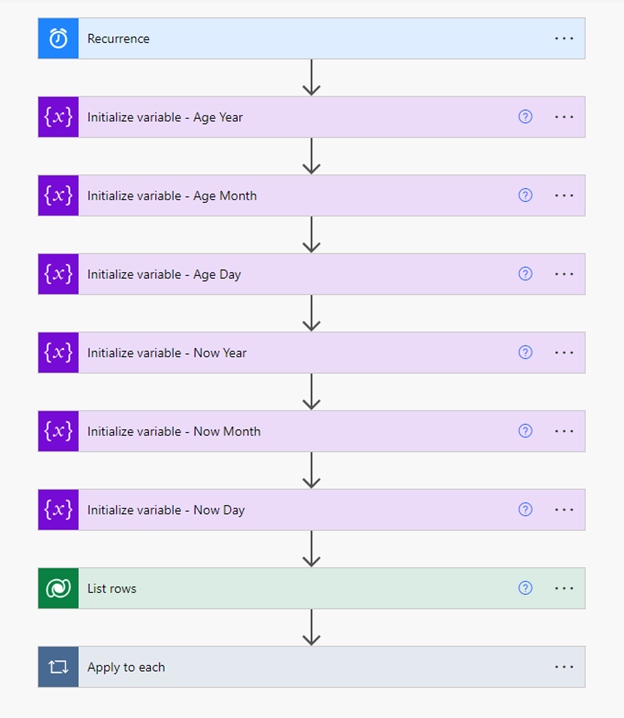
Note: When creating, remember to set repeat every to 1 day.

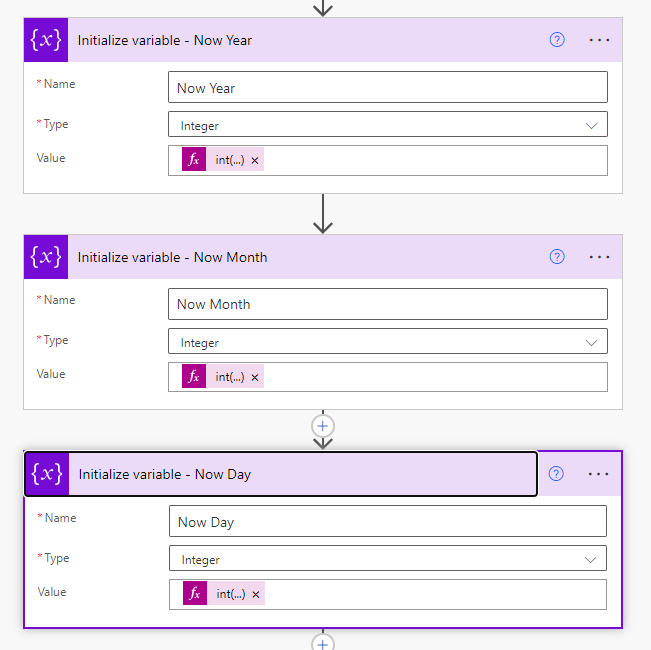
1. Initialize variable
Age Year, Age Month and Age Day stays empty until we fill them later on.
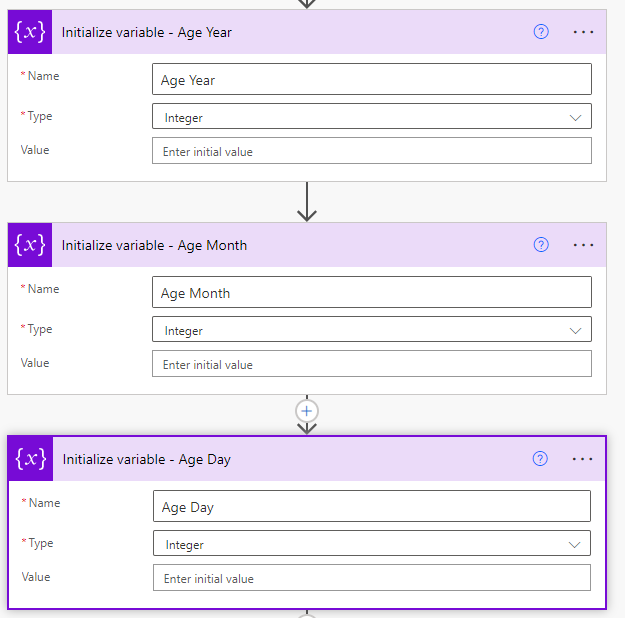
Now Year = int(formatDateTime(utcNow(), 'yyyy'))
Now Month = int(formatDateTime(utcNow(), 'MM'))
Now Day = int(formatDateTime(utcNow(), 'dd'))
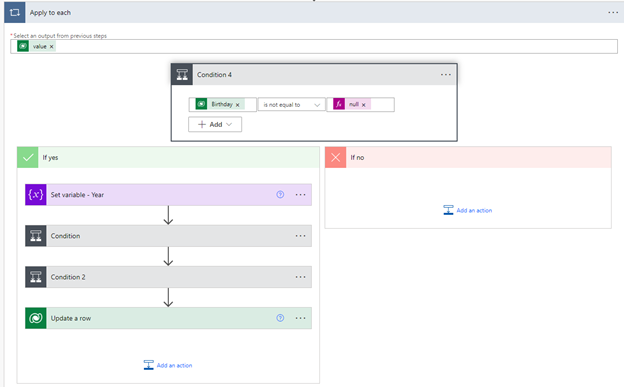
2.Add ‘condition’ step. When Birthday has a value, Real age can be calculated.
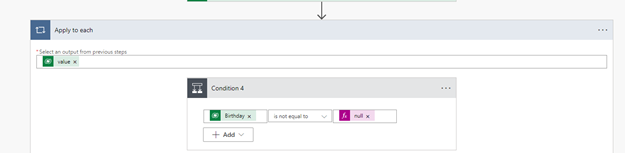
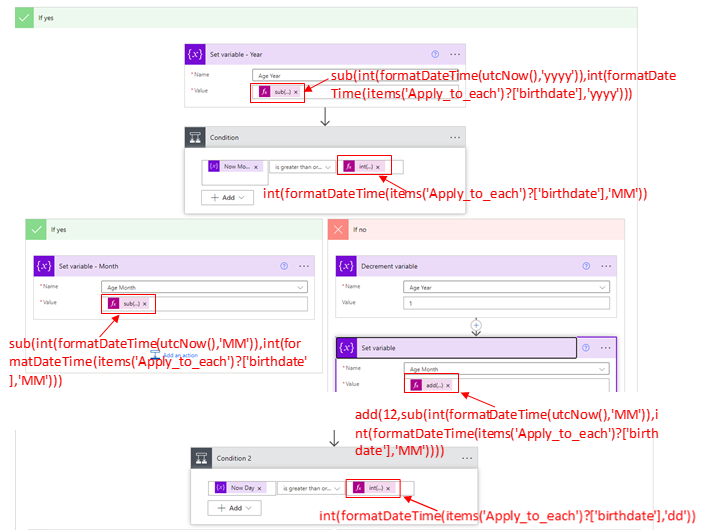
3.
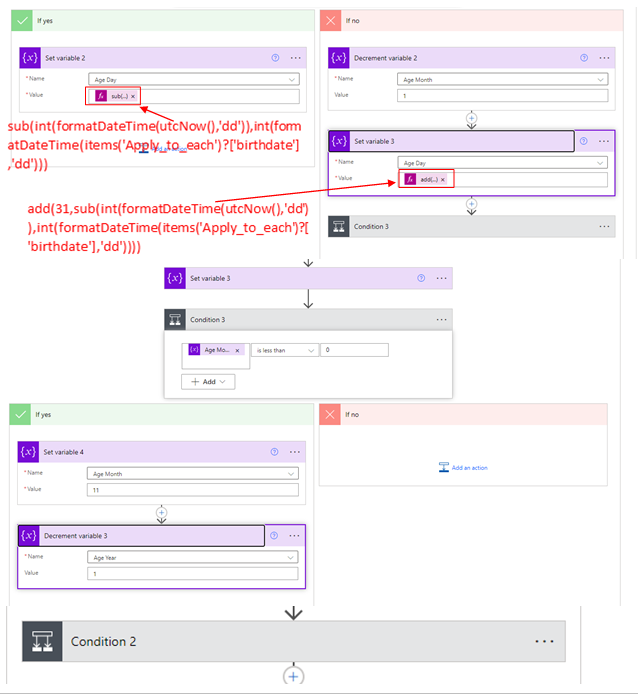
Those are the following expressions used in this flow:
sub(int(formatDateTime(utcNow(),'yyyy')),int(formatDateTime(items('Apply_to_each')?['birthdate'],'yyyy')))
int(formatDateTime(items('Apply_to_each')?['birthdate'],'MM'))
sub(int(formatDateTime(utcNow(),'MM')),int(formatDateTime(items('Apply_to_each')?['birthdate'],'MM')))
add(12,sub(int(formatDateTime(utcNow(),'MM')),int(formatDateTime(items('Apply_to_each')?['birthdate'],'MM'))))
int(formatDateTime(items('Apply_to_each')?['birthdate'],'dd'))
sub(int(formatDateTime(utcNow(),'dd')),int(formatDateTime(items('Apply_to_each')?['birthdate'],'dd')))
add(31,sub(int(formatDateTime(utcNow(),'dd')),int(formatDateTime(items('Apply_to_each')?['birthdate'],'dd'))))
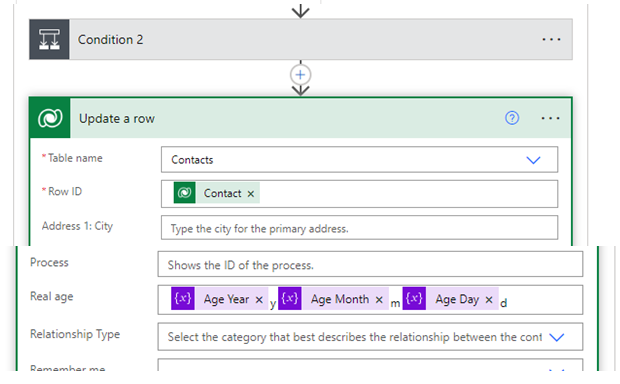
4. Test
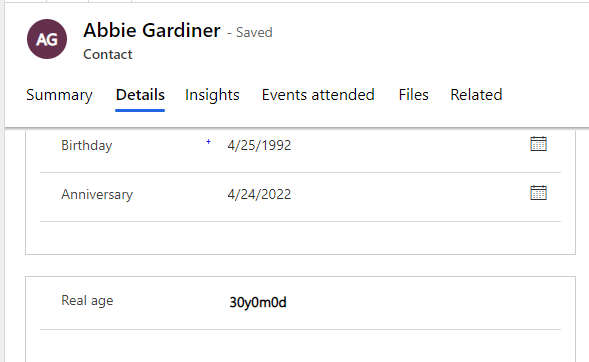
Second, use Segment to get contacts that match today's birthday and will be 30 years old.
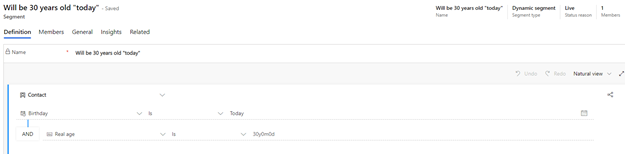

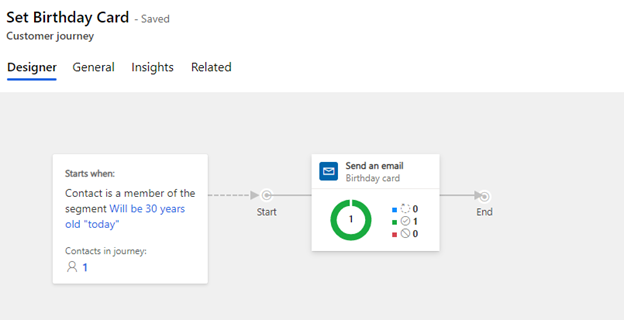
At last, create Customer Journey to send birthday card to contacts who have birthday today and will be 30 years old.
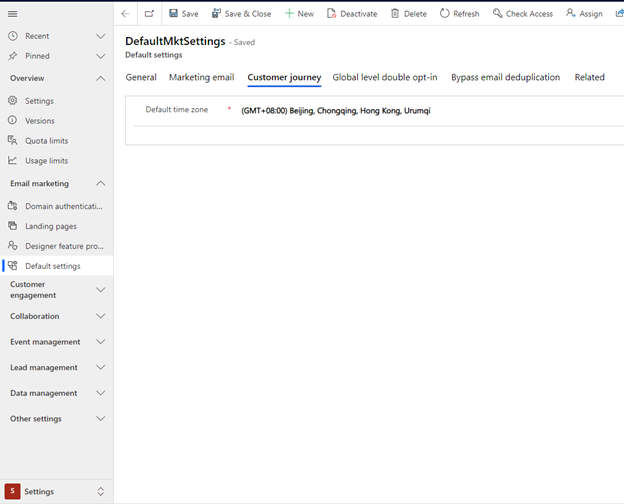
Note: Remember to change the time zone to the time zone of your own region.