web
You’re offline. This is a read only version of the page.
close
Skip to main content

Announcements

No record found.

News and Announcements icon
Community site session details

Community site session details

Session Id :
Small and medium business | Business Central, N...
Answered

Sales Order Exchange rate

(0) ShareShare
ReportReport
Posted on by 154

HI all,

We have noticed that our sales invoices are being driven off the exchange rate on the day/period when the original sales quote was raised (i.e., July 2022) and not the exchange rate on the sales order. Is this normal and can this be overwritten so we ignore the rate on the sales quote but use the rate on the sales order?

Many thanks

I have the same question (0)
  • Verified answer
    Valentin Castravet Profile Picture
    32,152 Super User 2026 Season 1 on at

    yes thats normal, the system simply carries over the original fx rate from the quote to the order. Are you subsequently changing the fx rate on the Sales Order? If you change it on the order the system will use the updated rate for the invoice and should not use the quote rate. There are two ways to overwrite it manually on the order:

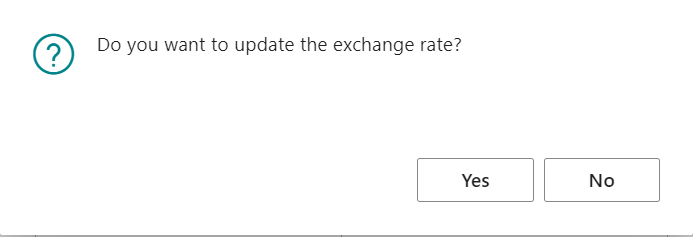
    1. change the posting date of the sales order. When the system retrieves an fx rate from your Currencies table it does this based on the posting date of your document or journal line, so changing the posting date will update the rate. When you change the posting date you will get a message asking if you would like to update the exchange rate, click yes. 
    pastedimage1677859482814v2.png

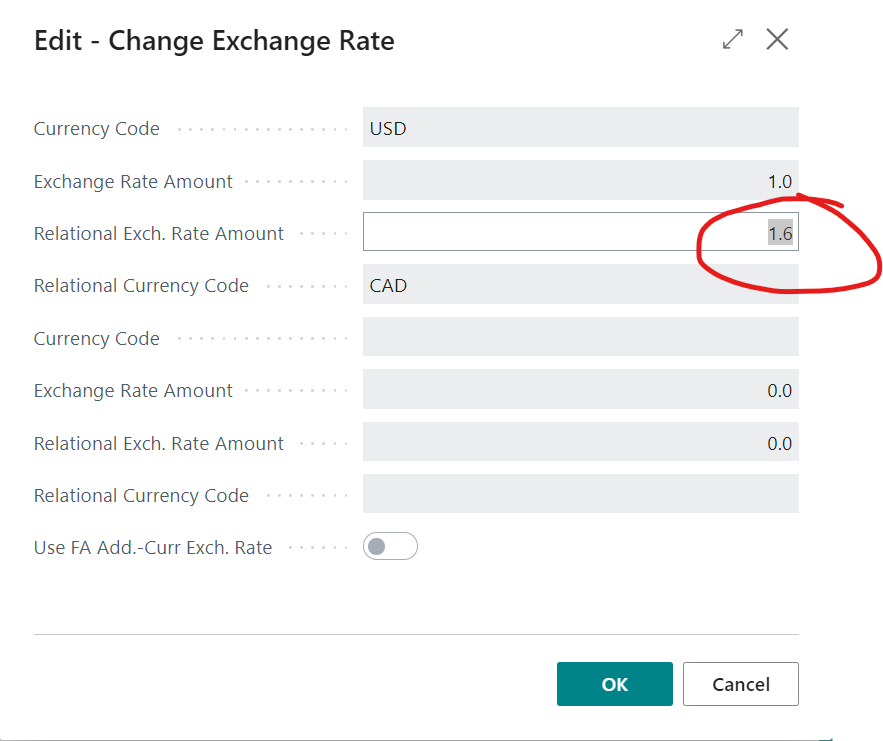
    2. in the sales order click the ellipsis by the Currency Code field

    pastedimage1677859465731v1.png

    in here you can see what rate applies to your order and you can also change it
    pastedimage1677859601347v3.png

  • CinderKonan Profile Picture
    154 on at

    Hi,

    that is exactly what i needed.

    Many thanks

Under review

Thank you for your reply! To ensure a great experience for everyone, your content is awaiting approval by our Community Managers. Please check back later.

Helpful resources

Quick Links

Introducing the 2026 Season 1 community Super Users

Congratulations to our 2026 Super Stars!

Congratulations to our 2025 Community Spotlights

Thanks to all of our 2025 Community Spotlight stars!

Leaderboard > Small and medium business | Business Central, NAV, RMS

#1
OussamaSabbouh Profile Picture

OussamaSabbouh 1,926 Super User 2026 Season 1

#2
YUN ZHU Profile Picture

YUN ZHU 1,158 Super User 2026 Season 1

#3
Khushbu Rajvi. Profile Picture

Khushbu Rajvi. 533 Super User 2026 Season 1

Last 30 days Overall leaderboard

Featured topics

Product updates

Dynamics 365 release plans



