Hello everyone,
I'm starting Dual-write setup in my newly create F&O environment T1 CHE, During new deployment I have check Power Platform Integration so it is created me a PowerApps Environment when it is deployed.
The question now is when setup Dual-Write, I'm stuck at this steps :
System requirements and prerequisites - Finance & Operations | Dynamics 365 | Microsoft Docs

In that document, I have followed step 1-3, and at step 4, if I take a look at all resources while googling (someone's blog or Youtube), is to go to my PowerApps environment, then open Advance setting > Security > Users then choose Application user
then add new user from there.
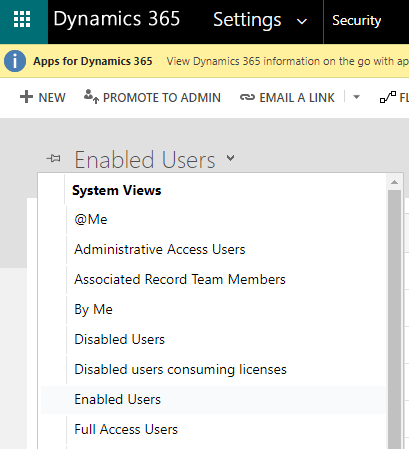
But I didn't see any option for Application user in the dropdown.
While all the resources I found is saying this steps, Microsoft docs (the one I put the link above) on the other hand mentioned to create new Application user from Power Platform Admin instead ->
Manage application users in the Power Platform admin center - Power Platform | Microsoft Docs
But this document also make me confuse about what App ID I should be looking for while add new ->
-
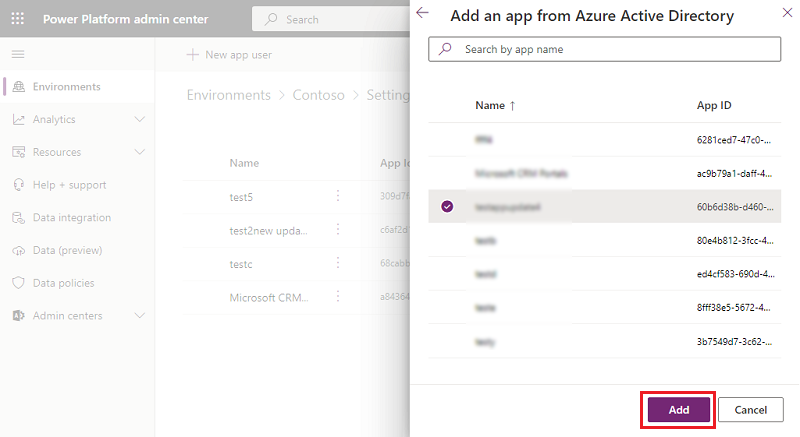
Select + Add an app to choose the registered Azure AD application that was created for the selected user, and then select Add. Note: You can also choose an Azure Managed Identity via this experience.
-
The selected Azure AD app is displayed under App. You can select Edit ( ) to choose another Azure AD application. Under Business Unit, select a business unit from the dropdown list.
Since in my company have many Azure Application, I'm really don't have any idea which I should look or select in step 1 above.
Please help.







