web
You’re offline. This is a read only version of the page.
close
Skip to main content

Notifications

Announcements

No record found.

Community site session details

Community site session details

Session Id :
Finance | Project Operations, Human Resources, ...
Answered

DEV Environment H:\MSSQL_LOGS Disk Full, Cannot Import New Database

(0) ShareShare
ReportReport
Posted on by 1,214

Hi,

I'm restoring UAT database to DEV environment, but failed to import. Error message was something like:

The source contains users that rely on an external authentication provider that is not supported by the target. These users will be treated as users without logins.
The transaction log for database 'AxDB_Sept2020' is full due to 'ACTIVE_TRANSACTION'
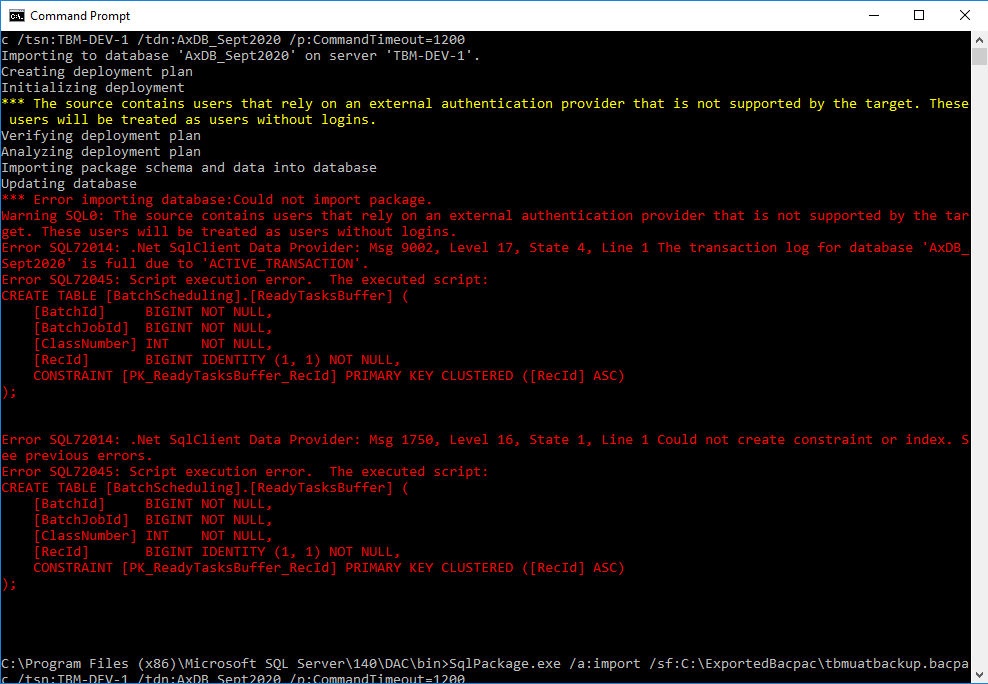
tbmdev-import-error.png

I figured this is most likely because the MSSQL_LOGS disk is full
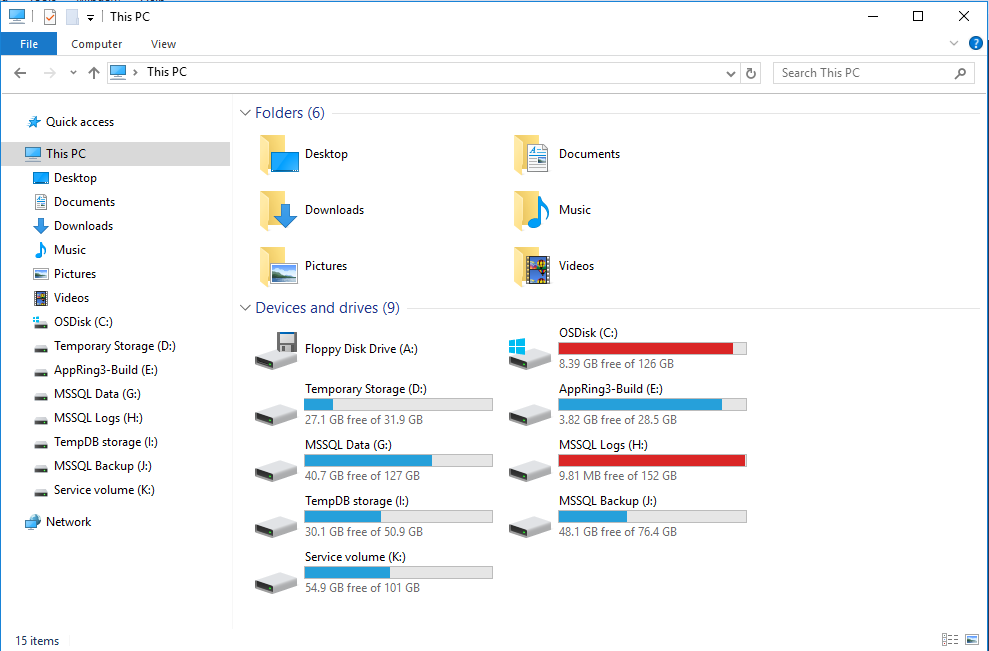
tbmdev-mssqllog-full.png

Inside the Disk, there are still Logs for already deleted databases, but we cannot delete without administrator privilege.
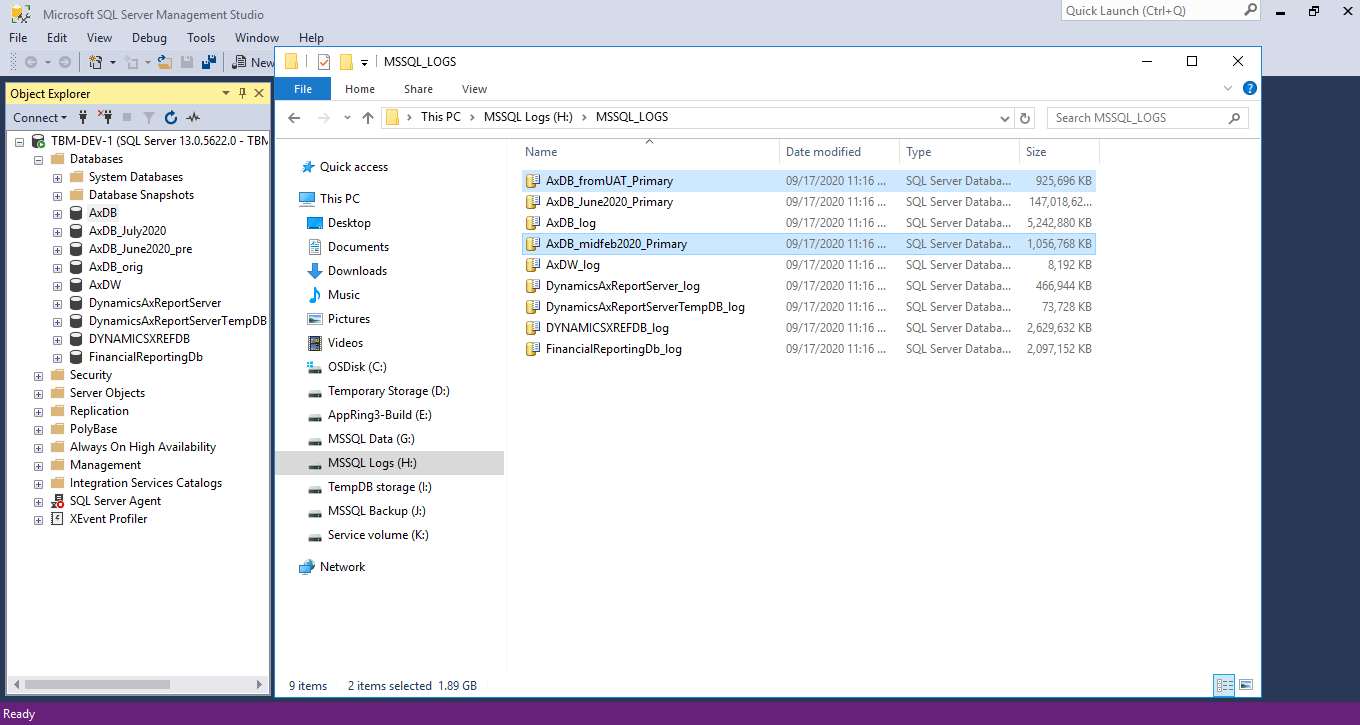
tbmdev-mssqllog.png

How can we clear some space so that we can import a new database successfully?

Thank you.

I have the same question (0)
  • HAIRUL HAZRI Profile Picture
    1,214 on at

    Wait a minute, UAT environment is Version 10.0.12 (10.0.507.10035),

    while DEV environment is Version 10.0.12 (10.0.507.20028).

    Are they not compatible? The only difference is quality update, so it should be fine, am I right?

  • Suggested answer
    nmaenpaa Profile Picture
    101,166 Moderator on at

    Well, importing a database from a system that has a newer D365 version is not expected to work. Sure it can work sometimes.

    Anyway your disk space has nothing to do with versions.

    If it's a cloud hosted VM in your own Azure subscription you can increase disk sizes.

    If it's MS managed environment (as it seems to be in your cas), you can't change the disk sizes. But you can create a service request and ask Microsoft to delete files from the system (just tell them what you want them to delete).

    Another option is to try to clean up unneeded data (log/history tables) in the source UAT system before exporting the database.

  • Suggested answer
    Luke Sha Profile Picture
    on at

    For 1st issue, I assume you export database from UAT manually without perform preparation script. Please export database by LCS service operation. It will make sure all the Azure SQL container users are removed

    For 2nd issue, please submit support case. We will try to remove unused files or reallocate disk.

  • Verified answer
    Gunjan Bhattachayya Profile Picture
    35,423 on at

    For the first issue, it's just a warning. It will still import the database without issues.

    For the database disk space, you can try shrinking the transaction logs. Please check here for the steps. 

    Another alternative would be to back up your database and move it to LCS. You can stop the services and delete the existing AxDB database and then proceed with the import

  • Verified answer
    vinitgoyal2005 Profile Picture
    6,332 on at

    Hi,

    Follow steps mentioned here for import-export: docs.microsoft.com/.../dbmovement-scenario-exportuat

    To clear the log you can use the Shrink DB option from SSMS and clear the logs: www.mssqltips.com/.../

    You may have to change the database recovery model from FULL to SIMPLE

  • HAIRUL HAZRI Profile Picture
    1,214 on at

    Thank you everyone. Shrinking the log files got me to free up around 10GB, enough to import the db. Cheers.

Under review

Thank you for your reply! To ensure a great experience for everyone, your content is awaiting approval by our Community Managers. Please check back later.

Helpful resources

Quick Links

Responsible AI policies

As AI tools become more common, we’re introducing a Responsible AI Use…

Neeraj Kumar – Community Spotlight

We are honored to recognize Neeraj Kumar as our Community Spotlight honoree for…

Leaderboard > Finance | Project Operations, Human Resources, AX, GP, SL

#1
Abhilash Warrier Profile Picture

Abhilash Warrier 669 Super User 2025 Season 2

#2
André Arnaud de Calavon Profile Picture

André Arnaud de Cal... 449 Super User 2025 Season 2

#3
Martin Dráb Profile Picture

Martin Dráb 384 Most Valuable Professional

Last 30 days Overall leaderboard

Product updates

Dynamics 365 release plans



