web
You’re offline. This is a read only version of the page.
close
Skip to main content

Notifications

Announcements

No record found.

Community site session details

Community site session details

Session Id :
Service | Customer Service, Contact Center, Fie...
Unanswered

Dynamics 365 Omnichannel for Customer Service: Populate Customer and Issue (Case) Search Fields on Conversation Record using Power Automate Flow

(1) ShareShare
ReportReport
Posted on by 306

Hello Community,

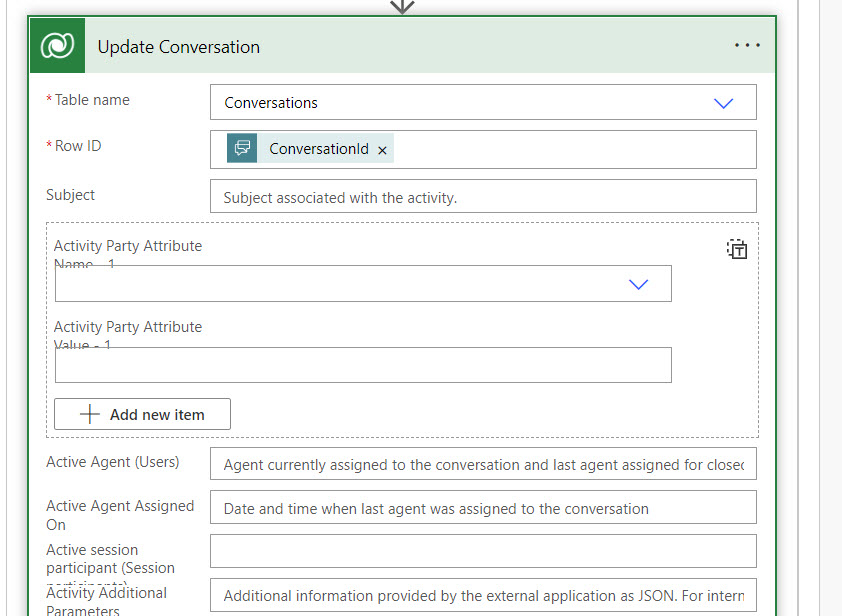
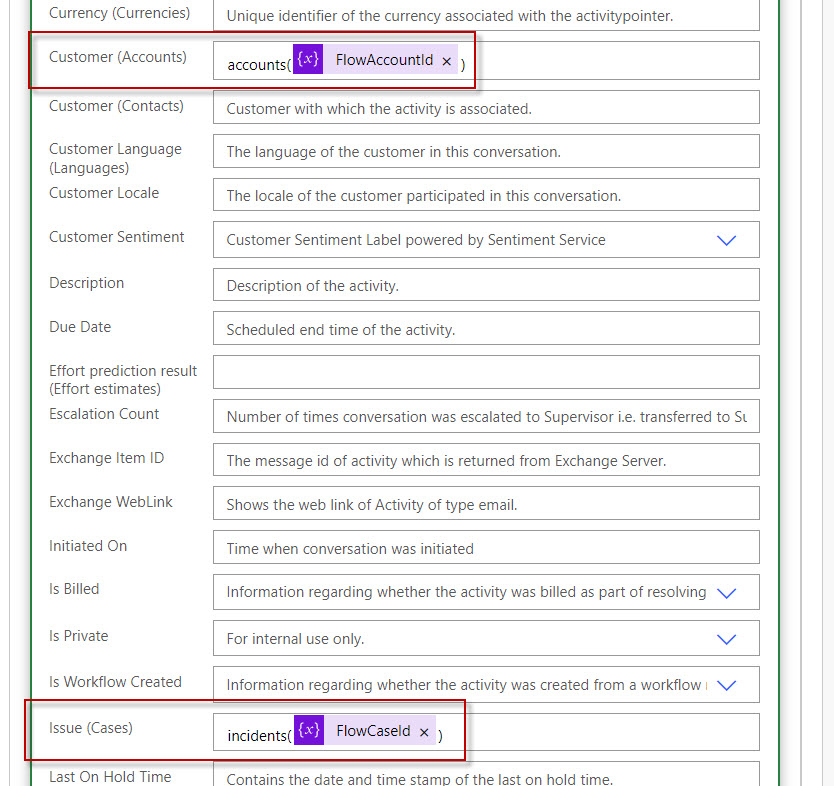
Without using the pre-chat survey questions, does anyone know how we could populate the Customer and Issue (Case) search lookup fields on the Conversation record (please see screen shot below) in the Power Automate Flow? The requirement here is that based on certain logic conditions in the Power Automate flow, we want to update the Customer and Issue (Case) lookup fields on the Conversation record. I was able to do that in my flow screen shot below, and I could see those fields getting populated from the Advanced Find search, but when I open the Conversation records, the Customer and Issue search lookup fields are blank. It's as if I am not updating the right fields in my flow, but it's not clear to me what other fields I should use in order for these data to show up.

Conversation-Fields.jpg

Flow.jpg

Any insights would be appreciated, thank you!

I have the same question (0)
  • Community Member Profile Picture
    on at

    Hi D365EL,

    Have you checked the run status of flow?

    Can you tell me what triggers you selected in the flow? Or can you provide a full screenshot of the flow?

    And you mentioned that you can see those fields getting populated from the Advanced Find search, what is the Advanced Find search?

  • D365EL Profile Picture
    306 on at

    Hi  ,

    Yes, we did confirm that the flow ran successfully, and we could see the "Customer" and "Issue" (i.e. Case) lookup fields getting populated successfully by the flow when we checked the conversation record using Advanced Find.

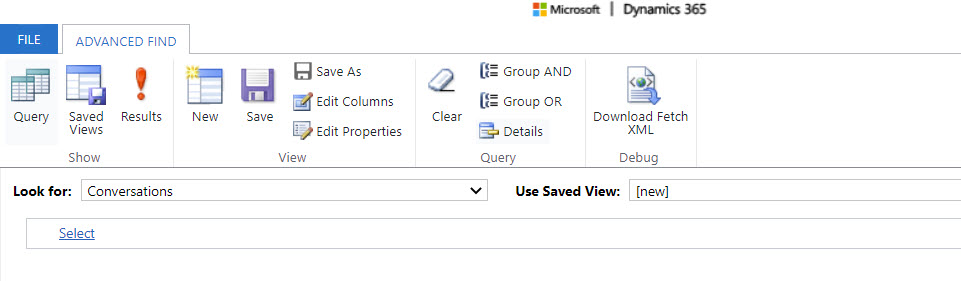
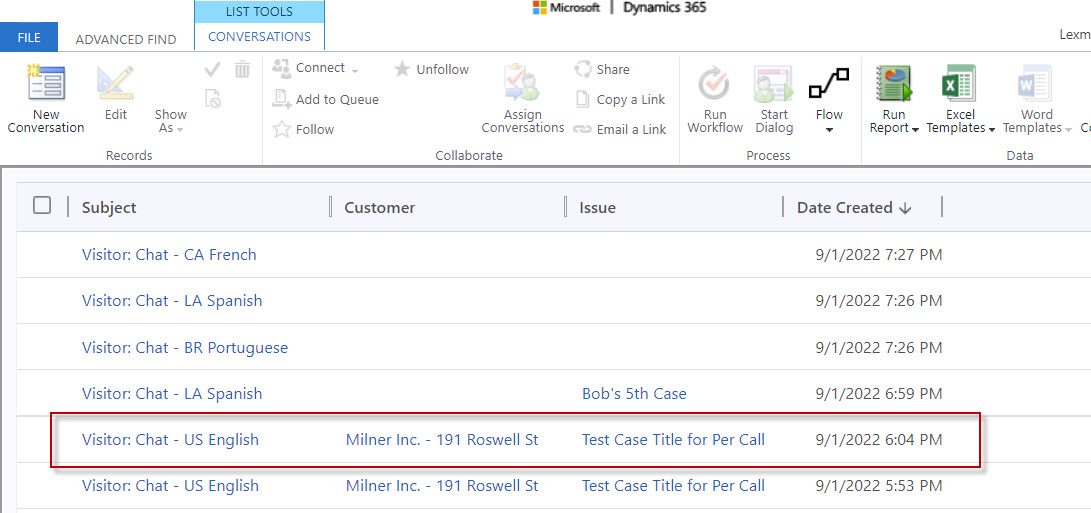
    Here is the Advanced Find record, showing the 2 lookup columns I mentioned that were populated by the flow. It's a basic search simply to return all conversation records.
    pastedimage1662122766651v1.jpeg

    Here is the search result. Let's just focus on the one I have circled in red below as that's the record from the test of the flow run. You can see the 2 lookup field columns getting populated.
    pastedimage1662122908210v2.jpeg

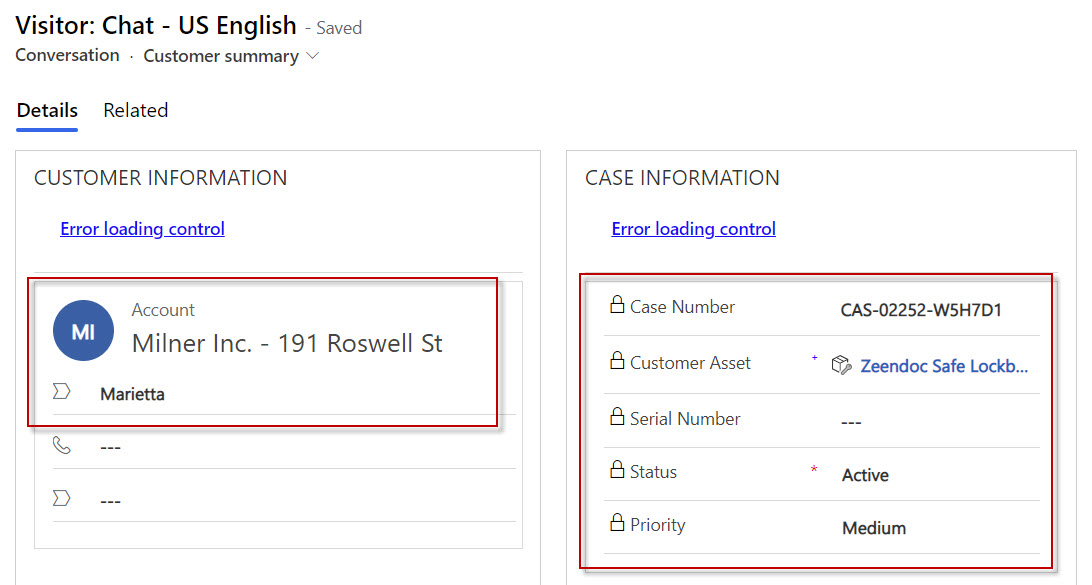
    When opening the above conversation record from Advanced Find, you can see where I have circled in red below are coming from the Quick View forms, so they are rendering using the Case lookup and Customer lookup. The “Error loading control” apparently is a Microsoft bug based on a support ticket we have raised with Microsoft. (but that's not the issue here of this thread here)
    Advanced-Search-Record.jpg

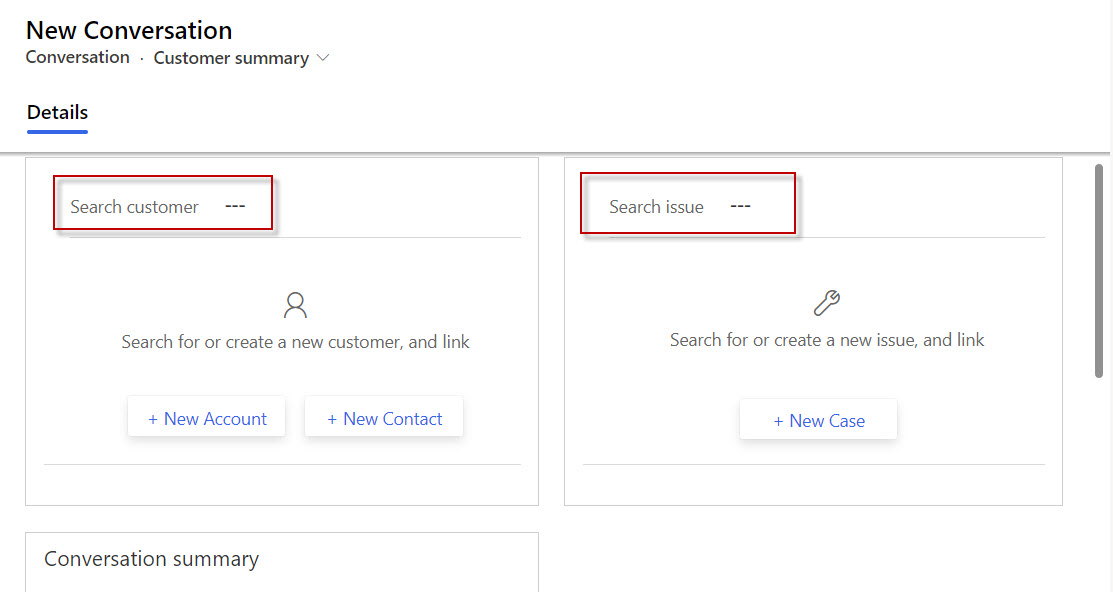
    The issue here is that in the Omnichannel UI when an agent accepts the chat from the virtual agent chat bot, those same lookups are null, but you can clearly see from the series of my screen shots above that those fields are being populated.
    3073.Conversation-Fields.jpg

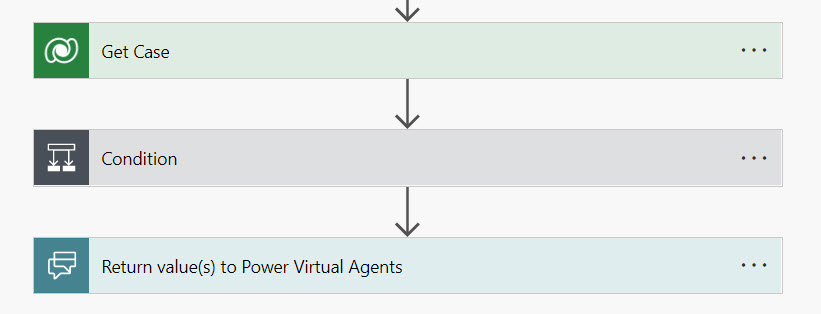
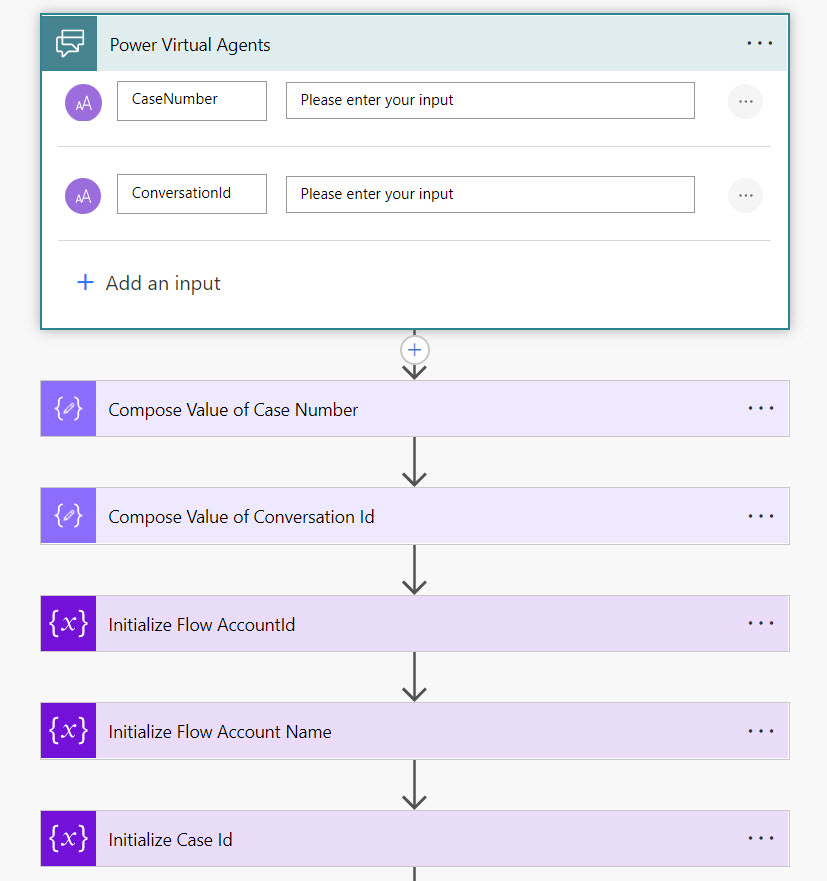
    Here are screen shots of the flow. It's triggered as an action from the Power Virtual Agent.
    Flow-1.jpg

    Flow-2.jpg

    Flow-3.jpg

    Flow-4.jpg

    I hope the information is useful to provide further details on the issue we are having.

    Thank you!

  • yader.morales Profile Picture
    291 on at
    Hello! I have the same behavior! Even with the Customer (Contact) in my business case set and the conversation visible in the contact pre-selected, this lookup doesn't populate the information unless I manually lookup for the email. Did you manage how to resolve it? I would appreciate any feedback!

Under review

Thank you for your reply! To ensure a great experience for everyone, your content is awaiting approval by our Community Managers. Please check back later.

Helpful resources

Quick Links

Responsible AI policies

As AI tools become more common, we’re introducing a Responsible AI Use…

Neeraj Kumar – Community Spotlight

We are honored to recognize Neeraj Kumar as our Community Spotlight honoree for…

Leaderboard > Service | Customer Service, Contact Center, Field Service, Guides

#1
Tom_Gioielli Profile Picture

Tom_Gioielli 45 Super User 2025 Season 2

#2
Daniyal Khaleel Profile Picture

Daniyal Khaleel 27 Most Valuable Professional

#3
Soundari Profile Picture

Soundari 15

Last 30 days Overall leaderboard

Featured topics

Product updates

Dynamics 365 release plans