web
You’re offline. This is a read only version of the page.
close
Skip to main content

Notifications

Announcements

No record found.

Community site session details

Community site session details

Session Id :
Customer experience | Sales, Customer Insights,...
Answered

Internal communications - list upload without creating contacts

(0) ShareShare
ReportReport
Posted on by

Hello,

Our internal communications department wants to send a newsletter to all employees with Microsoft Dynamics. We now have the situation that not all company employees are contacts in our system. And actually we do not want them as new contacts in our system as there should be our customers only.

My question is: Is there a way in Microsoft Dynamics to upload  a lists with contacts without creating a contact in the tool? And then send a newsletter to this list? 

Thank you for your reply! 

All the Best, 

Nadine

I have the same question (0)
  • Verified answer
    cloflyMao Profile Picture
    25,210 on at

    Hi Nadine,

    You could refer to following solution:

    1. Create a custom entity "Temp Contact" with necessary fields such as first name, last name and email.

    2. Import those employees as records of the custom entity.

    3. Copy "HTML output" of your newsletter.
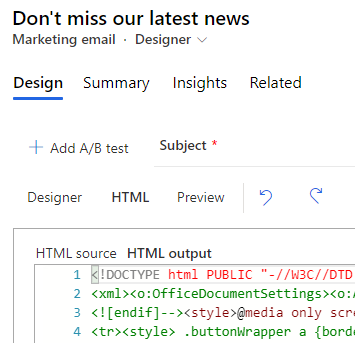
    pastedimage1603941322998v1.png

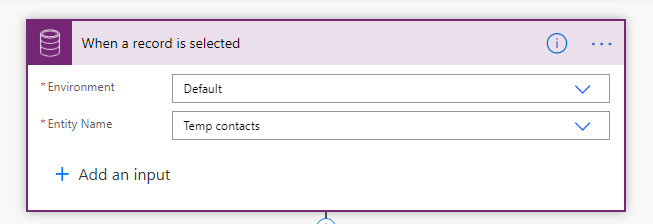
    4. Select a record of "Temp Contact", create a flow and trigger it when "a record is selected".

    pastedimage1603941435096v2.png

    pastedimage1603941473231v3.png

    5. Actions of the flow:

    When a record is selected, send an email to its mailbox.
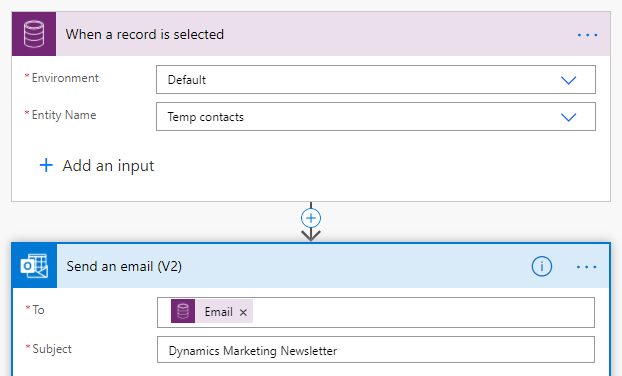
    pastedimage1603941534963v4.png

    Switch the view of email to HTML mode, paste the copied code to email body. 
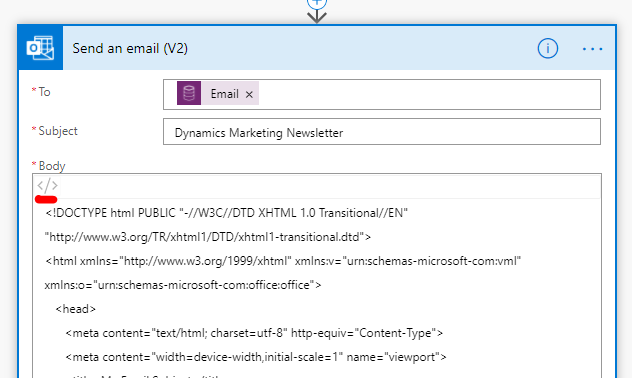
    pastedimage1603941607984v5.png

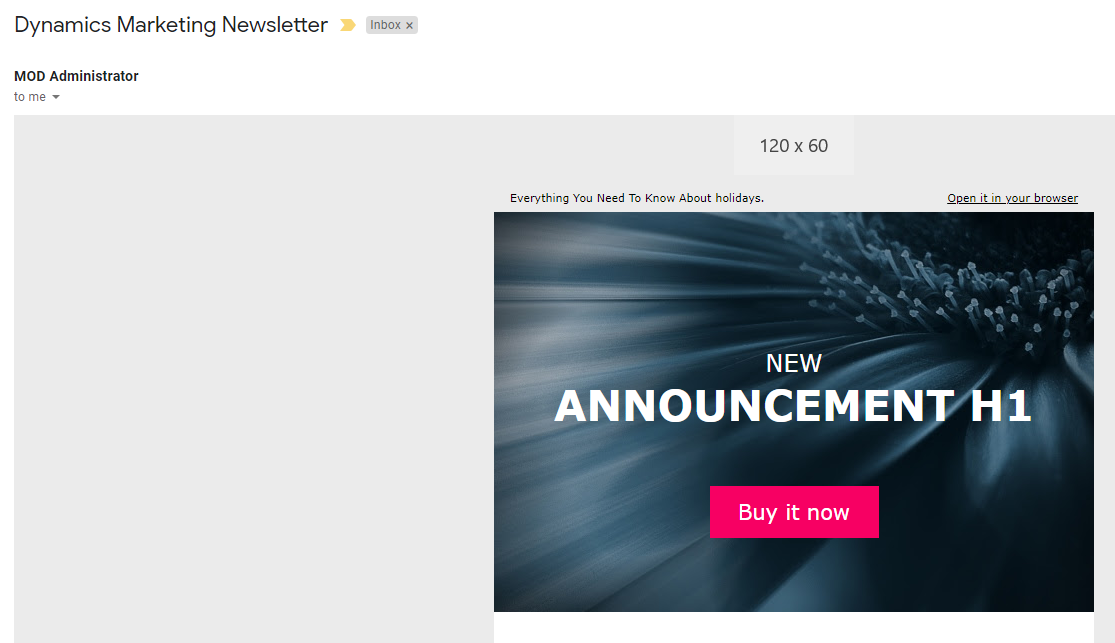
    Result:

    pastedimage1603941645537v6.png

    Notes:

    1. The newsletter is only a HTML email, so please remove links such as "View in browser" and "Unsubscribe".

    2. It is actually activity email instead of marketing email, but the email looks like a marketing email.

    3. Dynamics Marketing can only track activities of the real contacts(Contact entity), if you want to launch further marketing campaigns on those employees, you still need to convert them to contact records.

    Regards,

    Clofly

  • Community Member Profile Picture
    on at

    Hi,

    Thanks a lot for your quick reply!  :)

    All the Best,

    Nadine

  • Suggested answer
    Petit Hibou Profile Picture
    on at

    Hi Nadine,

    just a side comment - Marketing is not the best app for this purpose.

    Usually this task is best performed with the use of the corporate email system - eg could be Exchange Server/Online - or any other as well.

    "All employees" is one of the standard aliases that should exist already, so the only task for communications department would be to get permissions to use it.

    Br

    Elena

  • Community Member Profile Picture
    on at

    Hello Elena, 

    Thanks a lot for your reply. Out internal communications department wants to have the opportunity to design their newsletters a bit which is why they want to use a professional system. We had Salesforce before and there it was no problem to upload lists seperately so internal communication always used this tool. With the switch to Microsoft they want to have the same possibilities so we need to offer them a way. 

    Best 

    Nadine

  • Petit Hibou Profile Picture
    on at

    Hi Nadine,

    totally makes sense, esp as they had similar process before.

    Clofly has advised already on how to make it with Marketing same way.

    just from experience sharing perspective - I've worked a lot with our marketing department in the past and for internal communications they mostly used Publisher to design email template and then send it to DL/alias with Outlook

    Br

    Elena

Under review

Thank you for your reply! To ensure a great experience for everyone, your content is awaiting approval by our Community Managers. Please check back later.

Helpful resources

Quick Links

Responsible AI policies

As AI tools become more common, we’re introducing a Responsible AI Use…

Neeraj Kumar – Community Spotlight

We are honored to recognize Neeraj Kumar as our Community Spotlight honoree for…

Leaderboard > Customer experience | Sales, Customer Insights, CRM

#1
Tom_Gioielli Profile Picture

Tom_Gioielli 70 Super User 2025 Season 2

#2
Gerardo Rentería García Profile Picture

Gerardo Rentería Ga... 43 Most Valuable Professional

#3
Daniyal Khaleel Profile Picture

Daniyal Khaleel 32 Most Valuable Professional

Last 30 days Overall leaderboard

Product updates

Dynamics 365 release plans