web
You’re offline. This is a read only version of the page.
close
Skip to main content

Announcements

News and Announcements icon
Community site session details

Community site session details

Session Id :
Dynamics 365 Community / Forums / Finance forum / Query Missing QueryBui...
Finance forum

Query Missing QueryBuildDataSource for FormdataSource

(0) ShareShare
ReportReport
Posted on by 50

Dear All, 

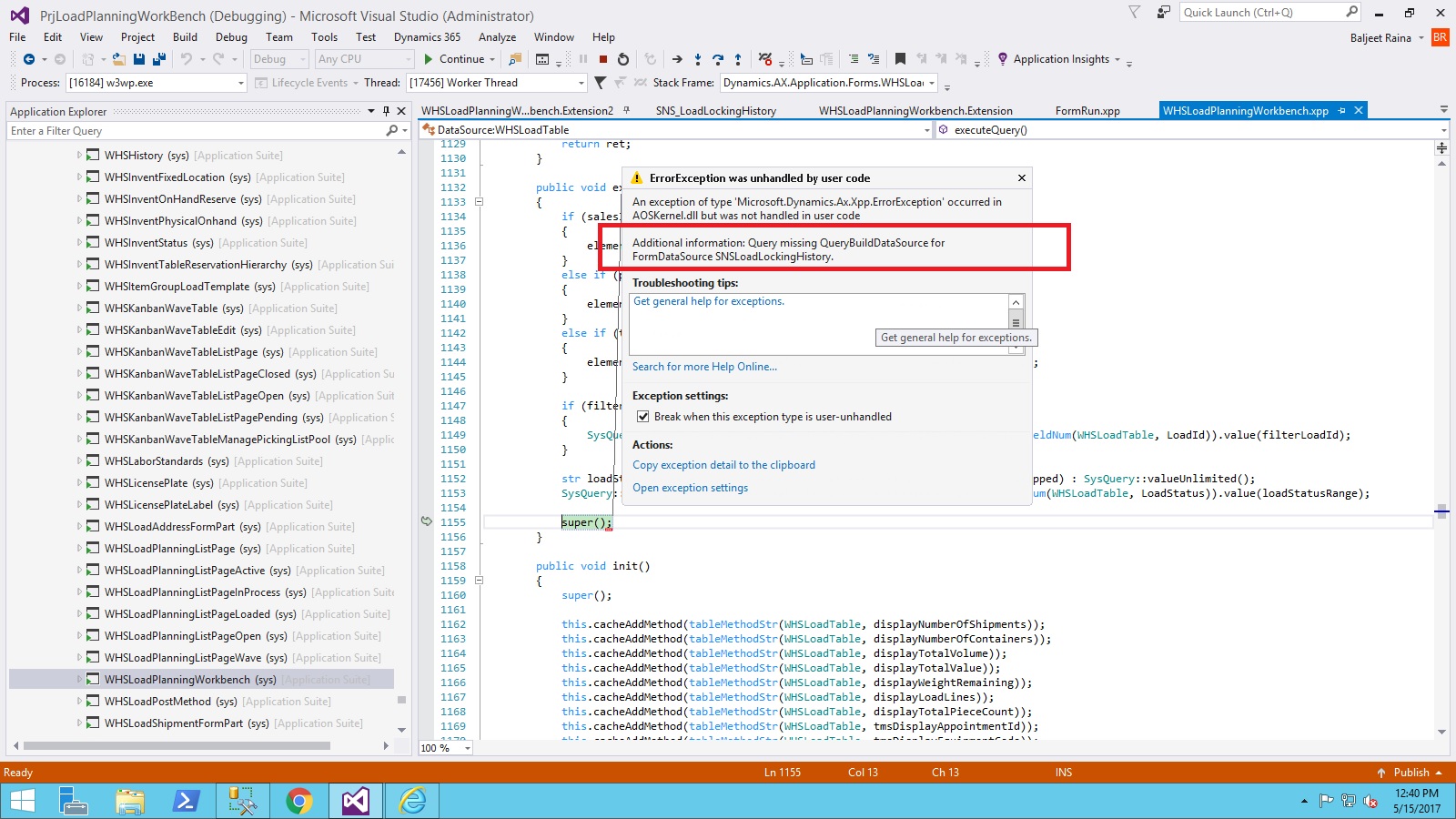
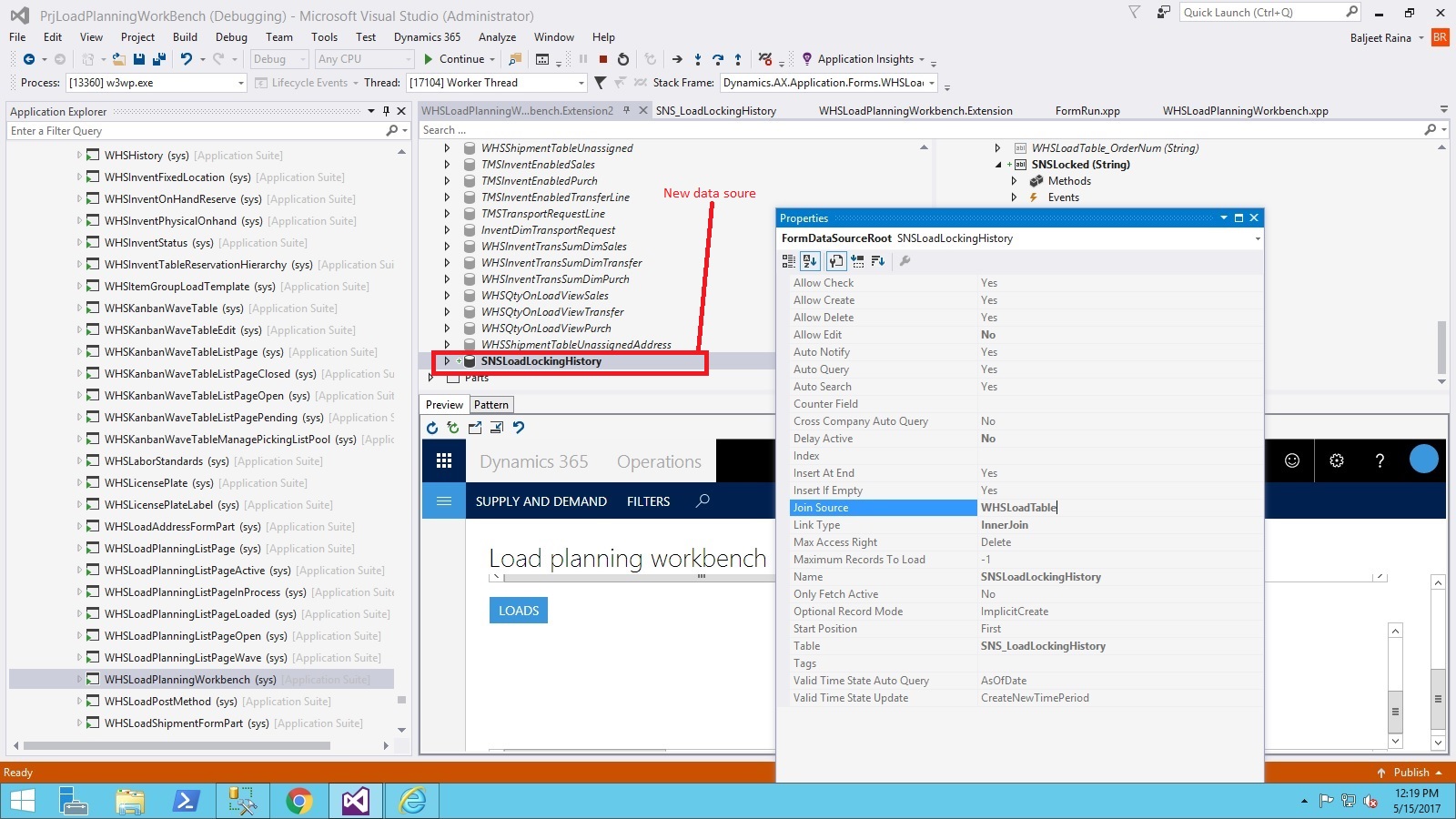
I have a data-grid  with one data-source.. Now i want to display data from another table on the same grid. So I add a new data-source and join with the existing data-source of the grid.  I did that and when i compile i am getting this error "Query Missing QueryBuildDataSource for FormdataSource "

Please have a look on the below screen for better understanding. 
1057.6011.14.jpg


3513.8176.15.jpg

I have the same question (0)
  • Community Member Profile Picture
    on at

    Hello, is the issue resolved ?

  • Singh Amar Profile Picture
    50 on at

    No , it is not solved.. 

  • DMaria Profile Picture
    285 on at

    I have the same issue, did you resolved it?

  • Martin Dráb Profile Picture
    240,347 Most Valuable Professional on at

    DMaria, it would help if you told us more about your problem. Because I assume that you're not doing exactly the same thing as Amar described two years ago, I suggest you create a new thread and explain your situation in detail there.

  • DMaria Profile Picture
    285 on at

    I want to add new data source to the WHSLoadPlanningWorkbench like Amar and just like in Amar's case when I join it with the existing data-source of the grid I got the same error. "Query Missing QueryBuildDataSource for FormdataSource". In my case Join Source is SalesLine.

  • Martin Dráb Profile Picture
    240,347 Most Valuable Professional on at

    Which line of code is throwing the error in your case? Is it also super() in executeQuery() of WHSLoadTable datasource?

  • DMaria Profile Picture
    285 on at

    It is also super() in executeQuery but of WHSInventTransSumDimSales datasource.

  • Martin Dráb Profile Picture
    240,347 Most Valuable Professional on at

    In your case, the problem is caused the fact that the form doesn't use the query created from datasources. Instead, another query is initialized in setQueriesForDemandType() based on WHSLPWFilterSales query in AOT - you would have to extend this query.

  • DMaria Profile Picture
    285 on at

    Thank you ! I extend the query and it works

  • Suggested answer
    Community Member Profile Picture
    on at

    Hello Martin,

    I'm facing a similar problem, the customer wants to add the field of confirmDate of the table CustConfirmJour that is related to the sales Table by SalesId in the form WHSloadPlanningWorkbench.

    i added a datasource "CustConfirmJour" in the form datasources and i have the same message.

    I added the table in the query WHSLPWFilterSales query related to sales table and it displays to me the same error.

Under review

Thank you for your reply! To ensure a great experience for everyone, your content is awaiting approval by our Community Managers. Please check back later.

Helpful resources

Quick Links

November Spotlight Star - Khushbu Rajvi

Congratulations to a top community star!

Forum Structure Changes Coming on 11/8!

In our never-ending quest to help the Dynamics 365 Community members get answers faster …

Dynamics 365 Community Platform update – Oct 28

Welcome to the next edition of the Community Platform Update. This is a status …

Leaderboard > Finance

Last 30 days Overall leaderboard

Featured topics

Product updates

Dynamics 365 release plans