web
You’re offline. This is a read only version of the page.
close
Skip to main content

Notifications

Announcements

No record found.

Community site session details

Community site session details

Session Id :
Microsoft Dynamics AX (Archived)

Change COA at Accounting Distribution at Purchase Order Line

(0) ShareShare
ReportReport
Posted on by 2,075

Dear All,

I want to ask,

my user want to change the COA used at accounting distribution at Purchase Order Lines.

The menu is disable, is there any setting to enable those button. 

do I need to do setting for priviledges/duty/roles to enable this button.

Thank you
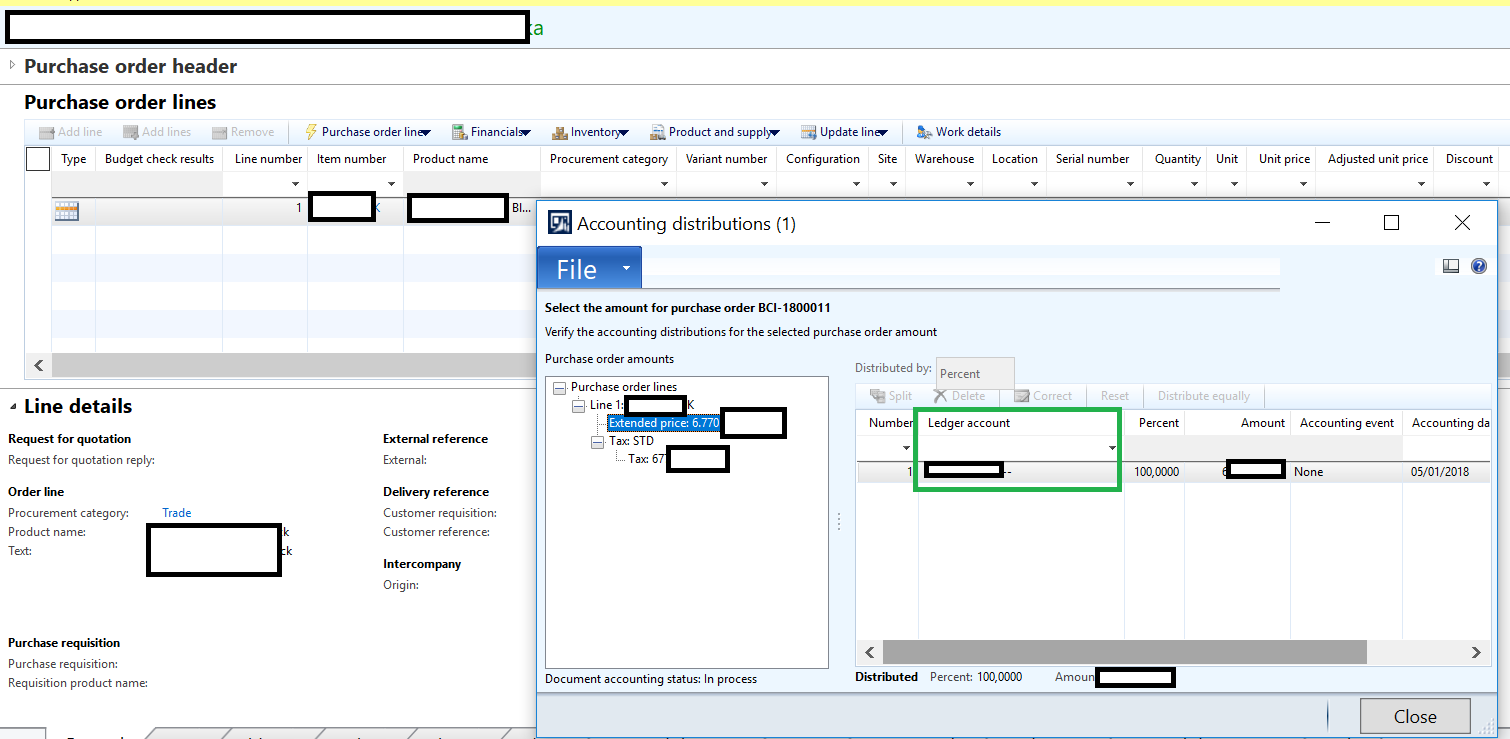
Distribution-Amount.png

*This post is locked for comments

I have the same question (0)
  • André Arnaud de Calavon Profile Picture
    301,053 Super User 2025 Season 2 on at

    Hi Benjamin,

    What is the reason why you want to change the ledger account? Is it because of a wrong setup? If so, try to fix the setup. What is the current status of this purchase order?

  • Grzegorz Skrzypczyk Profile Picture
    225 on at

    It looks like the Add Line and Delete Line buttons are disabled on the PO. What is the status of the PO? I think you can only define the distribution until it is invoice updated - but I stand to be corrected on that one.

  • Suggested answer
    Andrew Xu Profile Picture
    3,877 on at

    Hi Benjamin,

    You cannot change the accounting distribution if the item on that purchase order line is a stocked item.

  • benjamin84 Profile Picture
    2,075 on at

    Hi Andre,

    no, its not wrong setup, its just my purchasing user wrongly choose purchase/procurement category at po line, its currently on progress of po approval.

    my user don't want to recall/request change again.

    my approver user want to change this by himself, so her purchasing user don't have to restart this process again.

    thank you

  • benjamin84 Profile Picture
    2,075 on at

    HI Grzegorz,

    its currently in progress of approval/ in review.

    I know everything locked if we use workflow approval.

    is there any other work-around for this case ?

    thank you

  • benjamin84 Profile Picture
    2,075 on at

    Hi Andrew,

    for non stocked item, I already checked, even its still draft , but since we use workflow approval for purchase order make the  menu for new and delete at accounting distribution setted to disable.

    its true that approval workflow locked data changes.

    is there any other work-around for this ?

    Thank you

  • Verified answer
    Mahmoud Hakim Profile Picture
    17,887 on at

    you need to edit your purchase order, and complete your approvals again

  • Verified answer
    Ludwig Reinhard Profile Picture
    Microsoft Employee on at

    Hi benjamin84,

    There is no shortcut available for that.

    You need to 'educate' your users that they cannot simply change the accounting for their items.

    As Andre mentioned, if they do not like the current accounting setup, they have to fix the setup first or setup another item/category if they want to post costs on a different account.

    Best regards,

    Ludwig

  • benjamin84 Profile Picture
    2,075 on at

    Hi Mahmoud,

    Thank you very much for your advice.

  • benjamin84 Profile Picture
    2,075 on at

    Hi Ludwig,

    Danke for your advice too.

Under review

Thank you for your reply! To ensure a great experience for everyone, your content is awaiting approval by our Community Managers. Please check back later.

Helpful resources

Quick Links

Responsible AI policies

As AI tools become more common, we’re introducing a Responsible AI Use…

Neeraj Kumar – Community Spotlight

We are honored to recognize Neeraj Kumar as our Community Spotlight honoree for…

Leaderboard > 🔒一 Microsoft Dynamics AX (Archived)

#1
Martin Dráb Profile Picture

Martin Dráb 4 Most Valuable Professional

#1
Priya_K Profile Picture

Priya_K 4

#3
MyDynamicsNAV Profile Picture

MyDynamicsNAV 2

Last 30 days Overall leaderboard

Featured topics

Product updates

Dynamics 365 release plans



