web
You’re offline. This is a read only version of the page.
close
Skip to main content

Notifications

Announcements

No record found.

Community site session details

Community site session details

Session Id :
Customer experience | Sales, Customer Insights,...
Answered

How can you change which entities appear in the "related" drop down list when creating a workflow?

(0) ShareShare
ReportReport
Posted on by 221

I'm trying to create a workflow which creates a new record in a custom entity when I close an opportunity as won. I've customised the Opportunity Close quick create form to include a field "Contract Start Date" which I would like to populate in the custom entity when it's created. However, when I go to set the properties of the workflow, the Opportunity Close entity does not appear as an option in the drop-down list under "Related Entities". 

How can I form a relationship between my two entities so that I can pull information from one to the other in the workflow?

Thanks in advance!

I have the same question (0)
  • Verified answer
    meelamri Profile Picture
    13,216 User Group Leader on at

    Hi Charlotte,

    Unfortunately, Worflows is not the solution for this scenario. In fact, opportunityclose record is child record for opportunity. So you need to implement a plugin or a Custom Workflow.

    You can use also Ms Flow, let me know if you need more guidance to implement the Flow.

  • thecharwest Profile Picture
    221 on at

    Hi Mehdi,

    Thanks, I understand now. Unfortunately I don't know how to implement a plugin or write a Custom Workflow. I also tried using MS Flow but couldn't find the right trigger (i.e. when an opportunity is closed as won). If you have any articles I could read that might help that would be fab.

    Thanks,

    Charlotte

  • Suggested answer
    meelamri Profile Picture
    13,216 User Group Leader on at

    Hi, 

    Please refer to the images below, i replay your scenario: 

    1803.png

    I choose when opportunity is Won (status value is equal to 1) you can play around for either scenarios

    57285.png

    1512.png

    In the last image, i got all the related opportunitycloses related to the opportunity: 

    My Filter: _regardingobjectid_value eq '@{triggerOutputs()?['body/opportunityid']}'

    3513.png

    Here you have all the related opportunityclose

  • thecharwest Profile Picture
    221 on at

    Thanks for this Mehdi. I've created the flow exactly as you have but I don't really understand what it's done. Sorry, I'm absolutely no expert on the CRM, I'm self-taught. What happens now when an opportunity is closed as won?

  • meelamri Profile Picture
    13,216 User Group Leader on at

    Hi,

    I will replay the entire scenario ASAP.

  • Suggested answer
    meelamri Profile Picture
    13,216 User Group Leader on at

    Hi, 

    First, you need to understand the concept of opportunityclose. Here we go. 

    For example, I have an open opportunity (Never closed before/ Not Reopened). In this case: if I fetch the related opportunityclose. I will have 0 records. 

    This is the query to get to related opportunityclose:


    You can find the opportunity id in the URL: 

    https://yourorganization.crm.dynamics.com/main.aspx?appid=a852c385-f718-ea11-a822-000d3a31a0ef&pagetype=entityrecord&etn=opportunity&id=3ef0c6b8-ea50-ea11-a812-000d3a338108

    So for now, I have zero related record.
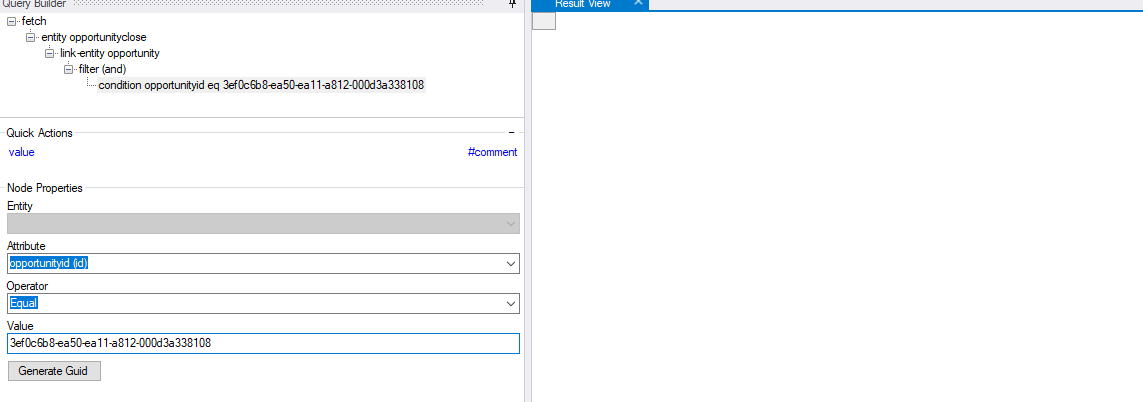
    5773.png

    When I close the opportunity, one related record is generated: 
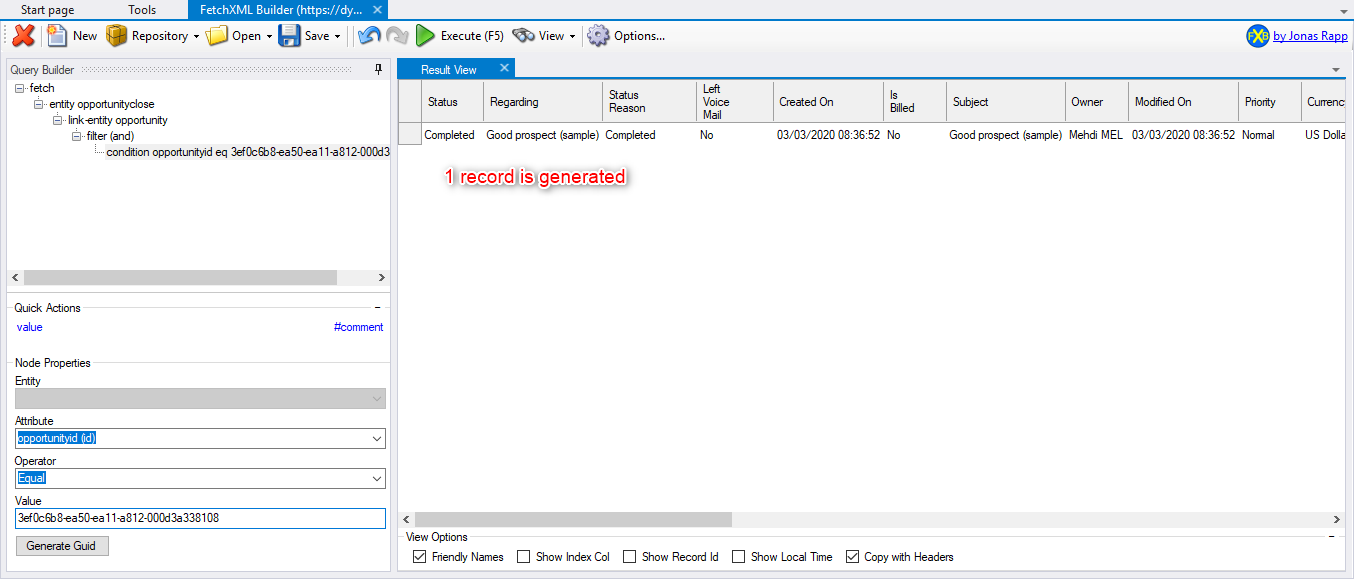
    0333.png

    The important part is the status wish is set to "Completed".

    Now, I reopen the opportunity, I execute again my query: 
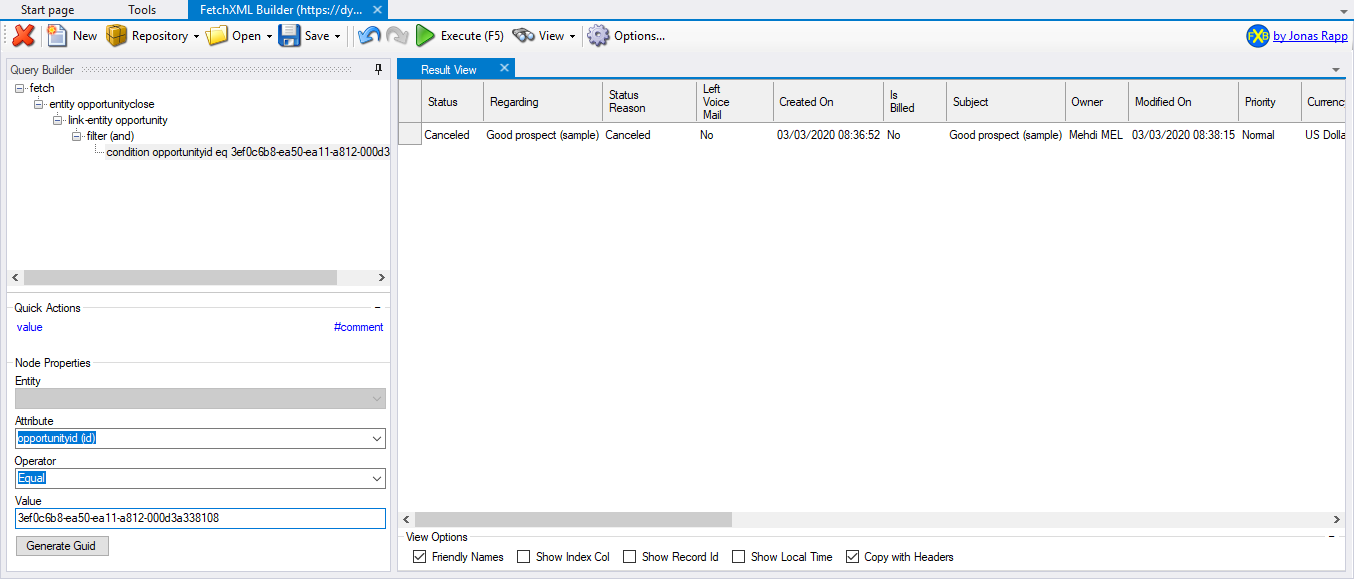
    3056.png

    The Status is now set to "Canceled"

    I Close again the opportunity, one more record is generated: 
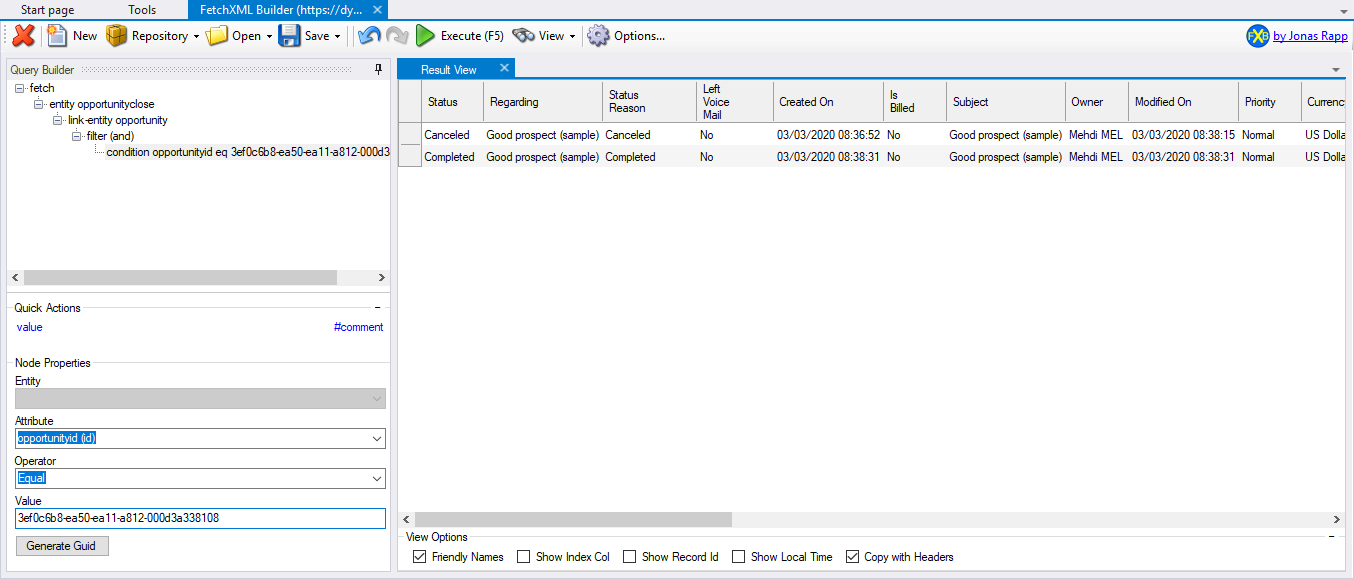
    2308.png

    So the generated opportunityclose have the Status "Completed"

    So, now we move to the flow's logic: 

    The trigger: When opportunity's status is updated.

    Check if the status is equal to "Won".
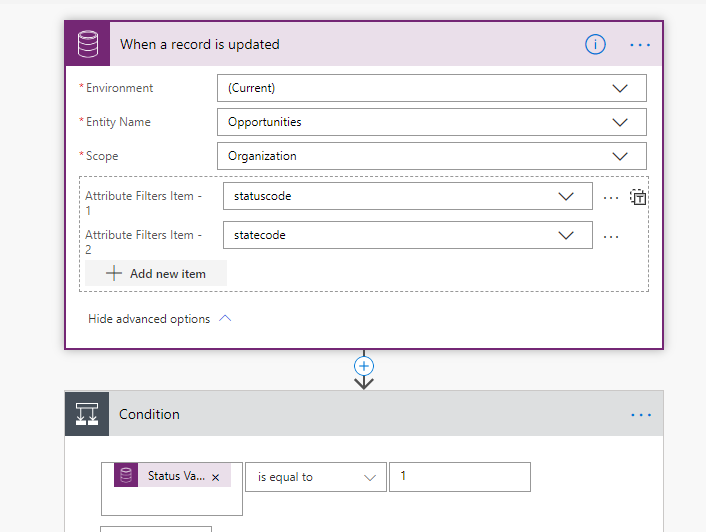
    43371.png


    If Yes, the flow will retrieve the related closeopportunity with status "Completed". With the concept explained above, the flow should retrieve only one record.

    This is the query using fetchXml: 


    To get the filter for the flow, i use this amazing tool "fetchXml Builer" availble on XrmToolBox: 
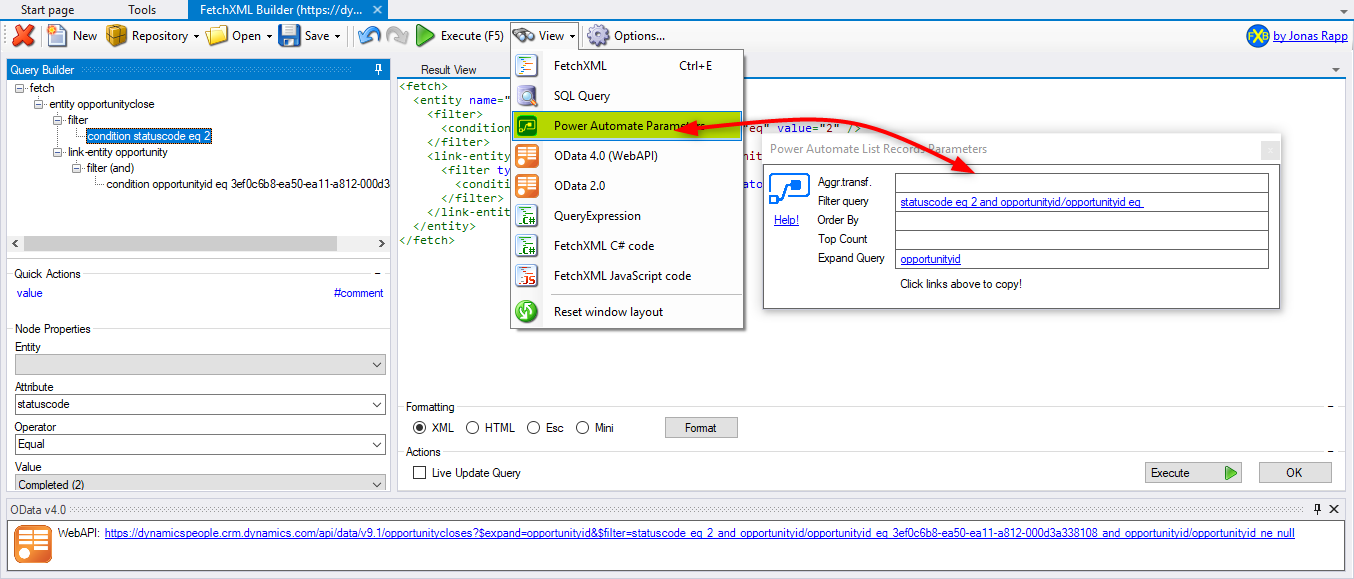
    12032.png

    So I Copy/Past the parameters in Flow: 
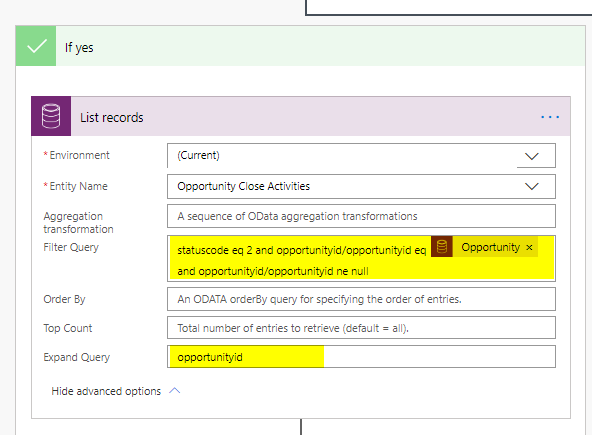
    4274.png

    Then, you will get all the related opportunityclose (Only one in this case).
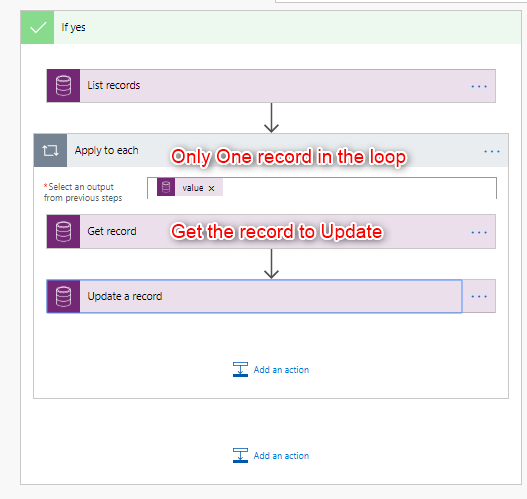
    6710.png

    I hope it's clear, If you need more guidance contact me on LinkedIn.

Under review

Thank you for your reply! To ensure a great experience for everyone, your content is awaiting approval by our Community Managers. Please check back later.

Helpful resources

Quick Links

Responsible AI policies

As AI tools become more common, we’re introducing a Responsible AI Use…

Neeraj Kumar – Community Spotlight

We are honored to recognize Neeraj Kumar as our Community Spotlight honoree for…

Leaderboard > Customer experience | Sales, Customer Insights, CRM

#1
Tom_Gioielli Profile Picture

Tom_Gioielli 70 Super User 2025 Season 2

#2
Gerardo Rentería García Profile Picture

Gerardo Rentería Ga... 33 Most Valuable Professional

#3
Daniyal Khaleel Profile Picture

Daniyal Khaleel 32 Most Valuable Professional

Last 30 days Overall leaderboard

Product updates

Dynamics 365 release plans



