web
You’re offline. This is a read only version of the page.
close
Skip to main content

Notifications

Announcements

No record found.

Community site session details

Community site session details

Session Id :
Customer experience | Sales, Customer Insights,...
Answered

How to get a reason for win or loss to appear in a view for opportunities?

(0) ShareShare
ReportReport
Posted on by

Hi Experts, I have a customer request to show the reason for win or loss of an opportunity on the opportunity view.  All opportunities. .  Anyone know how to capture this field?  It is not showing in the list of columns you can add to an opportunity view.  I  believe it is the Opportunity close.

Thanks in advance.

Debbie

I have the same question (0)
  • Verified answer
    Wahaj Rashid Profile Picture
    11,321 on at

    Hi,

    Thank you for your query.

    You are right, the Win/Lost reason is stored in Opportunity Close activity.

    You need to create a view on the Activity table and set Activity Type to Opportunity Close. The reason is stored in the Activity Description column.

    Then expand your query to Regarding(Opportunity) to add columns from Opportunity.

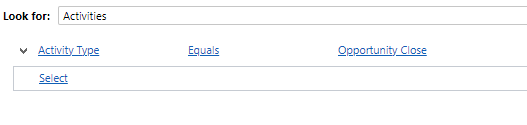
    Here is how to look for this info in Advanced Find:

    • Look for Activity.
    • Add filter, Activity Type equals Opportunity Close.
    • Add the Description column from the Activity table to see the reason.

    pastedimage1626889784722v2.png.

    • Add the Opportunity columns from Regarding Opportunity.

    pastedimage1626889827824v3.png

    Here is the final query:

    pastedimage1626889889825v4.png

    Results ( I removed the extra activity columns in the view):
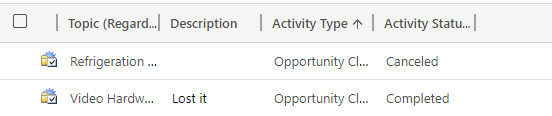
    pastedimage1626889927332v5.png

    Please note, you cannot go from the Opportunity route to get win/lost reasons, you have to start from Activity. This means the view will be on Activity, instead of Opportunity.

    It's better if you create a report (using report wizard) for this purpose.

  • Verified answer
    Community Member Profile Picture
    on at

    Hi Partner,

    The opportunity and opportunity close is 1:N relationship, so you want to show fields from child records(opportunity close) in the view of parent records(opportunity).

    In general, you can add fields from parent records into view of child records directly, which is very easy, but the opposite seems to be impossible.

    So the best option is creating a report if you want to view opportunity close fields in opportunity view.

    You can then create a report which reports on the Opportunity Entity and the Opportunity Close Entity:

     pastedimage1626922602581v1.png

    This will allow you to add fields from either the Opportunity screen or the Opportunity Close screen to the report.

    pastedimage1626922761385v2.png

    This is an example:

    You can add fields you want.

    pastedimage1626923007361v3.png

    Finally, we have a final result as per the following:

    pastedimage1626923484131v4.png

    You can refer following link to know more details about Report Wizard:

    Create a report using the Report Wizard - Power Apps | Microsoft Docs

    Regards,

    Leah Ju

    Please mark as verified if the answer is helpful. Welcome to join hot discussions in Dynamics 365 Forums.

  • Community Member Profile Picture
    on at

    Thank you Leah for the step by step for the report.  Very helpful!

Under review

Thank you for your reply! To ensure a great experience for everyone, your content is awaiting approval by our Community Managers. Please check back later.

Helpful resources

Quick Links

Responsible AI policies

As AI tools become more common, we’re introducing a Responsible AI Use…

Neeraj Kumar – Community Spotlight

We are honored to recognize Neeraj Kumar as our Community Spotlight honoree for…

Leaderboard > Customer experience | Sales, Customer Insights, CRM

#1
Tom_Gioielli Profile Picture

Tom_Gioielli 73 Super User 2025 Season 2

#2
Gerardo Rentería García Profile Picture

Gerardo Rentería Ga... 43 Most Valuable Professional

#3
Daniyal Khaleel Profile Picture

Daniyal Khaleel 32 Most Valuable Professional

Last 30 days Overall leaderboard

Product updates

Dynamics 365 release plans